Less Annoying CRM vs. OnePageCRM

Overview
ProductRatingMost Used ByProduct SummaryStarting Price
Less Annoying CRM
Score 9.7 out of 10
N/A
Less Annoying CRM is a customer relationship management (CRM) solution built specifically for small businesses to help clients manage contacts and track leads.
$15
per month per user
OnePageCRM
Score 10.0 out of 10
N/A
OnePageCRM aims to turn the complexity of a CRM into a simple to-do list. This action-focused CRM helps users interact with contacts by setting simple follow-up tasks. Just out of a promising sales call? Type the next action to "Send a quote", set a date, and move on to the next contact. Contacts will be sorted by task priority so the user can sell with focused attention to each prospect and client. OnePageCRM can be tried with a 21-day free trial today.
$9.95
per month per user
Pricing
Less Annoying CRMOnePageCRM
Editions & Modules
Always
$15
per month per user
Professional Plan (Annually)
$9.95
per month per user
Professional Plan (Monthly)
$15
per month per user
Business Plan (Annually)
$19.95
per month per user
Business Plan (Monthly)
$29
per month per user
Offerings
Pricing Offerings
Less Annoying CRMOnePageCRM
Free Trial
YesYes
Free/Freemium Version
NoNo
Premium Consulting/Integration Services
NoNo
Entry-level Setup FeeNo setup feeNo setup fee
Additional DetailsThe system is $15 per user per month. No hidden costs or fees, or paying unused functionality. No long-term contracts. The first 30 days with the product are free, and the vendor won’t ask for payment information until that trial period ends.OnePageCRM offers 4 months free in annual subscriptions.
More Pricing Information
Community Pulse
Less Annoying CRMOnePageCRM
Features
Less Annoying CRMOnePageCRM
Sales Force Automation
Comparison of Sales Force Automation features of Product A and Product B
Less Annoying CRM
9.2
Ratings
18% above category average
OnePageCRM
9.3
Ratings
19% above category average
Customer data management / contact management10.00 Ratings9.90 Ratings
Workflow management8.60 Ratings10.00 Ratings
Territory management8.80 Ratings10.00 Ratings
Opportunity management10.00 Ratings10.00 Ratings
Integration with email client (e.g., Outlook or Gmail)8.80 Ratings10.00 Ratings
Contract management9.00 Ratings5.40 Ratings
Quote & order management8.80 Ratings10.00 Ratings
Interaction tracking10.00 Ratings9.50 Ratings
Channel / partner relationship management9.10 Ratings9.20 Ratings
Customer Service & Support
Comparison of Customer Service & Support features of Product A and Product B
Less Annoying CRM
10.0
Ratings
28% above category average
OnePageCRM
9.9
Ratings
27% above category average
Case management10.00 Ratings9.90 Ratings
Help desk management10.00 Ratings9.90 Ratings
Call center management00 Ratings9.90 Ratings
Marketing Automation
Comparison of Marketing Automation features of Product A and Product B
Less Annoying CRM
8.7
Ratings
14% above category average
OnePageCRM
10.0
Ratings
27% above category average
Lead management8.90 Ratings10.00 Ratings
Email marketing8.50 Ratings10.00 Ratings
CRM Project Management
Comparison of CRM Project Management features of Product A and Product B
Less Annoying CRM
9.1
Ratings
18% above category average
OnePageCRM
10.0
Ratings
27% above category average
Task management10.00 Ratings10.00 Ratings
Reporting8.20 Ratings10.00 Ratings
CRM Reporting & Analytics
Comparison of CRM Reporting & Analytics features of Product A and Product B
Less Annoying CRM
9.1
Ratings
18% above category average
OnePageCRM
10.0
Ratings
28% above category average
Forecasting9.20 Ratings10.00 Ratings
Pipeline visualization9.00 Ratings9.90 Ratings
Customizable reports9.00 Ratings10.00 Ratings
Customization
Comparison of Customization features of Product A and Product B
Less Annoying CRM
9.0
Ratings
18% above category average
OnePageCRM
10.0
Ratings
29% above category average
Custom fields9.10 Ratings9.80 Ratings
Scripting environment8.90 Ratings10.00 Ratings
API for custom integration9.10 Ratings10.00 Ratings
Custom objects00 Ratings10.00 Ratings
Integrations with 3rd-party Software
Comparison of Integrations with 3rd-party Software features of Product A and Product B
Less Annoying CRM
8.2
Ratings
11% above category average
OnePageCRM
10.0
Ratings
31% above category average
Marketing automation8.20 Ratings10.00 Ratings
Platform
Comparison of Platform features of Product A and Product B
Less Annoying CRM
9.7
Ratings
28% above category average
OnePageCRM
10.0
Ratings
31% above category average
Mobile access9.70 Ratings10.00 Ratings
Security
Comparison of Security features of Product A and Product B
Less Annoying CRM
9.9
Ratings
17% above category average
OnePageCRM
10.0
Ratings
18% above category average
Role-based user permissions9.90 Ratings10.00 Ratings
Single sign-on capability00 Ratings9.90 Ratings
Best Alternatives
Less Annoying CRMOnePageCRM
Small Businesses
Salesmate
Salesmate
Score 10.0 out of 10
Salesmate
Salesmate
Score 10.0 out of 10
Medium-sized Companies
Creatio
Creatio
Score 9.7 out of 10
Creatio
Creatio
Score 9.7 out of 10
Enterprises
Creatio
Creatio
Score 9.7 out of 10
Creatio
Creatio
Score 9.7 out of 10
All AlternativesView all alternativesView all alternatives
User Ratings
Less Annoying CRMOnePageCRM
Likelihood to Recommend
10.0
(0 ratings)
7.6
(0 ratings)
Likelihood to Renew
9.1
(0 ratings)
-
(0 ratings)
Usability
10.0
(0 ratings)
-
(0 ratings)
Support Rating
9.4
(0 ratings)
-
(0 ratings)
Implementation Rating
9.1
(0 ratings)
-
(0 ratings)
User Testimonials
Less Annoying CRMOnePageCRM
Likelihood to Recommend
Less Annoying CRM is an excellent system for us as we log everything we do with a customer and has easy access to the imfromation later. May sound "of course" but this is by far the easiest CRM I've ever worked with during my 30 years in sales. Follow-up and scheduling is easy managable as well as designing forms and fields our selves. Less Annoying CRM has a good list of plug'ins to other software for integrational puposes. Most important to us is support when needed. Less Annoying CRM excels in its support. Don't hesitate, it doesn't do everything, but get started and get surprised
Read full review
It's hard to be helpful here: we use OnePage in such a limited way that I'm certain some of the higher level features would really help other organizations, it's just that our activity flow isn't based here. We use our help-desk ("Freshdesk") for the majority of our customer communication, and in fact don't manually communicate from OnePage directly.
Read full review
Pros
  • Simple, intuitive usage
  • Daily agenda emails
  • Ease of moving calendar / action items around, closing out
  • Customer service is extremely responsive, they don't hide behind a "contact us" form on their website as so many companies seem to do. You can readily reach them by phone!
Read full review
  • OnePage pulls in emails very well and clearly displays them when you click on each contact.
  • Tracking data. It is great to track the number of calls, emails, deals won/lost, etc.
  • Lead importing is hassle-free.
Read full review
Cons
  • The one thing I was looking for is a place to manage multiple businesses with one project. Like if I am selling a "summer camp guide," I would like to have info for sales in one place with multiple contacts and businesses. LACRM customer service provided a workaround for me by suggesting I set up a specific pipeline for each project and them put each business in there. It is working great and, actually, a much better way to manage the project than I have originally intended.
  • I really don't have anything else to add. LACRM is perfect for us.
Read full review
  • OnePage does not show an overall "life of the lead" in one place. While it tracks everything, it can be difficult to get a broad overview/timeline of all communication.
Read full review
Likelihood to Renew
Excellent product which meets my needs of a complex industry
Read full review
No answers on this topic
Usability
I knew nothing about CRMs, and within a day of purchasing Less Annoying CRM, I was able to set up my contacts list with custom fields. After a brief call to Customer Service, I was able to set up my first pipelines and understand how to use them. This CRM is so simple to use, and extremely versatile.
Read full review
No answers on this topic
Support Rating
Customer support is fantastic with these guys, they’re always very prompt to answer, and the team is very personable and easy to work with. I can’t really say much more than that, my interactions have been fairly limited, but what interactions I had, I can see without a shadow of a doubt they were very enjoyable and swift in resolving my issues.
Read full review
No answers on this topic
Implementation Rating
After explaining that I was moving from Salesforce and the problems I was encountering, they took over and implemented the data in such a quick and efficient way, I was looking for the other shoe to drop but they did an amazing job so very impressed
Read full review
No answers on this topic
Alternatives Considered
Less Annoying CRM is so much easier to use and is at least as powerful if not more in the areas that matter to me as a small business owner. The way you do things in Less Annoying CRM are the ways that common sense would dictate you do them. It doesn't overcomplicate things to show how smart the engineers that designed it were.
Read full review
OnePage is not as robust when compared to SharpSpring. SharpSpring is better with email marketing, lead scoring, social media management, etc. OnePage is better for the sales team, but for our fulfillment team, Asana works better because of the ability to create sub-tasks and projects.
Read full review
Return on Investment
  • Not just storage of information, but utilizing that information to build stronger relationships with clients
  • Because it's web-based, we can be at our desk or on the road and still have the full functionality of the CRM at our fingertips, which helps us keep focusing on sales!
Read full review
  • The thing is, GTD seems to work well for me and ensures that I don't forget to follow up which is the number one failure in sales prospecting. So, the ROI is obviously good.
Read full review
ScreenShots

Less Annoying CRM Screenshots

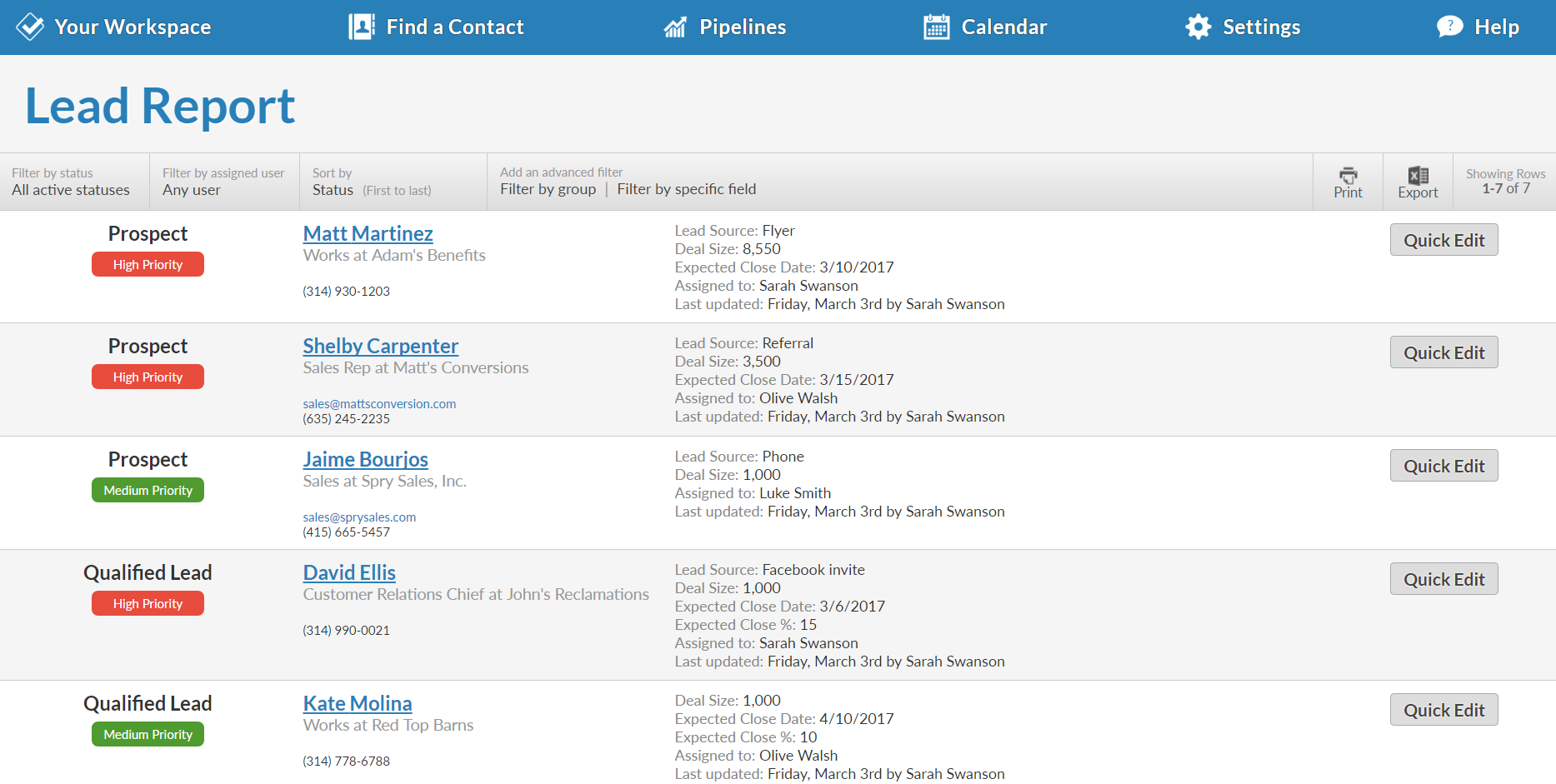
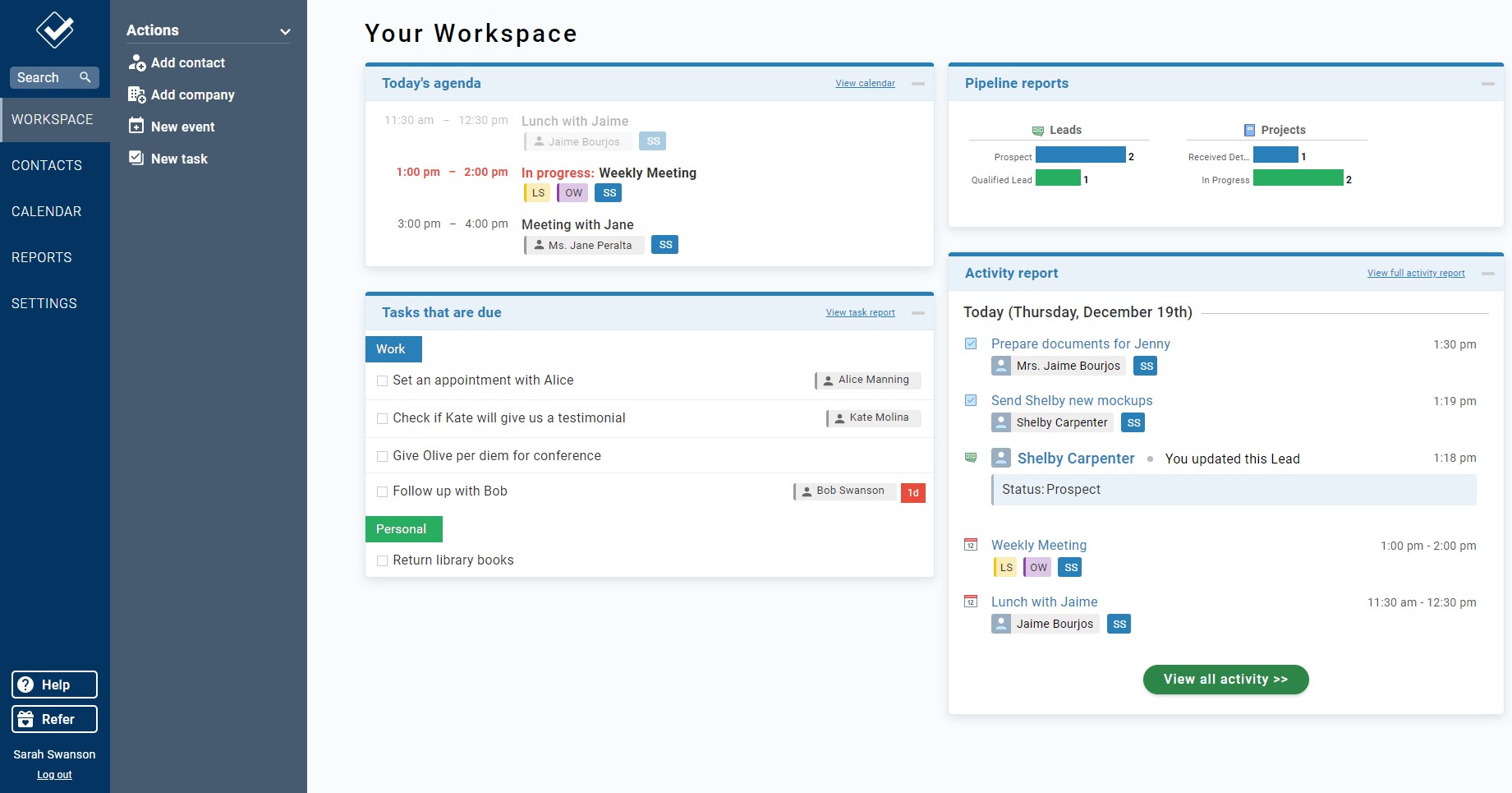
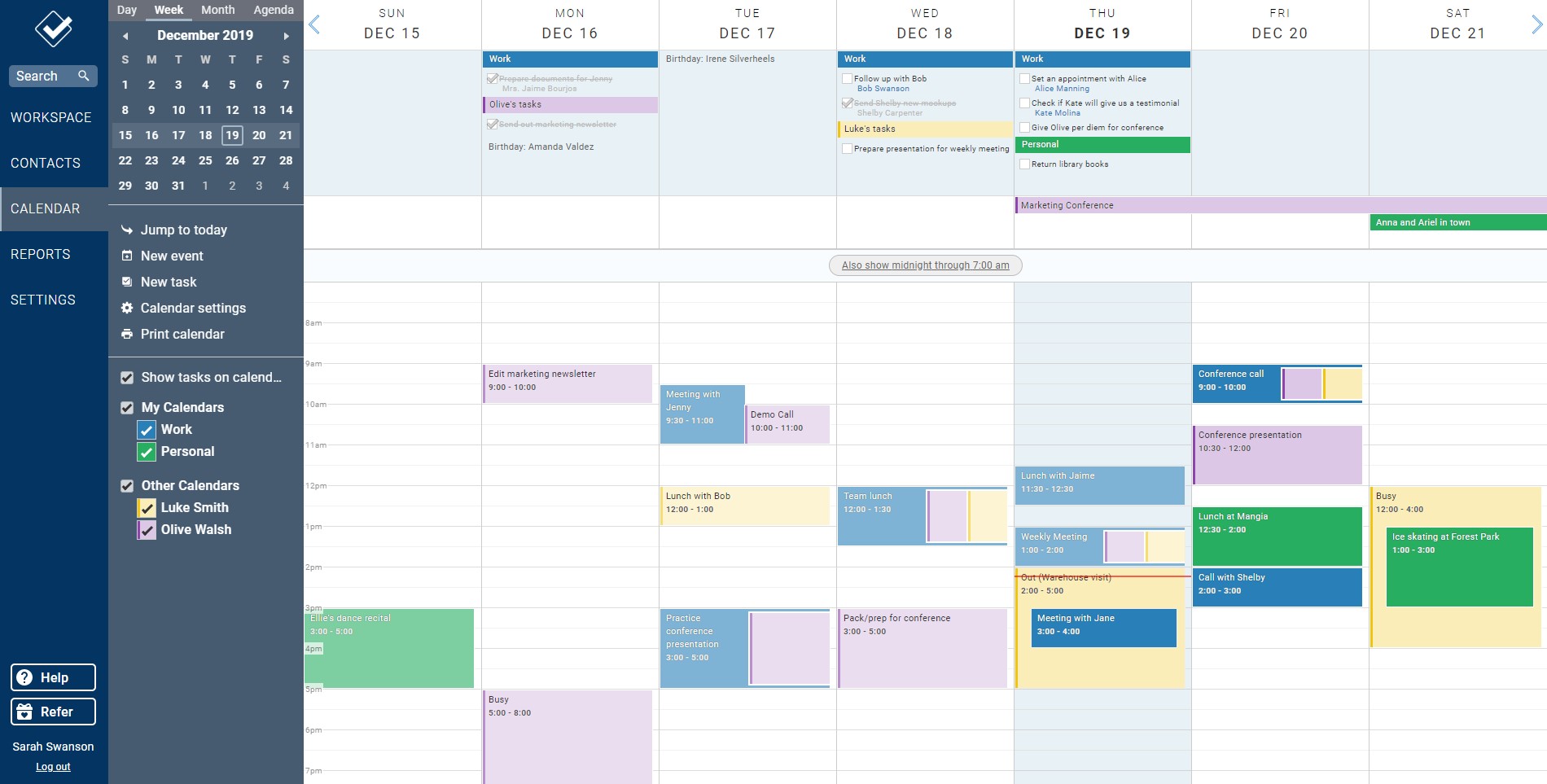
Screenshot of The full-customizable Lead Report keeps you updated on every opportunity in your pipeline.Screenshot of Every contact and company has a profile that shows your entire history, along with any leads, files, events, to-dos, and more.Screenshot of Your Workspace is your homepage for your CRM. It give you a quick overview of everything that's going on.Screenshot of The full-customizable Lead Report keeps you updated on every opportunity in your pipeline.Screenshot of Our powerful web calendar allows you to stay on top of your events and to-dos and those of your co-workers.Screenshot of Our fully-featured mobile site means you can access your CRM from anywhere you have an internet connection.

OnePageCRM Screenshots

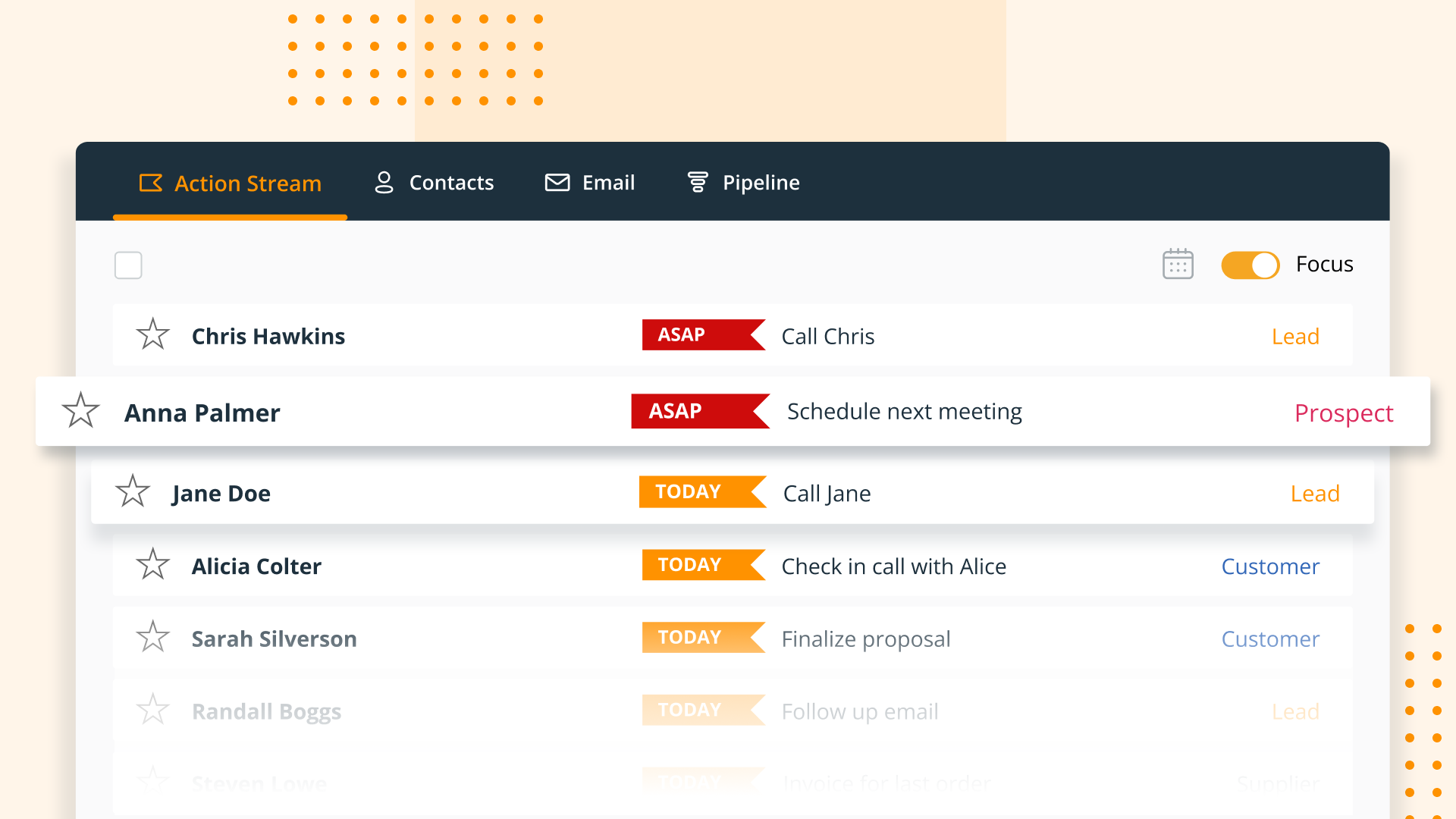
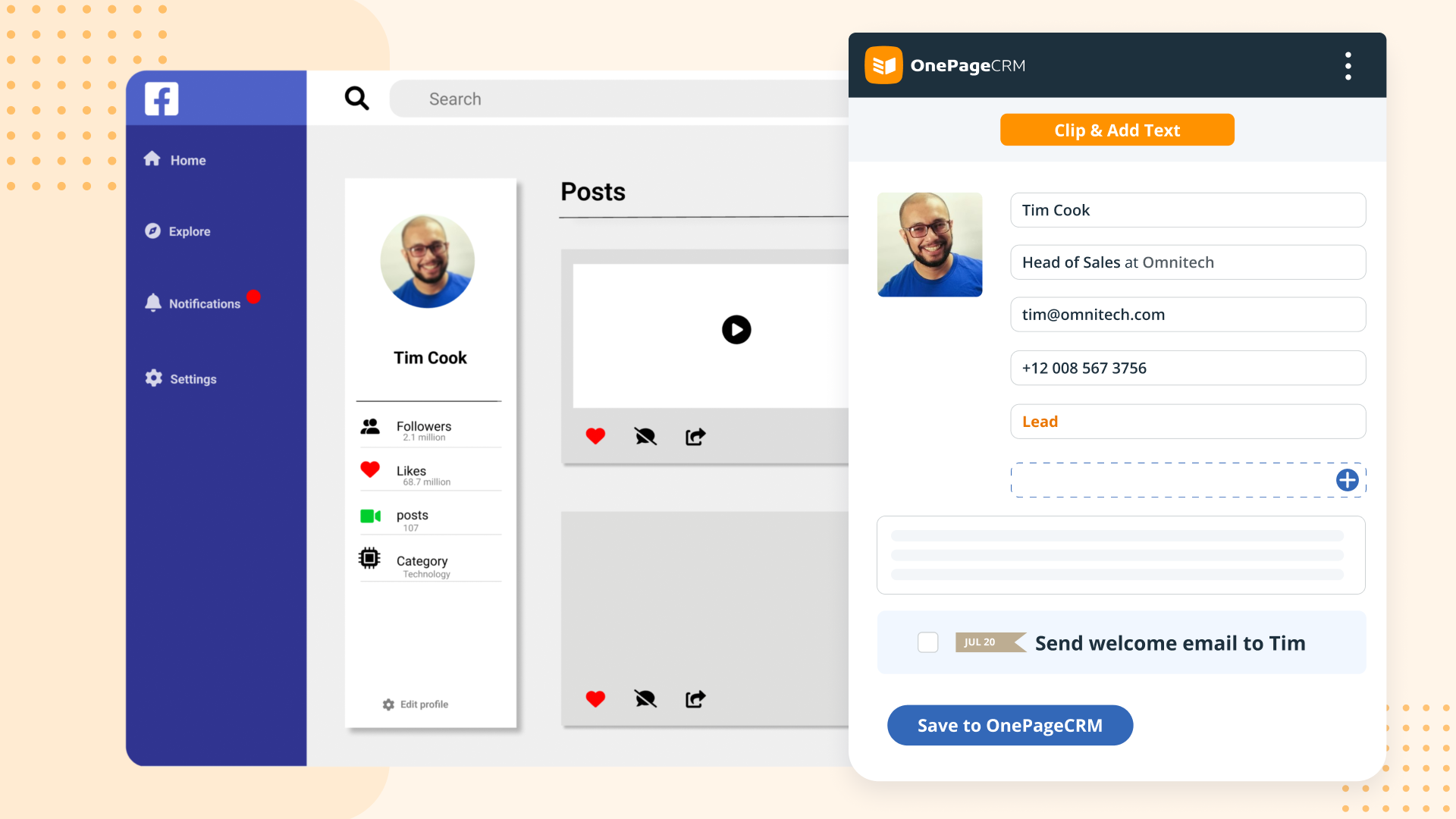
Screenshot of OnePageCRM transforms the user's database into an actionable to-do list. Contacts are sorted into Action Stream by task priority so users know what to do next.Screenshot of OnePageCRM displays relevant calls, notes, deals, and golden nuggets about a contact in one place.Screenshot of OnePageCRM's email integration allows users to send emails in bulk, create templates, and track opens.Screenshot of For lead generation, OnePageCRM's browser extension lets users add leads to a CRM from any webpage in one click.Screenshot of For sales on the go, download the OnePageCRM mobile app (iOS & Android). Log calls and update deals.Screenshot of Manage deals with OnePageCRM's drag-and-drop feature and keep track of goals with a live KPI dashboard.