OnePageCRM

Overview
ProductRatingMost Used ByProduct SummaryStarting Price
OnePageCRM
Score 10.0 out of 10
N/A
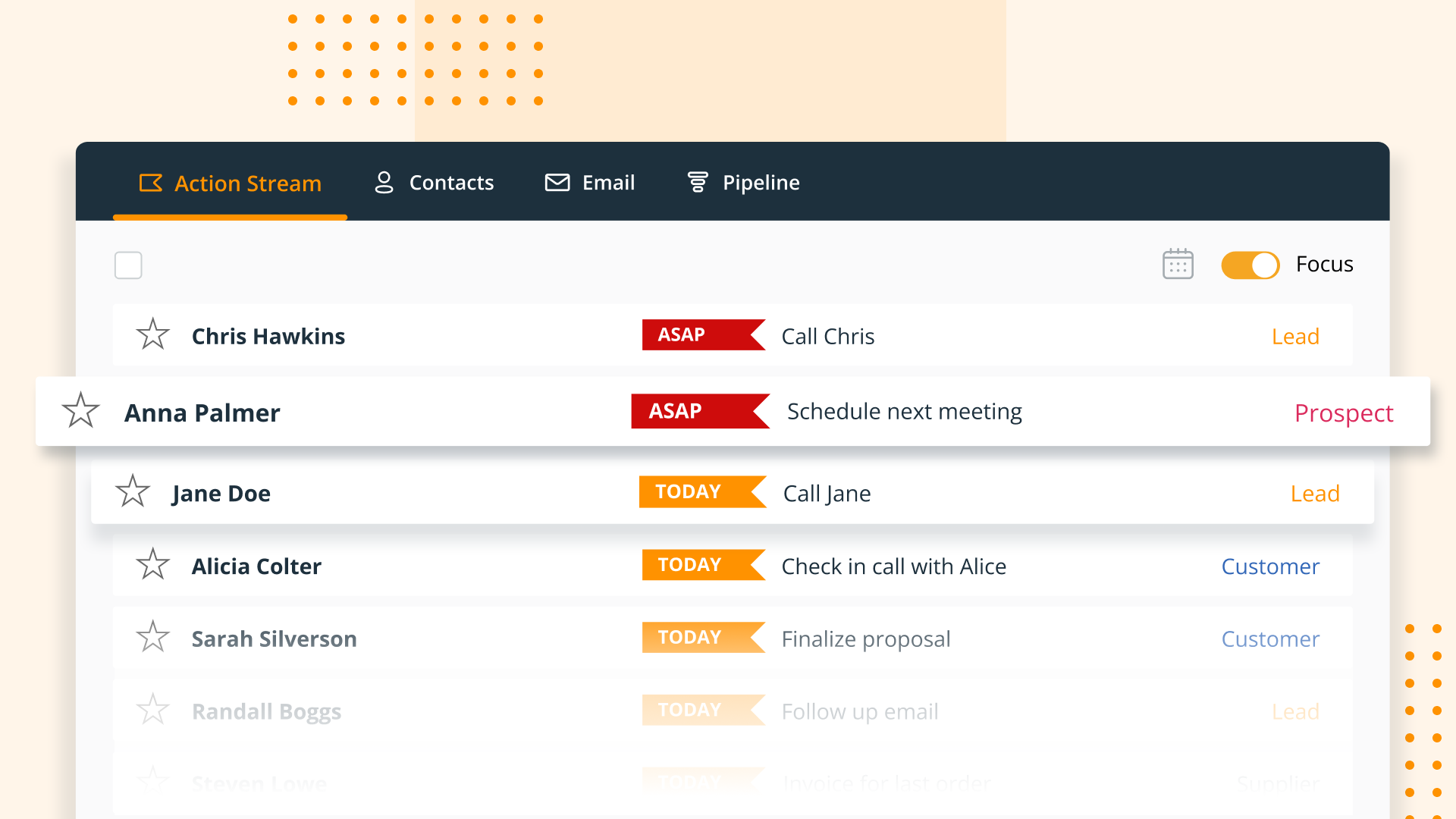
OnePageCRM aims to turn the complexity of a CRM into a simple to-do list. This action-focused CRM helps users interact with contacts by setting simple follow-up tasks. Just out of a promising sales call? Type the next action to "Send a quote", set a date, and move on to the next contact. Contacts will be sorted by task priority so the user can sell with focused attention to each prospect and client. OnePageCRM can be tried with a 21-day free trial today.
$9.95
per month per user
Pricing
OnePageCRM
Editions & Modules
Professional Plan (Annually)
$9.95
per month per user
Professional Plan (Monthly)
$15
per month per user
Business Plan (Annually)
$19.95
per month per user
Business Plan (Monthly)
$29
per month per user
Offerings
Pricing Offerings
OnePageCRM
Free Trial
Yes
Free/Freemium Version
No
Premium Consulting/Integration Services
No
Entry-level Setup FeeNo setup fee
Additional DetailsOnePageCRM offers 4 months free in annual subscriptions.
More Pricing Information
Community Pulse
OnePageCRM
Features
OnePageCRM
Sales Force Automation
Comparison of Sales Force Automation features of Product A and Product B
OnePageCRM
9.3
Ratings
19% above category average
Customer data management / contact management9.90 Ratings
Workflow management10.00 Ratings
Territory management10.00 Ratings
Opportunity management10.00 Ratings
Integration with email client (e.g., Outlook or Gmail)10.00 Ratings
Contract management5.40 Ratings
Quote & order management10.00 Ratings
Interaction tracking9.50 Ratings
Channel / partner relationship management9.20 Ratings
Customer Service & Support
Comparison of Customer Service & Support features of Product A and Product B
OnePageCRM
9.9
Ratings
27% above category average
Case management9.90 Ratings
Call center management9.90 Ratings
Help desk management9.90 Ratings
Marketing Automation
Comparison of Marketing Automation features of Product A and Product B
OnePageCRM
10.0
Ratings
27% above category average
Lead management10.00 Ratings
Email marketing10.00 Ratings
CRM Project Management
Comparison of CRM Project Management features of Product A and Product B
OnePageCRM
10.0
Ratings
27% above category average
Task management10.00 Ratings
Reporting10.00 Ratings
CRM Reporting & Analytics
Comparison of CRM Reporting & Analytics features of Product A and Product B
OnePageCRM
10.0
Ratings
28% above category average
Forecasting10.00 Ratings
Pipeline visualization9.90 Ratings
Customizable reports10.00 Ratings
Customization
Comparison of Customization features of Product A and Product B
OnePageCRM
10.0
Ratings
29% above category average
Custom fields9.80 Ratings
Custom objects10.00 Ratings
Scripting environment10.00 Ratings
API for custom integration10.00 Ratings
Security
Comparison of Security features of Product A and Product B
OnePageCRM
10.0
Ratings
18% above category average
Single sign-on capability9.90 Ratings
Role-based user permissions10.00 Ratings
Integrations with 3rd-party Software
Comparison of Integrations with 3rd-party Software features of Product A and Product B
OnePageCRM
10.0
Ratings
31% above category average
Marketing automation10.00 Ratings
Platform
Comparison of Platform features of Product A and Product B
OnePageCRM
10.0
Ratings
31% above category average
Mobile access10.00 Ratings
User Ratings
OnePageCRM
Likelihood to Recommend
7.6
(0 ratings)
User Testimonials
OnePageCRM
Likelihood to Recommend
It's hard to be helpful here: we use OnePage in such a limited way that I'm certain some of the higher level features would really help other organizations, it's just that our activity flow isn't based here. We use our help-desk ("Freshdesk") for the majority of our customer communication, and in fact don't manually communicate from OnePage directly.
Read full review
Pros
  • OnePage pulls in emails very well and clearly displays them when you click on each contact.
  • Tracking data. It is great to track the number of calls, emails, deals won/lost, etc.
  • Lead importing is hassle-free.
Read full review
Cons
  • OnePage does not show an overall "life of the lead" in one place. While it tracks everything, it can be difficult to get a broad overview/timeline of all communication.
Read full review
Alternatives Considered
OnePage is not as robust when compared to SharpSpring. SharpSpring is better with email marketing, lead scoring, social media management, etc. OnePage is better for the sales team, but for our fulfillment team, Asana works better because of the ability to create sub-tasks and projects.
Read full review
Return on Investment
  • The thing is, GTD seems to work well for me and ensures that I don't forget to follow up which is the number one failure in sales prospecting. So, the ROI is obviously good.
Read full review
ScreenShots

OnePageCRM Screenshots

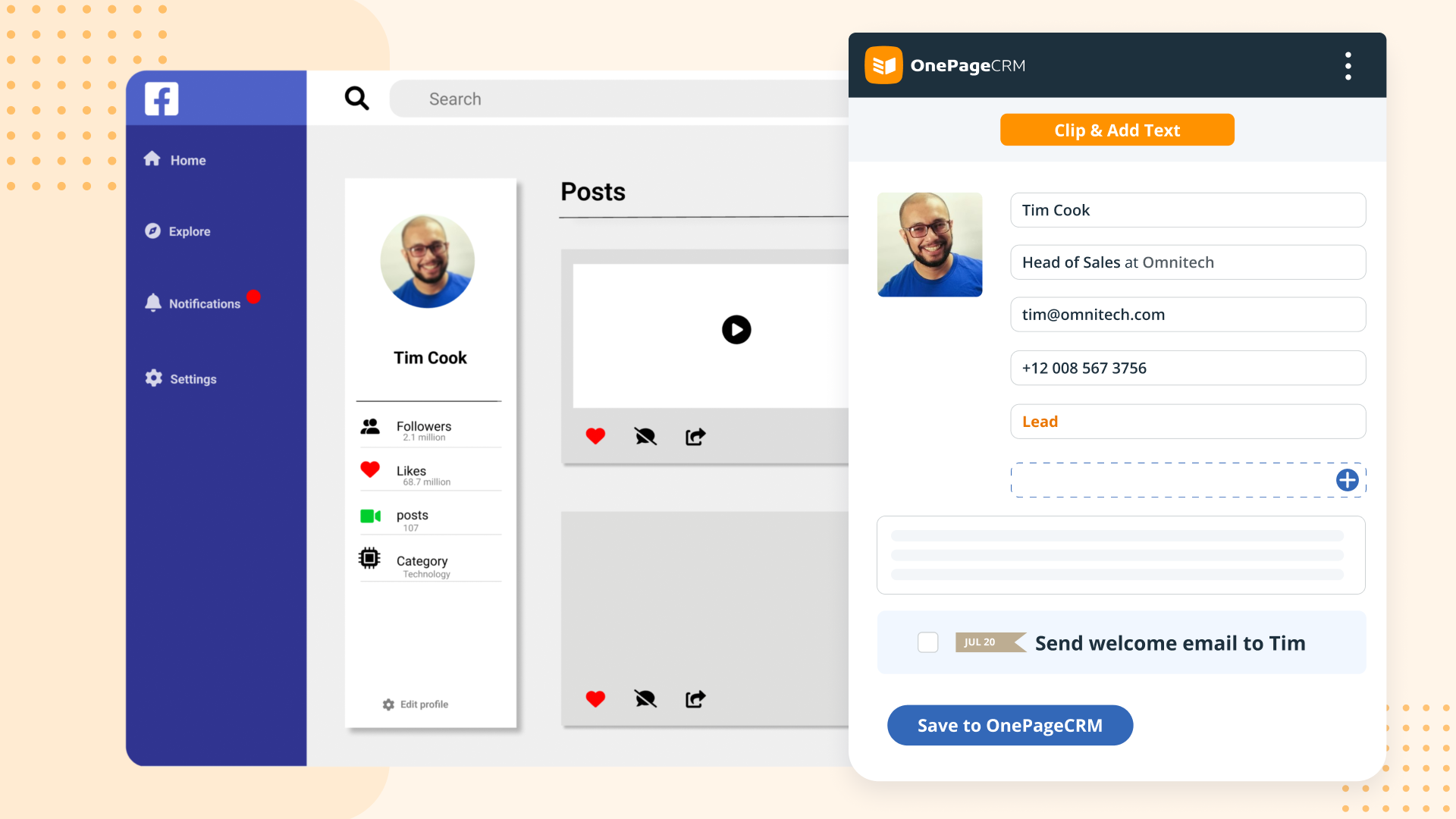
Screenshot of OnePageCRM transforms the user's database into an actionable to-do list. Contacts are sorted into Action Stream by task priority so users know what to do next.Screenshot of OnePageCRM displays relevant calls, notes, deals, and golden nuggets about a contact in one place.Screenshot of OnePageCRM's email integration allows users to send emails in bulk, create templates, and track opens.Screenshot of For lead generation, OnePageCRM's browser extension lets users add leads to a CRM from any webpage in one click.Screenshot of For sales on the go, download the OnePageCRM mobile app (iOS & Android). Log calls and update deals.Screenshot of Manage deals with OnePageCRM's drag-and-drop feature and keep track of goals with a live KPI dashboard.