
Kintone vs. Process Street
Kintone vs. Process Street
| Product | Rating | Most Used By | Product Summary | Starting Price |
|---|---|---|---|---|
 Kintone | N/A | Kintone is a customizable digital workplace platform that lets the user manage data, tasks, and communication in one central place. Over 30,000 customers use Kintone’s no-code platform with more than 1.5 million database and workflow applications custom built for their businesses. The no-code drag-and-drop interface can be used to create custom database applications. Whether it’s sales leads, customer quotes, or inventory management, it can be organized in Kintone and viewed from the… | $24 per month per user | |
 Process Street | N/A | Process Street in San Francisco offers their application which allows teams to create simple recurring checklists, collaborate around them and track as they’re completed. | $0 per month per user |
| Kintone | Process Street | |||||||||||||||
|---|---|---|---|---|---|---|---|---|---|---|---|---|---|---|---|---|
| Editions & Modules |
|
| ||||||||||||||
| Offerings |
| |||||||||||||||
| Entry-level Setup Fee | Optional | No setup fee | ||||||||||||||
| Additional Details | All subscriptions have a minimum requirement of 5 users. | — | ||||||||||||||
| More Pricing Information | ||||||||||||||||
| Kintone | Process Street |
|---|
| Kintone | Process Street | |||||||||||||||
|---|---|---|---|---|---|---|---|---|---|---|---|---|---|---|---|---|
| Low-Code Development |
| |||||||||||||||
| Reporting & Analytics |
| |||||||||||||||
| Process Engine |
| |||||||||||||||
| Collaboration |
| |||||||||||||||
| Content Management Capabilties |
|
| Kintone | Process Street | |
|---|---|---|
| Small Businesses |  Stackby Score 9.0 out of 10 |  Square 9 Softworks Score 9.5 out of 10 |
| Medium-sized Companies |  Quixy Score 9.9 out of 10 | Square 9 Softworks Score 9.5 out of 10 |
| Enterprises |  Creatio Score 9.7 out of 10 |  CMW Platform Score 8.9 out of 10 |
| All Alternatives | View all alternatives | View all alternatives |
| Kintone | Process Street | |
|---|---|---|
| Likelihood to Recommend | 9.0 (0 ratings) | 9.2 (0 ratings) |
| Likelihood to Renew | 8.3 (0 ratings) | - (0 ratings) |
| Usability | 7.8 (0 ratings) | - (0 ratings) |
| Availability | 10.0 (0 ratings) | - (0 ratings) |
| Performance | 9.0 (0 ratings) | - (0 ratings) |
| Support Rating | 9.4 (0 ratings) | 9.0 (0 ratings) |
| Implementation Rating | 6.8 (0 ratings) | - (0 ratings) |
| Configurability | 9.6 (0 ratings) | - (0 ratings) |
| Ease of integration | 5.0 (0 ratings) | - (0 ratings) |
| Product Scalability | 7.0 (0 ratings) | - (0 ratings) |
| Vendor post-sale | 8.0 (0 ratings) | - (0 ratings) |
| Vendor pre-sale | 2.0 (0 ratings) | - (0 ratings) |
| Kintone | Process Street | |
|---|---|---|
| Likelihood to Recommend | 
| 
|
| Pros |
 Becca Rusinko Life Coach |
 Nora Delolli Marketing & Listing Manager |
| Cons |
|
Nora Delolli Marketing & Listing Manager |
| Likelihood to Renew |
 Shin Kishioka PRESIDENT | No answers on this topic |
| Usability |
Shin Kishioka PRESIDENT | No answers on this topic |
| Reliability and Availability |
 Farshad Karimi Implementation Manager | No answers on this topic |
| Performance |
Farshad Karimi Implementation Manager | No answers on this topic |
| Support Rating |
|
 Kevin Miller Owner |
| Implementation Rating |
Shin Kishioka PRESIDENT | No answers on this topic |
| Alternatives Considered |
|
 Malessa Brisbane Web Marketing Consultant |
| Scalability |
Farshad Karimi Implementation Manager | No answers on this topic |
| Return on Investment |
|
|
| ScreenShots | Kintone Screenshots  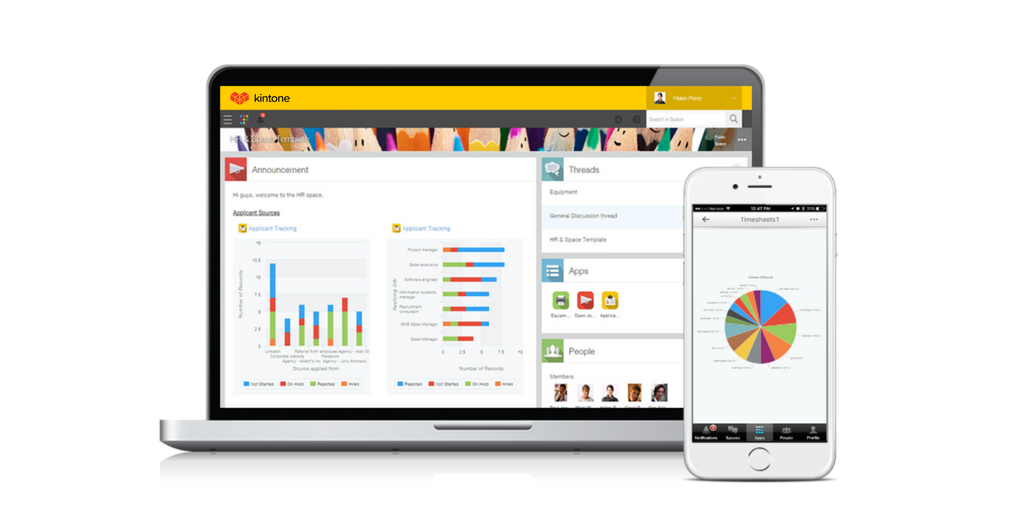   | Process Street Screenshots    |