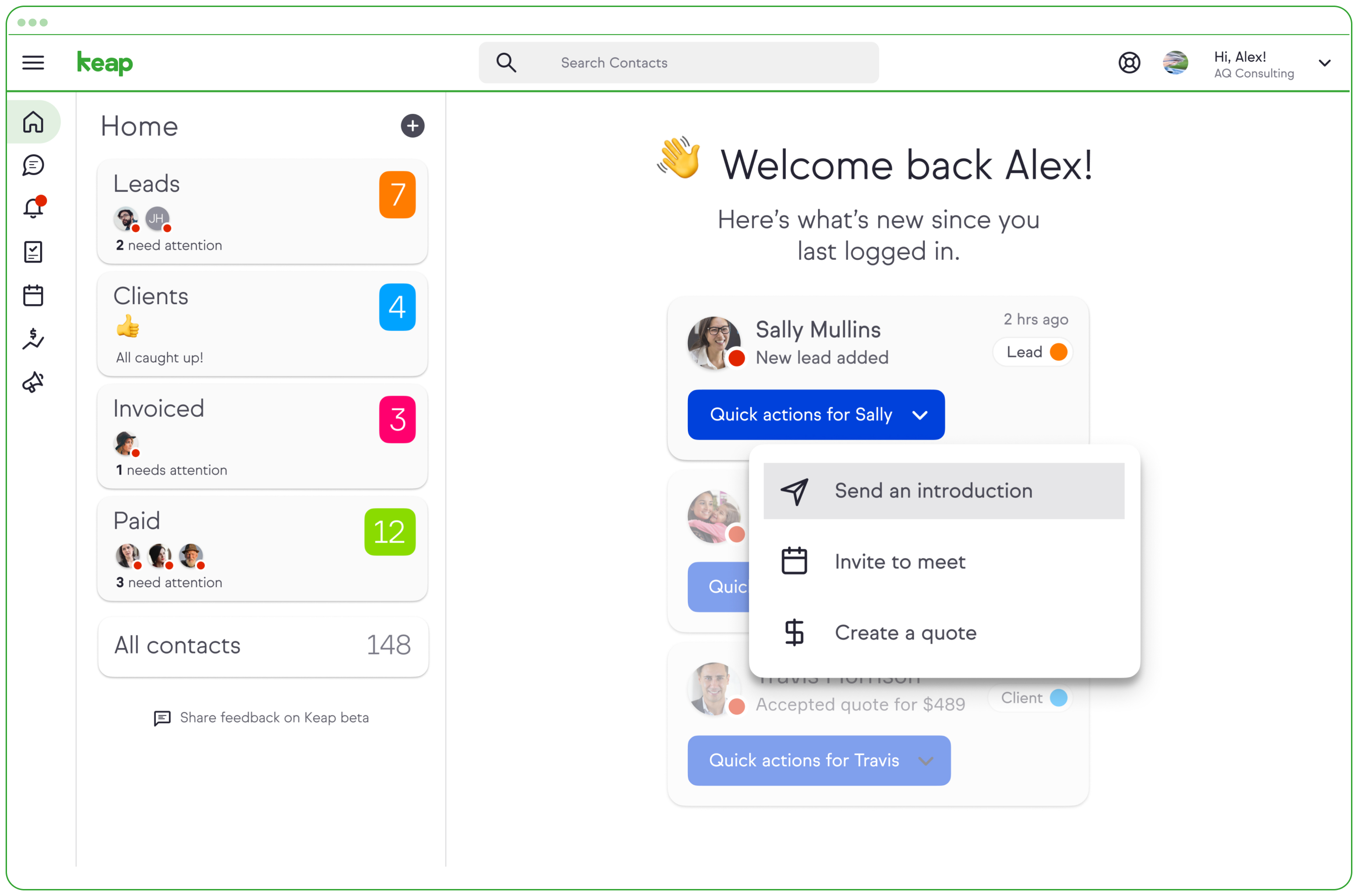
Keap is a small business-focused, comprehensive sales and marketing platform which combines basic contact management, CRM, marketing automation, and e-commerce capabilities into a single, subscription-based SaaS product.
$199
per month
monday marketer
Score8.5 out of 10
N/A
monday marketer empowers marketers and creatives to plan, execute and optimize impactful marketing initiatives in one place. From strategic planning, and digital asset management to launching effective campaigns, customize your entire workflow to any project management style.
$0
per month per seat
Pricing
Keap
monday marketer
Editions & Modules
Pro
$199.00
per month
Max
$289.00
per month
Max Classic
Contact Us
per year
Individual
$0
per month per seat
Basic
$10
per month per seat
Standard
$13
per month per seat
Pro
$22
per month per seat
Enterprise
Contact Sales
Offerings
Pricing Offerings
Keap
monday marketer
Free Trial
Yes
Yes
Free/Freemium Version
No
Yes
Premium Consulting/Integration Services
Yes
No
Entry-level Setup Fee
Optional
No setup fee
Additional Details
All plans with 1 user and 500 contacts. The price is $30.00 for each additional user.
—
More Pricing Information
Community Pulse
Keap
monday marketer
Considered Both Products
Keap
No answer on this topic
monday.com
Verified User
Chose monday marketer
Monday marketer allows a much greater level of detail and functionality than Trello. You are able to automate tasks, create dashboards, have different workspaces, sync with Google Calendar, and much more. You can do far more using monday marketer than I have ever experienced …
A de minimis incentive was given to thank the reviewer for their time. The incentive was not used to bias or drive a particular response, nor was the incentive contingent on a positive endorsement. More Info
Verified User
Chose monday marketer
I've used Asana and prefer monday marketer. I've compared with friends who use Asana and the functionality seems to be fairly similar, but the interface of monday marketer just makes more sense to me—sort of like Microsoft vs Mac.
A de minimis incentive was given to thank the reviewer for their time. The incentive was not used to bias or drive a particular response, nor was the incentive contingent on a positive endorsement. More Info
Keap is very good at contact management and automation creation but weaker at email campaign creation. I was particularly interested in a function where when manually entering a new contact, you are then able to email that contact using a premade HTML template. It will currently not do this. There is a workaround, but it is unnecessarily ponderous.
A de minimis incentive was given to thank the reviewer for their time. The incentive was not used to bias or drive a particular response, nor was the incentive contingent on a positive endorsement. More Info
monday marketer is a great tool for managing everything from the idea stage, to the production of content, to organizing goals and campaigns, all the way to collaborating and sharing with stakeholders and leadership. We used to work on multiple tabs in a worksheet, and monday.com changed the game. We're more organized than ever, and we can easily share what works/what doesn't with other team members around the globe!
A de minimis incentive was given to thank the reviewer for their time. The incentive was not used to bias or drive a particular response, nor was the incentive contingent on a positive endorsement. More Info
A de minimis incentive was given to thank the reviewer for their time. The incentive was not used to bias or drive a particular response, nor was the incentive contingent on a positive endorsement. More Info
A de minimis incentive was given to thank the reviewer for their time. The incentive was not used to bias or drive a particular response, nor was the incentive contingent on a positive endorsement. More Info
More articles and videos on how to use the various functions of Keap
Having representatives designated to certain regions or companies for a point of contact when help is needed
More options when building the emails. While the click and drop options can be a plus, they can also be negative because you are limited to image and text sizing and positions
Notifications are not consolidated. So if a teammate makes a new board and assigns me to a bunch of items, I get an individual notification of every single one
I like sub-items, but they aren’t always necessary so making them unremovable isn’t great
A de minimis incentive was given to thank the reviewer for their time. The incentive was not used to bias or drive a particular response, nor was the incentive contingent on a positive endorsement. More Info
We have invested a lot into Infusionsoft and are using it to automate our processes and marketing. Changing CRMs would have a HUGE cost for us and based on our evaluations, the grass isn't greener elsewhere. Infusiosoft fits most of our needs and is slowly getting better each year. Their support is great and we will continue to use them until something much better comes around or our company outgrows a small business CRM.
You do need to spend some time on-boarding and implementing the software in order to have full functionality. We were lucky - we had colleagues at the university with experience with Keap and then hired an intern familiar with the software to get us set up and ready to use it. We've had some functionality issues with it along the way and that has frustrated myself and the other uses in our department.
A de minimis incentive was given to thank the reviewer for their time. The incentive was not used to bias or drive a particular response, nor was the incentive contingent on a positive endorsement. TR verified that a representative sample of customers was invited. More Info
It is an easy platform to learn for new members joining the team. The useability of monday.com makes it easier to onboard stakeholders and team members, to make project management easier for everyone. Automation also makes common tasks easier by eliminating the need to focus on doing repetitive things over and over and over again.
A de minimis incentive was given to thank the reviewer for their time. The incentive was not used to bias or drive a particular response, nor was the incentive contingent on a positive endorsement. More Info
OMG, it's all in one and that compromises everything, fundamentally. If you want a race car, invest in a race car. If you want a dune buggy, get that. If you want a boat that floats, go for it.
Generally, very responsive support for even our more complicated issues. We do have some open issues that we need resolutions on and that I understand are complicated and will take longer to resolve but the open issues are significantly impacting to our business.
A de minimis incentive was given to thank the reviewer for their time. The incentive was not used to bias or drive a particular response, nor was the incentive contingent on a positive endorsement. TR verified that a representative sample of customers was invited. More Info
Honestly, I haven't called monday's support, because, the few times that some help was needed, the area coordinator is in charge of looking for solutions. But, if I have a reference from her, praising the support received, because in a few minutes or at most hours, everything is normal. It's amazing how fast and effective they are.
A de minimis incentive was given to thank the reviewer for their time. The incentive was not used to bias or drive a particular response, nor was the incentive contingent on a positive endorsement. More Info
I have been to a number of in-person training sessions over the years with Keap and all of them have been FANTASTIC. They really put a lot of time and effort into these sessions. Staff and facilitators go out of their way to ensure that participants are getting what they need.
A de minimis incentive was given to thank the reviewer for their time. The incentive was not used to bias or drive a particular response, nor was the incentive contingent on a positive endorsement. More Info
The results of training online are often based on how people learn. The training was great but with feature updates, you just have to get in there sometimes and do it! The training definitely lays a firm enough foundation for you to be successful even if its can't be updated with every feature update.
Don't let the fear of implementing a new software solution keep you from unleashing the power of automation that Infusionsoft provides. With the right implementation partner, the process can not only be smooth and painless, it can actually help you get a better understanding for how your current communication process can be improved upon.
Keap is fast. The learning curve is shorter and they have an academy for learning with videos quite extensive that explain a lot of different scenarios, specially when you need to customize scenarios of automations and segments. Is cheaper if you consider that this services CRM + Mailing don´t come often in one package and the realiability to send mails is quite good.
A de minimis incentive was given to thank the reviewer for their time. The incentive was not used to bias or drive a particular response, nor was the incentive contingent on a positive endorsement. More Info
Monday marketer allows a much greater level of detail and functionality than Trello. You are able to automate tasks, create dashboards, have different workspaces, sync with Google Calendar, and much more. You can do far more using monday marketer than I have ever experienced with another project management tool. Basecamp is a good tool for communicating with clients, but monday marketer is much better for internal project management.
A de minimis incentive was given to thank the reviewer for their time. The incentive was not used to bias or drive a particular response, nor was the incentive contingent on a positive endorsement. More Info
You get a lot of features included, but you don't need to use them all at once to start seeing an effect. When you are ready to use them, they are there. It also scales without costing too much money.
Automation has allowed us to be more engaged and invested in our customers by reminding us about birthdays and other important events in their lives so that we can celebrate with them.
We lacked the manpower to sell and distribute orders online before setting up the payments and automation features. We now collect $5k+ a week in lost sales through online ordering.
List cleaning functionality and engagment settings have allowed us to run a 40-50% email open rate that allows us to create an engaged community around local events and opportunities as well as sales and special offerings.
A de minimis incentive was given to thank the reviewer for their time. The incentive was not used to bias or drive a particular response, nor was the incentive contingent on a positive endorsement. More Info
It has saved our team a lot of time. It allows our Creatives to quickly see what projects should be on their priority list, as well as where the other elements of each project are at.
The update feature allows our team to have focused communication regarding different tasks. It's easy to tag in team members and ask questions, provide links to finished assets, etc.
Before I joined the team, they were debating whether this software was the right choice and thinking about switching. When I joined the team, I really owned monday.com and got to learn the software. I figured out ways to make my team's boards more efficient and useful, which has in turn greatly increased the employee adoption of this software. There are now best practices and processes in place regarding this platform which has made it easier for everyone - we all want to keep monday.com now!
A de minimis incentive was given to thank the reviewer for their time. The incentive was not used to bias or drive a particular response, nor was the incentive contingent on a positive endorsement. More Info