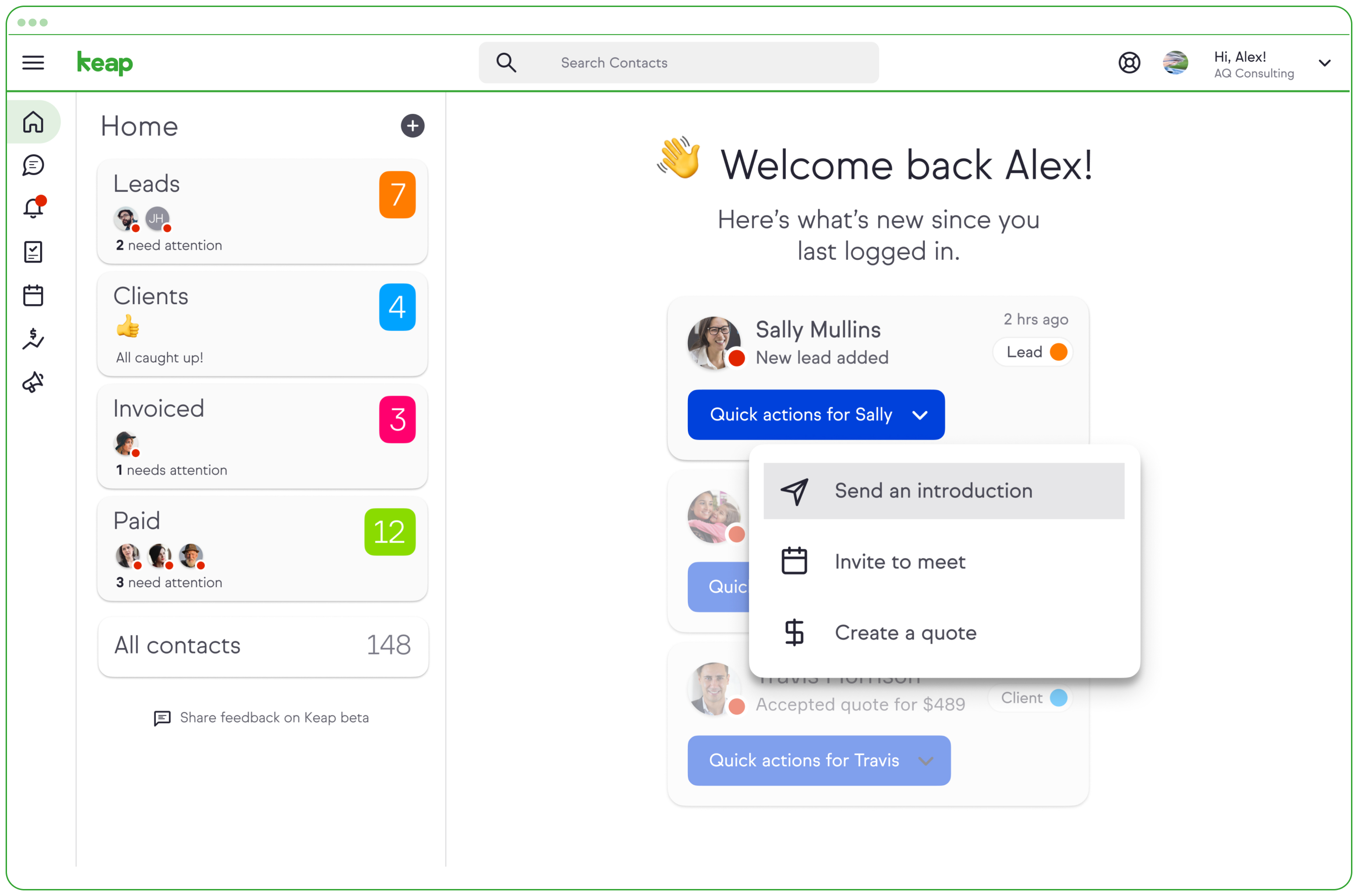
Keap is a small business-focused, comprehensive sales and marketing platform which combines basic contact management, CRM, marketing automation, and e-commerce capabilities into a single, subscription-based SaaS product.
$199
per month
LeadSquared
Score 7.2 out of 10
N/A
LeadSquared is a marketing automation and CRM platform. It includes landing pages, email marketing, lead management, analytics, connectors, and WordPress Plugins.
$25
per month per user
Pricing
Keap
LeadSquared
Editions & Modules
Pro
$199.00
per month
Max
$289.00
per month
Max Classic
Contact Us
per year
Sales Pro
$25
per month per user
Sales Super
$50
per month per user
Marketing Pro
$1067
per account
Marketing Super
$1779
per account
Offerings
Pricing Offerings
Keap
LeadSquared
Free Trial
Yes
Yes
Free/Freemium Version
No
No
Premium Consulting/Integration Services
No
No
Entry-level Setup Fee
Optional
$100 Per Account
Additional Details
All plans with 1 user and 500 contacts. The price is $30.00 for each additional user.
Additional add-ons and modules available for expanded functionality. Special pricing for startups.
More Pricing Information
Community Pulse
Keap
LeadSquared
Features
Keap
LeadSquared
CRM Project Management
Comparison of CRM Project Management features of Product A and Product B
Keap
7.7
Ratings
14% below category average
LeadSquared
-
Ratings
Task management
8.80 Ratings
00 Ratings
Billing and invoicing management
7.40 Ratings
00 Ratings
Reporting
7.10 Ratings
00 Ratings
Automated CRM activity logging
6.40 Ratings
00 Ratings
Sales pipeline management
9.10 Ratings
00 Ratings
Email & Online Marketing
Comparison of Email & Online Marketing features of Product A and Product B
Keap
7.0
Ratings
14% below category average
LeadSquared
7.4
Ratings
9% below category average
WYSIWYG email editor
9.00 Ratings
7.00 Ratings
Dynamic content
8.90 Ratings
7.00 Ratings
Landing pages
5.90 Ratings
5.80 Ratings
A/B testing
6.40 Ratings
8.10 Ratings
Mobile optimization
6.30 Ratings
6.00 Ratings
Email deliverability reporting
7.50 Ratings
5.00 Ratings
List management
8.40 Ratings
9.00 Ratings
Triggered drip sequences
9.00 Ratings
10.00 Ratings
Lead Management
Comparison of Lead Management features of Product A and Product B
Keap
7.3
Ratings
12% below category average
LeadSquared
8.5
Ratings
3% above category average
Lead nurturing automation
7.50 Ratings
10.00 Ratings
Lead scoring and grading
6.20 Ratings
9.00 Ratings
Data quality management
6.70 Ratings
5.10 Ratings
Automated sales alerts and tasks
7.30 Ratings
10.00 Ratings
Automated follow-ups
9.10 Ratings
00 Ratings
Campaign Management
Comparison of Campaign Management features of Product A and Product B
Keap
7.7
Ratings
10% above category average
LeadSquared
4.1
Ratings
52% below category average
Calendaring
8.30 Ratings
2.10 Ratings
Reporting & Analytics
Comparison of Reporting & Analytics features of Product A and Product B
Keap
5.2
Ratings
28% below category average
LeadSquared
6.0
Ratings
14% below category average
Dashboards
7.20 Ratings
6.00 Ratings
Standard reports
3.60 Ratings
8.00 Ratings
Custom reports
4.70 Ratings
4.00 Ratings
Platform & Infrastructure
Comparison of Platform & Infrastructure features of Product A and Product B
Keap is very good at contact management and automation creation but weaker at email campaign creation. I was particularly interested in a function where when manually entering a new contact, you are then able to email that contact using a premade HTML template. It will currently not do this. There is a workaround, but it is unnecessarily ponderous.
Leadsquared is well suited for small to medium-sized enterprises where the team is small and you have a lot of areas to explore. Every team can have their suites/ accounts customised accordingly. I am not sure if I can compare it for bigger enterprises but I feel this best of best to get your work done more efficiently.
Call history is recorded like dialed calls, connected calls, total talktime in a daily, weekly, monthly, yearly, and on a custom basis.
The activity history of both customers, and employees are shown clearly, which help us a lot in understanding the interest of the customer, and their communication history with the organization.
Daily attendance history and man-days management can be done.
Sales performance and their values are mapped clearly.
More articles and videos on how to use the various functions of Keap
Having representatives designated to certain regions or companies for a point of contact when help is needed
More options when building the emails. While the click and drop options can be a plus, they can also be negative because you are limited to image and text sizing and positions
We have invested a lot into Infusionsoft and are using it to automate our processes and marketing. Changing CRMs would have a HUGE cost for us and based on our evaluations, the grass isn't greener elsewhere. Infusiosoft fits most of our needs and is slowly getting better each year. Their support is great and we will continue to use them until something much better comes around or our company outgrows a small business CRM.
It is an excellent value for money solution and is fulfilling all our needs quite efficiently. They keep working on the product and each month sees an update allowing for a bug free experience and faster incorporation of newer tools. I see no reason why I would not like to renew the subscription for this fabulous product.
You do need to spend some time on-boarding and implementing the software in order to have full functionality. We were lucky - we had colleagues at the university with experience with Keap and then hired an intern familiar with the software to get us set up and ready to use it. We've had some functionality issues with it along the way and that has frustrated myself and the other uses in our department.
1. The learning curve is not too steep; it is fairly simple. The UI albeit old looking, is fairly simple. 2. It has a lot of integrated apps using which you can directly access other systems under a single umbrella. 3. Processes and permission templates allow for role based access, thereby further simplifying the system by removing unnecessary element with respect to a specific group
Generally, very responsive support for even our more complicated issues. We do have some open issues that we need resolutions on and that I understand are complicated and will take longer to resolve but the open issues are significantly impacting to our business.
Great to work with and also Easy to work with Do not just listen to the problem but provide upfront solutions Always available and are ready to support on holidays Considerate of user's knowledge and always ready to explain the smallest / dumbest doubt a user can ask Always available to help with the internal tasks as well like creating automations, drip creations etc
This training is taught often to the lowest common denominator so as to help as many customers of theirs as possible. We do the training and coaching and implementations for our clients. But clients who I know who have been to their training get trained well. The gap that can exist lies in you doing your part and really investing in using and building out the application. The training and education is only as good as your willingness to apply it.
The results of training online are often based on how people learn. The training was great but with feature updates, you just have to get in there sometimes and do it! The training definitely lays a firm enough foundation for you to be successful even if its can't be updated with every feature update.
If you do this by yourself it will likely take you 6-9 months to get it entirely set up, unless you have a full-time dedicated person handling it. I recommend hiring a prof service company to implement it for you. They should be able to do it all in 90 days or less.
Keap is fast. The learning curve is shorter and they have an academy for learning with videos quite extensive that explain a lot of different scenarios, specially when you need to customize scenarios of automations and segments. Is cheaper if you consider that this services CRM + Mailing don´t come often in one package and the realiability to send mails is quite good.
LeadSquared is a dedicated Sales CRM. Earlier we were using Freshdesk for sales following a ticket based model which was highly inconvenient as all customer activity used to get created as a separate ticket and overall effort tracking was a mess. With the Lead and Activity model, tracking became much easier and yes, Freshdesk is a support tool and Freshsales does exist but LeadSquared fulfilled our usecase at a much lesser price.
You get a lot of features included, but you don't need to use them all at once to start seeing an effect. When you are ready to use them, they are there. It also scales without costing too much money.
Automation has allowed us to be more engaged and invested in our customers by reminding us about birthdays and other important events in their lives so that we can celebrate with them.
We lacked the manpower to sell and distribute orders online before setting up the payments and automation features. We now collect $5k+ a week in lost sales through online ordering.
List cleaning functionality and engagment settings have allowed us to run a 40-50% email open rate that allows us to create an engaged community around local events and opportunities as well as sales and special offerings.