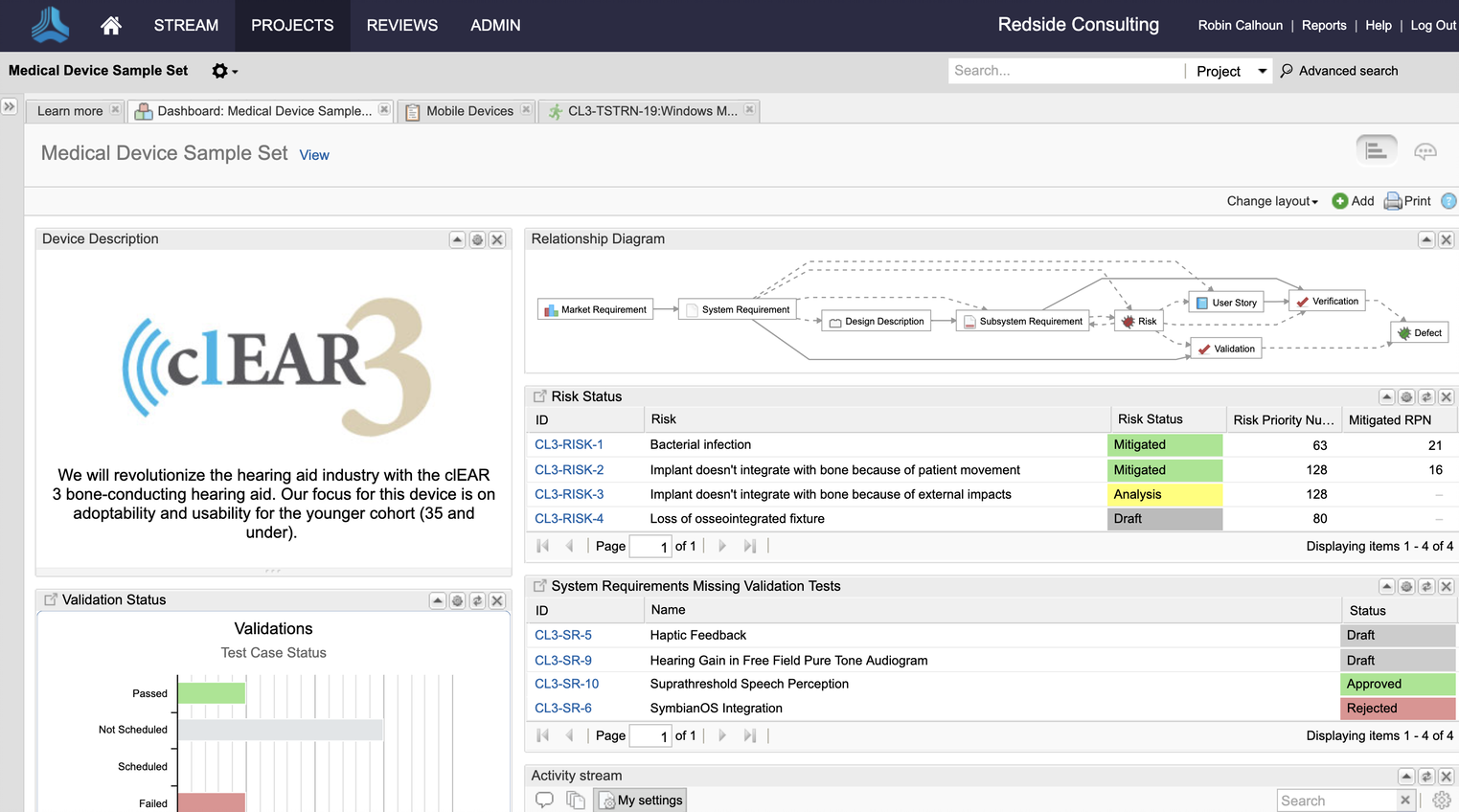
Jama Connect® is a Requirements Management software and Requirements Traceability solution. Jama Software enables teams to manage product requirements and enable Live Traceability™ across the development process, in order to reduce cycle times and improve product quality.
N/A
Teamcenter
Score8.1 out of 10
N/A
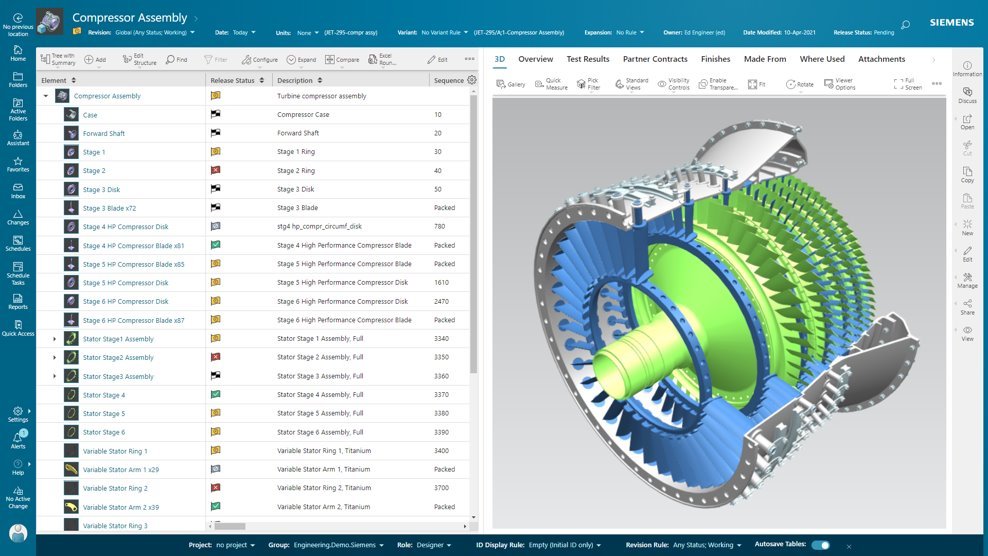
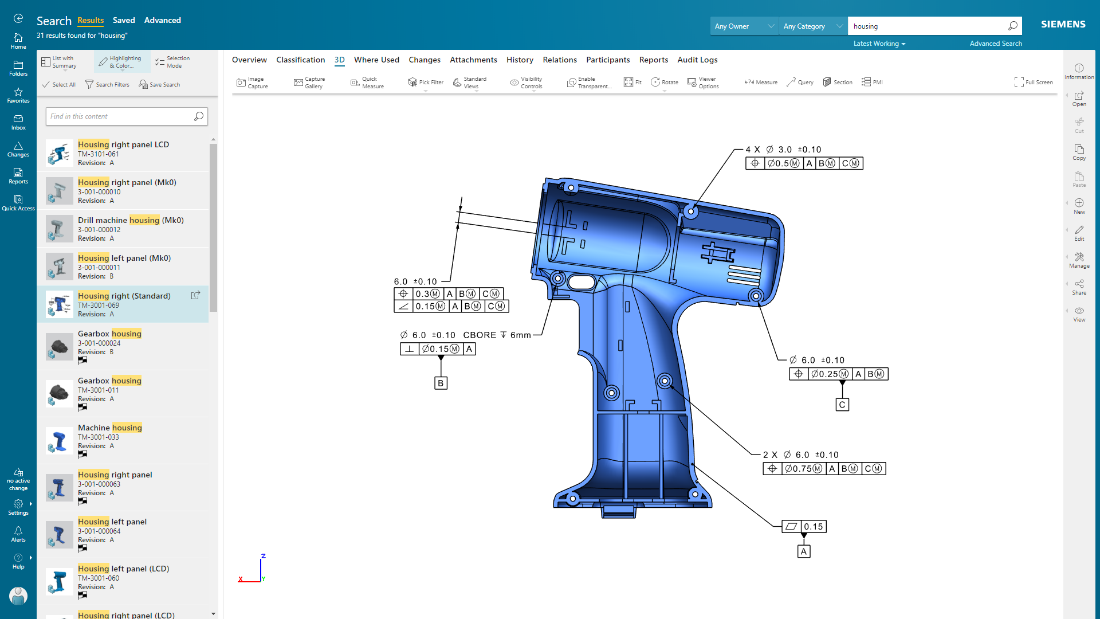
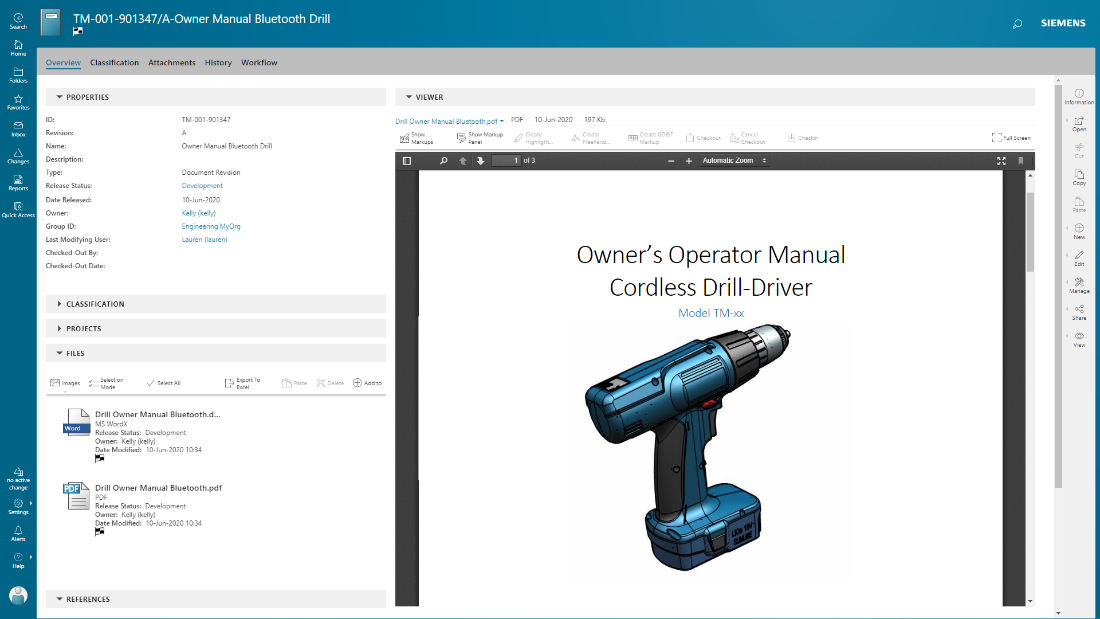
Teamcenter is a product lifecycle management system designed to help organizations integrate and standardize product development processes across functional silos.
For the past year, I had taken on the Jama Administrator role for my client and was able to quick learn how to configure the system to meet requirements and expectations of ASPICE, Functional Safety, and Automotive Cybersecurity as well as ISO 9001 and IATF 16949 standards focused on quality. Jama Connect is one of the most powerful engineering tools I've ever had a chance to use. It not only does exactly what's advertised and the customer service and technical support are Best-in-Class. For those who are searching for a Requirements Management Tool, I highly recommend you give Jama a try. They've got everything down to a science from the moment you start interacting with a Jama representative, to the training and the on-boarding. The learning curve was very quick for me, in large part due to the amazing technical support that I was able to receive from Jama's subject matter experts. Every person whom I spoke with about the tool and its capabilities was absolutely top-notch. If you really want to level-up your game, try Jama Connect Advisor. Get yourself a free demo. You won't find any better tool for Requirements Management!
Teamcenter is perfect for working in large-scale projects related to manufacturing and engineering where collaboration and management of data are crucial. It is evident where the complexity of the products is high such as in automobile and aerospace industries. Some of its features may seem too elaborate for the small business with a less complex process and therefore too expensive. It is less useful in organizations that do not have complex PLM needs or have less IT capacity to implement the system.
A de minimis incentive was given to thank the reviewer for their time. The incentive was not used to bias or drive a particular response, nor was the incentive contingent on a positive endorsement. More Info
Focus in the content without loosing the track of the evolution of the items by maintaining the exchange of information between the users inside the Tool.
The possibilities to integrate this tool within our IT-landcape and with our other engineering tools is for us a leverage to success.
A de minimis incentive was given to thank the reviewer for their time. The incentive was not used to bias or drive a particular response, nor was the incentive contingent on a positive endorsement. More Info
Teamcenter is a great PLM tool that allows collaboration between our teams, it’s possible to create a variety of teams that can all collaborate in one environment and share relevant information, I like that all the data can be integrated into the application so that it’s more organized and structured.
When working with Teamcenter, the roles can be properly distributed so it’s easy to see all the workflows and things that need to be done.
The interface is very nice and you can work through it if you don’t know some features. I like how well-integrated everything is and how easy it is to use and implement into your daily work routine.
One of my favorite aspects of Teamcenter is its reporting tools, they are definitely some of the best tools I have tried, allowing me to integrate data from different places into the platform and analyze it in different ways. Analyzing a variety of key metrics is possible and helps us have better results in our sales.
A de minimis incentive was given to thank the reviewer for their time. The incentive was not used to bias or drive a particular response, nor was the incentive contingent on a positive endorsement. More Info
The 'filtering' capabilities in Jama are not as good as they could be. In particular, the ability to "nest" filters is quite limited. I have certain seen much better capabilities in other tools. ('Cradle' is an example of a tool with excellent "nested filters" capabilities.)
From an administrative point of view, the 'License' admin view is pretty disappointing. The particular thing that I'd like to be able to find out from it is the peak number of 'Float Creator' licenses in concurrent use on each day. If there's a way to get to that information, I haven't found it yet.
A de minimis incentive was given to thank the reviewer for their time. The incentive was not used to bias or drive a particular response, nor was the incentive contingent on a positive endorsement. More Info
A de minimis incentive was given to thank the reviewer for their time. The incentive was not used to bias or drive a particular response, nor was the incentive contingent on a positive endorsement. More Info
Jama is really easy to use and operate compared to other tools. This allows a process owner to get easier buy-in from the organization to see value early. My experience with this tool was very positive and we were able to see value early in its introduction
A de minimis incentive was given to thank the reviewer for their time. The incentive was not used to bias or drive a particular response, nor was the incentive contingent on a positive endorsement. More Info
Because of our current customer needs, we will most likely maintain use of Siemens PLM products for some time. Aside from the initial software cost, we pay for yearly maintenance. Maintaining our yearly maintenance licensing with Siemens, we receive access to all of the latest software releases, as well as premier technical support
A de minimis incentive was given to thank the reviewer for their time. The incentive was not used to bias or drive a particular response, nor was the incentive contingent on a positive endorsement. More Info
The requirements and baseline parts are easy to use. The review centre is very useable and understandable, once you understand/set up the moderation. (This last part could use some refinement.) Integration/connectability (the Connect part of Jama) is quite possible, but the useability could use some love as well.
A de minimis incentive was given to thank the reviewer for their time. The incentive was not used to bias or drive a particular response, nor was the incentive contingent on a positive endorsement. More Info
As previously mentioned, due to the intense amount of features and modules present in the software, the usability of the software suffers greatly. Many of the features are not used in our context, and many of the modules are not purchased, but the options are still present on the interface leading to a lot of clutter, much of which is never used. The interfaces suffer from a lack of design and tend to feel like a conglomerate of Windows 98 elements.
A de minimis incentive was given to thank the reviewer for their time. The incentive was not used to bias or drive a particular response, nor was the incentive contingent on a positive endorsement. More Info
It has always been available, except for preventative maintenance which is announced beforehand. Nonetheless, we experienced one day shortage over a miscommunication about payment.
A de minimis incentive was given to thank the reviewer for their time. The incentive was not used to bias or drive a particular response, nor was the incentive contingent on a positive endorsement. More Info
With performance compared to JIRA, I do recommend Jama in this case. Jama provides very good performance, it loads immediately for any of the items and searches any item immediately. Performance is really good in all of the operations including creating stories, epics, item types or other support operations or report generation.
A de minimis incentive was given to thank the reviewer for their time. The incentive was not used to bias or drive a particular response, nor was the incentive contingent on a positive endorsement. More Info
They typically answer within minutes of posting a ticket, and then you have a clear expectation of what the issue is, how to diagnose it, how long will it take to get resolved, and in which version a given problem is resolved, or if there is a patch for hosted services. They have a number of support people, and all of them are top-notch.
A de minimis incentive was given to thank the reviewer for their time. The incentive was not used to bias or drive a particular response, nor was the incentive contingent on a positive endorsement. More Info
In the time that we have used Teamcenter we have received a good response from the support team, they have great customer service, we have solved the problems that have arisen very quickly, and they are attentive and answer us if we have any questions.
A de minimis incentive was given to thank the reviewer for their time. The incentive was not used to bias or drive a particular response, nor was the incentive contingent on a positive endorsement. More Info
Helpful and exhaustive and tailorable for our needs. Instructor was well versed and engaged. Material was a good reference and was up to date with tool. Overall, in person training was valuable for tool introduction. Trainer was an active user of the tool and worked closely with other clients. So, very knowledgeable.
A de minimis incentive was given to thank the reviewer for their time. The incentive was not used to bias or drive a particular response, nor was the incentive contingent on a positive endorsement. More Info
Easy to reference and understand. Updated routinely to include new topics. Online training evolves to include more advanced topics and how to guides. Online training includes videos and reference guides that make it easy to perform more complex tasks. Online training is free and can be accessed from any computer.
A de minimis incentive was given to thank the reviewer for their time. The incentive was not used to bias or drive a particular response, nor was the incentive contingent on a positive endorsement. More Info
Jama 2015.5 implementation is very smooth and no need for much manual work. Jama 8 has many challenges and we can not install it as smoothly as Jama 2015.5. Initially, Jama didn't provide the Jama 8's installer files or zip files and they were just providing docker files to everyone (which was really strange). It is the worst that they don't provide all the files at a time. Why should they tell us where we should deploy, and why only a dockerfile? I am not very satisfied with Jama implementation.
A de minimis incentive was given to thank the reviewer for their time. The incentive was not used to bias or drive a particular response, nor was the incentive contingent on a positive endorsement. More Info
A de minimis incentive was given to thank the reviewer for their time. The incentive was not used to bias or drive a particular response, nor was the incentive contingent on a positive endorsement. TR verified that a representative sample of customers was invited. More Info
It’s easier to use, easier to trace requirements and verification and has a better UI These other tools feel more like glorified excel sheets whereas Jama actually feels intentional with being an ALM tool.
As stated before tracing is much faster, creating the tracing matrix/workflow is easy like using a Miro workflow.
A de minimis incentive was given to thank the reviewer for their time. The incentive was not used to bias or drive a particular response, nor was the incentive contingent on a positive endorsement. TR verified that a representative sample of customers was invited. More Info
Earlier, some of the companies acquired by my organization were using PTC Windchill, but the overall stability, user experience and depth of functionality which are provided by Teamcenter doesn't match with any other PLM software and thus, all the acquired companies which were earlier using PTC Windchill has now slowly started into moving towards Teamcenter.
A de minimis incentive was given to thank the reviewer for their time. The incentive was not used to bias or drive a particular response, nor was the incentive contingent on a positive endorsement. More Info
There is no horizontal scalability available in Jama, we have only one choice to scale it vertically. But vertical scalable applications always have limitations to grow. In this case, Jama doesn't support horizontal scalability functions like multi-node architectures with a shared drive for the home directory.
A de minimis incentive was given to thank the reviewer for their time. The incentive was not used to bias or drive a particular response, nor was the incentive contingent on a positive endorsement. More Info
Teamcenter is easily on the best scalable solution. The single source of product information allows us to collaborate more effectively on the product lifecycle. Also, being a cloud solution, it is pretty straightforward to scale as the maintenance required is quite low . In addition, the overall cost is also easily manageable for businesses like ours.
One experience that converted an engineer to using Jama Connect was an electronics engineer that was writing test plans. I showed them about how to write "unit" or very discrete tests and then showed them an automatic export to get the document. Thus the authoring of the document effort was taken away, they could focus on defining the test
Unfortunately I have very much struggled to embed systems engineering, requirements management and Jama Connect as part of the 'ways of working' outside the systems and electronics teams.
A de minimis incentive was given to thank the reviewer for their time. The incentive was not used to bias or drive a particular response, nor was the incentive contingent on a positive endorsement. TR verified that a representative sample of customers was invited. More Info
Definitely, it has a very positive impact so to speak. What we are trying to do through our program, we are utilizing the full capacity of Teamcenter to produce one structure in an effective way. So before we implement this activity, the user has to prepare 10 to 15 structures to reach to our best possible data that can be set across the systems. But now with the complete capability of Teamcenter, we are able to do all these things into one structure itself and then let the system do all the automation or the things that users do not have to concentrate on. All of the automations are done behind the systems and then it is improving not only the efficiency of the end user, but also making a standardized way in order to proceed and transfer the data holistically towards other systems like SAP.
A de minimis incentive was given to thank the reviewer for their time. The incentive was not used to bias or drive a particular response, nor was the incentive contingent on a positive endorsement. TR verified that a representative sample of customers was invited. More Info