IBM Enterprise Content Manager and Enterprise Content Management (ECM) applications enable organizations to manage all forms of content and secure secure data with respect to compliance needs. The platform enables capture, activation, sharing, analysis and governance of unstructured data to lower costs and risk while improving efficiency.
N/A
Laserfiche
Score 8.2 out of 10
N/A
Laserfiche has two main editions: Rio and Avante: Laserfiche Rio is designed to meet the needs of large organizations that have more than 100 users. It combines content management functionality with business process management (BPM), security and auditing, unlimited servers and a thin-client interface. Add-ons include records management functionality, public Web portals and production-level document capture and processing.
Laserfiche Avante is an ECM suite for small to medium organizations with…
$540
per year per user
Pricing
IBM Enterprise Content Manager
Laserfiche
Editions & Modules
No answers on this topic
Starter
$540
per year per user
Starter
$600
per year per user
Professional
$710
per year per user (starts at 10 users)
Professional
$830
per year per user (starting at 5 users)
Business
$830
per year per user (starts at 25 users)
Business
$950
per year per user (starting at 25 users)
Enterprise
Custom
Offerings
Pricing Offerings
IBM ECM
Laserfiche
Free Trial
No
Yes
Free/Freemium Version
No
No
Premium Consulting/Integration Services
No
No
Entry-level Setup Fee
No setup fee
No setup fee
Additional Details
—
—
More Pricing Information
Community Pulse
IBM Enterprise Content Manager
Laserfiche
Features
IBM Enterprise Content Manager
Laserfiche
Enterprise Content Management
Comparison of Enterprise Content Management features of Product A and Product B
IBM Enterprise Content Manager
-
Ratings
Laserfiche
8.5
Ratings
7% above category average
Content capture & imaging
00 Ratings
9.00 Ratings
File sync, storage & archiving
00 Ratings
8.00 Ratings
Document management
00 Ratings
8.50 Ratings
Records management
00 Ratings
9.00 Ratings
Content search & retrieval
00 Ratings
8.50 Ratings
Enterprise content collaboration
00 Ratings
8.00 Ratings
Content publishing & creation
00 Ratings
8.50 Ratings
Security, risk management & information governance
Self-hosted IBM ECM Solutions are appropriate for any large organization with substantial internal infrastructure management teams and a commitment to training their staff. Other organizations should consider the Cloud based offerings.
Laserfiche is perfect for businesses that need a place to appropriately store their documents digitally and want an environment to grow from. Adding Laserfiche Forms helps grow a business' ability to process their work and reach their customers easier. Laserfiche could be used for all sizes of businesses but may not be as worth it for very small businesses.
Speaking of IBM Case Manager in particular, we believe that just about every business process involving the effort of knowledge workers can be enhanced and automated using IBM Case Manager. If a process or set of tasks requires the judgment, decision-making skills, and experience of a knowledge worker, then the process can be configured for IBM Case Manager. If the process is dynamic and requires flexibility such that the business outcome depends upon the choices and decisions made during the process, then IBM Case Manager is the ideal solution for automation, tracking, and collaboration of such work.
With regards to Content Management, we are particularly fond of and adept at utilizing both IBM Content Collector, IBM Classification Manager, and IBM Enterprise Records. As business communications have changed over the last 20 years, the growth of digital content housed within the burgeoning storage silos located throughout a company's infrastructure has swelled to nearly unmanageable levels. This impacts them in numerous ways; from the direct costs associated with ever increasing storage, to the unknowable costs associated with the legal liability of content residing on their systems, to the lost opportunity of un-mined customer data residing on their systems. All of these impacts can be mitigated by the application of IBM Content Management and Content Analytics.
To me personally, I believe the greatest strength of products like these are their immense configurability. Depending upon the business requirements of the customer, systems such as those mentioned above can be configured in almost inexhaustible arrangements to accomplish just about any task that can be imagined - all to satisfy the needs and requirements of the demands of the business. From collecting email from mail servers and evaluating it for its context, not just it's content, in order to determine its worth to the organization, to creating File Plans for storing content in a smart repository which makes possible content lifecycle management and defensible disposal, IBM just does this better than any other products I am familiar with.
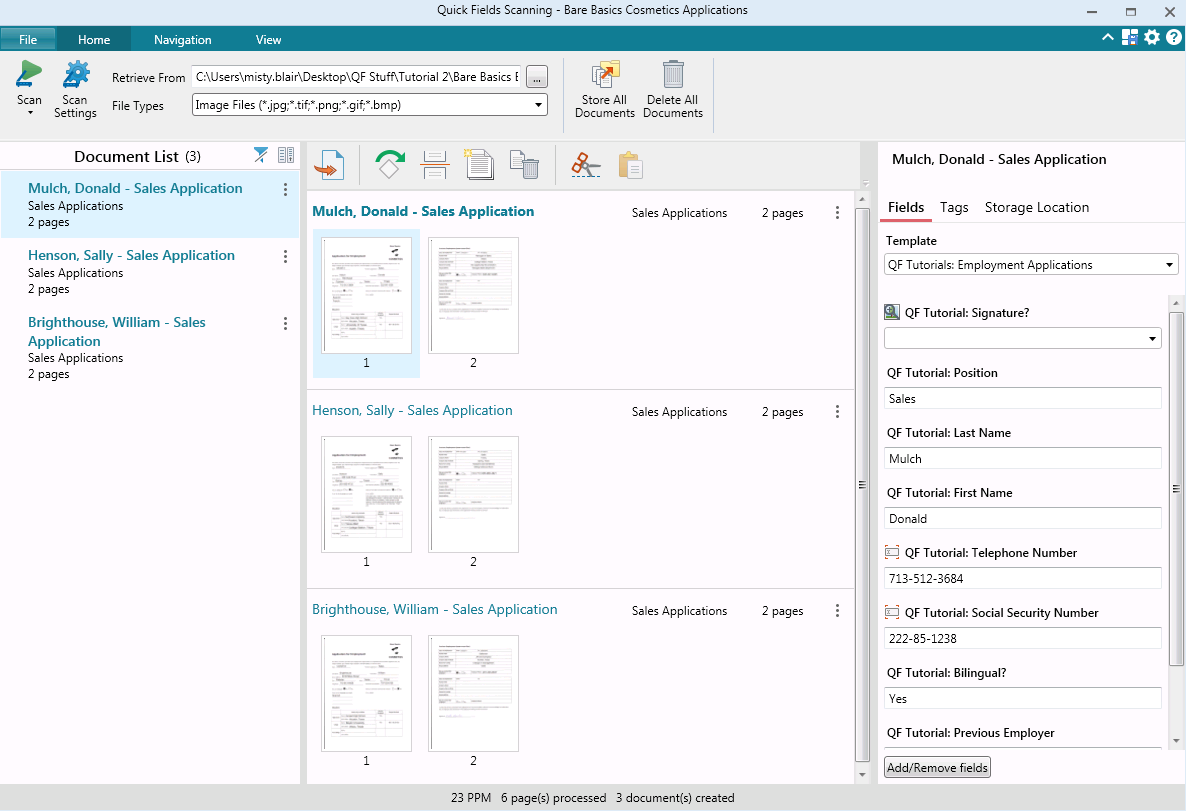
It's very good at giving a wide range of options for importing and exporting data, the Windows Client software alone can pull files from a windows folder, has a software printer to print documents into Laserfiche instead of to paper, has Office integration, the ability to pull photos from cameras, and has a scanner component.
Laserfiche Workflow is an automation tool that is very flexible and powerful, and allows a wide range of options for automating document flows and procedures.
Laserfiche is very good at communicating with other systems, though some systems, like big iron minicomputers, take some extra work and effort. Setting up integrations with SQL server databases are as simple as any complex IT procedure can get.
As enterprise and mid-market systems go, the price is highly competitive (especially when you consider what's included in the license). That said, this product is not accessible for small businesses as a self hosted solution. The "Navigator on Cloud" solution is much more accessible, but gives less control over data.
To get all the features, there are many moving parts. For large enterprises, this is no problem, and the cloud solution obviates most of these concerns.
We plan on renewing Laserfiche for the coming year but also have been considering a scanning and document management solution that can be purchased from our new accounting system company, we are implementing the accounting system this year. It will be a couple years before we make a decision to stay with Laserfiche or change.
It has an intuitive design that feels very natural to any user that has ever used Outlook or Windows Explorer. There are multiple ways to perform every action in order to help users with various software experiences find the shortcuts and actions they seek quickly and effectively.
I am very satisfied with Laserfiche. I have found that certain larger jobs may are slow. This may also be related to our infrastructure environment. We have been able to tune Laserfiche to increase performance on larger jobs.
Performance, of course, is largely dependent on the underlying environment. Laserfiche does its part with multi-threading, taking advantage of multi-core servers on scanning, workflows, and bots. A SQL-Server back-end is suitable for small to medium-sized company, but may not scale to large, where Oracle would be the better choice. Workflows can be poorly written and perform recursive work slowing down the system. It's better to run batch type workflows at night when possible.
I have never had to wait for help from Laserfiche. If I cannot find the answer online, I can easily send an email to a customer support representative. I have always been helped the same day and my questions have always been resolved. The Empower conference is always a great learning opportunity and the online resources and webinars are top-notch.
Easily accessible 24/7 so am able to complete courseware whenever time allows: Commute to work; waiting for friends or family; at night while relaxing [with a delicious glass of wine!]; whenever and wherever time and circumstances permit. Courseware is well written and presented in an easy to follow and understand format.
Our relationship with IBM is long standing. We have been Gold Partners for some time and are viewed by many internal groups as their Go To partner for large ECM deployments. Most of our systems engineers hold multiple certifications as solutions developers. Our clients are national and international. The support we receive from IBM has been excellent and our partnership with them on numerous projects has been excellent.
Laserfiche is a much more focused product that simply and accurately fills our need for routine reporting and record keeping. By taking time to work on the design of the form you can anticipate the user's needs and possible areas where further explanation may be required. By prefilling the most likely/desired report responses you can greatly reduce the amount of time a user spends completing each report.
The centralized repository of digitized documents allows users from different departments to collaborate and use the same documents, effortlessly and seamlessly. This has been a tremendous value to organizational efficiency and accuracy.
Business Process Automation has increased the capacity of a fixed workforce. By reducing the workload of individuals on repetitive tasks, it allows them to work on higher-value tasks.
Business Process Automation increases accuracy as well by defining a clear process with forms, emails, and document routing on each step. This leads to greater worker productivity.