Chose HubSpot CRM
Compared to Outreach + SFDC combo in many other answers in the review. Overall find it gives the same experience for a rep in a little bit cleaner package.

| Product | Rating | Most Used By | Product Summary | Starting Price |
|---|---|---|---|---|
 HubSpot CRM | N/A | HubSpot’s CRM enables growth-minded businesses to optimize their relationships with leads and customers. Through harnessing the power of carefully crafted sales, marketing, customer service, content management, and operations tools, the software aims to make it easy to unify team strategy and drive conversion. Additionally, the software allows users to connect with over 875 integration apps, APIs, and solutions partners to create a customizable user experience that suits the way teams work.… | $0 Per Month [Unlimited Users] | |
 Salesforce Starter | Small Businesses (1-50 employees) | Salesforce Starter (formerly Salesforce Essentials) is a small business CRM that replaces the former SalesforceIQ product. It is priced at $35 per user, on a monthly basis, or at $25 per month for if billed annually ($300) and can be tried free for 14 days on a trial. | $35 per month per user |
| HubSpot CRM | Salesforce Starter | |||||||||||||||
|---|---|---|---|---|---|---|---|---|---|---|---|---|---|---|---|---|
| Editions & Modules |
| No answers on this topic | ||||||||||||||
| Offerings |
| |||||||||||||||
| Entry-level Setup Fee | No setup fee | No setup fee | ||||||||||||||
| Additional Details | — | — | ||||||||||||||
| More Pricing Information | ||||||||||||||||
| HubSpot CRM | Salesforce Starter | |
|---|---|---|
| Considered Both Products |  HubSpot CRM  Abraham Murphy Account Executive Chose HubSpot CRM HubSpot CRM offers a user-friendly interface and robust marketing tools, making it ideal for small to medium-sized businesses. Salesforce Essentials, while powerful, can be more complex and better suited for larger organizations. We chose HubSpot CRM for its simplicity, …  Omar Montes Leon 🦁 Account Manager Chose HubSpot CRM It is honestly unparalleled.  Joe Lipovich Jr. Account Executive Chose HubSpot CRM (NOT SURE IF I TAGGED THE RIGHT VERSION OF Salesforce) My previous organization built so many customizations in Salesforce that it made it nearly impossible to use them efficiently, and it wasn't very good. Finance ran the show on the CRM adoption and didn't consult sales …  Ali Berger Co-Founder + Co-CEO Chose HubSpot CRM HubSpot provides a robust amount of tools and integrations at an affordable cost. Most other systems have more overall limitations at a higher price point. HubSpot allows smaller businesses to grow as needed, and offers even more detailed tools when the time is right.  Alex Richards Chief Information Officer & Co-Founder Chose HubSpot CRM After evaluating other products, we settled on Hubspot for ease of setup, and the person performing the setup already had experience with Hubspot. Also, we found for the price we were paying; there were more features available than some of the other CRMs researched. Hubspot, we … |  Salesforce Starter  Derek Hoffritz☁️⚡️ Sr. Salesforce Admin Chose Salesforce Starter Salesforce Starter is exactly what it says. It's specific to getting a small business up and running effectively, without unnecessary development or internal overhead required. It doesn't allow for a ton of customization, but it provides more than most other providers across … |
| HubSpot CRM | Salesforce Starter | ||||||||||||||||||||||||||||||
|---|---|---|---|---|---|---|---|---|---|---|---|---|---|---|---|---|---|---|---|---|---|---|---|---|---|---|---|---|---|---|---|
| Sales Force Automation |
| ||||||||||||||||||||||||||||||
| Customer Service & Support |
| ||||||||||||||||||||||||||||||
| Marketing Automation |
| ||||||||||||||||||||||||||||||
| CRM Project Management |
| ||||||||||||||||||||||||||||||
| CRM Reporting & Analytics |
| ||||||||||||||||||||||||||||||
| Customization |
| ||||||||||||||||||||||||||||||
| Security |
| ||||||||||||||||||||||||||||||
| Social CRM |
| ||||||||||||||||||||||||||||||
| Integrations with 3rd-party Software |
| ||||||||||||||||||||||||||||||
| Platform |
|
| HubSpot CRM | Salesforce Starter | |
|---|---|---|
| Small Businesses |  Salesmate Score 10.0 out of 10 | Salesmate Score 10.0 out of 10 |
| Medium-sized Companies |  Creatio Score 9.7 out of 10 | Creatio Score 9.7 out of 10 |
| Enterprises | Creatio Score 9.7 out of 10 | Creatio Score 9.7 out of 10 |
| All Alternatives | View all alternatives | View all alternatives |
| HubSpot CRM | Salesforce Starter | |
|---|---|---|
| Likelihood to Recommend | 7.6 (1632 ratings) | 9.0 (5 ratings) |
| Likelihood to Renew | 9.3 (29 ratings) | - (0 ratings) |
| Usability | 7.2 (1480 ratings) | 9.4 (2 ratings) |
| Support Rating | 7.1 (23 ratings) | - (0 ratings) |
| Implementation Rating | 8.1 (8 ratings) | - (0 ratings) |
| HubSpot CRM | Salesforce Starter | |
|---|---|---|
| Likelihood to Recommend | HubSpot
 Avesh Kumar Lead Engineer | Salesforce
Derek Hoffritz☁️⚡️ Sr. Salesforce Admin |
| Pros | HubSpot
 Mantra Manan Saraswat Product Manager | Salesforce
 Melanie Zehr VP of Operations |
| Cons | HubSpot
 Jeff Keeney Sales and Customer Success at Cross-Sell | Salesforce
|
| Likelihood to Renew | HubSpot
| Salesforce No answers on this topic |
| Usability | HubSpot
| Salesforce
|
| Support Rating | HubSpot
| Salesforce No answers on this topic |
| Implementation Rating | HubSpot
 Greg Linnemanstons President | Salesforce No answers on this topic |
| Alternatives Considered | HubSpot
 Adam Montgomery Director of Sales | Salesforce
|
| Return on Investment | HubSpot
| Salesforce
|
| ScreenShots | HubSpot CRM Screenshots   | Salesforce Starter Screenshots 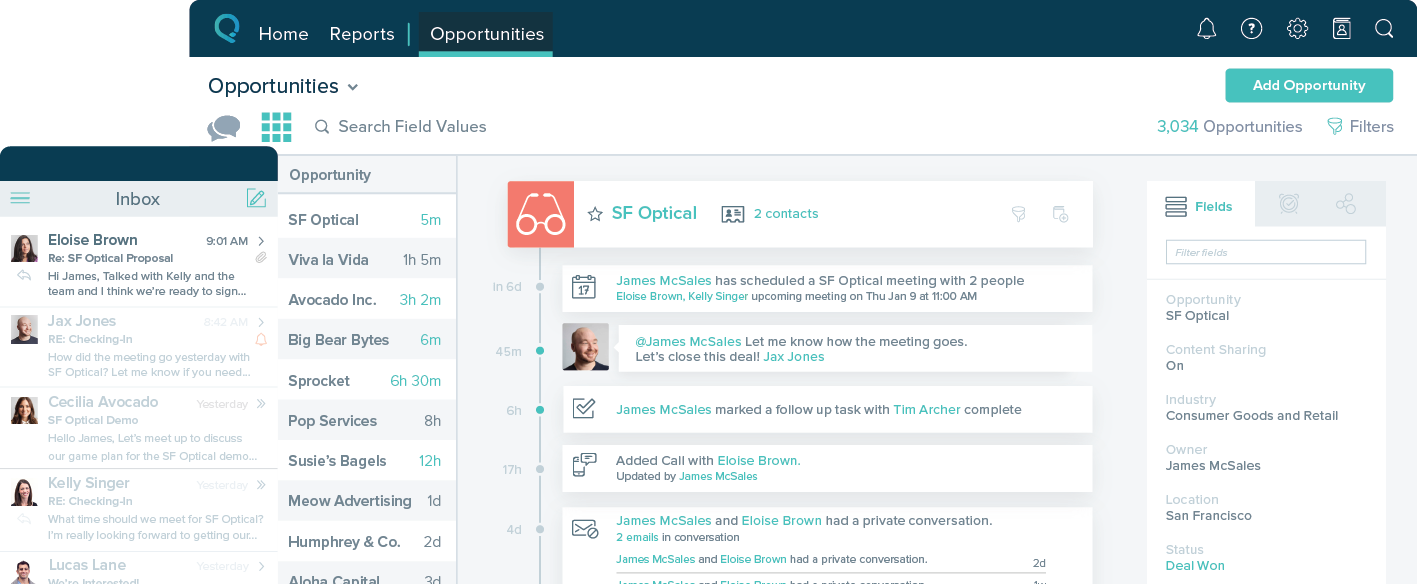 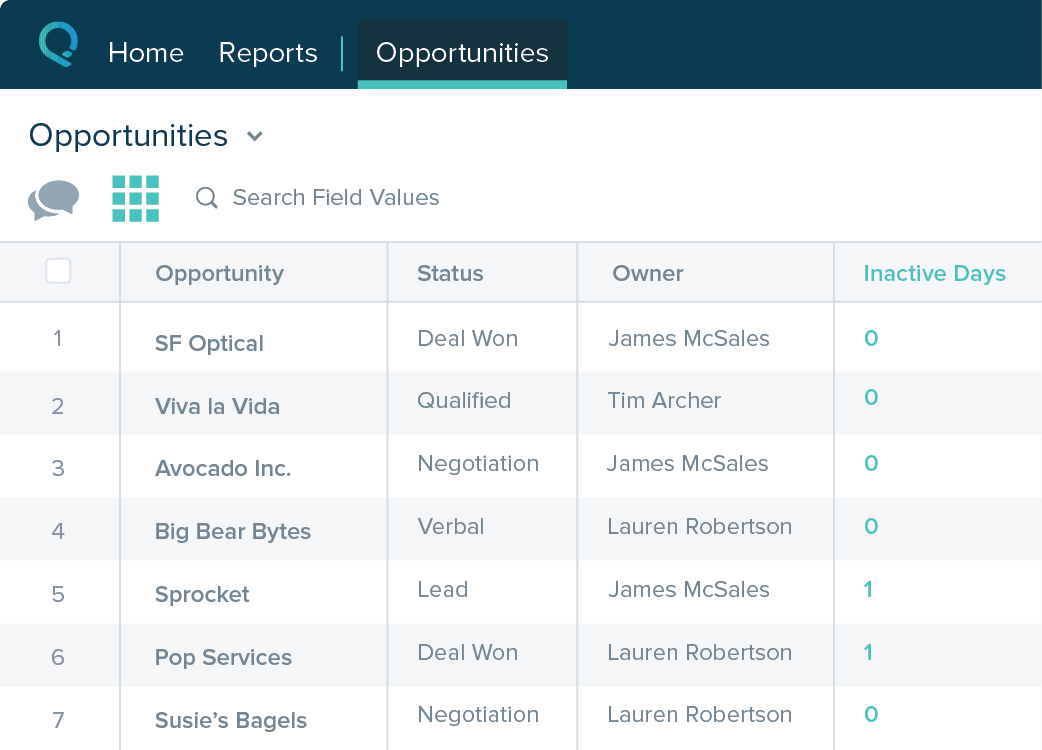  |