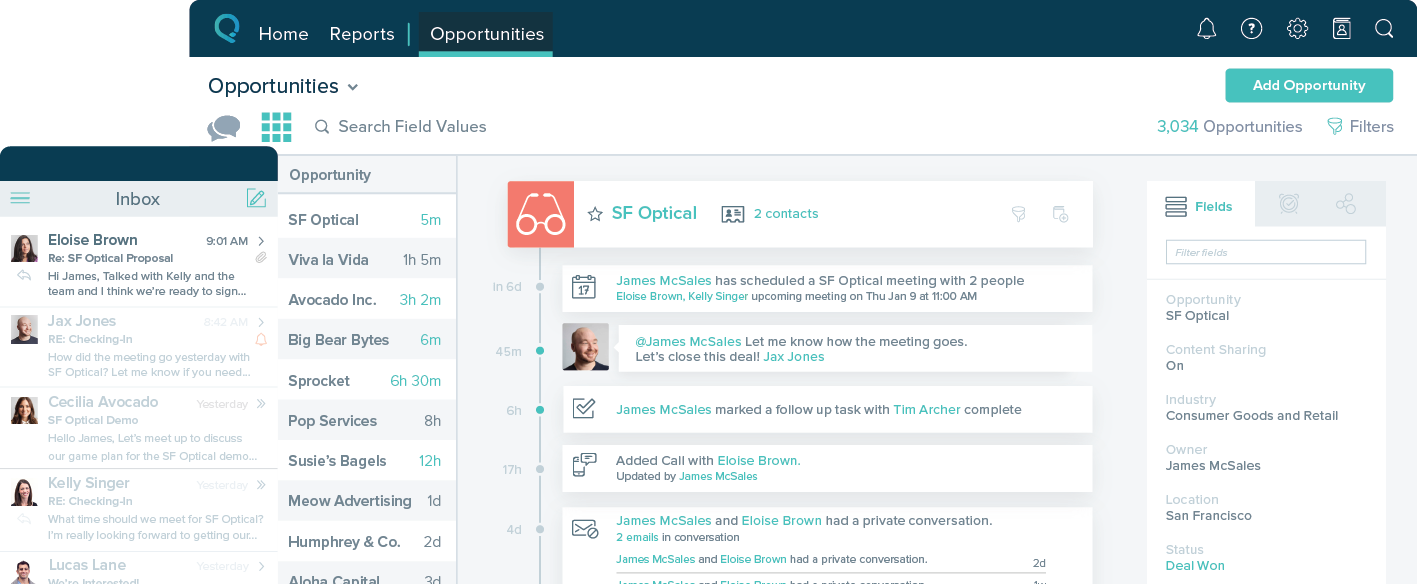
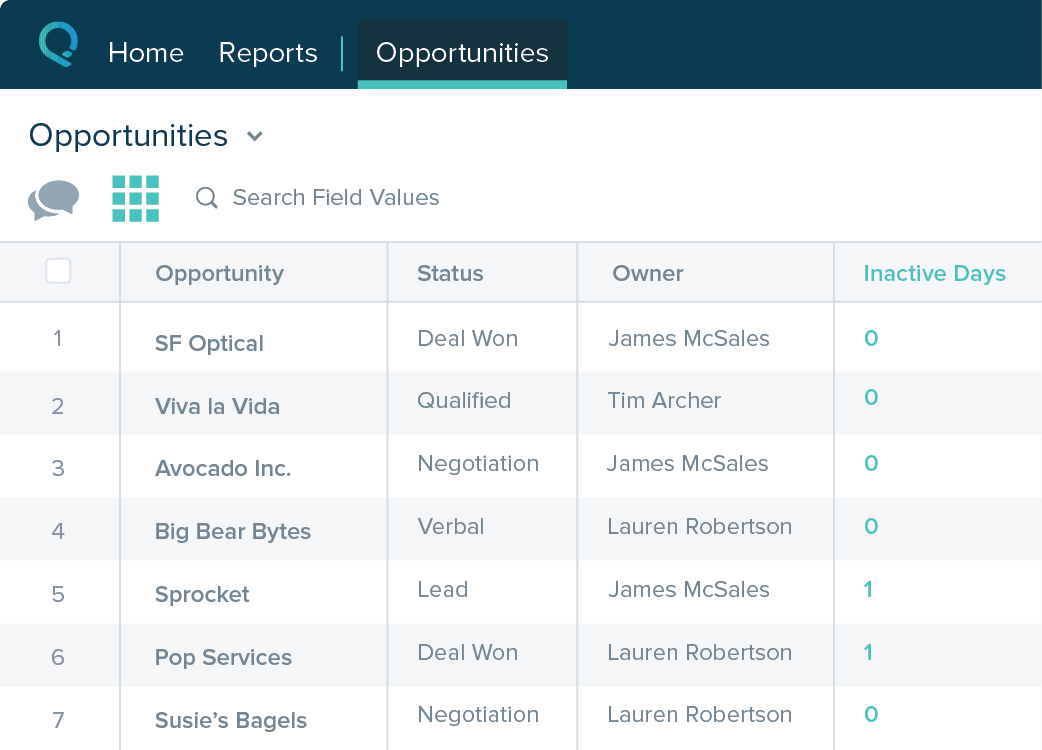
Salesforce Starter (formerly Salesforce Essentials) is a small business CRM that replaces the former SalesforceIQ product. It is priced at $35 per user, on a monthly basis, or at $25 per month for if billed annually ($300) and can be tried free for 14 days on a trial.
$35
per month per user
Pricing
Salesforce Starter
Editions & Modules
No answers on this topic
Offerings
Pricing Offerings
Salesforce Starter
Free Trial
Yes
Free/Freemium Version
No
Premium Consulting/Integration Services
Yes
Entry-level Setup Fee
No setup fee
Additional Details
—
More Pricing Information
Community Pulse
Salesforce Starter
Considered Both Products
Salesforce
Verified User
Chose Salesforce Starter
The Zoho system is free and gives a long trial product. The salesforce brand is well known, and I wanted to try a good European crm product. The account manager was South African and very friendly. The system was trained on a demo, whereas Zoho did not offer an account …
A de minimis incentive was given to thank the reviewer for their time. The incentive was not used to bias or drive a particular response, nor was the incentive contingent on a positive endorsement. More Info
A de minimis incentive was given to thank the reviewer for their time. The incentive was not used to bias or drive a particular response, nor was the incentive contingent on a positive endorsement. More Info
Sr. Salesforce Admin in Information Technology at Cloud Trailz (Telecommunications, 11-50 employees)
Chose Salesforce Starter
Salesforce Starter is exactly what it says. It's specific to getting a small business up and running effectively, without unnecessary development or internal overhead required. It doesn't allow for a ton of customization, but it provides more than most other providers across …
A de minimis incentive was given to thank the reviewer for their time. The incentive was not used to bias or drive a particular response, nor was the incentive contingent on a positive endorsement. More Info
VP of Operations in Corporate at Kerlin Bus Sales & Leasing Inc. (Transportation/Trucking/Railroad, 11-50 employees)
Chose Salesforce Starter
We selected SalesforceIQ over Insightly because of the email automation they offered. Their app also seemed to be a little more robust. I highly recommend a trial before you make a decision. The trial with SalesforceIQ is what sold us on the product.
A de minimis incentive was given to thank the reviewer for their time. The incentive was not used to bias or drive a particular response, nor was the incentive contingent on a positive endorsement. More Info
If you own a business that has complex selling processes or requires integrations with 3rd party tools/systems, you should look at Professional, Enterprise, or Unlimited editions. Salesforce operates very well across pretty much every industry, but not all sales, marketing, and operational processes are created equal. If your marketing process requires a long list of sendable contacts then I would recommend adding on Pardot or Hubspot. Always start small and scale up, to avoid boxing yourself in down the road.
A de minimis incentive was given to thank the reviewer for their time. The incentive was not used to bias or drive a particular response, nor was the incentive contingent on a positive endorsement. More Info
A de minimis incentive was given to thank the reviewer for their time. The incentive was not used to bias or drive a particular response, nor was the incentive contingent on a positive endorsement. More Info
Table views can be sorted by column. Filters can be applied, but only to one column. Multi-column filtering like Excel allows would be extremely useful and a big improvement.
The ability to quick copy data in a table view would also be helpful, like (ctrl ') in excel.
A de minimis incentive was given to thank the reviewer for their time. The incentive was not used to bias or drive a particular response, nor was the incentive contingent on a positive endorsement. More Info
The system is very user-friendly on a desktop but lacks mobile friendliness. The Customer relationship manager disappears after the deal is signed. We struggled to get the system in a usable format, which was not cost-effective. The CRM system on desktop was great but way more complicated than it should be.
A de minimis incentive was given to thank the reviewer for their time. The incentive was not used to bias or drive a particular response, nor was the incentive contingent on a positive endorsement. More Info
A de minimis incentive was given to thank the reviewer for their time. The incentive was not used to bias or drive a particular response, nor was the incentive contingent on a positive endorsement. More Info
A de minimis incentive was given to thank the reviewer for their time. The incentive was not used to bias or drive a particular response, nor was the incentive contingent on a positive endorsement. More Info