Google Forms is an app for creating forms and surveys, and is part of Google Apps for Work. The product focuses on ease of use; the interface is similar to a document editor, with drop down lists of options and drag and drop question re-ordering. Users can embed images and video into surveys. Users can also program the question flow with custom logic. Google sends users basic summaries of the survey results automatically, or users can export the raw survey results data and analyze it via…
N/A
Sogolytics
Score9.1 out of 10
N/A
Sogolytics (formerly SoGoSurvey) is an online survey software solution that helps users create surveys quickly. The free package includes basic features for building surveys and the paid package includes advanced features.
Google Forms works really well when you need to quickly gather information and store it in a standardized format. It also works well if your organization is already using other Google products.
If you don't use other Google products, another service may be a better fit for you. Additionally, if you need your forms to be highly customized for marketing purposes, for example, you might have an easier time with other tools.
That being said, Google Forms is well supported and is highly flexible and would likely work well for many companies.
A de minimis incentive was given to thank the reviewer for their time. The incentive was not used to bias or drive a particular response, nor was the incentive contingent on a positive endorsement. More Info
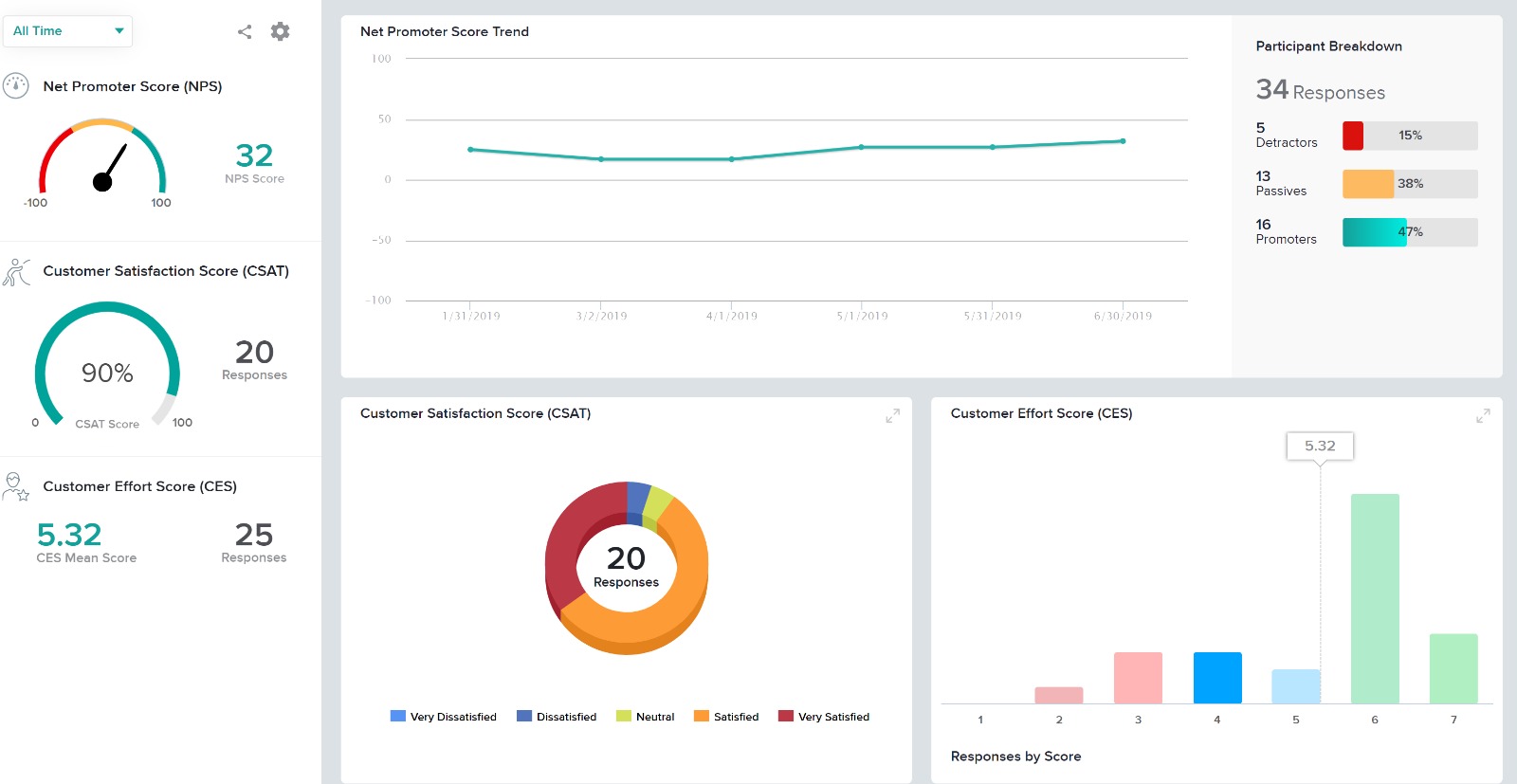
One of the most significant benefits of using Sogolytics is its robust reporting capabilities. The platform allows us to generate comprehensive reports with clear visualizations, making communicating our results to funders easy. This has greatly enhanced our transparency and accountability, demonstrating the effectiveness and impact of our programs.As a nonprofit organization, we are incredibly grateful for Sogolytics' support to organizations like ours. The platform's accessibility and user-friendly interface have made it an indispensable tool in our efforts to provide quality programs to schools and students in need.
Live results: When a user completes the form the results are added instantly.
Easy to create: Google Forms has a simple interface that allows for a wide range of question types. Google will even try to guess the question type based on the question (but this can be overridden).
Answers export to Google Sheets: It is easy to have each response to your form add a row to a Google Sheet, allowing for further analysis or processing.
Ability to automatically collect email addresses within a domain: If you have a form that has been shared with users in your domain, you can set it to automatically collect the users' email addresses without them needing to type it in. Makes checking whether all students have completed the form easy.
A de minimis incentive was given to thank the reviewer for their time. The incentive was not used to bias or drive a particular response, nor was the incentive contingent on a positive endorsement. More Info
Sometimes finding the output -- a Google Sheet with all responses-- is a little difficult. It's also sometimes confusing to figure out how to get back into the Google Form Survey itself.
As always, sharing among an institutional Google account and your personal Google account can be frustrating. You have to make a copy and can't share across the two different accounts very easily.
A de minimis incentive was given to thank the reviewer for their time. The incentive was not used to bias or drive a particular response, nor was the incentive contingent on a positive endorsement. More Info
Providing users the ability to follow along a specific question example (eg. placeholder text in questions that users can see what the answer might look like)
Better media management and implementation (eg. placing images/videos/gifs/etc. as standalone assets in the survey)
Making the images added into a survey responsive to the screen they are being viewed on (eg. any images added to a survey do not adjust to the size of the screen, consequently showing up very small on mobile/tablet view)
Exporting the survey to Word looks horrible - we'd love if the survey could be exported the way it looks when live into a similar-looking Word document or template
I will definitely renew my use of Google Forms because I really like the ease of use and the number of tools that Google forms provide. I also love that I can administer a test in real-time and get results in a timely manner
A de minimis incentive was given to thank the reviewer for their time. The incentive was not used to bias or drive a particular response, nor was the incentive contingent on a positive endorsement. More Info
A de minimis incentive was given to thank the reviewer for their time. The incentive was not used to bias or drive a particular response, nor was the incentive contingent on a positive endorsement. More Info
Google Forms is a very intuitive and easy to use tool, it is not necessary to have a complex knowledge to create advanced forms, it is enough with the functions and aids that the tool offers for the creation of these, even children and students can do it, also the way to export the data is really simple, simply an incredible tool.
A de minimis incentive was given to thank the reviewer for their time. The incentive was not used to bias or drive a particular response, nor was the incentive contingent on a positive endorsement. More Info
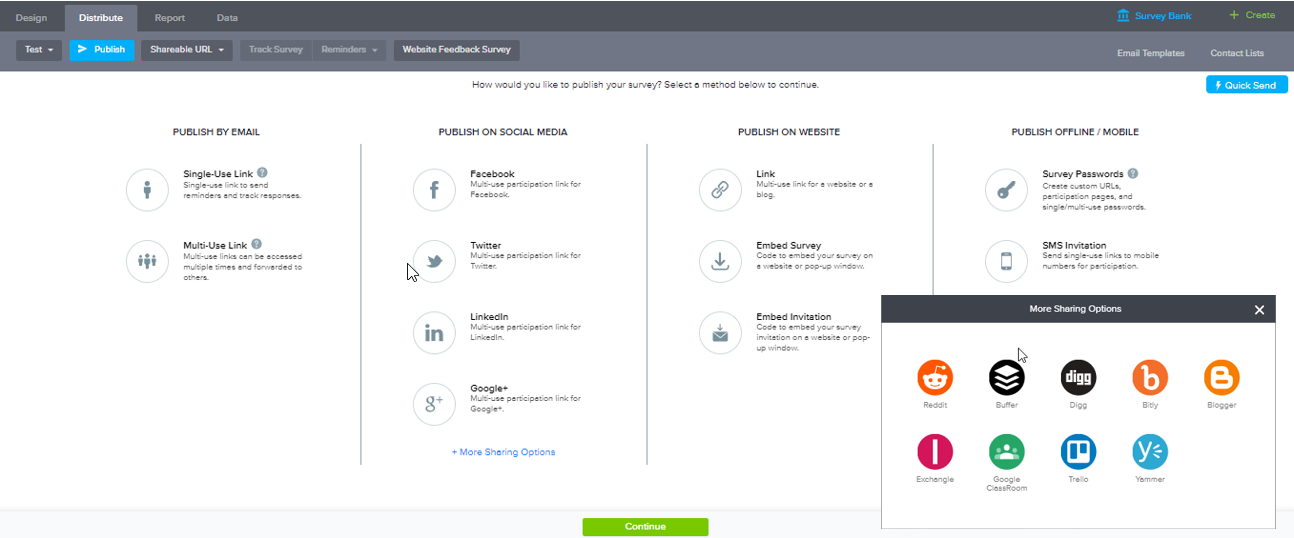
Everything on the platform is laid out logically and in a manner that even our less technical administrators can go onto the system and create/manage any surveys or feedback questionnaires. The options for distribution of these surveys are also simple and straight forward with all available choices showing. Our users don't need to know the ins and outs of the system to be able to use it.
In the years I've used GoogleForms I've never ran into any issues with the reliability or availability. Google is a gigantic company with essentially limitless resources which makes it very easy to trust that I will continue to be able to enjoy the same reliability I've come to know and expect from GoogleForms
A de minimis incentive was given to thank the reviewer for their time. The incentive was not used to bias or drive a particular response, nor was the incentive contingent on a positive endorsement. More Info
One of the things that comes as a benefit of the lack to create complex logic branching and truly custom design is that there isn't lot of room to bog down the software. GoogleForms has always loaded just as fast as my internet service and device would allow it. I'm not sure about front end integrations or integrations into the form itself, as I've never explored it, but on the backend, I've never had any issues with integrations channeling from GoogleForms from the GoogleForms's end of things.
A de minimis incentive was given to thank the reviewer for their time. The incentive was not used to bias or drive a particular response, nor was the incentive contingent on a positive endorsement. More Info
Google has a support team but it isn't the most helpful with Forms. I find most of my answers by searching online and watching tutorial videos. I would recommend utilizing online resources before contacting their live support team for help. Just make sure that they are recent videos or directions. Google is constantly updating their interfaces so it is easy for things to get out of date
A de minimis incentive was given to thank the reviewer for their time. The incentive was not used to bias or drive a particular response, nor was the incentive contingent on a positive endorsement. More Info
I had an issue whereby I used a free trial that ended, locking me out of my account. I contacted their customer service to help with this issue, which they resolved in under half an hour. I was extremely impressed with their speed and quality of service, which led me to filling out this review!
We have also used FormAssembly, which is far more advanced with security, analytics, and functionality, but is also more expensive and takes a greater resource investment to train others to use. While FormAssembly can provide a lot more features, and is definitely the better choice for more complex surveys, forms, and applications, Google Forms is a very approachable and easy to use platform. We would recommend Google Forms for smaller businesses with simpler processes, and everyday use for any organization.
A de minimis incentive was given to thank the reviewer for their time. The incentive was not used to bias or drive a particular response, nor was the incentive contingent on a positive endorsement. More Info
I evaluated several different products, including SurveyMonkey. SoGoSurvey appeared to have the most features at the best value. Unfortunately, the "free" service didn't satisfy our needs and we had to upgrade during the first survey. I found SurveyMonkey and SoGoSurvey to be very comparable.
A de minimis incentive was given to thank the reviewer for their time. The incentive was not used to bias or drive a particular response, nor was the incentive contingent on a positive endorsement. More Info
GoogleForms lacks the ability for complex logic branching and the ability to truly design it in a custom manner. It's pretty obvious when you land on a GoogleForm that it is in fact a GoogleForm. This rating solely reflects the lack of flexibility which in turn makes it something that wouldn't usually be scaled. That being said, if needing to scale a simple solution, GoogleForms would be up for the job.
A de minimis incentive was given to thank the reviewer for their time. The incentive was not used to bias or drive a particular response, nor was the incentive contingent on a positive endorsement. More Info
A de minimis incentive was given to thank the reviewer for their time. The incentive was not used to bias or drive a particular response, nor was the incentive contingent on a positive endorsement. More Info
Cost. The software is very reasonably priced when judged against its functionality. The cost and risk of deploying paper surveys, coupled with the additional time it would take to input the data before analysis, means we have a lot less to worry about, have saved time and money.
Data and reputation. Security of data is important to us. Using this software has enhanced our credibility with clients. We're serious about data security and this software shows that we are.
Ethics and reputation. We are also serious about achieving the highest ethical standards in research, and nothing in this software impedes our ability to meet these standards.
Speed. The online training, all of which has been 1-2-1, helped me get to grips with the software and deploy it quickly. The quality of training is very high indeed.