Fortra’s Automate vs. VisualCron

Overview
ProductRatingMost Used ByProduct SummaryStarting Price
Fortra’s Automate
Score 8.0 out of 10
N/A
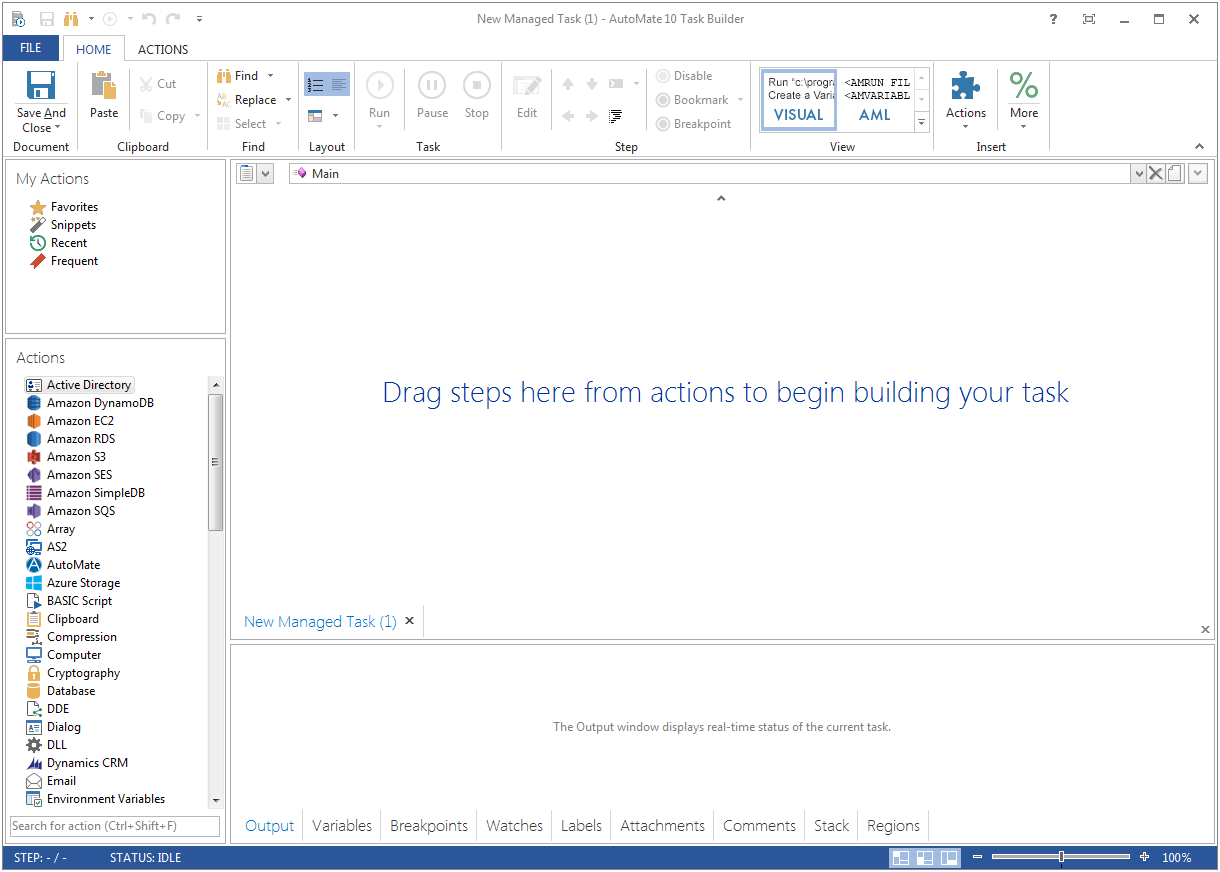
Fortra's Automate (formerly HelpSystems Automate) is a robotic process automation platform for desktop applications. According to the vendor, it offers the ability to automate almost any business process, and no technical expertise is required—IT and business users alike can understand the drag-and-drop interface.N/A
VisualCron
Score 7.0 out of 10
N/A
VisualCron is an automation, Integration and Task Scheduler tool. VisualCron combines many features into one product. VisualCron was founded in 2004. Through scheduling users can set Jobs to run on a specific time or event with the help of Triggers. The Tasks in each Job automate scripts to eliminate human errors. Through various Tasks users can integrate different systems through file transfer, encryption, compression and…N/A
Pricing
Fortra’s AutomateVisualCron
Editions & Modules
No answers on this topic
Offerings
Pricing Offerings
Fortra’s AutomateVisualCron
Free Trial
YesYes
Free/Freemium Version
NoNo
Premium Consulting/Integration Services
YesYes
Entry-level Setup FeeOptional$1,499 per Server
Additional Details
More Pricing Information
Community Pulse
Fortra’s AutomateVisualCron
Features
Fortra’s AutomateVisualCron
Customization
Comparison of Customization features of Product A and Product B
Fortra’s Automate
-
Ratings
VisualCron
3.5
1 Ratings
54% below category average
API for custom integration00 Ratings4.01 Ratings
Plug-ins00 Ratings3.01 Ratings
Reporting & Analytics
Comparison of Reporting & Analytics features of Product A and Product B
Fortra’s Automate
-
Ratings
VisualCron
7.7
1 Ratings
5% below category average
Dashboards00 Ratings8.01 Ratings
Standard reports00 Ratings8.01 Ratings
Custom reports00 Ratings7.01 Ratings
Process Engine
Comparison of Process Engine features of Product A and Product B
Fortra’s Automate
-
Ratings
VisualCron
4.2
1 Ratings
52% below category average
Process designer00 Ratings7.01 Ratings
Process simulation00 Ratings3.01 Ratings
Business rules engine00 Ratings2.01 Ratings
Process player00 Ratings8.01 Ratings
Form builder00 Ratings4.01 Ratings
Model execution00 Ratings1.01 Ratings
Business Process Automation
Comparison of Business Process Automation features of Product A and Product B
Fortra’s Automate
-
Ratings
VisualCron
4.3
1 Ratings
34% below category average
Business Process Modeling00 Ratings1.01 Ratings
Decision Modeling00 Ratings3.01 Ratings
Code-Based Automation00 Ratings6.01 Ratings
No-Code Automation00 Ratings7.01 Ratings
Best Alternatives
Fortra’s AutomateVisualCron
Small Businesses
airSlate WorkFlow
airSlate WorkFlow
Score 7.5 out of 10
CMW Platform
CMW Platform
Score 9.0 out of 10
Medium-sized Companies
SAP Extension Suite (discontinued)
Score 8.3 out of 10
Quixy
Quixy
Score 9.9 out of 10
Enterprises
IBM Robotic Process Automation
Score 8.8 out of 10
Redwood RunMyJobs
Redwood RunMyJobs
Score 9.6 out of 10
All AlternativesView all alternativesView all alternatives
User Ratings
Fortra’s AutomateVisualCron
Likelihood to Recommend
10.0
(4 ratings)
7.0
(1 ratings)
Usability
10.0
(1 ratings)
-
(0 ratings)
Support Rating
10.0
(1 ratings)
8.0
(1 ratings)
User Testimonials
Fortra’s AutomateVisualCron
Likelihood to Recommend
Fortra
It's great for repetitive or regularly scheduled activities like reports or file transfers. However, it's not so good for on-demand activities. It doesn't support task shortcuts to run specific tasks. If it did it would be perfect.
Read full review
NetCart DBA VisualCron
VisualCron does accommodate continuous file processing. Like packing and unpacking compressed files, splitting or merging files, sending E-mail's and executing queries on databases. VisualCron in less suitable for performing very complex operations on files like, arithmetic with numbers, dates or amounts. Very complex job scripts become cluttered. Debugging Job scripts is not easy.
Read full review
Pros
Fortra
  • Very detailed task builder. Easy to read step by step a task's operation even if you don't have much programming knowledge.
  • Scheduling for automation jobs is very flexible. Allows us to create all kinds of job schedules as needed.
  • Organization of jobs, tasks, conditions is done well. Allows us to easily manage our items.
Read full review
NetCart DBA VisualCron
  • VisualCron can pack and unpack files from many types of packing methods.
  • Clear job scripts with complex constructions can be written in VisualCron
  • VisualCron provides a clear graphical overview of the situation of all jobs.
  • VisualCron clearly indicates when a job has run into an error.
Read full review
Cons
Fortra
  • A reporting capability on tasks: enabled, disabled, by folder, by trigger, etc. Currently there is none.
  • An "OR" in their conditional statements - currently there is only "AND".
  • Some kind of temporary backup when changing a task - separate from the current back up/restore functionality (which works well).
Read full review
NetCart DBA VisualCron
  • VisualCron should more specifically indicate the root cause of an error.
  • If copying a file goes wrong, VisualCron reports 'can't copy file'. I expect 'no read permissions from original' or 'no write permissions from destination'.
  • VisualCron offers no way to execute a Job script line by line
  • In VisualCron, nested loops cannot be created.
Read full review
Usability
Fortra
It's just very easy to use, extremely versatile, and very reliable. It's hard to find use cases where it won't work.
Read full review
NetCart DBA VisualCron
No answers on this topic
Support Rating
Fortra
Support is very helpful and responsive, although using the tool is very user-friendly, so I hardly use the service.
Read full review
NetCart DBA VisualCron
Questions and problems can be addressed to VisualCron 's support department via E-mail. I usually get a good answer from them fairly quickly. There is also a VisualCron forum where you can ask questions that will be answered by other VisualCron users.
Read full review
Alternatives Considered
Fortra
Read full review
NetCart DBA VisualCron
For simple processes, VisualCron is easier to use and maintain. For complicated processes, Quadient Inspire offers more options. The graphical representations of waiting, running or completed jobs is adequate for both products. The logging of job actions is better in Quadient Inpire as in VisualCron.
Read full review
Return on Investment
Fortra
  • It's been a net positive as AutoMate requires less eyes on specific tasks so that people can focus attention elsewhere and do more analysis.
  • Less manual work also decreases the chances of mistakes and/or missed jobs. Since Automate can schedule everything, send email notifications, etc., there is less time wasted.
Read full review
NetCart DBA VisualCron
  • With VisualCron, I need 3 times less time to get file processing right.
  • If a VisualCron job goes wrong I need twice as much time to find the problem.
  • Visualcron does not run on Linux but on Windows which can make an upgrade and reboot take up to 6 times as long.
Read full review
ScreenShots

Fortra’s Automate Screenshots

Screenshot of Screenshot of

VisualCron Screenshots

Screenshot of Job - CPU usageScreenshot of Job - execution timeScreenshot of Job - ROI resultScreenshot of Main windowScreenshot of Main window - right clickScreenshot of Output - as table