EZ Texting vs. Workplace from Meta

Overview
ProductRatingMost Used ByProduct SummaryStarting Price
EZ Texting
Score 8.7 out of 10
N/A
EZ Texting provides businesses and organizations with a text marketing solution, including features and integrations to keep conversations going. The solution can be used by businesses to connect with their audiences. It can be used to send promotions, promote a new product, build brand awareness, or drive traffic to websites or storefronts. EZ Texting Key Features EZ Texting's features are designed to enhance the effectiveness of text marketing…
$25
per month
Workplace from Meta
Score 8.0 out of 10
N/A
Facebook at Work allows users to interact with co-workers through the Facebook interface.
$2
per month per user
Pricing
EZ TextingWorkplace from Meta
Editions & Modules
Launch
$25
per month
Boost
$75
per month
Scale
$125
per month
Enterprise
$3,000
per month
Enterprise Live
$2.00
per month per user
Enhanced Admin & Support
$2.00
per month per user
Workplace Core
$4.00
per month per user
Offerings
Pricing Offerings
EZ TextingWorkplace from Meta
Free Trial
YesYes
Free/Freemium Version
NoNo
Premium Consulting/Integration Services
NoNo
Entry-level Setup FeeNo setup feeNo setup fee
Additional DetailsLAUNCH PLAN: Recommended for up to 500 contacts. Local EZ Textable Number. Max Speed: up to 500/day. Cost Per Msg:$0.030. Delivery Rate: 95% Includes 500 free msg/mo or 6k annually. BOOST PLAN: Recommended for 501-2,000 contacts. Local EZ High-Volume Number. Max Speed: up to 2,000/day. Cost Per Msg: $0.025. Delivery Rate: 95% Includes 500 free msg/mo or 6k annually. SCALE PLAN: Recommended for 2,000-50,000 contacts. Local EZ High-Volume, High-Speed Number. Max Speed: up to 50,000/day. Cost Per Msg: $0.020. Delivery Rate: 95%. Includes 500 free msg/mo or 6k annually. ENTERPRISE PLAN: Recommended for 50,000+ contacts. This Plan offers. Dedicated Short Codes. Max Speed: up to 1 MM/day. Cost Per Msg: $0.010. Delivery Rate: 99%. Includes 200k msg/mo. Pricing information for EZ Texting is supplied by the software provider or retrieved from publicly accessible pricing materials. Final cost negotiations to purchase EZ Texting must be conducted with the seller. Included in All Plans: Unlimited Incoming Messages, Contacts, & Keywords. New Features: Realize ROI faster with AI Compose & Team Inbox with AI Reply. Live Support Chat: Monday-Friday 8am-8pm ET and Saturday-Sunday 9am-5pm ET. Growth Tools: QR Codes, Keywords & Signup Forms. MMS Edge: Enhanced Image Library + Editor powered by Shutterstock. CRM-Lite: Upload, Management, Groups & Personalization.
More Pricing Information
Community Pulse
EZ TextingWorkplace from Meta
Best Alternatives
EZ TextingWorkplace from Meta
Small Businesses
OneSignal
OneSignal
Score 8.0 out of 10
Flock
Flock
Score 9.1 out of 10
Medium-sized Companies
Flurry Analytics
Flurry Analytics
Score 9.0 out of 10
Zoho Cliq
Zoho Cliq
Score 9.3 out of 10
Enterprises
Flurry Analytics
Flurry Analytics
Score 9.0 out of 10
Axonify
Axonify
Score 10.0 out of 10
All AlternativesView all alternativesView all alternatives
User Ratings
EZ TextingWorkplace from Meta
Likelihood to Recommend
8.7
(0 ratings)
7.4
(0 ratings)
Likelihood to Renew
8.9
(0 ratings)
-
(0 ratings)
Usability
8.4
(0 ratings)
5.6
(0 ratings)
Availability
8.0
(0 ratings)
-
(0 ratings)
Performance
8.0
(0 ratings)
-
(0 ratings)
Support Rating
9.6
(0 ratings)
8.4
(0 ratings)
Implementation Rating
8.0
(0 ratings)
-
(0 ratings)
Configurability
7.0
(0 ratings)
-
(0 ratings)
Ease of integration
8.0
(0 ratings)
-
(0 ratings)
Product Scalability
7.0
(0 ratings)
-
(0 ratings)
Vendor post-sale
10.0
(0 ratings)
-
(0 ratings)
Vendor pre-sale
10.0
(0 ratings)
-
(0 ratings)
User Testimonials
EZ TextingWorkplace from Meta
Likelihood to Recommend
It is great to reach people who have given you their phone numbers. You can connect with leads and customers, strengthening rapport and staying in touch with them. They work well with Facebook ads through the Zapier connection, allowing you to follow up with prospects. However, if a business cannot access its leads' phone numbers, the tool will not be of much use. I know of a senior care company that was in business for years but relied strongly on email marketing. They did not ask for their leads' phone numbers and, therefore, did not find EZ Texting useful. That is expected from a company that does not ask prospects for their phone numbers.
Read full review
I think Workplace by Facebook is a great communication vehicle for any mid-sized to large company. (Since it's more groups-oriented than "regular" Facebook, it might not work well for smaller companies.) I also don't have any idea what the cost is for having it, but that also be a reason that it wouldn't be worth the expense for smaller companies. For larger companies, I think it's a terrific way for folks to communicate with one another and for "the powers that be" to communicate with employees. Facebook Live is only suitable when you have a limited number of people who need to be on screen and it wouldn't really be suitable as a vehicle for instructor-led online training -- it's really most suitable for presentations (although, via the comments area, does allow for questions to be asked in writing)
Read full review
Pros
  • Easy to use web interface.
  • The ability to set up our main business phone to receive texts is fantastic.
  • There are an abundance of features we haven't even explored yet but look forward to doing so!
  • The mobile app is great alternative when a desktop or laptop isn't available.
Read full review
  • It is so easy to introduce to employees because it has the same look and feel as Facebook, which the majority of our employees are already familiar with.
  • It's a communications, collaboration, and file/document sharing tool all rolled up into one. It eliminates the need for other software.
  • Our HR team uses it constantly to keep employees up to date on company news and for polling to get feedback on new initiatives.
Read full review
Cons
  • Drafts don't save well, seemed like I kept having to redo the same text because a draft wouldn't save.
  • I want to be able to click and update users quickly, but there were too many steps to add/remove people from lists.
  • The app didn't work if I used google SSO - i couldn't ever get signed in.
Read full review
  • Limited project management options - no good way to track tasks or projects, so other tools are needed.
  • Easy to dismiss for people who don't see the value - the Facebook-like nature of the tool can be a liability when it comes to wanting management to take it seriously.
  • Chat interface has downsides - the standalone chat applications can be a bit buggy, and the chat interface within the web view is not ideal.
  • No intuitive way to message a group - chat options like Slack are better at easily messaging a group or department, where in Workplace you have to be a member of a group to start a conversation.
Read full review
Likelihood to Renew
We're excited about EZ Texting and what it does for us. We want to get more into automation with campaigns dealing directly with web sales so a more robust solution will likely leave EZ Texting as our event activation partner and only be used during select times of the year.
Read full review
No answers on this topic
Usability
I think it is straightforward to use. UX is always challenging, and the platform does an excellent job of making it easy enough to use. However, it's not 100% intuitive and takes just a bit of figuring out, so I gave it an 8 / 10. It's easy enough as is, but of course, it could always be better.
Read full review
Having to download multiple apps just to use the tool is very cumbersome. Facebook would have make this better by wrapping it in as a main feature within their app, but having to use multiple apps to see discussions and walls is so frustrating.
Read full review
Reliability and Availability
We have never needed to use the system and it be unavailable. They seem to schedule their server maintenance perfectly (at least for us!).
Read full review
No answers on this topic
Performance
It works pretty well but sometimes things don't work the way you would assume, IE marking messages as read is not as intuitive
Read full review
No answers on this topic
Support Rating
EZ Texting "gets it"! When I have had something I needed customer service to help me with, they returned my emails and calls promptly. I have a smaller business and they came through as if I was a huge corporate entity. They really care about all sizes of customers!
Read full review
Workplace by Facebook is an excellent fit in respect of support and documentation. It has excellent tutorials and documentation, as well. The UI and UX are already great as it is developed and maintained by Facebook, so most of the times, there is no need for any support or documentation.
Read full review
Implementation Rating
allow plenty of time for integration - time is definitely a factor. We had to wait about a week before the product was completely usable. Customer support was very helpful. though. Very much worth the wait, I think. Allow plenty of time for integration. Lots and lots of time needed.
Read full review
No answers on this topic
Alternatives Considered
We have never considered or looked into any other system. We were very much just trying to fix a gap in our internal system as quickly and easily as possible. EZ Text was one of the first options that came up. We did a free trial, and it seemed easy (EZ) enough to use and fair in price, so we moved forward.
Read full review
We can compare Workplace in general from email communication (we use Bananatag tool for this). Our email communication and Workplace communication are sometimes competitors. RIght now, we have much higher analytics of email read rate/open rate than on Workplace activity. It may be connected with the fact that there is a lot of communication going on on Workplace. And with the emails we have a dedicated unit to monitor and balance the daily/weekly official email load on the associate. Workplace is a live network. Of course, we as admins balance the posts in official groups. But there are lots of other groups where people post whatever they want (like local communities or communities by interest). Why we keep focus on increasing Workplace engagement instead of email communication is definitely because of this instant feedback that we can get with posting. Email communication cannot create this feeling - it's always a one-way communication in our case.
Read full review
Scalability
We haven't really utilized it for this purpose but it does seem like there are a lot of great options you can utilize.
Read full review
No answers on this topic
Return on Investment
  • Customers, as well as potential customers, do not seem to have any issue, providing their phone numbers for text messages as opposed to receiving countless emails.
  • Upselling items has improved considerably due to our ability to notify customers of new products and specials that we are offering in the store.
Read full review
  • Workplace offers a free version and a more enhanced, and really enhanced, paid version. The free version is a nice place to test the waters out and see if you can get it working at your company. We have only had a positive return on investment, measured in time.
  • The on-boarding is where you will see the greatest positive gain. You will quickly be up and running and so will the staff. This will decrease the training and implementation period and for many that means a substantial cost savings.
  • The only negative return that might be realized is if too much time is spent monitoring and policing the content. If trust is there, then employees can share and enhance the use of this tool to be a positive force. As with any communication tool, set guidelines and let the community police itself to some extent.
Read full review
ScreenShots

EZ Texting Screenshots

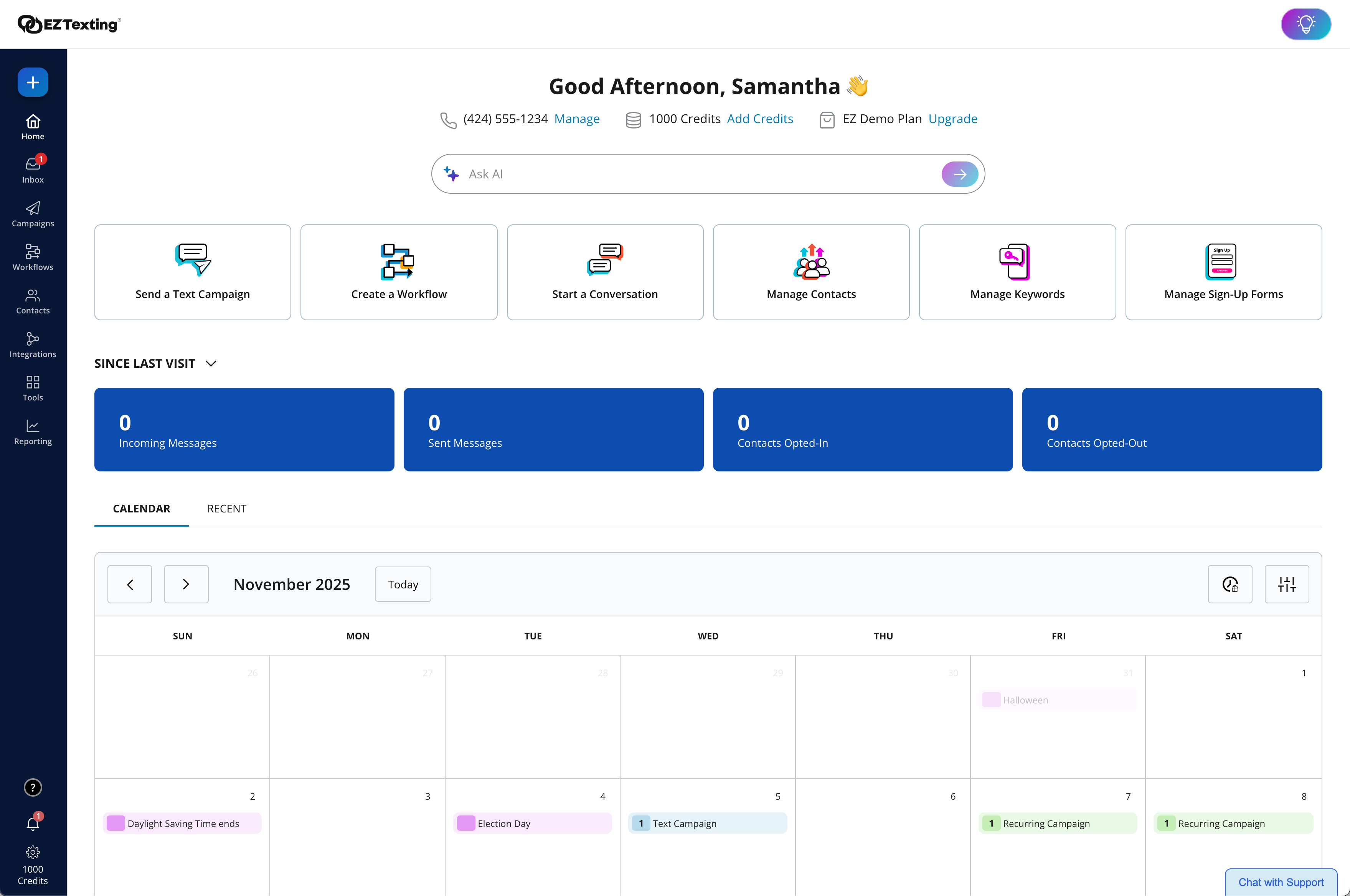
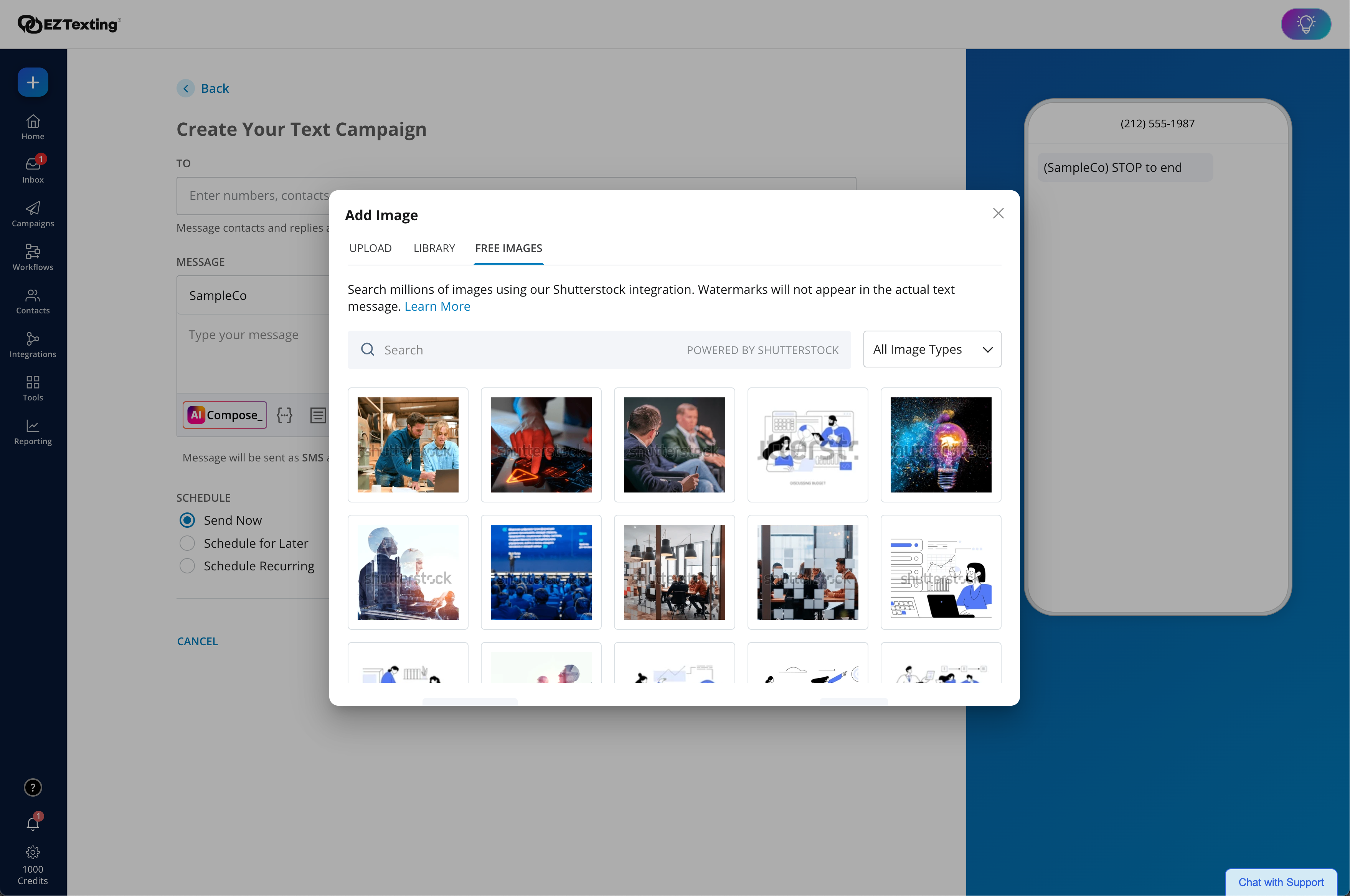
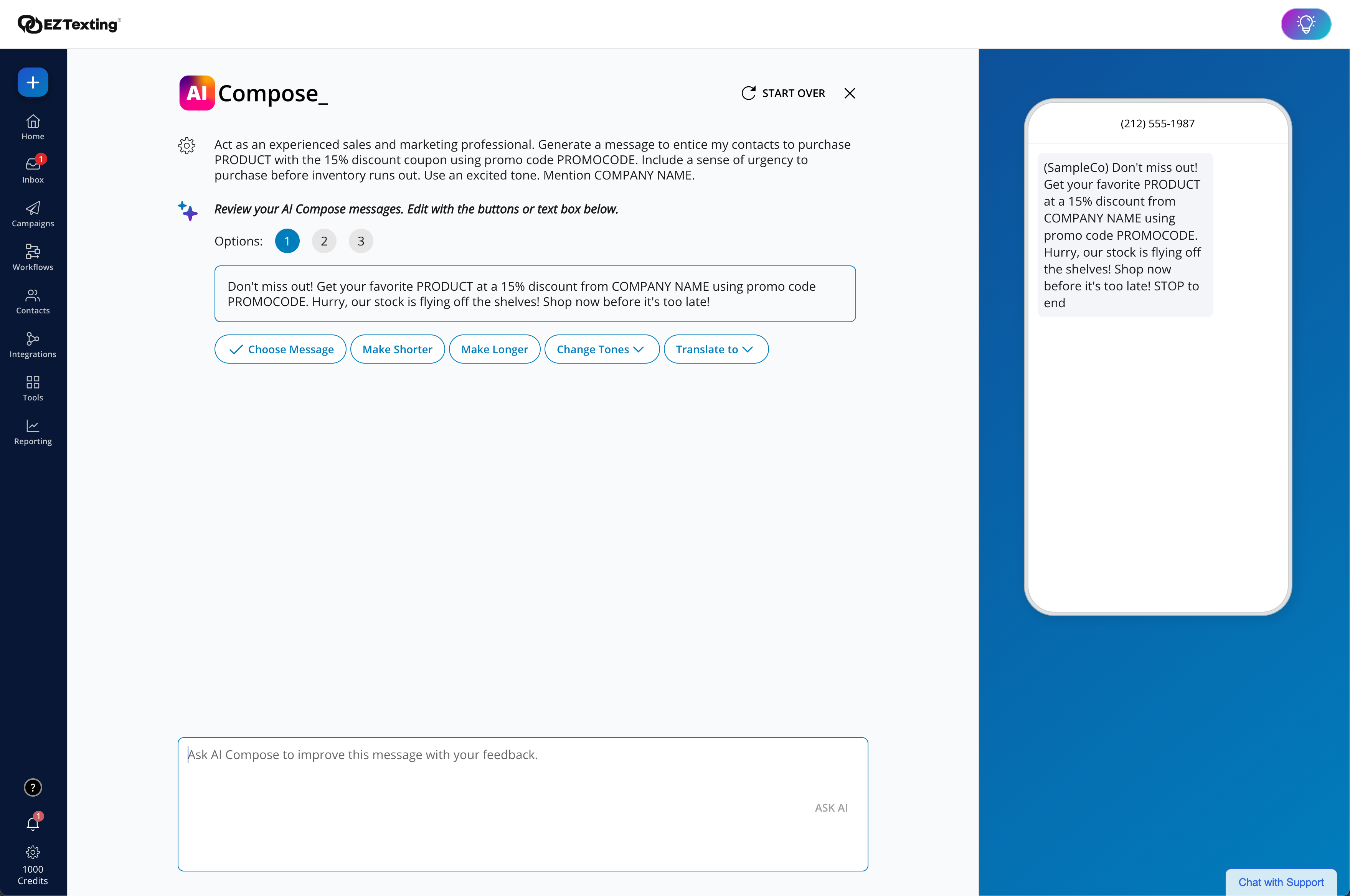
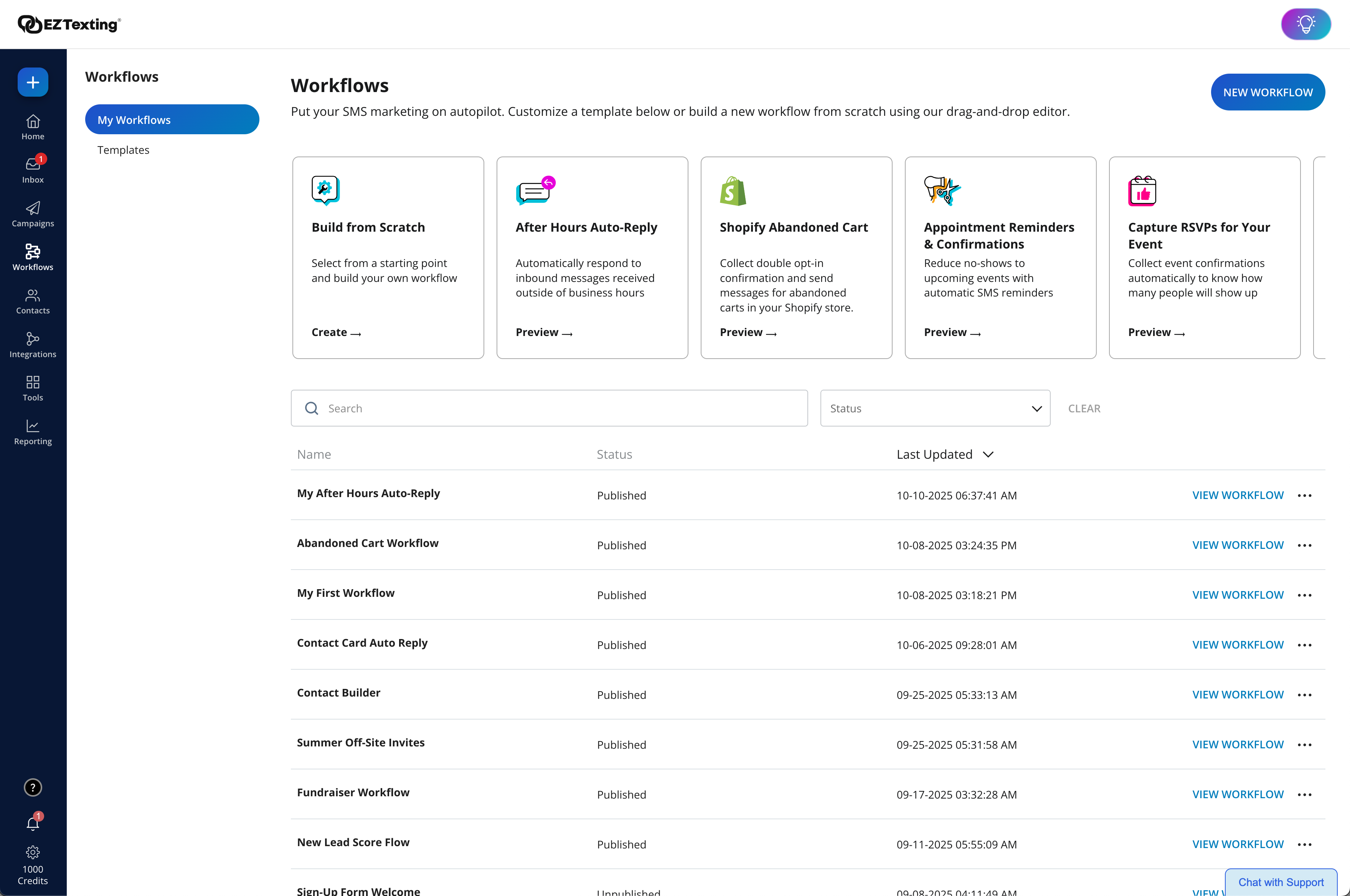
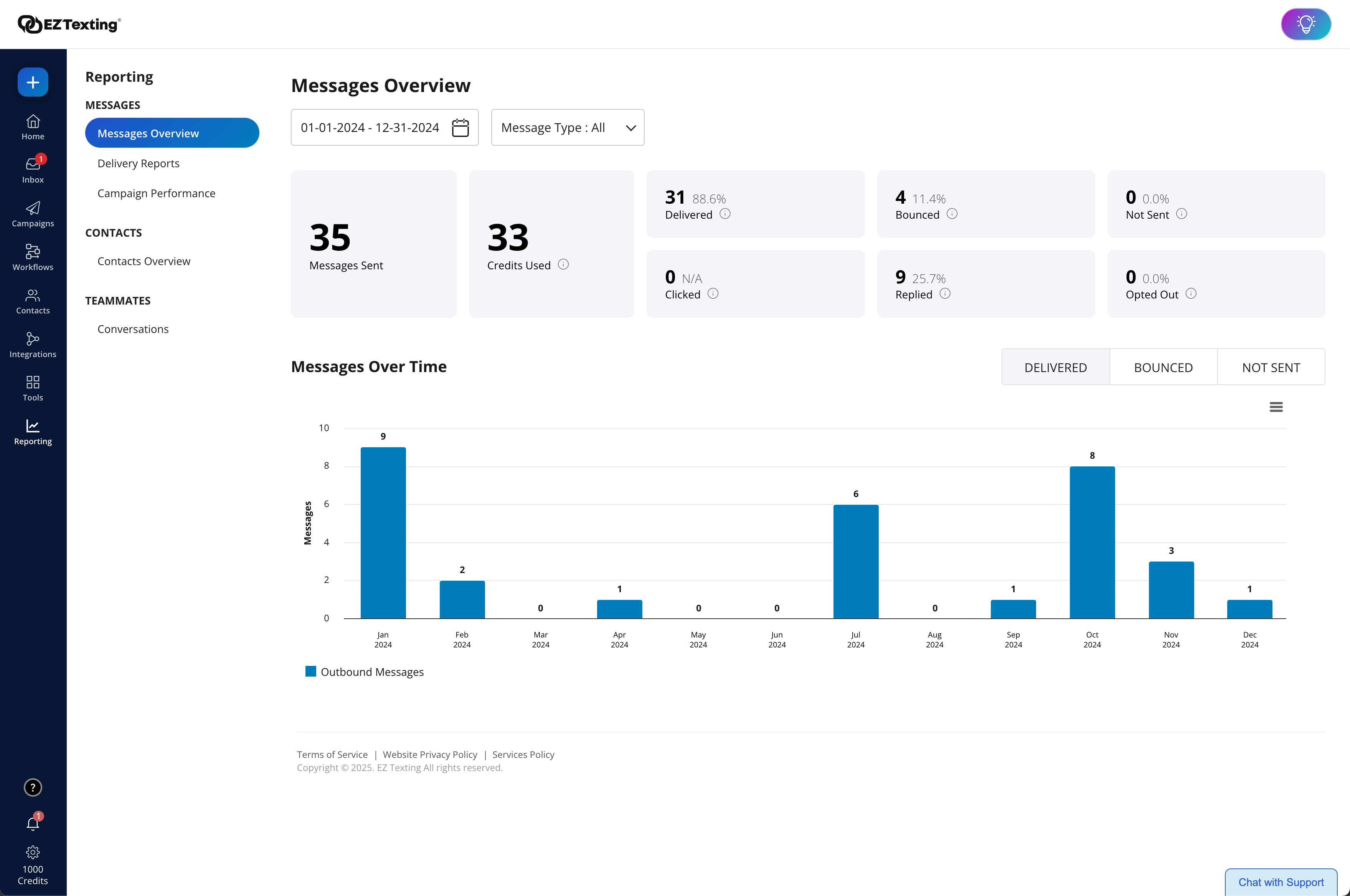
Screenshot of where the user can view recent activity, upcoming campaigns, and access AI Assistant.Screenshot of the enhanced Image Library + Editor powered by Shutterstock, which includes 450+ million free images and 20k design templates to create more scroll-stopping texts.Screenshot of the upgraded AI Compose - Used to create engaging messages with emojis, helpful templates,, easy editing, and Spanish translations.Screenshot of workflows. These are used to send texts triggered by actions and events to boost engagement and drive conversions. With a drag & drop editor, technical expertise or code is never required.Screenshot of delivery confirmations, as well as where the user can check on bounce rates and view opted-outs.

Workplace from Meta Screenshots

Screenshot of Use groups to communicate with a team, region or entire company. Make sure that important updates get to the right people, and listen to feedback through comments and reactions on posScreenshot of News Feed helps every employee stay up to date with the information they care about, without getting distracted by the rest.Screenshot of The Knowledge Library is a new home for your key resources. It's a single place to create, store and share static content such as HR policies or working from home advice on desktop or mobile, so your company knowledge is accessible and discoverable.Screenshot of Go live from a mobile phone or Portal. It's the perfect way to check in with your team, especially when you can't be together in person. And unlike email, you can get feedback or answer questions in real time through comments, likes and reactions.