The DigitalChalk LMS, from Sciolytix gives users the tools and control to launch engaging, interactive, online courses. Users can create courses featuring animated PowerPoint, SCORM content, HD videos, audio, quizzes, exams and more.
$35
per month
WorkBright
Score 7.4 out of 10
Mid-Size Companies (51-1,000 employees)
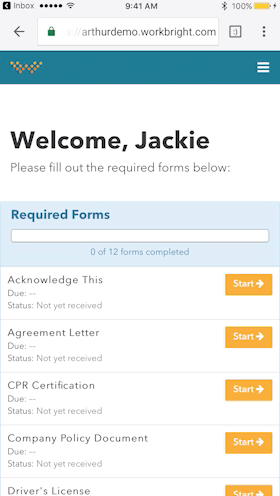
For businesses that are rapidly, seasonally, or just plain constantly hiring, WorkBright aims to take the cumbersome and traditionally paper-heavy process of onboarding and puts it all online. They make it possible for new employees to fill out their W4s, upload photos of licenses and certifications, sign digitally, and complete any paperwork from their laptop, tablet, or smartphone before they show up for their first day on the job. Integrations and an open API…
$158
hires per year
Pricing
DigitalChalk, by Sciolytix
WorkBright
Editions & Modules
Essential
$35.00
per month
Professional
$79.00
per month
Premier
$189.00
per month
Onboarding
Starting at $158/mo
hires per year
Offerings
Pricing Offerings
DigitalChalk, by Sciolytix
WorkBright
Free Trial
No
Yes
Free/Freemium Version
No
No
Premium Consulting/Integration Services
No
No
Entry-level Setup Fee
$399
Required
Additional Details
—
Our pricing is based off the number of hires in a given contract year. All contracts are annual but can be billed on a monthly basis.
More Pricing Information
Community Pulse
DigitalChalk, by Sciolytix
WorkBright
Features
DigitalChalk, by Sciolytix
WorkBright
Learning Management
Comparison of Learning Management features of Product A and Product B
As I've stated, the best scenario for an organization to use DigitalChalk is in a highly structured course delivery format where information does not change often, where the course doesn't need any hands-on facilitating, and the outcomes can be automatically assessed. For certificate courses, DigitalChalk has everything the organization needs to implement their courses and certificate delivery.
WorkBright is an excellent software for any company [that] needs to optimize their HR department and processes. WorkBright simplifies recruiting and onboarding and allows the department to stay on top of due dates and items needed. Additionally, WorkBright has high-security features so any company can ensure information is encrypted and backed up.
While I used the platform, it improved its integrations with PowerPoint, making it easy to convert slides to the DigitalChalk format.
The editing layers for audio underneath the slides is very user-friendly and easy to use.
While we didn't use the quiz randomization, I liked how there was a structure built to it so that those who had more robust usage situations than ours would be able to improve engagement and assess learning at a higher level.
The administration of Digital Chalk is very easy. The function I think may be missing is an easy way to add revisions and assign them to the students who need them. For example, when you update a piece of a course it would have an indication that it is version xxx and would ask who would like to assign it to - everyone who has taken it before or just new students.
It would nice to have the system recognize when a student has already completed an element of a course that may be used in another course. For example, if video A is part of courses 1 and 2, and the student already watched it in course 1, it would ask the administrator if they should get automated credit for it in course 2, as well.
As I mentioned previously, Digital Chalk's customer support is excellent. I also got a reply back within an hour, and it was usually the same person. So, they were familiar with our needs and how we were using the system. Honestly, most of the time we had to contact their support, it was an issue on the user's side, not in the software. Yet, they still helped identify the issue and consulted on how to fix it.
I've worked with Cornerstone, Saba, SuccessFactors, and Blackboard. As an administrator, those systems are a beast to learn and require someone to spend a large portion of their time supporting them. Once you are their customer, their customer support is almost nonexistent. There are so many functions and settings that it's just overwhelming. By contrast, we had Digital Chalk up and running in a week with minimal issues. The administrative side is so much easier and doesn't require hours of involvement. The customer support is the best support I've ever had with any software, even outside of LMSs.
Workbright was cost effective and easy to use. It was also covering all smartphones which are used here in various host countries. This softwares helped us to scale Sales and operations team without having to bulk up our Human resource and Auditing team. Workbright has a 60 day no questions asked refund policy which helped to test the software extensively before taking a long term call on using the software.
Digital Chalk allowed us to move the vast majority of our leadership development training online. This allowed our field managers to spend more time on coaching and mentoring than delivering training. Previously, our field managers were having to spend 48-72 hours training, plus travel expenses.
Many of our learners had prior negative experiences using online training. After switching to Digital Chalk our learning engagement increased over 100%. The vast majority of feedback receive is positive in regards to the software.