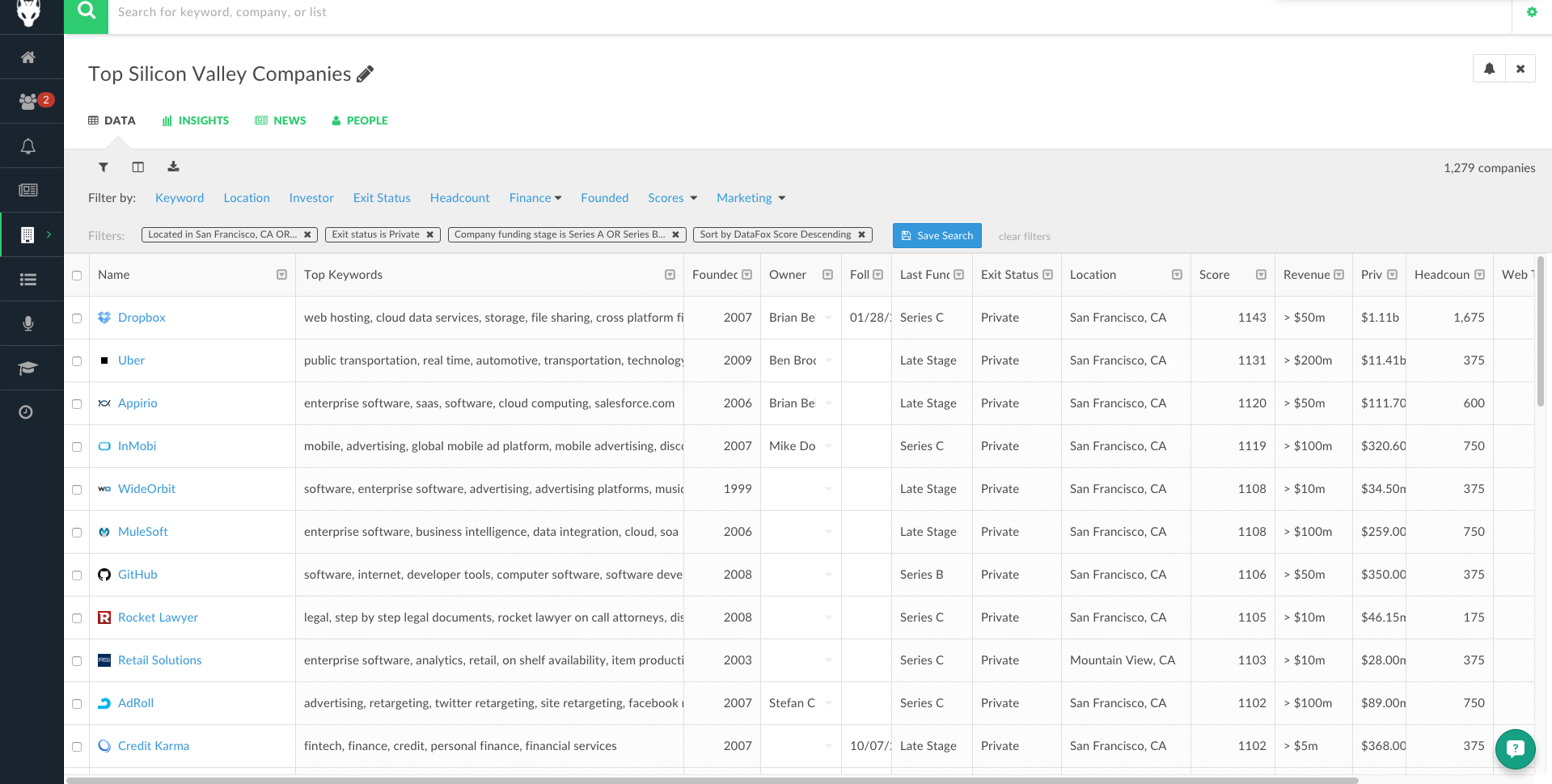
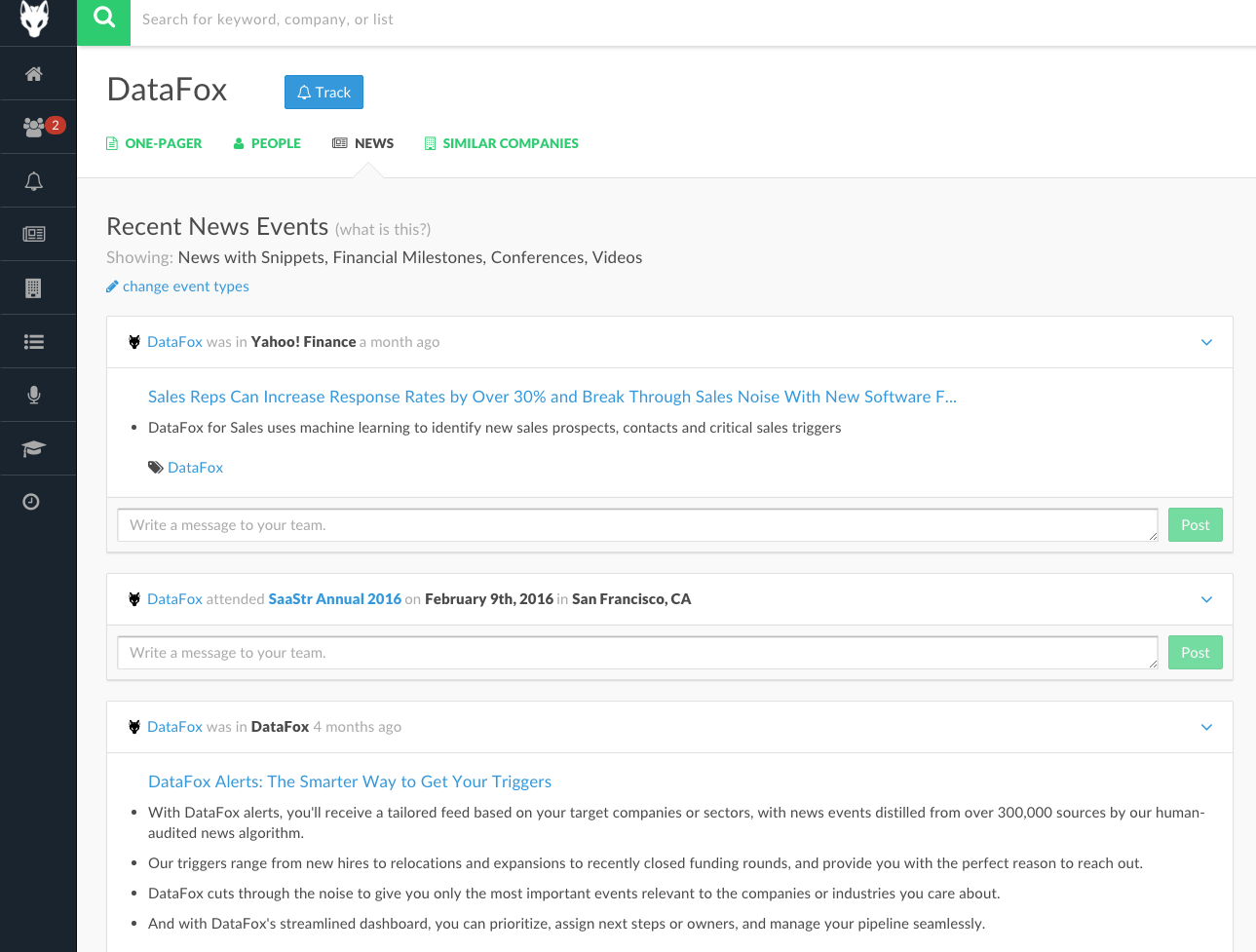
DataFox was a tool used to dentify new prospects and deliver actionable sales triggers from thousands of data sources. Oracle acquired DataFox in October 2018, and the product was sunsetted in 2023. It is no longer available.
N/A
LinkedIn Sales Navigator
Score8.7 out of 10
N/A
LinkedIn Sales Navigator is a sales intelligence software solution offered by LinkedIn.
$79.99
per month
Pricing
DataFox (discontinued)
LinkedIn Sales Navigator
Editions & Modules
No answers on this topic
Professional
$79.99
per month
Team
$134.99
per license
Enterprise
Contact sales team
Offerings
Pricing Offerings
DataFox (discontinued)
LinkedIn Sales Navigator
Free Trial
Yes
No
Free/Freemium Version
No
No
Premium Consulting/Integration Services
No
No
Entry-level Setup Fee
No setup fee
No setup fee
Additional Details
Subscription pricing. Please contact DataFox for additional information.
Strategic Account Representative in Sales at SparkPost (Computer Software, 51-200 employees)
Chose LinkedIn Sales Navigator
ZoomInfo - LinkedIn Sales Navigator does not show contact information like ZoomInfo does, but maybe that is just because of the version our company uses.
A de minimis incentive was given to thank the reviewer for their time. The incentive was not used to bias or drive a particular response, nor was the incentive contingent on a positive endorsement. More Info
It is a really good solution when it comes to insights on companies where you want to place your products because it tells you all the information where you can attach the use of your solution, the only thing is that it needs more information on mid-market.
A de minimis incentive was given to thank the reviewer for their time. The incentive was not used to bias or drive a particular response, nor was the incentive contingent on a positive endorsement. More Info
LinkedIn Sales Navigator is hands down the best tool for identifying targeted contacts or leads. You can drill down on a company and look at its entire workforce, or search by the exact title that is your key target. The information is up to date, as people tend to keep their LinkedIn profiles current. In terms of other marketing functions LI Sales Navigator is extremely limited. BUT if you are looking to identify contacts for prospecting purposes, then this tool is what you need.
A de minimis incentive was given to thank the reviewer for their time. The incentive was not used to bias or drive a particular response, nor was the incentive contingent on a positive endorsement. More Info
DataFox allows you to filter your company searches with very specific criteria. This ensures that you generate companies that are relevant to your customer segment and that will have promise.
DataFox has awesome export functionality. Once you create a list of companies, you can export it to Excel/CSV and import the list to Salesforce.
DataFox has a very clean and easy and approachable User Interface that is easy to navigate and learn quickly.
A de minimis incentive was given to thank the reviewer for their time. The incentive was not used to bias or drive a particular response, nor was the incentive contingent on a positive endorsement. More Info
Search Functionality: LinkedIn Sales Navigator has one of the most powerful search functions. The filters are not unnecessary and some are very well thought of. You can drill down to finding a needle in a haystack of 20000 employee company when it comes to using LinkedIn Sales Navigator if done in the right manner.
Smart Links: Gone are the days of attached Decks. One can simply create their deck online using this feature on LinkedIn Sales Navigator, or even upload an existing ppt. A smart link is shareable as well as trackable for opens and clicks.
Fewer Clicks: With a single click, I can filter out decision-makers in any company. With a single click, I can import contacts from LinkedIn Sales Navigator to Salesforce. Lesser clicks are actually less stressful if you think.
A de minimis incentive was given to thank the reviewer for their time. The incentive was not used to bias or drive a particular response, nor was the incentive contingent on a positive endorsement. More Info
A de minimis incentive was given to thank the reviewer for their time. The incentive was not used to bias or drive a particular response, nor was the incentive contingent on a positive endorsement. More Info
This question is a no-brainer. The tool is the industry standard for anyone tied to sales and marketing. The name "LinkedIn Sales Navigator" is synonymous with streamlining relevant customer and account data in an easy to use format that is actionable and intelligent. The focus on continuous improvement and richer means of communicating with customers and prospects is evident each time new features are rolled out. The social component of the tool even includes a gamification component to ensure that peers remain relevant among each other, which is refreshing and enjoyable for those who engage the tool on a daily basis.
A de minimis incentive was given to thank the reviewer for their time. The incentive was not used to bias or drive a particular response, nor was the incentive contingent on a positive endorsement. More Info
Overall, it's very user-friendly. It's hard for a tool to make sorting through loads of data easy, but Sales Nav does this very well. Its advanced search features enable us to be selective in finding the right people to talk to and connect with.
A de minimis incentive was given to thank the reviewer for their time. The incentive was not used to bias or drive a particular response, nor was the incentive contingent on a positive endorsement. More Info
I would recommend LinkedIn Sales Navigator entirely. It has been the most user-friendly tool to use starting off in a sales role. I genuinely enjoy the navigation of the tool and how easy it is to save lists and see job changes within those lists. Generating leads and finding the most up to date information on prospects is all housed within this tool.
A de minimis incentive was given to thank the reviewer for their time. The incentive was not used to bias or drive a particular response, nor was the incentive contingent on a positive endorsement. More Info
I am unsure of the rollout, as I was not involved. I was an early adopter, and I have had a lot of success with the tool personally at multiple organizations, but I have no idea whether the implementation process encountered any errors. I can personally say that it works, and that I have not encountered significant issues with the tool since adoption, although a few issues like messages showing up as being unread even though they have been opened have been an on-again/off-again issues throughout the past few years. Overall, the company is doing a great job, and our implementation seems to have been effective.
A de minimis incentive was given to thank the reviewer for their time. The incentive was not used to bias or drive a particular response, nor was the incentive contingent on a positive endorsement. More Info
We utilize both for the most accurate information in terms of employee count of company, location of headquarters address, validity of what current technology that may be using today. Also cross reference this information with LinkedIn and other sites to get the best info possible to determine rules of engagement for reps.
A de minimis incentive was given to thank the reviewer for their time. The incentive was not used to bias or drive a particular response, nor was the incentive contingent on a positive endorsement. More Info
LinkedIn Sales Navigator is much more valuable than Dice or Cognism, as we do most of our prospecting on LinkedIn. Therefore, it means we can build lists of our prospects based on activity, connections, and buying intention. With Cognism and Dice, you cannot do this as they do not work alongside the LinkedIn platform and, therefore, lack the functionality that is essential to what we are using the platform for.
A de minimis incentive was given to thank the reviewer for their time. The incentive was not used to bias or drive a particular response, nor was the incentive contingent on a positive endorsement. More Info
A de minimis incentive was given to thank the reviewer for their time. The incentive was not used to bias or drive a particular response, nor was the incentive contingent on a positive endorsement. More Info
A de minimis incentive was given to thank the reviewer for their time. The incentive was not used to bias or drive a particular response, nor was the incentive contingent on a positive endorsement. More Info