With CodeTwo, users can quickly set up automatic email signatures, legal disclaimers, and branding on all email apps and devices in their organization. CodeTwo offers an award-winning cloud service for Microsoft 365 & Office 365, developed in compliance with ISO/IEC 27001 & 27018.
$13.60
per month for 10 monthly users (minimum)
Crossware Mail Signature
Score10 out of 10
N/A
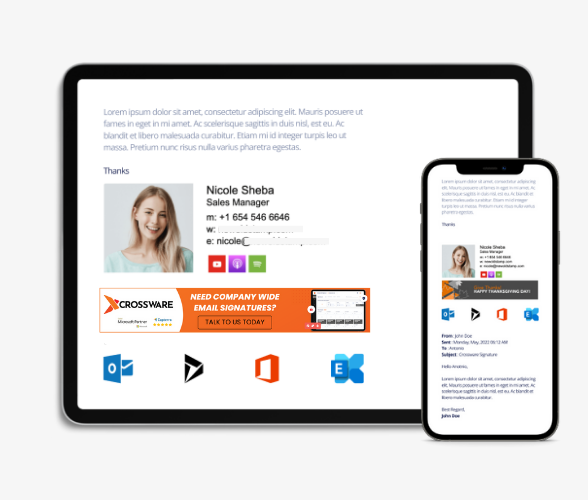
Crossware Mail Signature is email signature software from New Zealand company Crossware.
N/A
Pricing
CodeTwo Email Signatures 365
Crossware Mail Signature
Editions & Modules
Monthly subscription (500 users)
$0.81
per month per user
Yearly subscription (500 users)
$8.76
per year per user
No answers on this topic
Offerings
Pricing Offerings
CodeTwo Email Signatures 365
Crossware Mail Signature
Free Trial
Yes
No
Free/Freemium Version
No
No
Premium Consulting/Integration Services
Yes
No
Entry-level Setup Fee
No setup fee
No setup fee
Additional Details
Pricing depends on the number of licences and the subscription plan (yearly or monthly). The yearly plan includes 10% discount.
A de minimis incentive was given to thank the reviewer for their time. The incentive was not used to bias or drive a particular response, nor was the incentive contingent on a positive endorsement. More Info
System Administrator in Information Technology at Raidsonic Technology GmbH (Computer Hardware, 51-200 employees)
Chose CodeTwo Email Signatures 365
Functionality and price as well as support has been outstanding for CodeTwo Email Signatures 365. Havent had a support ticket go unanswered for more than a couple of hours. All answers by their support team have been understanding, polite and always helpful. Would easily …
A de minimis incentive was given to thank the reviewer for their time. The incentive was not used to bias or drive a particular response, nor was the incentive contingent on a positive endorsement. More Info
A de minimis incentive was given to thank the reviewer for their time. The incentive was not used to bias or drive a particular response, nor was the incentive contingent on a positive endorsement. More Info
A de minimis incentive was given to thank the reviewer for their time. The incentive was not used to bias or drive a particular response, nor was the incentive contingent on a positive endorsement. More Info
Verified User
Chose CodeTwo Email Signatures 365
Functionality is very close. Code two appealed more modern and future features were more promising
A de minimis incentive was given to thank the reviewer for their time. The incentive was not used to bias or drive a particular response, nor was the incentive contingent on a positive endorsement. More Info
We use CodeTwo Email Signatures 365 with Office 365 and the integration is fantastic. I never have to worry if a use isn't going to see the right template, or if the plugin isn't going to work right. The system just works as advertised and it does it well. The signature templates are very easy to use and apply.
A de minimis incentive was given to thank the reviewer for their time. The incentive was not used to bias or drive a particular response, nor was the incentive contingent on a positive endorsement. More Info
It works really well with Exchange Online/Office 365 environments with a very simple setup and ease of customization and easy to use and understand management panel. Not sure how well it works on on-premises deployments as I have not tested it in that scenario.
A de minimis incentive was given to thank the reviewer for their time. The incentive was not used to bias or drive a particular response, nor was the incentive contingent on a positive endorsement. More Info
Uniform Signatures: CodeTwo Email Signatures 365 allows administrators to create and manage email signatures centrally, ensuring all employees have consistent and professional signatures across their entire organization.
Automated Disclaimers: Automatically appends legal disclaimers and compliance-related information to all outgoing emails, which is crucial for industries with strict regulatory requirements.
Promotional Banners: Allows the inclusion of promotional banners, links to recent blog posts, or company news in email signatures, turning every email into a marketing opportunity.
I would absolutely love to see the introduction of being able to force a branding format (Font, size etc) across our email real estate, this was a feature moons ago but would love to see this come back especially when Microsoft can kill all this for you at the drop of a hat....erm Aptos makes me sad!
Easier to navigate training and how to videos to allow you to work out how to make changes and be creative yourself more
A de minimis incentive was given to thank the reviewer for their time. The incentive was not used to bias or drive a particular response, nor was the incentive contingent on a positive endorsement. More Info
As already described, the set-up process is kept totally simple. This makes setup quick even for untrained administrators. If anything is unclear, you can find all the information you need on the manufacturer's website. As access and configuration are carried out via the web browser, adjustments can be made from any end device. Whether on the move, in the office or at home.
No problems but we had a couple of questions about functionality or edge use cases and anytime I contacted CodeTwo Email Signatures 365 support I was absolutely happy with their responses. Very helpful, polite and smart people are working over at CodeTwo Email Signatures 365 support. I would suggest other companies to take note on CodeTwo Email Signatures 365's quality of support and service.
A de minimis incentive was given to thank the reviewer for their time. The incentive was not used to bias or drive a particular response, nor was the incentive contingent on a positive endorsement. More Info
Fortunately, we haven't had to deal with support much, but every time we have, they were very responsive and were able to either fix our problem or explain the way it worked in a timely and polite manner. Not much else to say other than being in the same region is also a plus for support.
A de minimis incentive was given to thank the reviewer for their time. The incentive was not used to bias or drive a particular response, nor was the incentive contingent on a positive endorsement. More Info
Unfortunately, we have often had problems with CI-Sign. Rolling out the signatures often didn't work and the administration was a problem for our e-mail administrators every time. In addition, the support was unfortunately not good. All this is better with CodeTwo Email Signatures 365. Above all, we are delighted with the application's outstanding support.
A de minimis incentive was given to thank the reviewer for their time. The incentive was not used to bias or drive a particular response, nor was the incentive contingent on a positive endorsement. More Info