CodeTwo Email Signatures 365 vs. gSignature

Overview
ProductRatingMost Used ByProduct SummaryStarting Price
CodeTwo Email Signatures 365
Score 10.0 out of 10
N/A
With CodeTwo, users can quickly set up automatic email signatures, legal disclaimers, and branding on all email apps and devices in their organization. CodeTwo offers an award-winning cloud service for Microsoft 365 & Office 365, developed in compliance with ISO/IEC 27001 & 27018.
$0.81
per month per user
gSignature
Score 0.0 out of 10
Mid-Size Companies (51-1,000 employees)
gSignature helps businesses create professional email signatures for employees. It integrates with Google Workspace to automatically populate user information like names, titles, and contact details. Email signatures can be designed with logos, banners, disclaimers, and social media links. gSignature also offers features for managing large teams, including user acceptance of pre-installed signatures, CSV import/export for employee data, and scheduled signature updates for employees. This…
$1
per month per user
Pricing
CodeTwo Email Signatures 365gSignature
Editions & Modules
Monthly subscription (500 users)
$0.81
per month per user
Yearly subscription (500 users)
$8.76
per year per user
Premium Plan
$1
per month per user
Offerings
Pricing Offerings
CodeTwo Email Signatures 365gSignature
Free Trial
YesYes
Free/Freemium Version
NoNo
Premium Consulting/Integration Services
NoNo
Entry-level Setup FeeNo setup feeNo setup fee
Additional DetailsPricing depends on the number of licences and the subscription plan (yearly or monthly). The yearly plan includes 10% discount.Premium package - Aligns employee data with the company's signature template. Supported by the automatic assignment of signatures for new hires in the company. Theconsole for central management of signatures is pay per use.
More Pricing Information
Community Pulse
CodeTwo Email Signatures 365gSignature
User Ratings
CodeTwo Email Signatures 365gSignature
Likelihood to Recommend
10.0
(0 ratings)
-
(0 ratings)
Likelihood to Renew
9.4
(0 ratings)
-
(0 ratings)
Usability
10.0
(0 ratings)
-
(0 ratings)
Availability
10.0
(0 ratings)
-
(0 ratings)
Performance
10.0
(0 ratings)
-
(0 ratings)
Support Rating
9.6
(0 ratings)
-
(0 ratings)
Implementation Rating
9.9
(0 ratings)
-
(0 ratings)
Configurability
8.2
(0 ratings)
-
(0 ratings)
Ease of integration
10.0
(0 ratings)
-
(0 ratings)
Product Scalability
10.0
(0 ratings)
-
(0 ratings)
Vendor post-sale
8.2
(0 ratings)
-
(0 ratings)
Vendor pre-sale
9.1
(0 ratings)
-
(0 ratings)
User Testimonials
CodeTwo Email Signatures 365gSignature
Likelihood to Recommend
Copilot CodeTwo Email Signatures 365 is ideal for large organizations, regulated industries, and companies leveraging email signatures for marketing. It ensures brand consistency, compliance, and effective marketing through centralized management and dynamic content. However, it may be less suitable for small businesses with the need of purchasing a minimum of 10 licenses. I think there is room to offer a package for smaller businesses with less than 10 users as they can still benefit from the professional display of signatures.
Read full review
No answers on this topic
Pros
  • Email design and layout
  • Apply different signatures by group or by user or go so far as to change it per recipient
  • Dynamic fields to pull user data from AD/AzureAD (phone number, job title, etc.)
  • Ability to add non-admins (usually marketing) to help manage the signatures
Read full review
No answers on this topic
Cons
  • Changing font type and color doesn't work as expected when editing multiple lines in the simple editor
  • The custom scheduler lacks the option to recurrently schedule yearly events, e.g. the yearly Christmas signature from Dec 15 to Jan 15.
  • You can preview a signature with real user data when editing the template, but you cannot preview a signature based on multiple rules combined like a regular signature followed by a marketing banner and then a disclaimer.
Read full review
No answers on this topic
Likelihood to Renew
The solution is pretty much set-and-forget. It does what it needs to do, nothing more, nothing less, and it does it very well.
Read full review
No answers on this topic
Usability
The implementation of the application was very simple. With just a few clicks, the Outlook add-in was rolled out and the first signature was assigned to a test group. From that point on, I was able to familiarize myself with the product very well with my team and get a feel for how we carry out a smooth onboarding. In the meantime, all our employees have switched to CodeTwo Email Signatures 365 and send every single email with the correct signature. Administration is very easy for us. Adding new people to the signature groups works smoothly. We recently changed our entire signature to a new format. Within a few minutes, all our colleagues had the new signature, even without restarting Outlook. The product has shortened our daily support many times over and we are happy to be able to continue using it in the future.
Read full review
No answers on this topic
Reliability and Availability
We have not witnessed any downtime so far ...
Read full review
No answers on this topic
Performance
There are no performance issues related
Read full review
No answers on this topic
Support Rating
No problems but we had a couple of questions about functionality or edge use cases and anytime I contacted CodeTwo Email Signatures 365 support I was absolutely happy with their responses. Very helpful, polite and smart people are working over at CodeTwo Email Signatures 365 support. I would suggest other companies to take note on CodeTwo Email Signatures 365's quality of support and service.
Read full review
No answers on this topic
Implementation Rating
It is important to make sure Active Directory is correctly populated and that content is standardized, eg telephone number formats.
Read full review
No answers on this topic
Alternatives Considered
Previously, we had a local signature script that distributed the signatures centrally. This script had to use a complex process to retrieve the HTML templates and fill the placeholders. What's more, the tool only worked for Outlook on Windows - no other operating systems, applications or mobile devices. We also tested other signature software. In terms of simplicity of administration in connection with the price-performance ratio, nothing could keep up with CodeTwo Email Signatures 365.
Read full review
No answers on this topic
Scalability
The product is very reliable :-)
Read full review
No answers on this topic
Return on Investment
  • 100% adoption within the business in less than a week
  • Significant feedback from our staff on how professional the styling and format looks and the ease of use
  • this will save multiple hours of IT administration effort (in the region of 2 hours per week) for signature management historically due to the centralised nature of the platform now
Read full review
No answers on this topic
ScreenShots

CodeTwo Email Signatures 365 Screenshots

Screenshot of CodeTwo Email Signatures 365, appearing across platforms. It supports all PCs, Macs, mobile phones, and tablets with professional email signatures and branding.Screenshot of an example one-click survey, used to collect customer satisfaction data and feedback directly from emails. Analytics included.Screenshot of where placeholders are automatically updated with user data like first name, email address, etc. These can be included in signatures to keep everyone’s signature info personalized and updated.Screenshot of an automatic, personalized email signature, which is offered when the user first starts composing an email in Outlook on all platforms, including Outlook on mobile devices.Screenshot of the template library, which includes dozens of signatures designed by experts. These can be customized, or a blank template can be used as a starting point for personalized design.

gSignature Screenshots

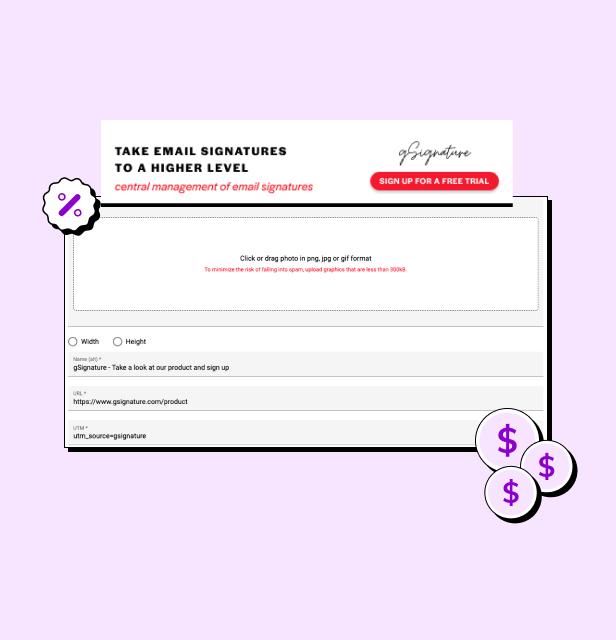
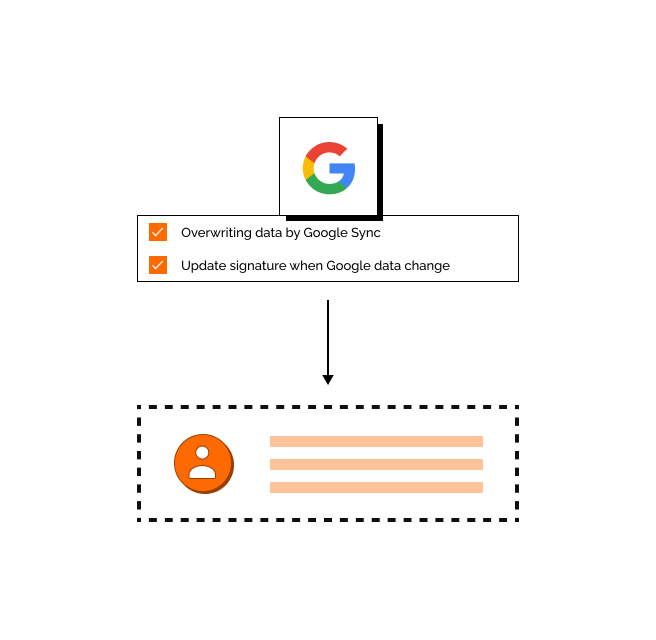
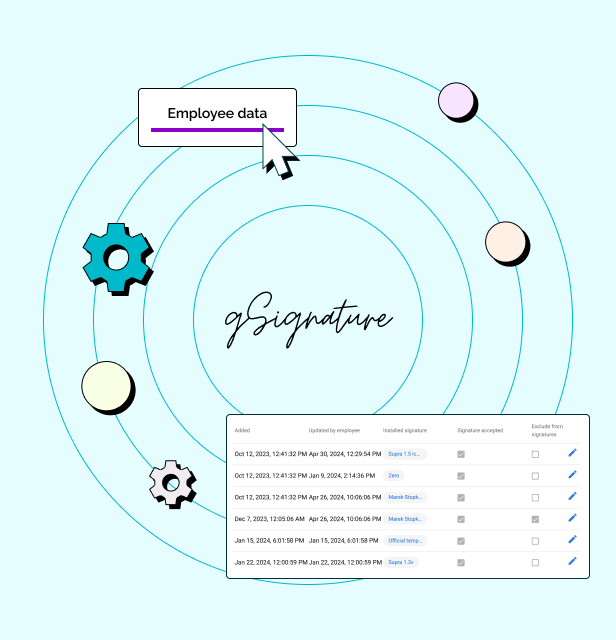
Screenshot of an example email signatureScreenshot of the company footer, which can be used as a tool to support marketing goals.Screenshot of how changes made in the Google Workspace admin console are immediately visible in employee signatures. Each new position added to Google Workspace and its email address, will receive the default signature set by the administrator.Screenshot of how in the system, each employee receives a file with information that can be presented in the footer. If there is no complete data in Google Workspace then no problem - it can be imported in bulk from a CSV file. The IT administrator or authorized persons from other departments can manage employee data, as well as data representing the company's image.