CloudTalk vs. Webex Contact Center

Overview
ProductRatingMost Used ByProduct SummaryStarting Price
CloudTalk
Score 7.2 out of 10
N/A
CloudTalk is cloud-based call center software for sales and support teams of all sizes, looking to improve customer experiences through more personalized, data-driven customer interactions. The vendor aims to help teams communicate clearly and efficiently. With CloudTalk users can get local, mobile or toll-free numbers from more than 140+ countries across the world. The vendor says they offer integration with important tools (such a CRM, Helpdesk, or…
$27
per month per user
Webex Contact Center
Score 9.0 out of 10
N/A
Cisco Webex Contact Center is a cloud-based omni-channel (e.g. voice, email, and chat) contact center solution providing customer / agent matching, customer service self-service agent, and built-in chat and voice for collaboration between agents.N/A
Pricing
CloudTalkWebex Contact Center
Editions & Modules
CloudTalk Lite
$27
per month per user
CloudTalk Essential
$39
per month per user
CloudTalk Expert
$69
per month per user
CloudTalk Custom
Custom Pricing
per user or company/month (invoiced annually)
No answers on this topic
Offerings
Pricing Offerings
CloudTalkWebex Contact Center
Free Trial
YesNo
Free/Freemium Version
NoNo
Premium Consulting/Integration Services
NoNo
Entry-level Setup FeeNo setup feeNo setup fee
Additional DetailsA discount is offered for annual billing.
More Pricing Information
Community Pulse
CloudTalkWebex Contact Center
Features
CloudTalkWebex Contact Center
Contact Center Software
Comparison of Contact Center Software features of Product A and Product B
CloudTalk
9.8
Ratings
17% above category average
Webex Contact Center
8.0
Ratings
4% below category average
Agent dashboard10.00 Ratings9.20 Ratings
Validate callers9.80 Ratings9.00 Ratings
Outbound response10.00 Ratings6.10 Ratings
Call forwarding9.90 Ratings8.80 Ratings
Click-to-call (CTC)9.80 Ratings8.40 Ratings
Warm transfer9.60 Ratings8.90 Ratings
Predictive dialing10.00 Ratings5.60 Ratings
Interactive voice response9.90 Ratings8.20 Ratings
REST APIs9.60 Ratings8.00 Ratings
Call scripts9.10 Ratings8.60 Ratings
Call tracking9.40 Ratings8.50 Ratings
Multichannel integration9.90 Ratings7.40 Ratings
CRM software integration9.90 Ratings7.40 Ratings
Workforce Optimization (WFO)
Comparison of Workforce Optimization (WFO) features of Product A and Product B
CloudTalk
9.9
Ratings
19% above category average
Webex Contact Center
8.0
Ratings
3% below category average
Inbound call routing10.00 Ratings7.80 Ratings
Omnichannel inbound routing9.90 Ratings8.10 Ratings
Recording9.90 Ratings9.00 Ratings
Quality management9.90 Ratings8.80 Ratings
Call analytics10.00 Ratings7.60 Ratings
Historical reporting9.90 Ratings8.80 Ratings
Live reporting9.90 Ratings7.90 Ratings
Customer surveys9.90 Ratings7.10 Ratings
Customer interaction analytics9.90 Ratings6.50 Ratings
Best Alternatives
CloudTalkWebex Contact Center
Small Businesses
Nextiva Contact Center
Score 9.6 out of 10
CloudTalk
CloudTalk
Score 7.2 out of 10
Medium-sized Companies
Nextiva Contact Center
Score 9.6 out of 10
CloudTalk
CloudTalk
Score 7.2 out of 10
Enterprises
Bright Pattern Contact Center
Score 9.1 out of 10
Bright Pattern Contact Center
Score 9.1 out of 10
All AlternativesView all alternativesView all alternatives
User Ratings
CloudTalkWebex Contact Center
Likelihood to Recommend
10.0
(0 ratings)
8.8
(0 ratings)
Likelihood to Renew
8.2
(0 ratings)
8.2
(0 ratings)
Usability
7.7
(0 ratings)
8.6
(0 ratings)
Support Rating
3.6
(0 ratings)
-
(0 ratings)
Implementation Rating
8.2
(0 ratings)
-
(0 ratings)
User Testimonials
CloudTalkWebex Contact Center
Likelihood to Recommend
Cloudtalk is by far the best value-for-price software out there for call center solutions. Packed with features, very accessible, kind and accessible customer support, and cheap, especially when compared with their competitors for the same range of features. Easy entry-level software, especially if you're a startup that doesn't want to make big initial commitments but needs a solution that scales with the business.
Read full review
It depends on your needs. If you only need simple call flows, consider using Cisco Webex Calling Auto-Attendant. If you require more complex call flows and time-of-day routing, you can utilize Cisco Webex Contact Center. You only have to purchase 1 Agent to use the Call Flow Designer.
Read full review
Pros
  • Very easy to setup and configure. It took literally a few minutes to start making our first calls.
  • Integrates with many CRM systems. We've connected with Zendesk for calls and texts to generate tickets automatically.
  • Great selection of virtual numbers for international calls.
  • Great customer support team with quick replies.
  • Call quality is generally good, especially for the price.
Read full review
  • Things that it does particularly well include a really good UX or UI so that our agents as well as our administrators, can easily provide remote access from agents, new agents, and old agents, manage interactions with customers, and have a good call experience from start to finish.
  • The uptime is a big selling point of Cisco.
  • I feel supposed by Cisco in terms of new features/functionality coming down the line.
Read full review
Cons
  • A lot of features are still missing, some of which are pretty basic like being able to select multiple filters instead of one.
  • Desktop app has had some instability issue.
  • IVR needs to be self-recorded which can lead to a lower quality.
Read full review
  • Better integration with Webex Calling.
  • More on premise features integrated into the cloud solution.
  • Better documentation for pebble templates.
  • Better information for changes and when new features are available. Instead of having to look on the what’s coming webpage alerts or a pop-up inside Webex control hub would be nice.
Read full review
Likelihood to Renew
It is working and affordable
Read full review
We are happy with the product, with Cisco as a partner and the roadmap looks mightily impressive. Webex Contact Center is one of our growth areas so we're keen to get more agents on the platform, we want to get more customers on it and we want to make use of all the features and functionalities it offers, so that we can help our customers do what they do best.
Read full review
Usability
CloudTalk is super easy to use and has a great quality. It helps to communicate with the clients easily and we can feel that the sound quality is high, while speaking to the client and while listening to the recordings. This is for our department essential in our day to day work.
Read full review
It is great to use Webex Contact Center as it delivers the call routing and workflow for agent and call routing. In addition to this the noise reduction helps to focus attention on the call and with the client. The notes feature and the ability for the transcription really helps with translation and language barriers.
Read full review
Support Rating
They are skilled, experienced, and anytime I need something and contact the support time, I get the right person who understands my needs and reacts to them accordingly. So far I was only pleasantly surprised by the level of support these guys provide and coming from a customer service oriented background myself, I can only say keep it up guys, you are doing a fantastic job!
Read full review
No answers on this topic
Alternatives Considered
It was a gamble if I'm being honest, plus this is a very nuanced and intricate topic. We didn't necessarily substitute one for the other, it was a much needed state of affairs where we needed the call monitoring and agent tracking pros of CloudTalk more so than ever before.
Read full review
Webex Contact Center works great in conjunction with the above product to produce a better system from businesses and more options to reach the maximum number of clients to make the business thrive. It makes it easier to reach all generations and remove any limitation or obstetrical and makes the business have a better chance of success.
Read full review
Return on Investment
  • With helping us gain a US number, it's made us able to call candidates and clients which we've completed multiple deals
  • Being able to integrate CloudTalk with Salesforce, saves us a lot of time typing in numbers individually in which we can make more calls
Read full review
  • No Capex required for this solution (which makes our CFO very happy)
  • Digital channels are builtin and therefore very easy to deploy
  • The built in CRM integration was missing features so we had to install a thirdparty connector which we had to pay for (and wasn't in our budget) in order to get the features which our business demanded
Read full review
ScreenShots

CloudTalk Screenshots

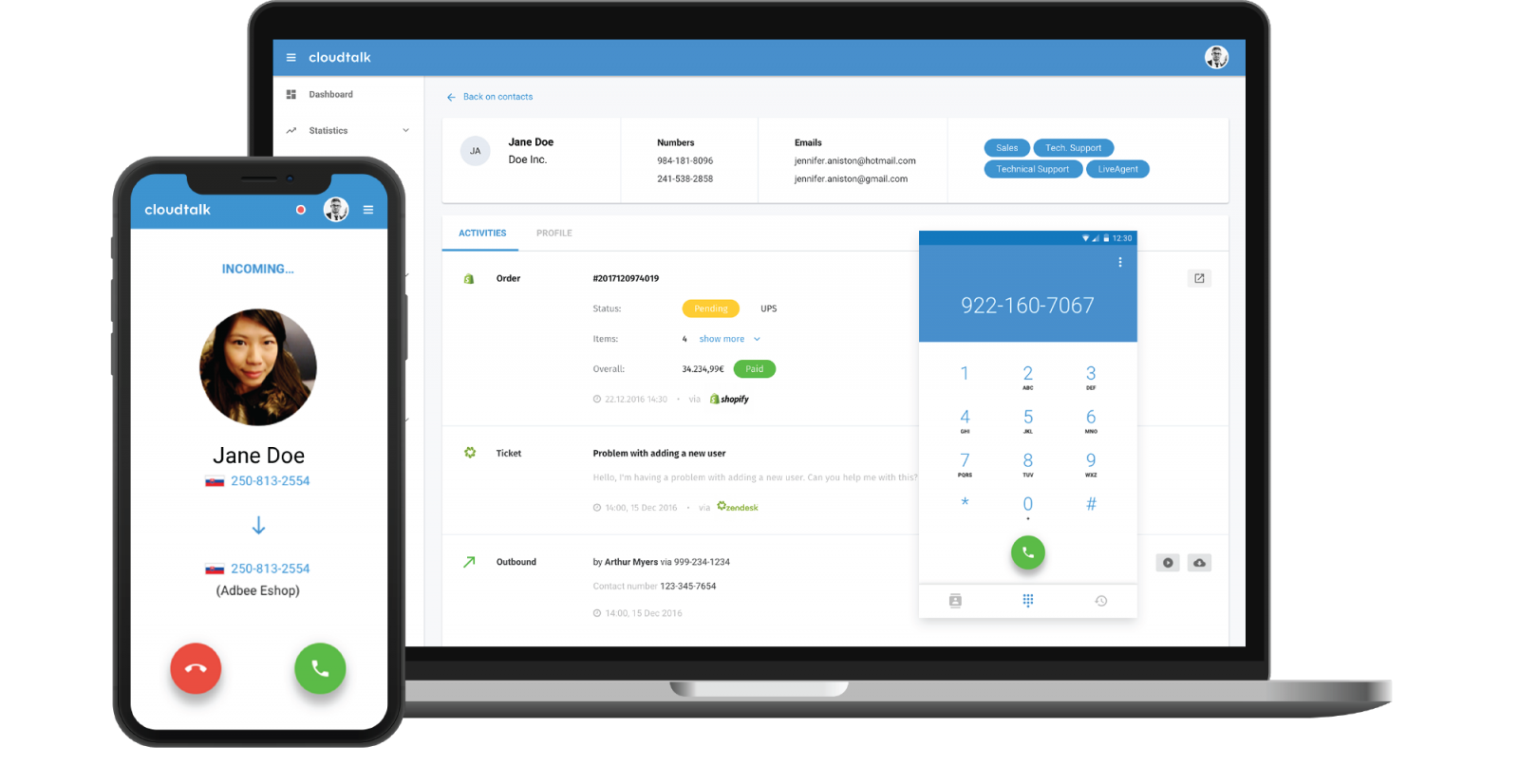
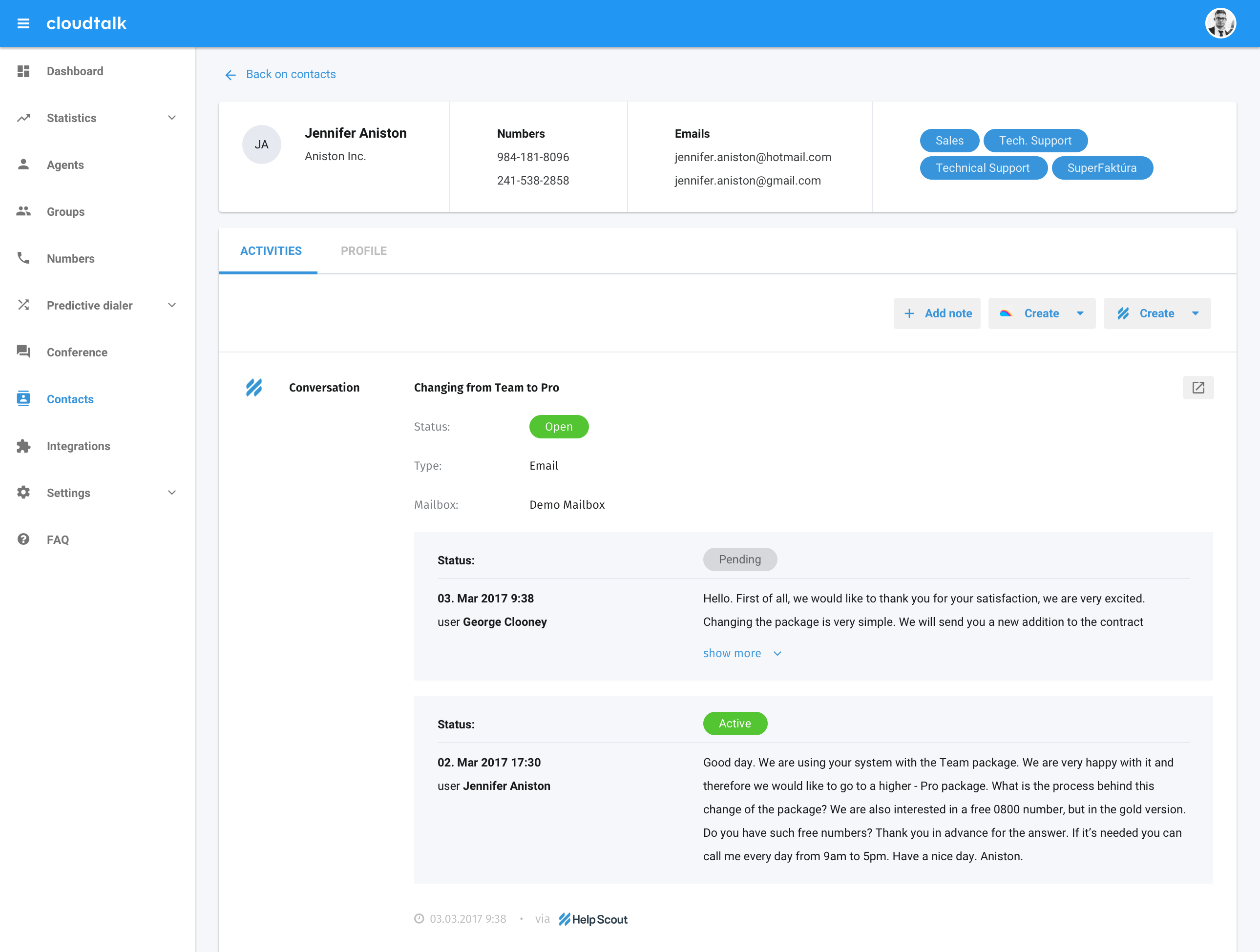
Screenshot of CloudTalk for Freshdesk - All customer-related data from both systems can be automatically synchronized and always up-to-date. No matter whether one is working in Freshdesk or CloudTalk, the software can provide comprehensive customer data.Screenshot of CloudTalk for Intercom - By integrating Intercom with CloudTalk, essential customer contact details become visible, as well as history of calls and conversations. No matter whether one is working in Intercom or CloudTalk, comprehensive customer data will be presented in both systems. In addition, data synchronization is automatic and regular, so information is always up-to-date.Screenshot of Complete customer interaction history is always within reach. CloudTalk will automatically display previous calls, orders, chats or notes, so agents don’t have to look them up in multiple systems.Screenshot of CloudTalk apps allows agents to make and receive phone calls from anywhere.Screenshot of CloudTalk for Help ScoutScreenshot of Agents can see all caller information in one place. During the phone call, they can look at the client’s history of interactions, orders, chat or notes.

Webex Contact Center Screenshots

Screenshot of Agent desktop viewScreenshot of View of Analyzer - Dark ModeScreenshot of Contact Center in Control Hub viewScreenshot of Supervisor desktop view