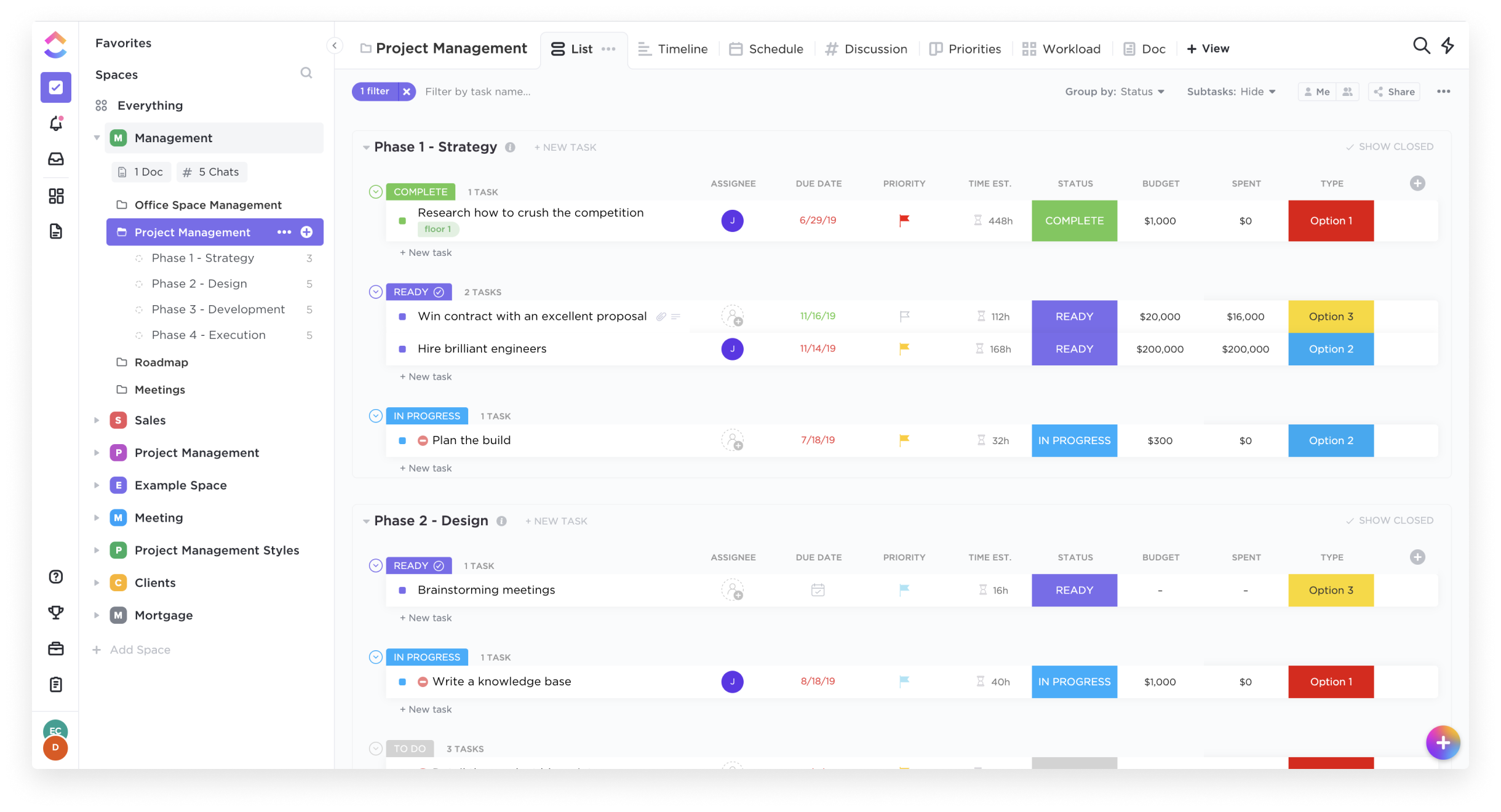
ClickUp is an all-in-one productivity platform. It’s a hub where teams can come together to plan, organize, and collaborate on work using tasks, Docs, Chat, Goals, and Whiteboard. Customized with just a few clicks, ClickUp helps teams of all types and sizes deliver work more effectively, to boost productivity to new heights. ClickUp aims to make the world more productive by removing friction caused by using many different applications. The platform boasts millions…
$0
Jotform
Score 8.5 out of 10
N/A
Jotform Enterprise is a digital workspace productivity tool that provides a platform for organizations. The aim of Jotform Enterprise is to give companies an easy-to-navigate tool that makes reaching out to customers, collaborating with coworkers, and collecting e-signatures and data a more seamless process. Jotform Enterprise strives to enable companies to make data-driven decisions without compromising when it comes to quality and security. It doesn’t matter what type of…
$0
Pricing
ClickUp
Jotform
Editions & Modules
Free
$0.00
Unlimited
$9.00 ($5.00)
per member per month (annual contract pricing)
Business
$19.00 ($12.00)
per member per month (annual contract pricing)
Business Plus
$29.00 ($19.00)
per member per month (annual contract pricing)
Enterprise
Contact Sales
Free
$0.00
Bronze
$34.00
Monthly
Silver
$39.00
Monthly
Gold
$99.00
Monthly
Enterprise
Custom
Offerings
Pricing Offerings
ClickUp
Jotform
Free Trial
Yes
Yes
Free/Freemium Version
Yes
Yes
Premium Consulting/Integration Services
No
No
Entry-level Setup Fee
No setup fee
No setup fee
Additional Details
—
—
More Pricing Information
Community Pulse
ClickUp
Jotform
Features
ClickUp
Jotform
Project Management
Comparison of Project Management features of Product A and Product B
ClickUp
8.0
Ratings
4% above category average
Jotform
-
Ratings
Task Management
8.90 Ratings
00 Ratings
Resource Management
7.90 Ratings
00 Ratings
Gantt Charts
7.80 Ratings
00 Ratings
Scheduling
7.80 Ratings
00 Ratings
Workflow Automation
7.90 Ratings
00 Ratings
Team Collaboration
8.80 Ratings
00 Ratings
Support for Agile Methodology
8.40 Ratings
00 Ratings
Support for Waterfall Methodology
8.30 Ratings
00 Ratings
Document Management
7.90 Ratings
00 Ratings
Email integration
7.80 Ratings
00 Ratings
Mobile Access
6.80 Ratings
00 Ratings
Timesheet Tracking
7.50 Ratings
00 Ratings
Professional Services Automation
Comparison of Professional Services Automation features of Product A and Product B
ClickUp
7.7
Ratings
2% above category average
Jotform
-
Ratings
Project & financial reporting
7.70 Ratings
00 Ratings
Survey Format & Appearance
Comparison of Survey Format & Appearance features of Product A and Product B
ClickUp
-
Ratings
Jotform
8.0
Ratings
0% above category average
Survey templates
00 Ratings
8.60 Ratings
Themes
00 Ratings
7.40 Ratings
Custom logo/branding
00 Ratings
8.10 Ratings
Survey Content
Comparison of Survey Content features of Product A and Product B
ClickUp
-
Ratings
Jotform
7.6
Ratings
11% below category average
Changes to live survey
00 Ratings
7.60 Ratings
Question design help
00 Ratings
7.50 Ratings
Multiple question types
00 Ratings
7.70 Ratings
Survey Logic
Comparison of Survey Logic features of Product A and Product B
ClickUp
-
Ratings
Jotform
7.3
Ratings
12% below category average
Survey logic flexibility
00 Ratings
7.30 Ratings
Survey Reporting & Analytics
Comparison of Survey Reporting & Analytics features of Product A and Product B
ClickUp
-
Ratings
Jotform
7.5
Ratings
8% below category average
Response tracking
00 Ratings
7.60 Ratings
Data export
00 Ratings
7.90 Ratings
Standard reports
00 Ratings
7.70 Ratings
Custom reports
00 Ratings
7.40 Ratings
Analytics
00 Ratings
7.20 Ratings
Survey Administration & Security
Comparison of Survey Administration & Security features of Product A and Product B
ClickUp
-
Ratings
Jotform
7.4
Ratings
16% below category average
Access controls
00 Ratings
7.40 Ratings
Compliance
00 Ratings
7.40 Ratings
Survey Distribution
Comparison of Survey Distribution features of Product A and Product B
Great for project management, reoccurring task management, building trackers and keeping track of what everyone is up to. Like all software that has great functionality, having solid governance and control over access is essential. I recommend ensuring that your admins/owners have a close eye on what is going on across the space or it can turn into an unmanageable nightmare.
With a vast selection of pre-designed templates to choose from, ranging from event registrations to customer feedback surveys, JotForm caters to a broad spectrum of needs. Each template is fully customizable, allowing you to align the form's aesthetics with your brand identity effortlessly. JotForm has arrived to streamline and elevate your processes to a whole new level.
The ease of use is my favorite part of the Jotform. You don't have to be an IT guru to use it, but the results of your creation will surely make people think you are.
Jotform keeps all my event request organized and accurate.
I would love for Jotform to offer an a la carte for some of the products like maybe we pay for more form views and submissions but not all the other stuff.
Flexibility in css.
More options in the name field, maybe I want the last name first or for it to be a full one entry box.
We're very pleased with how the system works in general. For over a year we've barely ever had any problems with ClickUp and there might have only been one or two times when it wasn't operational for us due to a global emergency. Moreover, when we had a problem once with renewing our licenses we've been contacted directly by our account manager and taken care of in a very professional way (with a due refund as well). The exceptional customer service makes us firmly believe that ClickUp is just the right tool for us.
Far easier to use than any other PM tool. ClickUp is incredibly intuitive and had us saving time and energy within the first week of implementation. In my opinion, PM software should make it easier to focus on the deliverables - it shouldn't take all your time and energy to learn how to use the tool in the first place. ClickUp is a user-friendly tool that actually helps us focus on what's important.
It is very user-friendly and intuitive. The interface is very simple and straightforward. The elements are easily accessible even without having any prior knowledge of the interface. The customer support is incredibly awesome. They respond to you within 24-48hrs tops. They also provide a list of questions and answers that have already been asked.
For over a year ClickUp was unavailable to us just twice for a couple of hours. I would say for a system this big and working globally that was a minor issue. They managed to fix all the issues within a couple hours and then it was back up and running perfectly fine.
The speed of ClickUp is average to be honest. This is one of the biggest flaws of the system, sometimes it's also lagging a little bit but we also have a lot of documents, lists etc. on our workspace. However, with the next version of ClickUp I've seen they are planning to increase the speed by almost 500%, probably by changing the technology, so I am more than looking forward to it.
Support are genuinely helpful and really nice to deal with. I had a bug on my workspace that I’d been experiencing for a while. They looked into it for me and asked some questions. Once they found the issue and resolved it, they even filmed a video detailing how they’d fixed it. That level of support is fantastic.
Their support is truly awful and negligent [in my opinion]. It's rare for me to get so mad as to write a review about it but given what we do, I think it's necessary to document it. We work in mental health and having client data [transmitted] through the API correctly can be a matter of life and death for someone in crisis. We have had repeated issues with this in JotForm and reset the integration multiple times and yet it continues. [In my experience] tags don't transmit, complete contacts are absent, or parts of data [are] missing despite being mapped. [Again, per my experience] their support will initially respond and then you hear nothing. It's been a huge issue and we are leaving them as a result. [I feel] it's truly infuriating and negligent.
There are multiple guides on literally all of the functions you can find within the system, therefore it's easy to learn anything you'd really like to use, starting from project and people management, down to Gantts, mind maps, time tracking, inviting Clients as guests to work with you on the projects and so much more.
Start small. Don’t try to build the most elaborate plans first. Resist the urge to get into Gantt charts if no one is used to them. Just get work written, add dates and assignees, and start getting used to it. If you did not use a work management tool before, you need to be gracious with yourself about the fact that you likely do not have the muscle memory for working this way yet. But you will get there.
And leverage people who know it if possible. Look for ClickUp experts and vendors. They can really supercharge your effectiveness at building the tool out and speed up the process.
Had to opt for Jotform to open in a separate window for some of my phones as being intergrated into my own site caused restricted viewing problems on some devices like mobiles.
Every other tool I have used has been for organizing tasks and work only. There were some of the other features, but none of them had the ability to do everything we need to manage a project from start to finish
Compared to Google and Microsoft, Jotform has a lot more features. I particularly love the e-signature because it makes the form feel more trustworthy for our team.
When compared to the other form builders, it is frankly too expensive for us to use them, while Jotform has just enough features for casual users like us.
Scaling with ClickUp is superb. If you create a workflow best suited for your organization then it's all about creating new accounts and teaching the new employees the workflow you're using. It's that simple. There is no black magic when it comes to Clickup.
It saved me time. Within minutes I was able to create and share forms to collect demographic data.
While struggling to use another software, I thought of Jotform and it was able to assist me with collating the data I had to confirm results previously obtained.
I could not easily identify what new information was provided in a resubmission by a respondent.