Call Manager is a unified call control center from Cisco that supports enterprise collaboration functions across the spectrum of IP telephony, video & web conferencing, and messaging. Features include call forwarding, call back, call transfer, ad hoc conferencing, and call park.
N/A
Ooma Office
Score9.2 out of 10
N/A
For businesses of all sizes, Ooma provides advanced voice and collaboration features which they describe as flexible and scalable. With plans starting at $19.95 per user per month, Ooma Office is available without contracts or long-term commitments so as to make it easy for a small business to scale its office phone system with Ooma as its business grows. Ooma Office features include: Unlimited Calling in U.S., Canada, Mexico and Puerto Rico Free Local…
Cisco Unified Communications Manager is suited for medium to large customers who are in search for a solid call control platform with added security in mind. Cisco Unified Communications Manager also supports receptions, small groups and also a mini contact center type of set up with its Hunt Group, Pick up Group and call queuing facilities and also with set up of music on hold function while calls queuing.
A de minimis incentive was given to thank the reviewer for their time. The incentive was not used to bias or drive a particular response, nor was the incentive contingent on a positive endorsement. More Info
We use Ooma Office for everyone in the company including mobile users. It has allowed us to eliminate the spam callers as well give our mobile and remote users the ability to make business calls - from any device, from anywhere, at any time - without having to worry about any long distance charges, or without giving up their personal telephone numbers (at home or cellular).
A de minimis incentive was given to thank the reviewer for their time. The incentive was not used to bias or drive a particular response, nor was the incentive contingent on a positive endorsement. More Info
A de minimis incentive was given to thank the reviewer for their time. The incentive was not used to bias or drive a particular response, nor was the incentive contingent on a positive endorsement. More Info
A de minimis incentive was given to thank the reviewer for their time. The incentive was not used to bias or drive a particular response, nor was the incentive contingent on a positive endorsement. More Info
A de minimis incentive was given to thank the reviewer for their time. The incentive was not used to bias or drive a particular response, nor was the incentive contingent on a positive endorsement. More Info
A de minimis incentive was given to thank the reviewer for their time. The incentive was not used to bias or drive a particular response, nor was the incentive contingent on a positive endorsement. More Info
We have found it very easy to configure, manage, and expand our phone operations with Ooma Office. We needed a reliable phone network as this is the first means of communication for our customers - Ooma has made it a lot easier for us to manage. Their support is also available 24x7 so that's a huge plus.
The usability part of Cisco Unified Communications Manager is very much simple from a usability point of view. Day-to-day Move Add Change Delete (MACD) can be performed by the administrators very easily with simple training. From the initial deployment point of view, some of the thing can be improved to simplify the process.
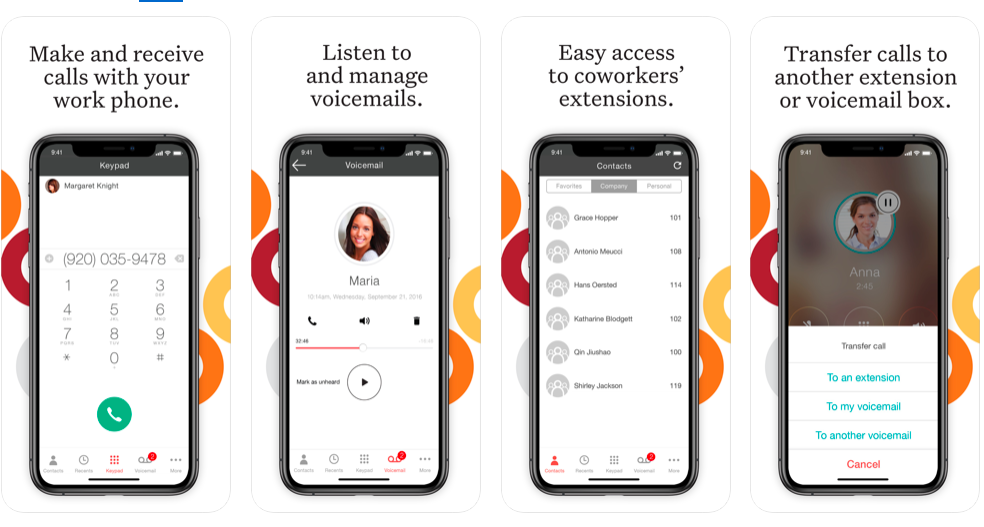
Ooma has helped us make better use of our phones and given us many more capabilities than our previous service. The mobile app has provided an excellent connection and quality. Its integration with the cellular phone app and contacts makes it a breeze to use. Emailed recordings of voicemails are very helpful for both receiving messages and allowing us to archive them. It has also saved us a significant amount of money and provided us with a more capable and reliable system all at once.
A de minimis incentive was given to thank the reviewer for their time. The incentive was not used to bias or drive a particular response, nor was the incentive contingent on a positive endorsement. More Info
CUCM is supported by most third-party vendors for related products, so it makes finding solutions to specific needs easy. Also Cisco TAC is very knowledgeable, and we have never run into a problem they have not been able to resolve. Usually they are resolved without the need to escalate tickers either.
A de minimis incentive was given to thank the reviewer for their time. The incentive was not used to bias or drive a particular response, nor was the incentive contingent on a positive endorsement. More Info
Ooma Office support is always available. I've never been on the phone with them for longer than 5 minutes. They are knowledgable, have great active listening skills, are able to make recommendations on how to make Ooma Office work even better for you, and wait times to speak with an agent are reasonable and typically less than 1 minute.
A de minimis incentive was given to thank the reviewer for their time. The incentive was not used to bias or drive a particular response, nor was the incentive contingent on a positive endorsement. More Info
A de minimis incentive was given to thank the reviewer for their time. The incentive was not used to bias or drive a particular response, nor was the incentive contingent on a positive endorsement. More Info
Have a plan in place before you start the implementation, open communication with the staff on the changes being made, prepare a reference guide on the system and how to navigate the new setup. Budget and allocate time for helping staff learn the new system. Consolidate and coordinate all the questions internally before reaching out to support.
We have been a Cisco based shop and have looked at other cloud voice options such as MS Teams pbx, and others, but ultimately, the features, endpoints, and reliability of Cisco has been the common factor in staying with them as our voice provider. Their integrations, room systems, and hybrid design allows for us to be flexible and keep a high up time vs reliance on 100% cloud.
A de minimis incentive was given to thank the reviewer for their time. The incentive was not used to bias or drive a particular response, nor was the incentive contingent on a positive endorsement. More Info
We went over to Ooma [Office] after having had Intermedia for several years. Intermedia was good, but they were due for an update on many of their systems, which they did after we left. With Ooma [Office], we have our hold music and other basic, easy to use options that fit well for our small business.
A de minimis incentive was given to thank the reviewer for their time. The incentive was not used to bias or drive a particular response, nor was the incentive contingent on a positive endorsement. More Info
A de minimis incentive was given to thank the reviewer for their time. The incentive was not used to bias or drive a particular response, nor was the incentive contingent on a positive endorsement. More Info
System made it one-stop shopping for fax lines and phones numbers and equipment which was convenient.
It was a shock to see that $39.98 of service manages to result in about $18 of additional “fees” every month. Makes the service significantly less of a bargain than is advertised.