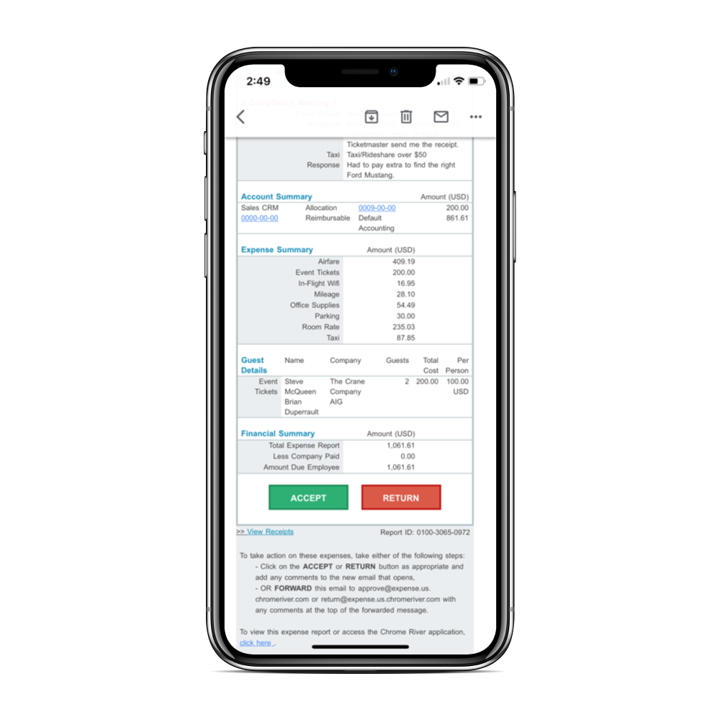
Chrome River EXPENSE is expense management software, from Chrome River Technologies in Los Angeles, California.
N/A
Emburse Certify
Score6.2 out of 10
N/A
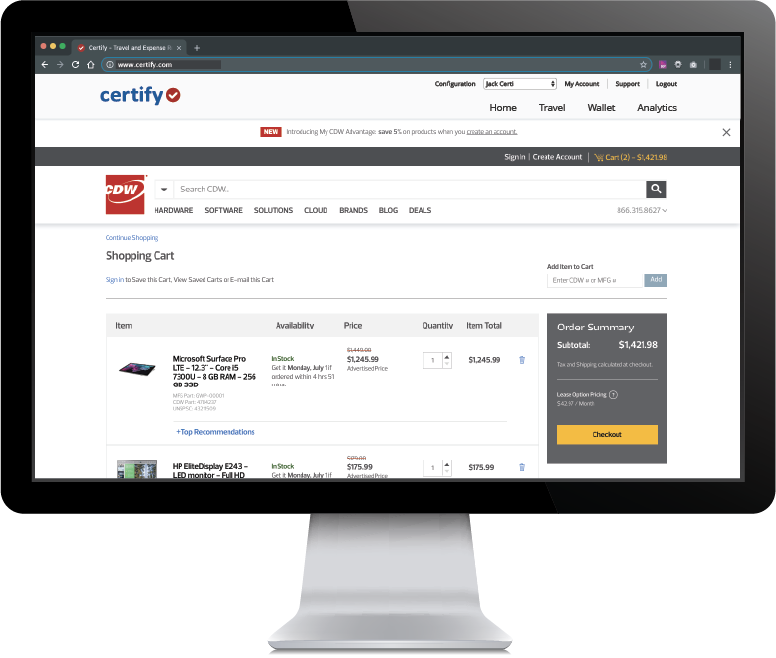
Certify is travel and expense management software developed by the company of the same name in Maine, which merged with Chrome River in 2019 to form Emburse.
N/A
Pricing
Emburse Chrome River
Emburse Certify
Editions & Modules
No answers on this topic
No answers on this topic
Offerings
Pricing Offerings
Emburse Chrome River
Emburse Certify
Free Trial
No
Yes
Free/Freemium Version
No
No
Premium Consulting/Integration Services
No
No
Entry-level Setup Fee
No setup fee
$8 Expense report
Additional Details
We offer three cost-effective, subscription-based pricing models:
A transaction-based model, priced according to expense report volume
A submitter-based model, priced according to an average number of monthly submitters
An enterprise-level model that includes unlimited expense reports. Pricing for this model is based on total employee headcount
Feel free to contact us to discuss the best one for your organization.
Certify AP has volume based pricing based on processed invoices
More Pricing Information
Community Pulse
Emburse Chrome River
Emburse Certify
Considered Both Products
Emburse
Verified User
Chose Emburse Chrome River
Chrome River was much more intuitive while also very flexible to customize, which was necessary for our company. Other programs did not even come close to meeting our needs. Chrome River was our last stop, and we were thrilled to finally find a company that met our exact needs.
A de minimis incentive was given to thank the reviewer for their time. The incentive was not used to bias or drive a particular response, nor was the incentive contingent on a positive endorsement. More Info
The Emburse Chrome River is well suited for tracking expenses and reimbursement. The compliance part of the software makes the task very easy to ensure all the reports that are being used within the company are updated and easy to verify. The Automating invoice processing makes some redundant task easy to execute.
A de minimis incentive was given to thank the reviewer for their time. The incentive was not used to bias or drive a particular response, nor was the incentive contingent on a positive endorsement. TR verified that a representative sample of customers was invited. More Info
Certify is not well suited for multi-dimensional ERPs. Although Certify 'offers' general ledger dimensions GLD, the use of them is extremely limited. Filtering on any GLD can only be done once. There is not the possibility for creating hierarchies with the dimensions. The only method of exporting is via a flat file or the open API, which I understand is quite limited. This software is for a smaller scaled business that is not trying to track across dimensions or create hierarchies. Data flow is one directional. I cannot emphasize enough the shortcomings of the reporting. The parameters are mostly based on expense dates rather than expense reports. There are entirely too many of them, and some of them perform the function!
A de minimis incentive was given to thank the reviewer for their time. The incentive was not used to bias or drive a particular response, nor was the incentive contingent on a positive endorsement. More Info
[Emburse] Chrome River listens to its customer's needs and does its best to match current products to those needs, or collaborate internally to determine if an enhancement can be made available that will not only benefit that customer, but will be a good use case for all Chrome River customers.
The [Emburse] Chrome River customer service team is great. Unlike most companies, you can speak to a liver person!
[Emburse] Chrome River's training offerings are relevant and pertinent to the day to day operations of the software.
A de minimis incentive was given to thank the reviewer for their time. The incentive was not used to bias or drive a particular response, nor was the incentive contingent on a positive endorsement. More Info
Integration with Amtrav or other travel booking systems. Certify has a tight integration with travel systems that makes it feel nearly like one cohesive tool.
Easy expense options. Use OCR on receipts, import from credit cards and merge items, approve and inquire about expenses. Track your submissions.
Easy UI. Friendly and easy to navigate without getting lost.
A de minimis incentive was given to thank the reviewer for their time. The incentive was not used to bias or drive a particular response, nor was the incentive contingent on a positive endorsement. More Info
Would be great to have pre-saved templates available to apply to line items at the expense report header level rather than having to go into each line.
Would be nice to have a mass upload functionality for things like cost codes, allocations, and credit card users.
A de minimis incentive was given to thank the reviewer for their time. The incentive was not used to bias or drive a particular response, nor was the incentive contingent on a positive endorsement. More Info
Reporting: I would like to see more chart availability from the program. We include various data points from Certify in our monthly financial statement package. Currently, we export data from the program and create our own pivot tables to create charts.
Dashboard feature: It would be nice to be able to use the data for a specific date and then be able to print that information.
Can't think of another one. As stated before, they listen to their customers so prior issues have been addressed and implemented.
A de minimis incentive was given to thank the reviewer for their time. The incentive was not used to bias or drive a particular response, nor was the incentive contingent on a positive endorsement. More Info
Chrome River is easy to use. We needed little training for our users and instead pointed them to Chrome River's Help Guides which are clearly written and easy to understand. With tools SNAP and the ability to email receipts means we can be completely remote when submitting reports.
I would rate Chrome River Expense a 10 because, as I mentioned before, it is very simple and easy to use. This is important from an administrative point-of-view as well as for the field employee. Being a general contractor, it makes it all the better for our employees to use a program that is easy to understand and requires little time and effort. It has made tracking expenses very simple and has been well received by the entire company.
A de minimis incentive was given to thank the reviewer for their time. The incentive was not used to bias or drive a particular response, nor was the incentive contingent on a positive endorsement. More Info
If the integrations with our card programs had succeeded, I expect [Emburse] Certify would have worked well for expense submitters and approvers. During the short time that the American Express Business integration was active, transactions flowed smoothly, and the expense reporting and receipt matching functions were quite good. The [Emburse] Certify mobile app was particularly powerful and easy to use.
A de minimis incentive was given to thank the reviewer for their time. The incentive was not used to bias or drive a particular response, nor was the incentive contingent on a positive endorsement. More Info
A de minimis incentive was given to thank the reviewer for their time. The incentive was not used to bias or drive a particular response, nor was the incentive contingent on a positive endorsement. More Info
A de minimis incentive was given to thank the reviewer for their time. The incentive was not used to bias or drive a particular response, nor was the incentive contingent on a positive endorsement. More Info
This has been easy for me because we have a rep that contacts the supporters for this product to correct any issues we may have with the software or changes needed to help out employees use Chrome River easier. This from my understanding has been a hit or miss kind of interaction with our rep and Chrome River.
A de minimis incentive was given to thank the reviewer for their time. The incentive was not used to bias or drive a particular response, nor was the incentive contingent on a positive endorsement. More Info
The measure of support is how well they respond when you really need them, like when the system is not performing correctly. We have been on the platform less than a year, and there have been at least 2 instances, where the platform was down. The 2nd time was the day before out fiscal year end. And they need a development website. When they are making changes to your LIVE instance, and things go wrong, the client is the first to know about it! I've come to understand that Certify has tiers of support. Those in tier 1, barely know more about the software than the users. I sent a request for a report that shows expense reports currently pending approval and after 5 days of back and forth I was told to build it myself.
A de minimis incentive was given to thank the reviewer for their time. The incentive was not used to bias or drive a particular response, nor was the incentive contingent on a positive endorsement. More Info
A de minimis incentive was given to thank the reviewer for their time. The incentive was not used to bias or drive a particular response, nor was the incentive contingent on a positive endorsement. More Info
Before implementation begins, make sure you have a plan on how you would like your workflow and platform setup for a system like Chrome River. It will speed the process and eliminate the need to make changes when you go live.
A de minimis incentive was given to thank the reviewer for their time. The incentive was not used to bias or drive a particular response, nor was the incentive contingent on a positive endorsement. More Info
It's the [industry-leading] software for Enterprise level organizations with [large-scale] teams and financial responsibilities. The software has the most robust set of tools and pays for itself with the amount of time it saves. Many newer alternatives have sprouted up but I don't know that we would ever trust another software to do our Expense Tracking and Management.
A de minimis incentive was given to thank the reviewer for their time. The incentive was not used to bias or drive a particular response, nor was the incentive contingent on a positive endorsement. More Info
Before Certify, there was only manual expense reports entered for our company. This took too much time for employees too finish and caused a delay of efficiency. With Certify, it is easier to access and finish each report with the right amount of effectiveness and efficiency it needs. Certify is really helpful in saving a lot of time for employees that do not have time.
A de minimis incentive was given to thank the reviewer for their time. The incentive was not used to bias or drive a particular response, nor was the incentive contingent on a positive endorsement. More Info
A de minimis incentive was given to thank the reviewer for their time. The incentive was not used to bias or drive a particular response, nor was the incentive contingent on a positive endorsement. More Info
A de minimis incentive was given to thank the reviewer for their time. The incentive was not used to bias or drive a particular response, nor was the incentive contingent on a positive endorsement. More Info
The organization and automatic flow of the expense report to approvers and then AP saves time for all. The user has agreed that it is easier and quicker to prepare the expense report and the managers and AP department finds the automated process to be quicker and more efficient. Time saved is money saved.
Certify can recognize if a duplicate expense is submitted or if an expense is submitted too late to be reimbursed according to our policies. This prevents us from reimbursing an expense in error.
We use a customized report to track a specific type of expense that gets submitted by our sales team. There is a limit on what can be spent on specific expenses that fall into an entertainment category and the report helps us to stay within the limits. Previously, without this tool, we had spent so much more time manually tracking these expenses and had gone over the limits, creating a deficiency in our processes.
A de minimis incentive was given to thank the reviewer for their time. The incentive was not used to bias or drive a particular response, nor was the incentive contingent on a positive endorsement. More Info