BrightGauge is a BI tool from ConnectWise that puts essential information in one place, providing visibility for more informed decisions. The user can customize BrightGauge dashboards and sync other business tools in its BI dashboard software for ultimate visibility. Users can also display data with embeddable gauges on public sites.
$325
per month
Looker
Score 8.5 out of 10
N/A
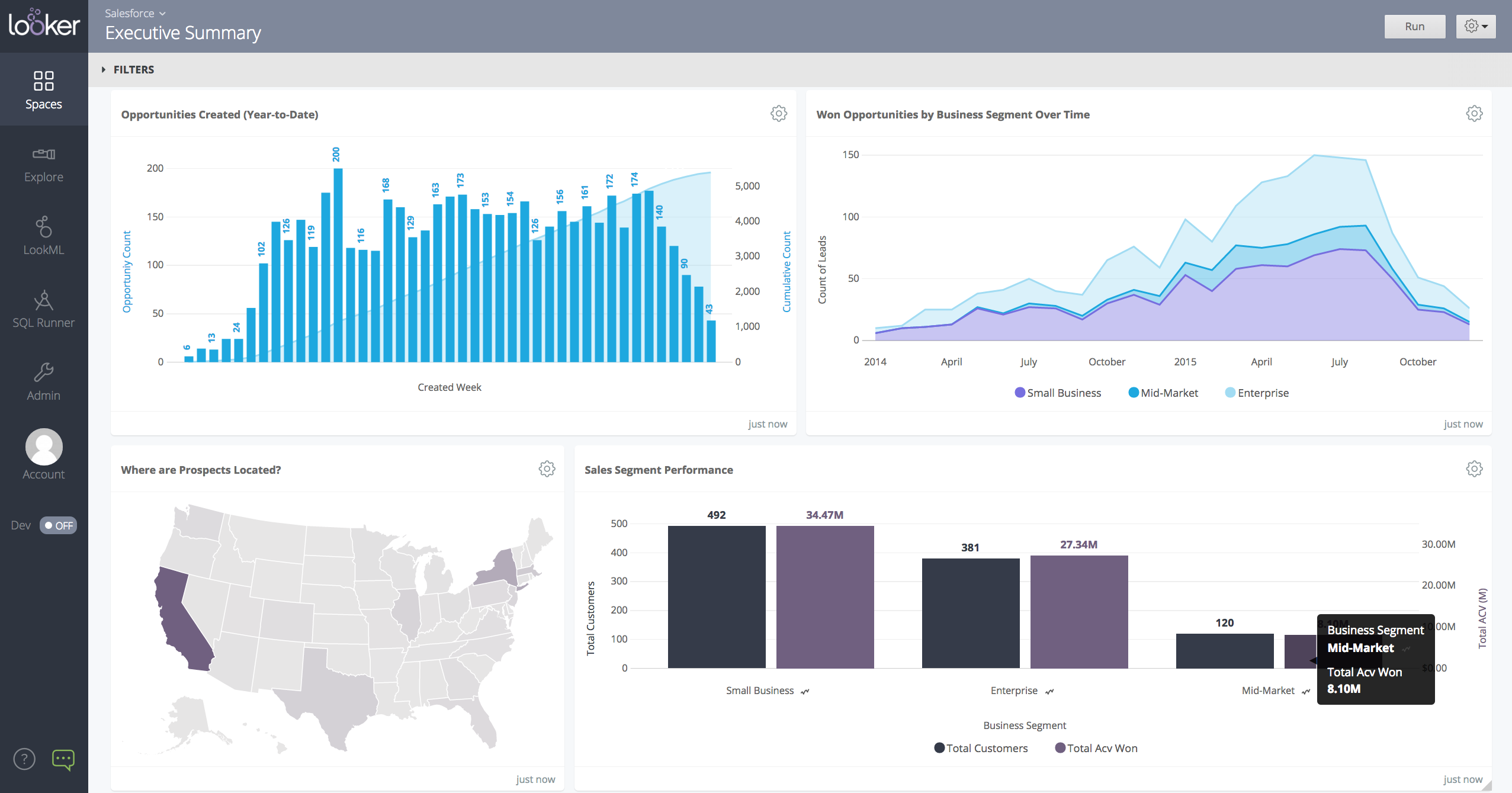
Looker is a BI application with an analytics-oriented application server that sits on top of relational data stores. It includes an end-user interface for exploring data, a reusable development paradigm for data discovery, and an API for supporting data in other systems.
N/A
Pricing
BrightGauge
Looker
Editions & Modules
Standard
$325
per month
Enterprise
$449
per month
Enterprise+
$635
per month
No answers on this topic
Offerings
Pricing Offerings
BrightGauge
Looker
Free Trial
No
Yes
Free/Freemium Version
No
No
Premium Consulting/Integration Services
No
No
Entry-level Setup Fee
$499 one-time fee
Required
Additional Details
Set up fee is waived for Enterprise+ customers. A discount is offered for annual billing.
Must contact sales team for pricing.
More Pricing Information
Community Pulse
BrightGauge
Looker
Features
BrightGauge
Looker
BI Standard Reporting
Comparison of BI Standard Reporting features of Product A and Product B
BrightGauge
8.1
Ratings
1% below category average
Looker
8.4
Ratings
3% above category average
Pixel Perfect reports
8.20 Ratings
8.00 Ratings
Customizable dashboards
8.80 Ratings
9.00 Ratings
Report Formatting Templates
7.10 Ratings
8.30 Ratings
Ad-hoc Reporting
Comparison of Ad-hoc Reporting features of Product A and Product B
BrightGauge
7.7
Ratings
5% below category average
Looker
8.5
Ratings
5% above category average
Drill-down analysis
8.40 Ratings
8.20 Ratings
Formatting capabilities
8.50 Ratings
7.80 Ratings
Integration with R or other statistical packages
4.70 Ratings
8.80 Ratings
Report sharing and collaboration
9.20 Ratings
9.20 Ratings
Report Output and Scheduling
Comparison of Report Output and Scheduling features of Product A and Product B
BrightGauge
7.9
Ratings
5% below category average
Looker
8.8
Ratings
6% above category average
Publish to Web
9.40 Ratings
8.40 Ratings
Publish to PDF
7.40 Ratings
9.10 Ratings
Report Versioning
5.00 Ratings
8.60 Ratings
Report Delivery Scheduling
9.20 Ratings
9.20 Ratings
Delivery to Remote Servers
8.50 Ratings
00 Ratings
Data Discovery and Visualization
Comparison of Data Discovery and Visualization features of Product A and Product B
BrightGauge lets us know when we have critical issues that need solving. A massive influx of tickets all at the same time triggers an investigation. Usually, it is tied to a server going down, which we can address. It would not be helpful for a small MSP or IT department with just a few daily tickets. The stats are better used to track a large amount of clients.
When you need to create a centralised dashboard for multiple stakeholders that blends cross-channel reporting. As an SEO agency reporting for clients - Looker is a great solution. It's less appropriate depending on the intended users. For instance, in my experience Looker reports have been under-utilised because they're not accessed regularly, provide too much noise or often simple PDF reports are preferred
We are very haooy with Looker, it provides us with all the funciomalities we need for both the day to day oerformance tracking and longer periods reporting. It is easy to use for account managers, configurable and customizable for soecialists and what is most imoortant, our clinets generally really love it
Usability is BrightGauge's strength. Granting the ability of virtually any user to be able to create a dashboard is incredibly valuable. If an organization very simple and straight forward reporting needs then BrightGauge is a perfect fit for them. Connecting to the dataset we used was very quick and easy and I imagine it would be the same for any major data source you would like to pull from.
Looker is relatively easy to use, even as it is set up. The customers for the front-end only have issues with the initial setup for looker ml creations. Other "looks" are relatively easy to set up, depending on the ETL and the data which is coming into Looker on a regular basis.
Somehow resources heavy, both on server and client. I recommned at least 50Mbs data rate and high performance desktop comouter to be abke to run comolex tasks and configure larger amount of data. On the other hand, the client does not need to worry when viewing, the performance is usually ok
We did not need to use BrightGauge's support for the entire time that we used it. Best support is always the one that isn't needed because nothing breaks.
Never had to work with support for issues. Any questions we had, they would respond promptly and clearly. The one-time setup was easy, by reading documentation. If the feature is not supported, they will add a feature request. In this case, LDAP support was requested over OKTA. They are looking into it.
I'm not aware of any other competitors to Bright Gauge that we selected. They seem to be very close to managed IT service providers and have been great at tailoring their support to the PSAs like ConnectWise, AutoTask, etc. I can see Bright Gauge getting more and more popular as time goes by
In my opinion, Looker is no Power BI. It is good, but I think Power BI is amazing. That said, in my experience, Power BI is nowhere near as easy to setup and report on Google services as Looker is. We plan to continue using Power BI for c-suite and corporate reporting, especially for internal databases, but will gladly use Looker for our marketing information for AdWords, Analytics, Search Console, and YouTube.
For larger customers, the dashboarding has helped our customers to remain sticky and add services/revenue to our MSP. They want to add more fragments of their IT for the 1 pane rollup.
From a leadership perspective, BG has allowed me to make difficult staffing decisions with confidence. Detailed metric driven decisions on who is hitting KPIs/who isn't - as well as when data proved we were overstaffed and understaffed.
Other than some people not liking the numbers, I don't see any negative impacts; we haven't experienced that.
The reports help us unravel the story of our users and how they are sifting through our pages.
Our clients enjoy seeing the numbers to understand better what stands out on their sites.
The reports have helped us see what campaigns are working and where we need to tweak things.
The reports have enabled us to have better conversations with stakeholders about how their web pages should be modified, edited, etc., to reflect the data.