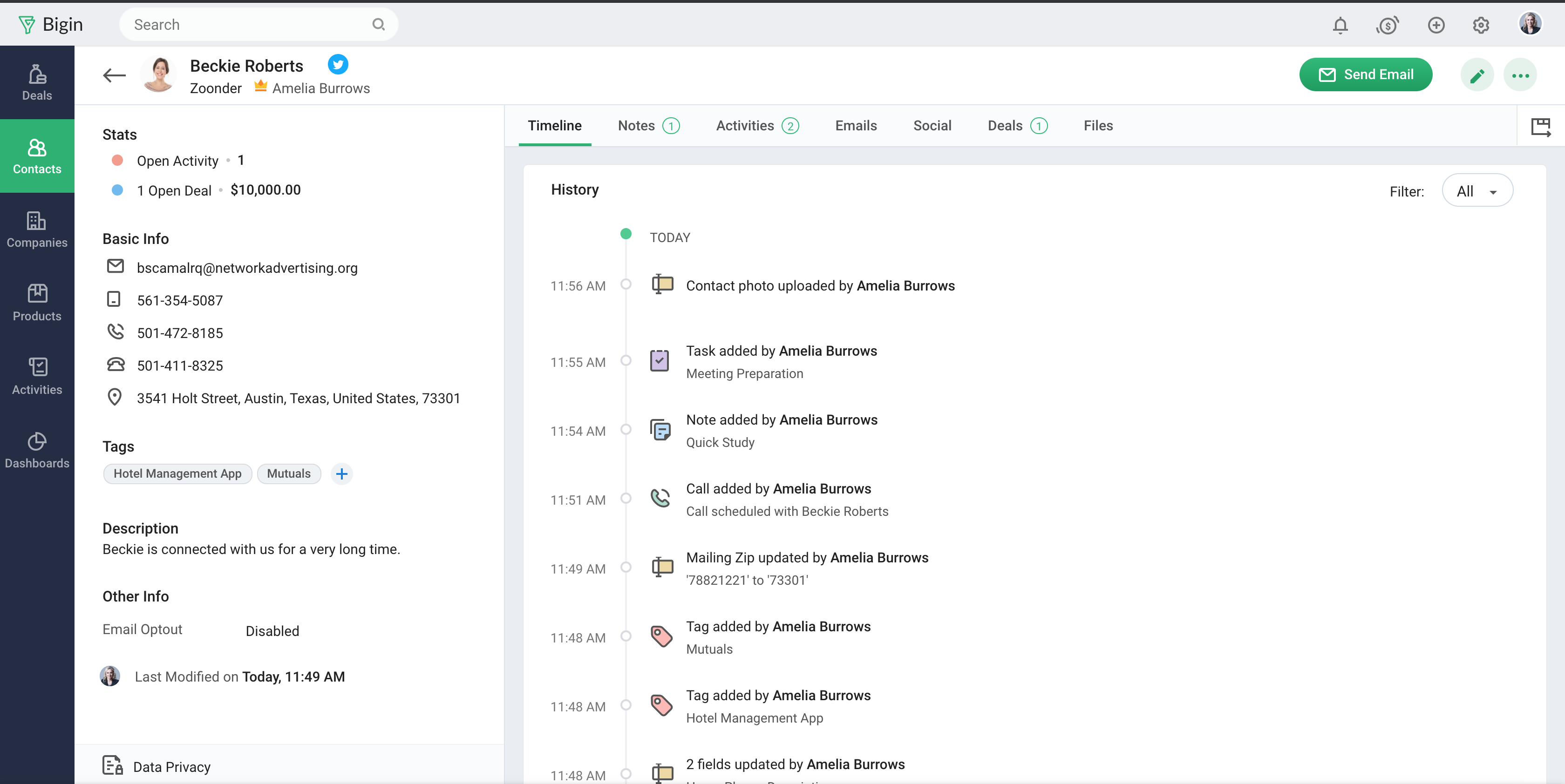
Bigin by Zoho CRM is a simplified customer relationship management (CRM) software designed specifically for small businesses, startups and teams. Bigin helps small businesses unify customer-facing operations— marketing, sales, onboarding, delivery, and support, and it offers features that help to manage these customer relationships effectively.
$9
per month per user
Method:CRM
Score8.4 out of 10
N/A
Method:crm is a QuickBooks-integrated, cloud-based CRM platform.
- Multiple pipelines let me organize processes like sales, marketing, customer support, and assets clearly. - The forms builder allows me to gather leads, sign-ups, and customer requests from my website directly into the Bigin by Zoho CRM. - Integrations with Zapier and Make connect website orders and data from other sources smoothly. - Email templates make it easy to send professional, branded communications. - Automations handle repetitive tasks like managing customers, orders, and team tasks, saving me time.
Method[:CRM] is well suited when you have a large company that needs to keep track of customers. It also connects with Quickbooks and that has really been nice for our organization. Our company is small so this really helps us stay on track and build our data base of customers.
A de minimis incentive was given to thank the reviewer for their time. The incentive was not used to bias or drive a particular response, nor was the incentive contingent on a positive endorsement. More Info
Manage big databases. We have a large database of contacts and partners (more than 5,000 contacts), which are updated day by day, as a result of our participation in conferences, webinars, etc. For this reason, we needed a platform that would allow us to always have our database up to date, and accessible and editable by any member of the company.
Pipelines. Pipelines are very necessary in our daily lives, since we present many service proposals to different clients, and until now we control the status very manually. With Bigin by Zoho CRM, we can have all this information centralized in a single place, and know at all times the status of the service proposals we present (sent, pending decision, lost, won...).
Product definition. The product definition block has allowed us to further structure our typologies of products and services. At least, it has allowed us to reflect on them and what is the best way to package the service offered.
Control panel. The control panel has been very useful for us to be able to quickly see the main indicators (offers presented, next actions to be taken, etc.).
A de minimis incentive was given to thank the reviewer for their time. The incentive was not used to bias or drive a particular response, nor was the incentive contingent on a positive endorsement. More Info
No multi-select bulk move in pipeline After a webinar we had 42 cold leads that qualified → wanted to drag them all to “Interested” in one go. You can’t; moved them one-by-one like playing Solitaire.
Workflows hidden behind pay-wall We needed an auto-survey when deal = “Won”. Works in trial, the day licence dropped back to free the rule simply stopped – zero warning.
Offline mobile = read-onlyMentor met founder in co-working basement (no Wi-Fi). Took paper notes, re-typed into Bigin back at office → duplicate risk.
Pick-list values can’t be deactivated, only deletedWe miss-typed “Refferal” instead of “Referral”. To fix, must delete; history of 60 old records then shows empty source.
A de minimis incentive was given to thank the reviewer for their time. The incentive was not used to bias or drive a particular response, nor was the incentive contingent on a positive endorsement. More Info
Sales Development Representative Account Executivessss sssssssssssssssss ss ssss s ss s ssssss ss s s ss sss sssssss sssss s ssssssss sssss sss sssssssssssssss ss ss sss sssss s ssss sssssss s s s s ssss sss s s ss ss ssss s s sssssss s ssssssssss sssss sss ss eads sd
A de minimis incentive was given to thank the reviewer for their time. The incentive was not used to bias or drive a particular response, nor was the incentive contingent on a positive endorsement. More Info
The things Method does well - QuickBooks data integration and extreme customization - it does very, very well. If you are looking for a CRM product or any business process automation software that integrates with QuickBooks, you have to look at Method CRM
Bigin has really helped us with selling our monitoring services to our customers, which is primarily farmers in the UK. We often need to talk to customers before, during and after a sale, and Bigin helps us keep our contacts and leads organised as we track all these interactions. We recommend it very strongly
A de minimis incentive was given to thank the reviewer for their time. The incentive was not used to bias or drive a particular response, nor was the incentive contingent on a positive endorsement. More Info
Method has a great overall "usability". Once we started using the software; it did not take long before we were able to start editing our own web lead forms, email templates, etc. I think there is a learning curve however the learning curve is not bad. Anyone looking for a cloud CRM should start here
A de minimis incentive was given to thank the reviewer for their time. The incentive was not used to bias or drive a particular response, nor was the incentive contingent on a positive endorsement. More Info
The support is all international and it takes a while to get support as you have to go through chats and set up times, not as easy to just call and get the support you need. They are very nice when you do finally connect with someone and they are knowledgeable, just challenging being international sometimes.
A de minimis incentive was given to thank the reviewer for their time. The incentive was not used to bias or drive a particular response, nor was the incentive contingent on a positive endorsement. More Info
The Customer Support of this app is fantastic. If you ever have any questions they are there to answer you or fix whatever issue that you are having. The FAQ pages are also extremely helpful when you want to learn about the more in-depth qualities this program has to offer.
A de minimis incentive was given to thank the reviewer for their time. The incentive was not used to bias or drive a particular response, nor was the incentive contingent on a positive endorsement. More Info
Be available to learn! There is a huge learning curve to this program. You have to be willing to take it all in. Be available to the Method expert and be patient.
Simplicity Without Sacrificing Core Features Unlike full-scale CRMs that often feel overwhelming, Bigin by Zoho CRM provides a focused set of features that are perfect for managing deals, contacts, and activities. It’s not bloated, and that was exactly what we needed for a lean, fast-moving team.
We chose Method:CRM for the QuickBooks integration. It was important for us to have integrations that allowed us to view payments, organize our contacts, and manage our sales force. There were some learning curves, however, such as creating activities, leads, customers and making sure our payments were being logged appropriately. I do wish that payments would be added to the calendar automatically so that the sales rep could view and make a phone call letting them know their invoice is due.
A de minimis incentive was given to thank the reviewer for their time. The incentive was not used to bias or drive a particular response, nor was the incentive contingent on a positive endorsement. More Info