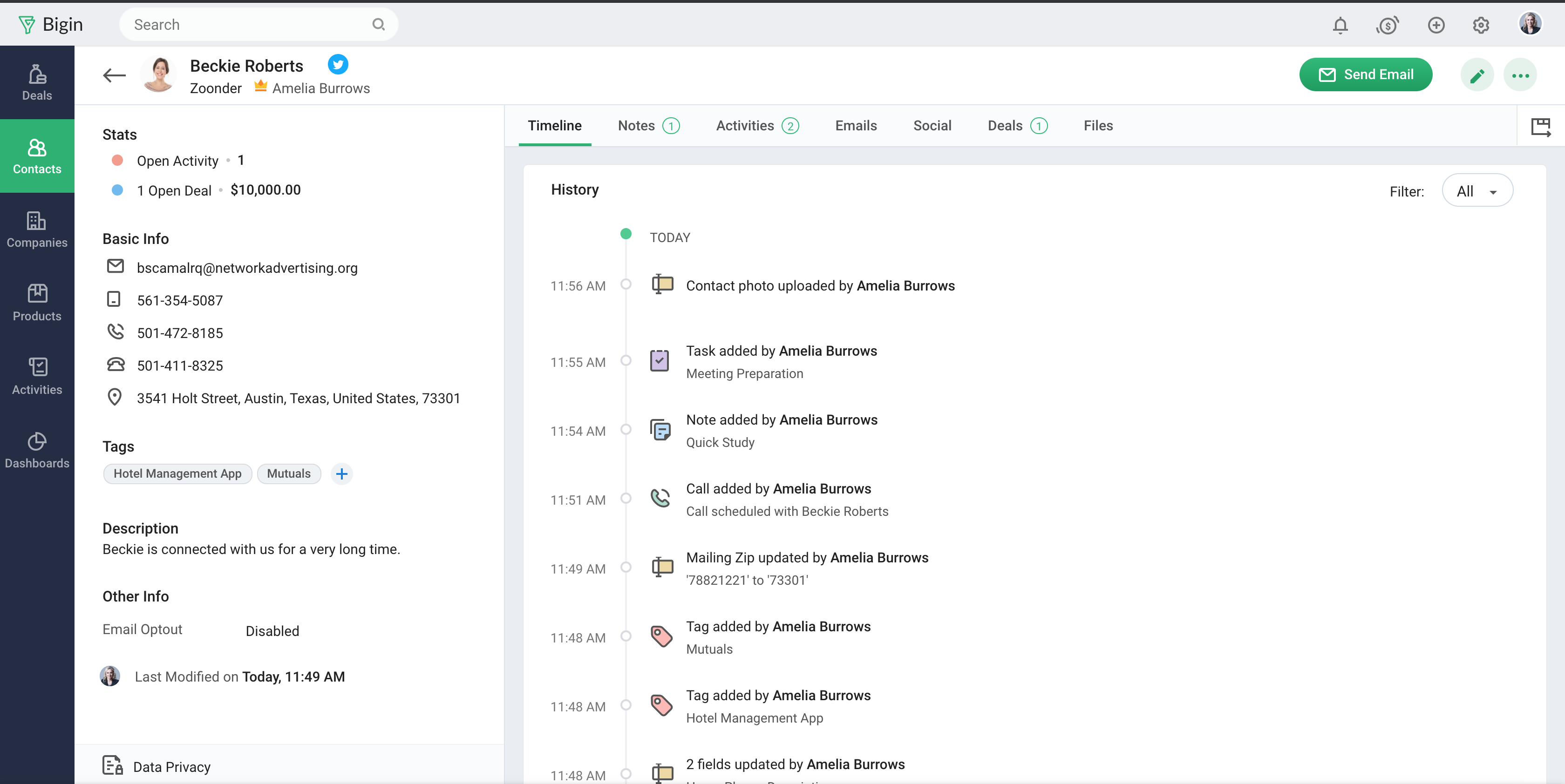
Bigin by Zoho CRM is a simplified customer relationship management (CRM) software designed specifically for small businesses, startups and teams. Bigin helps small businesses unify customer-facing operations— marketing, sales, onboarding, delivery, and support, and it offers features that help to manage these customer relationships effectively.
$9
per month per user
LeadMaster
Score8 out of 10
N/A
LeadMaster is a customer relationship management (CRM) solution focused around an online sales lead management system.
$10
per seat
Pricing
Bigin by Zoho CRM
LeadMaster
Editions & Modules
Express
$9.00
per month per user
Premier
$15.00
per month
Bigin 360
$21
per month per user
Lead-Xpress
$10
per seat
LeadMaster Standard Edition
$50
per seat
Offerings
Pricing Offerings
Bigin by Zoho CRM
LeadMaster
Free Trial
Yes
Yes
Free/Freemium Version
Yes
No
Premium Consulting/Integration Services
No
Yes
Entry-level Setup Fee
No setup fee
$500 hours required
Additional Details
20% discount for annual pricing.
There is no additional charge for the mobile version.
More Pricing Information
Community Pulse
Bigin by Zoho CRM
LeadMaster
Considered Both Products
Zoho
No answer on this topic
LeadMaster
Verified User
Chose LeadMaster
My client has been using Salesforce for the past two years,
but they were looking for a system that would provide lead nurturing, workflow
automation, and overall ease of use – functionality that was just not available
A de minimis incentive was given to thank the reviewer for their time. The incentive was not used to bias or drive a particular response, nor was the incentive contingent on a positive endorsement. More Info
- Multiple pipelines let me organize processes like sales, marketing, customer support, and assets clearly. - The forms builder allows me to gather leads, sign-ups, and customer requests from my website directly into the Bigin by Zoho CRM. - Integrations with Zapier and Make connect website orders and data from other sources smoothly. - Email templates make it easy to send professional, branded communications. - Automations handle repetitive tasks like managing customers, orders, and team tasks, saving me time.
My company works with a client who offers a SaaS solution to the beauty sector. We had been using Salesforce for three years but needed a system with lead nurturing, workflow automation, and user-friendliness that Salesforce lacked without a hefty monthly price tag.
We are taking use of LeadMaster's eMarketing, automation, and workflow management capabilities as well as the streamlined nature of the Professional Edition. We've been able to better regulate the sales process and boost our conversion rate as a result.
We have been very pleased with LeadMaster's customer service and would suggest their product without reservation.
A de minimis incentive was given to thank the reviewer for their time. The incentive was not used to bias or drive a particular response, nor was the incentive contingent on a positive endorsement. More Info
Manage big databases. We have a large database of contacts and partners (more than 5,000 contacts), which are updated day by day, as a result of our participation in conferences, webinars, etc. For this reason, we needed a platform that would allow us to always have our database up to date, and accessible and editable by any member of the company.
Pipelines. Pipelines are very necessary in our daily lives, since we present many service proposals to different clients, and until now we control the status very manually. With Bigin by Zoho CRM, we can have all this information centralized in a single place, and know at all times the status of the service proposals we present (sent, pending decision, lost, won...).
Product definition. The product definition block has allowed us to further structure our typologies of products and services. At least, it has allowed us to reflect on them and what is the best way to package the service offered.
Control panel. The control panel has been very useful for us to be able to quickly see the main indicators (offers presented, next actions to be taken, etc.).
A de minimis incentive was given to thank the reviewer for their time. The incentive was not used to bias or drive a particular response, nor was the incentive contingent on a positive endorsement. More Info
No multi-select bulk move in pipeline After a webinar we had 42 cold leads that qualified → wanted to drag them all to “Interested” in one go. You can’t; moved them one-by-one like playing Solitaire.
Workflows hidden behind pay-wall We needed an auto-survey when deal = “Won”. Works in trial, the day licence dropped back to free the rule simply stopped – zero warning.
Offline mobile = read-onlyMentor met founder in co-working basement (no Wi-Fi). Took paper notes, re-typed into Bigin back at office → duplicate risk.
Pick-list values can’t be deactivated, only deletedWe miss-typed “Refferal” instead of “Referral”. To fix, must delete; history of 60 old records then shows empty source.
A de minimis incentive was given to thank the reviewer for their time. The incentive was not used to bias or drive a particular response, nor was the incentive contingent on a positive endorsement. More Info
A de minimis incentive was given to thank the reviewer for their time. The incentive was not used to bias or drive a particular response, nor was the incentive contingent on a positive endorsement. More Info
Sales Development Representative Account Executivessss sssssssssssssssss ss ssss s ss s ssssss ss s s ss sss sssssss sssss s ssssssss sssss sss sssssssssssssss ss ss sss sssss s ssss sssssss s s s s ssss sss s s ss ss ssss s s sssssss s ssssssssss sssss sss ss eads sd
A de minimis incentive was given to thank the reviewer for their time. The incentive was not used to bias or drive a particular response, nor was the incentive contingent on a positive endorsement. More Info
Bigin has really helped us with selling our monitoring services to our customers, which is primarily farmers in the UK. We often need to talk to customers before, during and after a sale, and Bigin helps us keep our contacts and leads organised as we track all these interactions. We recommend it very strongly
A de minimis incentive was given to thank the reviewer for their time. The incentive was not used to bias or drive a particular response, nor was the incentive contingent on a positive endorsement. More Info
My ability to more effectively manage the workflow in our office has been greatly enhanced by LeadMaster. Each member of my team is aware of the students they are responsible for recruiting and the specific process that should be followed with each and every one of them. The system also enables us to practically eliminate the use of paper in our process, which helps to reduce the number of different types of office errors.
A de minimis incentive was given to thank the reviewer for their time. The incentive was not used to bias or drive a particular response, nor was the incentive contingent on a positive endorsement. More Info
The support is all international and it takes a while to get support as you have to go through chats and set up times, not as easy to just call and get the support you need. They are very nice when you do finally connect with someone and they are knowledgeable, just challenging being international sometimes.
A de minimis incentive was given to thank the reviewer for their time. The incentive was not used to bias or drive a particular response, nor was the incentive contingent on a positive endorsement. More Info
The reason to give this rating because of the following.
1. Assessing the efficiency of campaigns involving several agencies and points of contact
2. True close loop reporting
3. The capacity to manage a channel through the use of features for updating leads and pipelines.
4. Ensuring that no leads were lost and that they were always assigned to someone for follow-up, whether the lead originated through e-marketing, the filling out of a form on a website, or even a lead from a trade fair
5. Creating a seamless connection between marketing and lead generating
A de minimis incentive was given to thank the reviewer for their time. The incentive was not used to bias or drive a particular response, nor was the incentive contingent on a positive endorsement. More Info
Simplicity Without Sacrificing Core Features Unlike full-scale CRMs that often feel overwhelming, Bigin by Zoho CRM provides a focused set of features that are perfect for managing deals, contacts, and activities. It’s not bloated, and that was exactly what we needed for a lean, fast-moving team.
My client has been using Salesforce for the past two years, but they were looking for a system that would provide lead nurturing, workflow automation, and overall ease of use – functionality that was just not available within Salesforce without incurring a large, monthly fee. I'm using one of my clients who has been using Salesforce for the past two years.
Because of LeadMaster's user-friendliness, robust automation and workflow management, and eMarketing capabilities, we have decided to employ the Professional Edition. As a result, we are able to better regulate the sales process and achieve a higher closure rate.
A de minimis incentive was given to thank the reviewer for their time. The incentive was not used to bias or drive a particular response, nor was the incentive contingent on a positive endorsement. More Info
A de minimis incentive was given to thank the reviewer for their time. The incentive was not used to bias or drive a particular response, nor was the incentive contingent on a positive endorsement. More Info