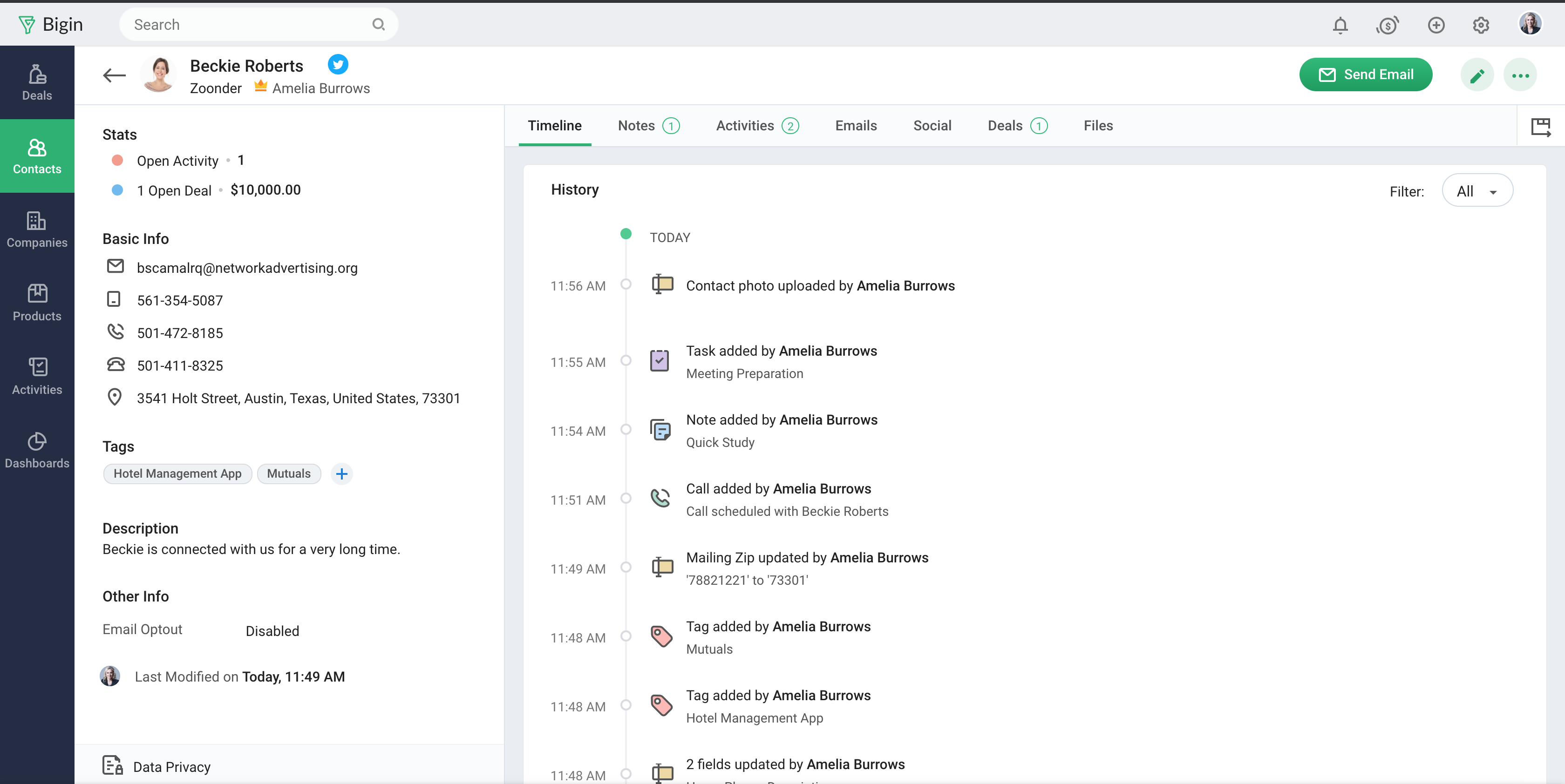
Bigin by Zoho CRM vs. DriveCentric

Overview
ProductRatingMost Used ByProduct SummaryStarting Price
Bigin by Zoho CRM
Score 8.7 out of 10
N/A
Bigin by Zoho CRM is a simplified customer relationship management (CRM) software designed specifically for small businesses, startups and teams. Bigin helps small businesses unify customer-facing operations— marketing, sales, onboarding, delivery, and support, and it offers features that help to manage these customer relationships effectively.
$9
per month per user
DriveCentric
Score 0.0 out of 10
N/A
DriveCentric is a dealership CRM from the company of the same name headquartered in St. Louis.N/A
Pricing
Bigin by Zoho CRMDriveCentric
Editions & Modules
Express
$9.00
per month per user
Premier
$15.00
per month
Bigin 360
$21
per month per user
No answers on this topic
Offerings
Pricing Offerings
Bigin by Zoho CRMDriveCentric
Free Trial
YesNo
Free/Freemium Version
YesNo
Premium Consulting/Integration Services
NoNo
Entry-level Setup FeeNo setup feeNo setup fee
Additional Details20% discount for annual pricing.
More Pricing Information
Community Pulse
Bigin by Zoho CRMDriveCentric
Features
Bigin by Zoho CRMDriveCentric
Sales Force Automation
Comparison of Sales Force Automation features of Product A and Product B
Bigin by Zoho CRM
8.0
Ratings
4% above category average
DriveCentric
-
Ratings
Customer data management / contact management8.40 Ratings00 Ratings
Workflow management8.20 Ratings00 Ratings
Opportunity management8.40 Ratings00 Ratings
Integration with email client (e.g., Outlook or Gmail)8.10 Ratings00 Ratings
Contract management7.20 Ratings00 Ratings
Interaction tracking7.80 Ratings00 Ratings
Marketing Automation
Comparison of Marketing Automation features of Product A and Product B
Bigin by Zoho CRM
7.7
Ratings
1% above category average
DriveCentric
-
Ratings
Lead management8.10 Ratings00 Ratings
Email marketing7.40 Ratings00 Ratings
CRM Project Management
Comparison of CRM Project Management features of Product A and Product B
Bigin by Zoho CRM
8.1
Ratings
6% above category average
DriveCentric
-
Ratings
Task management8.20 Ratings00 Ratings
Reporting8.10 Ratings00 Ratings
CRM Reporting & Analytics
Comparison of CRM Reporting & Analytics features of Product A and Product B
Bigin by Zoho CRM
8.2
Ratings
8% above category average
DriveCentric
-
Ratings
Pipeline visualization8.60 Ratings00 Ratings
Customizable reports7.80 Ratings00 Ratings
Customization
Comparison of Customization features of Product A and Product B
Bigin by Zoho CRM
7.8
Ratings
4% above category average
DriveCentric
-
Ratings
Custom fields7.80 Ratings00 Ratings
Security
Comparison of Security features of Product A and Product B
Bigin by Zoho CRM
8.5
Ratings
2% above category average
DriveCentric
-
Ratings
Single sign-on capability8.60 Ratings00 Ratings
Role-based user permissions8.50 Ratings00 Ratings
Social CRM
Comparison of Social CRM features of Product A and Product B
Bigin by Zoho CRM
8.3
Ratings
12% above category average
DriveCentric
-
Ratings
Social data8.30 Ratings00 Ratings
Social engagement8.20 Ratings00 Ratings
Integrations with 3rd-party Software
Comparison of Integrations with 3rd-party Software features of Product A and Product B
Bigin by Zoho CRM
8.0
Ratings
9% above category average
DriveCentric
-
Ratings
Marketing automation8.00 Ratings00 Ratings
Platform
Comparison of Platform features of Product A and Product B
Bigin by Zoho CRM
8.1
Ratings
10% above category average
DriveCentric
-
Ratings
Mobile access8.10 Ratings00 Ratings
User Ratings
Bigin by Zoho CRMDriveCentric
Likelihood to Recommend
8.8
(0 ratings)
-
(0 ratings)
Likelihood to Renew
9.1
(0 ratings)
-
(0 ratings)
Usability
8.6
(0 ratings)
-
(0 ratings)
Support Rating
8.6
(0 ratings)
-
(0 ratings)
User Testimonials
Bigin by Zoho CRMDriveCentric
Likelihood to Recommend
Startups Needing Quick Setup with Low Overhead
Startups that need a CRM quickly and don’t have the time or resources to onboard heavy tools can set up Bigin in a matter of hours. It covers all the basic CRM needs out of the box, making it ideal for teams just getting started.
Read full review
No answers on this topic
Pros
  • Zero-friction onboarding
  • Imported 200 Google-Sheet leads in under 5 min via copy-paste wizard; field mapping was drag-&-drop, no CSV-headache.
  • Email templates – yes, but the editor is limited.
  • Merge-tags work, yet you can’t drop in advanced HTML; our logo had to be linked from an external URL. On the plus side, a bulk send of 25 emails went through without a hitch and none landed in spam – big win for us.
  • Reports – fast but shallow.
  • The dashboard quickly shows “deals closed” and “average stage duration,” yet you can’t pull conversion rates by lead source without digging into an export. Good enough for the board, too thin for an analyst.
  • Automation – paywalled only.
  • We wanted Bigin to auto-send a survey when a deal moved to “Won,” but workflows are a paid feature. You can test them during the trial; once it expires it’s back to manual clicks.
Read full review
No answers on this topic
Cons
  • I would like to link the same contact to more than one company.
  • I would like to be able to use only the name field, but I need to use first and last name
  • I would like to have a plan where there is no limit on the number of customizable fields
Read full review
No answers on this topic
Likelihood to Renew
Sales Development Representative Account Executivessss sssssssssssssssss ss ssss s ss s ssssss ss s s ss sss sssssss sssss s ssssssss sssss sss sssssssssssssss ss ss sss sssss s ssss sssssss s s s s ssss sss s s ss ss ssss s s sssssss s ssssssssss sssss sss ss eads sd
Read full review
No answers on this topic
Usability
Bigin has really helped us with selling our monitoring services to our customers, which is primarily farmers in the UK. We often need to talk to customers before, during and after a sale, and Bigin helps us keep our contacts and leads organised as we track all these interactions. We recommend it very strongly
Read full review
No answers on this topic
Support Rating
The support is all international and it takes a while to get support as you have to go through chats and set up times, not as easy to just call and get the support you need. They are very nice when you do finally connect with someone and they are knowledgeable, just challenging being international sometimes.
Read full review
No answers on this topic
Alternatives Considered
Simplicity, usability, and a modern, intuitive UI.
Easy to learn and simple to guide customers through. Flexible enough to fit diverse business scenarios with seamless integration. Enables managing marketing, operations, customer service, sales, and even assets all in one place. Smooth connections with external services.
Delivers huge value at a fair price.
Read full review
No answers on this topic
Return on Investment
  • Reaching more possible customers quickly and with less effort. The fact of being able to automate sending to our contact database, which has previously been tagged and categorized, has allowed us to send information in a more agile way (previously we simply used Outlook, without any type of automation).
  • Automatically consulting all the email history you have with any of the contacts has allowed us to be more efficient and avoid duplication in communications.
  • The process of implementing and integrating Bigin in our company, although it was not difficult, we found some difficulties to synchronize the database loaded in Bigin by Zoho CRM with our Office365 account.
Read full review
No answers on this topic
ScreenShots

Bigin by Zoho CRM Screenshots

Screenshot of Screenshot of Screenshot of Screenshot of