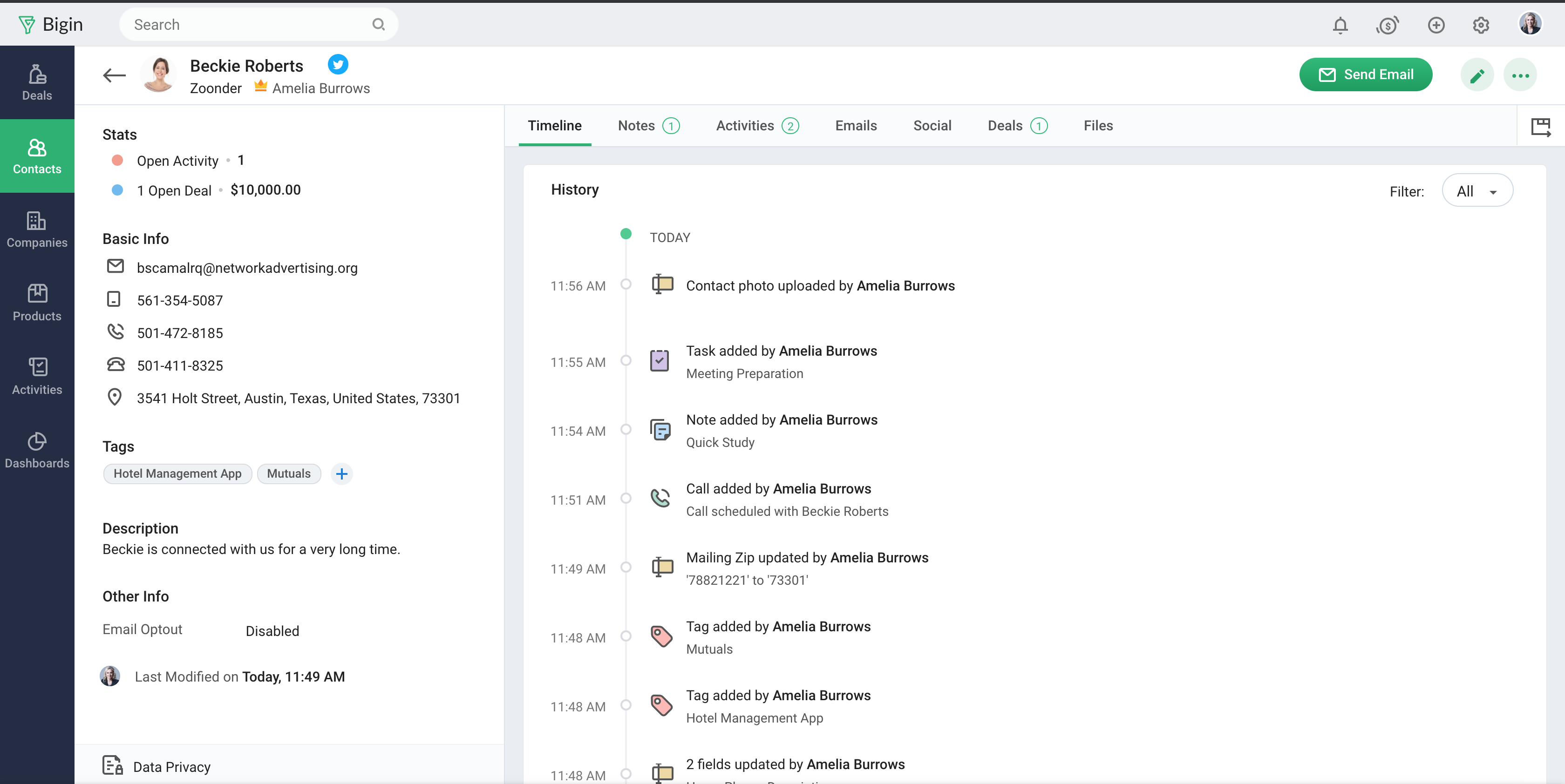
Bigin by Zoho CRM is a simplified customer relationship management (CRM) software designed specifically for small businesses, startups and teams. Bigin helps small businesses unify customer-facing operations— marketing, sales, onboarding, delivery, and support, and it offers features that help to manage these customer relationships effectively.
$9
per month per user
Capsule CRM
Score 8.3 out of 10
N/A
Capsule is a CRM solution for businesses of up to 1,000 employees. The vendor boasts over 10,000 businesses globally as customers, who choose it as the platform to deliver success across their sales and customer facing teams. Capsule is presented as easy to use and quick to adopt. It also integrates with a growing range of popular apps, including Google G Suite, QuickBooks, MailChimp and Zapier. A free trial is available, and paid plans are available from $18 per user, per month.
$18
per month per user
Pricing
Bigin by Zoho CRM
Capsule CRM
Editions & Modules
Express
$9.00
per month per user
Premier
$15.00
per month
Bigin 360
$21
per month per user
Professional
$18
per month per user
Teams
$36
per month per user
Enterprise
$54
per month per user
Offerings
Pricing Offerings
Bigin by Zoho CRM
Capsule CRM
Free Trial
Yes
Yes
Free/Freemium Version
Yes
Yes
Premium Consulting/Integration Services
No
No
Entry-level Setup Fee
No setup fee
No setup fee
Additional Details
20% discount for annual pricing.
—
More Pricing Information
Community Pulse
Bigin by Zoho CRM
Capsule CRM
Features
Bigin by Zoho CRM
Capsule CRM
Sales Force Automation
Comparison of Sales Force Automation features of Product A and Product B
Bigin by Zoho CRM
8.0
Ratings
4% above category average
Capsule CRM
7.1
Ratings
8% below category average
Customer data management / contact management
8.40 Ratings
8.00 Ratings
Workflow management
8.20 Ratings
7.00 Ratings
Opportunity management
8.40 Ratings
8.00 Ratings
Integration with email client (e.g., Outlook or Gmail)
8.10 Ratings
8.00 Ratings
Contract management
7.20 Ratings
8.00 Ratings
Interaction tracking
7.80 Ratings
7.00 Ratings
Territory management
00 Ratings
6.00 Ratings
Quote & order management
00 Ratings
6.00 Ratings
Channel / partner relationship management
00 Ratings
6.00 Ratings
Marketing Automation
Comparison of Marketing Automation features of Product A and Product B
Bigin by Zoho CRM
7.7
Ratings
2% above category average
Capsule CRM
8.5
Ratings
11% above category average
Lead management
8.10 Ratings
8.00 Ratings
Email marketing
7.30 Ratings
9.00 Ratings
CRM Project Management
Comparison of CRM Project Management features of Product A and Product B
Bigin by Zoho CRM
8.1
Ratings
6% above category average
Capsule CRM
7.7
Ratings
1% above category average
Task management
8.20 Ratings
9.00 Ratings
Reporting
8.10 Ratings
7.00 Ratings
Billing and invoicing management
00 Ratings
7.00 Ratings
CRM Reporting & Analytics
Comparison of CRM Reporting & Analytics features of Product A and Product B
Bigin by Zoho CRM
8.2
Ratings
8% above category average
Capsule CRM
7.0
Ratings
8% below category average
Pipeline visualization
8.60 Ratings
8.00 Ratings
Customizable reports
7.70 Ratings
6.00 Ratings
Forecasting
00 Ratings
7.00 Ratings
Customization
Comparison of Customization features of Product A and Product B
Bigin by Zoho CRM
7.8
Ratings
4% above category average
Capsule CRM
7.4
Ratings
1% below category average
Custom fields
7.80 Ratings
7.00 Ratings
Custom objects
00 Ratings
6.00 Ratings
Scripting environment
00 Ratings
8.60 Ratings
API for custom integration
00 Ratings
8.00 Ratings
Security
Comparison of Security features of Product A and Product B
Bigin by Zoho CRM
8.5
Ratings
2% above category average
Capsule CRM
9.0
Ratings
8% above category average
Single sign-on capability
8.60 Ratings
9.00 Ratings
Role-based user permissions
8.40 Ratings
9.00 Ratings
Social CRM
Comparison of Social CRM features of Product A and Product B
Bigin by Zoho CRM
8.3
Ratings
12% above category average
Capsule CRM
7.0
Ratings
5% below category average
Social data
8.30 Ratings
7.00 Ratings
Social engagement
8.20 Ratings
7.00 Ratings
Integrations with 3rd-party Software
Comparison of Integrations with 3rd-party Software features of Product A and Product B
Bigin by Zoho CRM
8.0
Ratings
9% above category average
Capsule CRM
7.5
Ratings
2% above category average
Marketing automation
8.00 Ratings
8.00 Ratings
Compensation management
00 Ratings
7.00 Ratings
Platform
Comparison of Platform features of Product A and Product B
Bigin by Zoho CRM
8.1
Ratings
10% above category average
Capsule CRM
8.0
Ratings
9% above category average
Mobile access
8.10 Ratings
8.00 Ratings
Customer Service & Support
Comparison of Customer Service & Support features of Product A and Product B
Startups Needing Quick Setup with Low Overhead Startups that need a CRM quickly and don’t have the time or resources to onboard heavy tools can set up Bigin in a matter of hours. It covers all the basic CRM needs out of the box, making it ideal for teams just getting started.
Using Capsule CRM, businesses can have a perfect CRM solution without the risk of being forced to pay on a monthly subscription basis. Compared to other customer relationship management apps, it has a wide range of unique features. Functional and cost-effective are the main advantages. Because we're a small company, its simplicity appeals to us greatly. For a limited time, start-ups can store up to 250 contacts in the free version. Capsule CRM is well-suited to Gmail and offers many other integration possibilities. Even though it lacks some more powerful CRM features, the Capsule platform makes up for this with a widespread list of integrations.
Imported 200 Google-Sheet leads in under 5 min via copy-paste wizard; field mapping was drag-&-drop, no CSV-headache.
Email templates – yes, but the editor is limited.
Merge-tags work, yet you can’t drop in advanced HTML; our logo had to be linked from an external URL. On the plus side, a bulk send of 25 emails went through without a hitch and none landed in spam – big win for us.
Reports – fast but shallow.
The dashboard quickly shows “deals closed” and “average stage duration,” yet you can’t pull conversion rates by lead source without digging into an export. Good enough for the board, too thin for an analyst.
Automation – paywalled only.
We wanted Bigin to auto-send a survey when a deal moved to “Won,” but workflows are a paid feature. You can test them during the trial; once it expires it’s back to manual clicks.
Capsule is very easy to use. You can just jump in and learn as you go. There are advantages to really learning the ins and outs, but for those who aren't sold on a CRM to begin with it's good for just getting them started. It is what you make of it--you can use the most basic features or really dive in to the many functionalities.
The UI is clean and intuitive. We don't get easily overwhelmed while using it.
Capsule has a very robust contact management system. It allows for the generation of very specific lists within existing contacts, which is good if the user has to keep track of thousands of individuals and companies. There is a tagging feature that is great for further organizing contacts.
I like that there is a simple workflow option. I encourage the sales guys to make use of this "Tracks" feature, and they often do (but if they don't, it's not the end of the world, which is nice). It provides custom sets of tasks that are created as soon as you start an opportunity or a case.
Capsule has a LOT of integrations, which is great if you're looking to expand what you do with your CRM. We got Capsule just to keep track of the sales pipeline, but now that everyone's on board with the concept of a CRM (they weren't sold at first!) we can look into implementing more robust programs that can "talk to" Capsule.
Its integration with Mail chimp is not smooth. Also, it does not allow to list contacts alphabetically which is a great downside of this tool. It does not contain some essential marketing features.
It needs to improve the user interface and make it more productive especially on the calendar view.
The contact sorting is quite disappointing. It would be nice if it allows users to set screen filters.
Sales Development Representative Account Executivessss sssssssssssssssss ss ssss s ss s ssssss ss s s ss sss sssssss sssss s ssssssss sssss sss sssssssssssssss ss ss sss sssss s ssss sssssss s s s s ssss sss s s ss ss ssss s s sssssss s ssssssssss sssss sss ss eads sd
Bigin has really helped us with selling our monitoring services to our customers, which is primarily farmers in the UK. We often need to talk to customers before, during and after a sale, and Bigin helps us keep our contacts and leads organised as we track all these interactions. We recommend it very strongly
The support is all international and it takes a while to get support as you have to go through chats and set up times, not as easy to just call and get the support you need. They are very nice when you do finally connect with someone and they are knowledgeable, just challenging being international sometimes.
Capsule CRM effectively specifies the causes of any project's disadvantage and problem-solving. This application is effortless because of its genuine approach to business empowerment. Everything is easily accessible with a single click. Our clients will appreciate our technical and user-friendly promotions. Furthermore, it is well worth our company's time to run.
Simplicity, usability, and a modern, intuitive UI. Easy to learn and simple to guide customers through. Flexible enough to fit diverse business scenarios with seamless integration. Enables managing marketing, operations, customer service, sales, and even assets all in one place. Smooth connections with external services. Delivers huge value at a fair price.
Reaching more possible customers quickly and with less effort. The fact of being able to automate sending to our contact database, which has previously been tagged and categorized, has allowed us to send information in a more agile way (previously we simply used Outlook, without any type of automation).
Automatically consulting all the email history you have with any of the contacts has allowed us to be more efficient and avoid duplication in communications.
The process of implementing and integrating Bigin in our company, although it was not difficult, we found some difficulties to synchronize the database loaded in Bigin by Zoho CRM with our Office365 account.
Capsule CRM software not only interprets with resource planning but maintains the customer relationship at its peak.
This software is altogether a big package to promote and control the business movements on a high scale
This application tends to work with all versions but, there is no plan to cop up with the R13 version so, the latest version should have all effects to compensate for the business dealings.