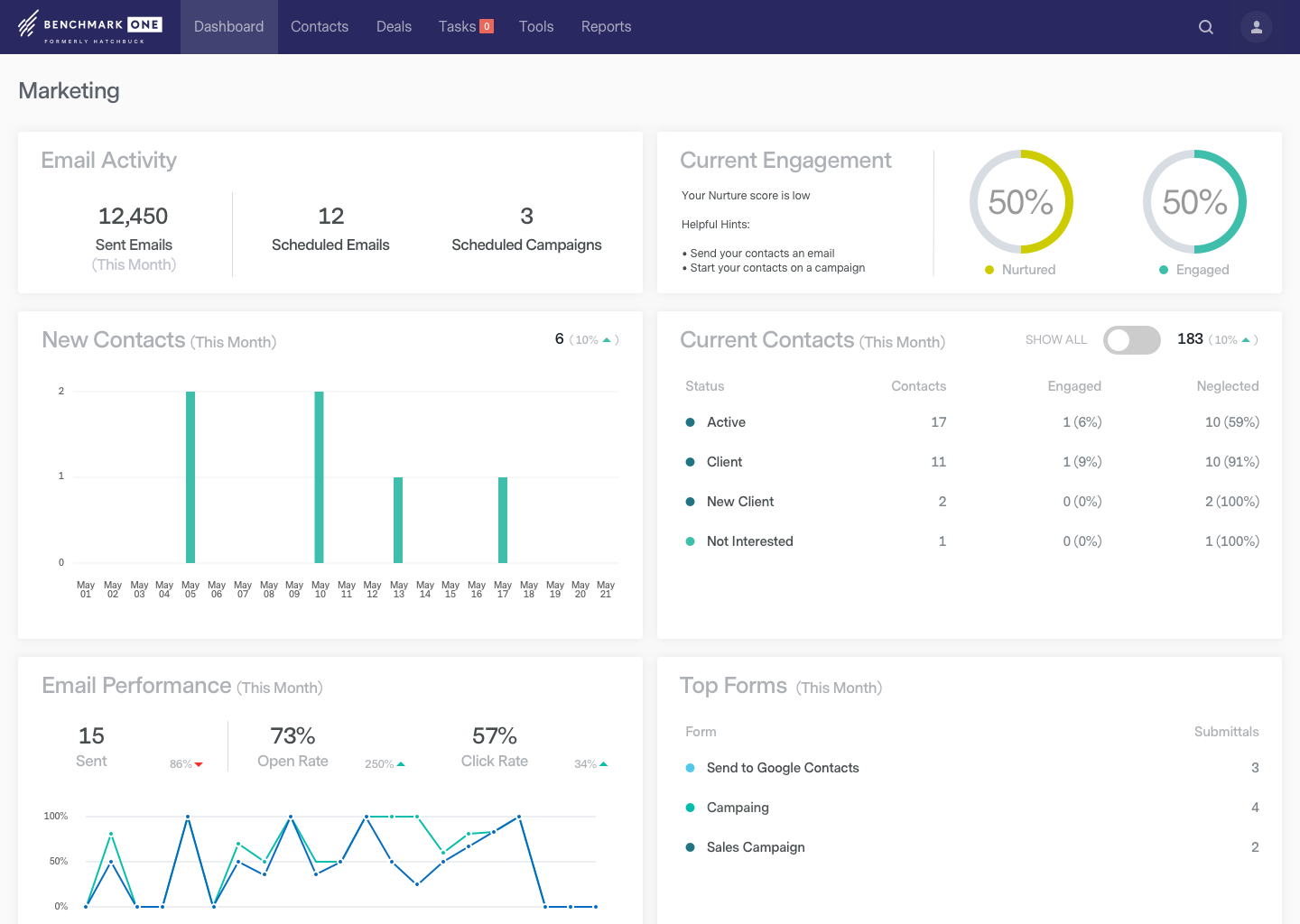
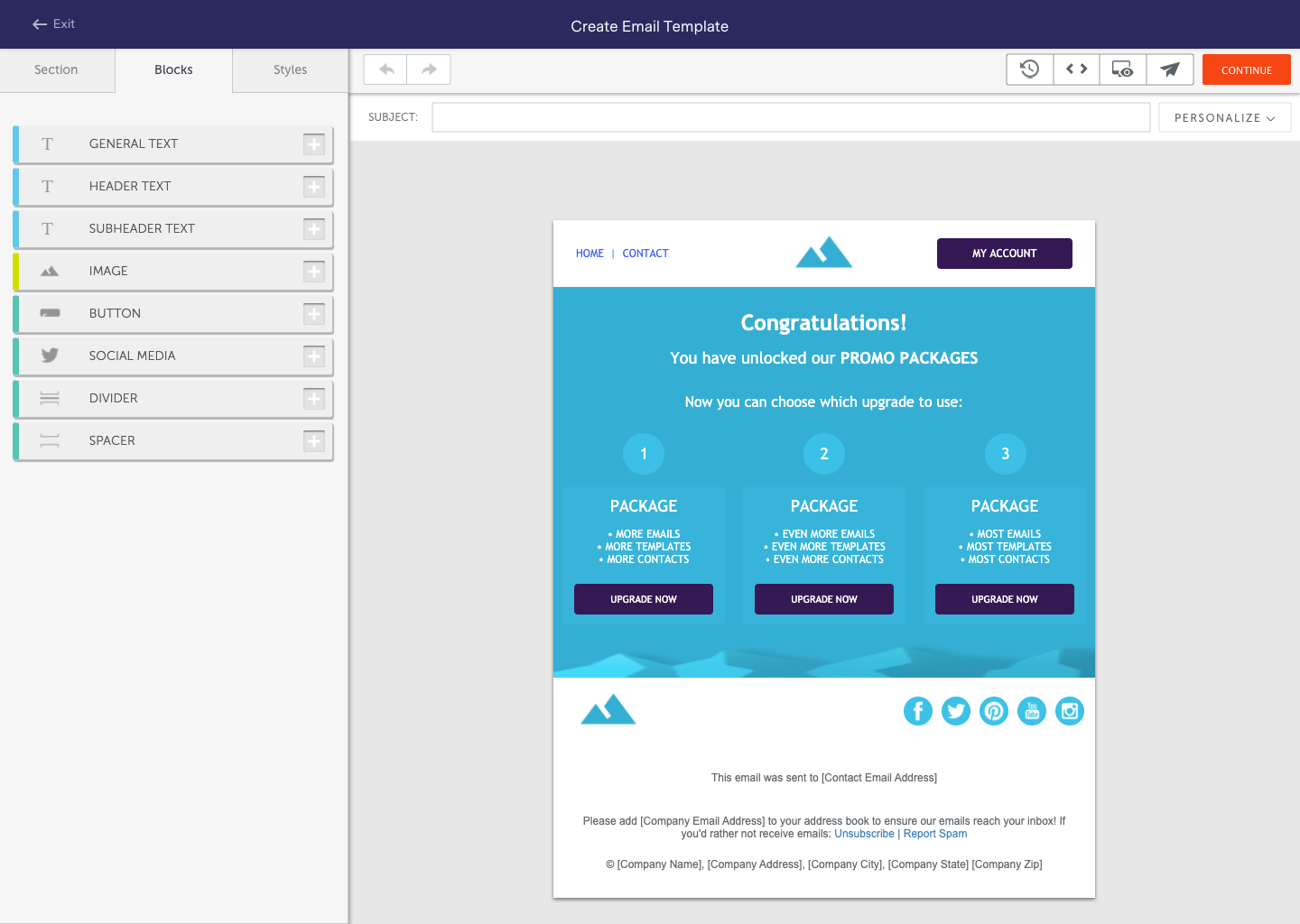
BenchmarkONE (formerly Hatchbuck) is an all-in-one sales and marketing software that includes CRM, marketing automation, and email marketing tools. Users can build online forms, manage and segment contacts, engage prospects with relevant follow-up, manage tasks, and track their pipeline.
$0
per month
LocaliQ
Score9 out of 10
N/A
LocaliQ is a marketing platform that helps businesses attract and retain ideal customers with a suite of AI lead management and digital agents, marketing automation, omnichannel campaign management, advanced reporting, and expert-led services.
N/A
Pricing
BenchmarkONE
LocaliQ
Editions & Modules
Lite
$0
per month
Pro
$0
Agencies
Special Pricing for Qualifying Agencies
No answers on this topic
Offerings
Pricing Offerings
BenchmarkONE
LocaliQ
Free Trial
Yes
Yes
Free/Freemium Version
Yes
Yes
Premium Consulting/Integration Services
Yes
Yes
Entry-level Setup Fee
No setup fee
Optional
Additional Details
—
LocaliQ offers both self-serve and premium solutions.
LocaliQ’s free, self-serve experience provides access to Free Website Grader, Free Inbound Call Recorder, Chatbot (free and $9.99/month options available), Scheduling Technology (free and $9.99/month options available), and Listings solutions ($9.99/month and $14.99/month options available).
For LocaliQ's premium solutions, users are partnered with a LocaliQ expert to create the best marketing plan for their businesses that utilizes a full suite of marketing products.
Hatchbuck is great for small to mid size businesses that are really looking to keep track of their progress with their sales leads as well as their existing customers, as well as tracking the activity their customers are taking from their communications, and automate their sales and marketing funnel as much as possible. We are a SaaS company (software as a service), with sales that range from teeny tiny to very big fish so it's been an easy tool to work with to make sure we are communicating with clients based on their size and needs.
A de minimis incentive was given to thank the reviewer for their time. The incentive was not used to bias or drive a particular response, nor was the incentive contingent on a positive endorsement. More Info
The forms of online marketing continues to grow and LocaliQ's associates have the relevant skills to keep up with this and recommend what is suited for our business. Geo fencing is another area that makes a lot of sense as people use their phones more and more for accessing the web. Through LocaliQ we can pinpoint physicial places where we can market to a group that matches our target audience.
A de minimis incentive was given to thank the reviewer for their time. The incentive was not used to bias or drive a particular response, nor was the incentive contingent on a positive endorsement. TR verified that a representative sample of customers was invited. More Info
ThriveHive is a smaller marketing team dedicated to helping small to medium sized businesses perfect their marketing messages. ThriveHive is particularity good at understanding how Google, and other search engines work, and have been instrumental in helping my company to grow and evolve.
With ThriveHive, you get a dedicated coach who is matched to your type of business. This experience with similar businesses gives your coach a better understanding of your business and the challenges your company faces.
My coach is very good at responding to my needs within 1 to 2 business days. Email contacts are fluent and as often as I need, to discuss ideas or questions. I can only speak of my relationship with my coach, and I am very pleased.
I feel that ThriveHive makes every effort to take excellent care of their clients, and makes you feel like you are their most important customer. I definitely believe that this is one of ThriveHives' greatest assets.
A de minimis incentive was given to thank the reviewer for their time. The incentive was not used to bias or drive a particular response, nor was the incentive contingent on a positive endorsement. More Info
They may be a little behind the curve when it comes to some of the advanced features, such as integrating various calendars and e-mail clients.
I would like to see them more integrated with social media platforms, such as keeping track of social media activity and adding more platforms that they track within a record.
The onboarding process was a bit bumpy and took much longer than expected.
LocaliQ could improve how it tracks and reports on customer journeys across those channels to provide a clearer view of ROI.
The pricing structure is not fully transparent, making it hard to understand the true costs associated with campaigns. Breaking down the fees associated with LocaliQ would make budgeting easier.
LocaliQ is able to provide basic ad creative, but there tends to be a disconnect between our brand voice and what is expected with creative. It would be nice to be able to get all design work within LocaliQ rather than have to use and outside designer all the time.
A de minimis incentive was given to thank the reviewer for their time. The incentive was not used to bias or drive a particular response, nor was the incentive contingent on a positive endorsement. TR verified that a representative sample of customers was invited. More Info
In case you can't tell, we are in love with Hatchbuck software. Could it be improved? Of course it could, but, based on our current needs, and the needs of our existing and targeted clients so far, Hatchbuck presents the best fit option available. As a partner we are looking to grow with Hacthbuck into the future.
Hatchbuck offers on-boarding, training, and has a suite of videos, which makes it super easy to get started. As with any software that is the key. Have a plan, stay focused, and get started. Once, you begin to play with Hatchbuck you will see that it is very user friendly.
Overall usability pretty good. If we would have gotten better return on our advertising dollar I would have continued with them - their dashboard was very easy to use and the recaps they provided were helpful. They try to put data in bite-sized pieces for the client that are understandable (unlike google's reporting page itself which can be a bit difficult to understand at times). Their team was friendly, semi-responsive, and provided explanations when requested
A de minimis incentive was given to thank the reviewer for their time. The incentive was not used to bias or drive a particular response, nor was the incentive contingent on a positive endorsement. TR verified that a representative sample of customers was invited. More Info
There has never been any downtime for Hatchbuck, which is very reassuring for me as I market and recruit strenuously for the University at Albany's executive Weekend MBA Program. Hatchbuck team members have also been available when I have reached out to them with questions or issues. With one exception, where one of my e-mails became lost in the Internet "black hole," they have gotten back to me in very timely fashion!
I always get a response within 24 hours, unless I ask on a weekend. The team seems to work together to resolve my issues, answer my questions, and update me on changes. In fact, they have even connected [with] me to ask how they can improve the Hatchbuck software and their service. This is why I love them so much.
I have had more experience with Hatchbuck, and was introduced to it through someone who is quite familiar. My perspective is that for the money, Hatchbuck does all it needs to, and does it well. I'm sure there are comparable products, but this is the first one that I found user friendly enough to be able to use it consistently
A de minimis incentive was given to thank the reviewer for their time. The incentive was not used to bias or drive a particular response, nor was the incentive contingent on a positive endorsement. More Info
I have investigated national services like American Eagle and also small market locally owned business like Red Shoes. Each year, I look into at least one other service provider to evaluate our service value. So far, no other company has come close to providing an all around service
A de minimis incentive was given to thank the reviewer for their time. The incentive was not used to bias or drive a particular response, nor was the incentive contingent on a positive endorsement. TR verified that a representative sample of customers was invited. More Info
There is always the challenge with practices that have multiple locations, trying to target a geographical zone that is sometimes to wide. But we have successfully navigated this issue when needed to target those who need the most added volume.
A de minimis incentive was given to thank the reviewer for their time. The incentive was not used to bias or drive a particular response, nor was the incentive contingent on a positive endorsement. TR verified that a representative sample of customers was invited. More Info
A de minimis incentive was given to thank the reviewer for their time. The incentive was not used to bias or drive a particular response, nor was the incentive contingent on a positive endorsement. More Info
A de minimis incentive was given to thank the reviewer for their time. The incentive was not used to bias or drive a particular response, nor was the incentive contingent on a positive endorsement. TR verified that a representative sample of customers was invited. More Info