Avaza vs. Lightning Tools Social Squared Discussion Board

Overview
ProductRatingMost Used ByProduct SummaryStarting Price
Avaza
Score 8.3 out of 10
Mid-Size Companies (51-1,000 employees)
Avaza is a software suite targeted for all business sizes. It includes modules for project management and collaboration, resource scheduling, team chat, time tracking, expense management, quoting and invoicing. Depending on their business needs, companies can use as many, or as few, of the modules as they need. Avaza offers reporting functionality, and the project management module is designed with both list view and Kanban style task management, so users can choose…
$0
Lightning Tools Social Squared Discussion Board
Score 10.0 out of 10
Enterprise companies (1,001+ employees)
Social Squared is a SharePoint Discussion Board App that can be deployed across SharePoint Online and Microsoft Teams. Social Squared improves productivity and efficiency by providing structured discussion forums for employee and student discussions. For Microsoft SharePoint Social Squared is a SharePoint discussion board application where users can post questions within relevant forums and receive answers to their questions from subject matter experts. The…
$2,200
per year per installation
Pricing
AvazaLightning Tools Social Squared Discussion Board
Editions & Modules
Free Plan
$0
Unlimited Project Collaborators, 1 Admin, 1 Timesheet/ Expense User, 1 Resource Scheduling User
Startup Plan
$11.95
per month
Basic Plan
$23.95
per month
Business Plan
$47.95
per month
Social Squared Discussion Board
From $2200
per year per installation
Social Squared Discussion Board Enterprise Edition
POA
per year per installation
Offerings
Pricing Offerings
AvazaLightning Tools Social Squared Discussion Board
Free Trial
YesYes
Free/Freemium Version
YesNo
Premium Consulting/Integration Services
YesYes
Entry-level Setup FeeOptionalNo setup fee
Additional DetailsPrices stated are minimum per installation for "stock" products. $2.20 per user/year on top of base price. Enterprise editions can be amended to suit business needs if deemed necessary, additional costs incurred and TBD. All packages include free technical support. Free upgrades available to latest versions of tool as they are released.
More Pricing Information
Community Pulse
AvazaLightning Tools Social Squared Discussion Board
Features
AvazaLightning Tools Social Squared Discussion Board
Project Management
Comparison of Project Management features of Product A and Product B
Avaza
8.0
7 Ratings
5% above category average
Lightning Tools Social Squared Discussion Board
-
Ratings
Task Management10.07 Ratings00 Ratings
Resource Management7.05 Ratings00 Ratings
Gantt Charts7.04 Ratings00 Ratings
Scheduling8.06 Ratings00 Ratings
Team Collaboration10.07 Ratings00 Ratings
Support for Agile Methodology7.01 Ratings00 Ratings
Support for Waterfall Methodology7.01 Ratings00 Ratings
Document Management9.01 Ratings00 Ratings
Email integration8.03 Ratings00 Ratings
Mobile Access8.05 Ratings00 Ratings
Timesheet Tracking7.07 Ratings00 Ratings
Budget and Expense Management8.05 Ratings00 Ratings
Professional Services Automation
Comparison of Professional Services Automation features of Product A and Product B
Avaza
10.0
4 Ratings
28% above category average
Lightning Tools Social Squared Discussion Board
-
Ratings
Quotes/estimates10.04 Ratings00 Ratings
Invoicing10.04 Ratings00 Ratings
Project & financial reporting10.04 Ratings00 Ratings
Integration with accounting software10.01 Ratings00 Ratings
Best Alternatives
AvazaLightning Tools Social Squared Discussion Board
Small Businesses
Stackby
Stackby
Score 9.0 out of 10
Stackby
Stackby
Score 9.0 out of 10
Medium-sized Companies
InEight
InEight
Score 8.3 out of 10
Troop Messenger
Troop Messenger
Score 9.8 out of 10
Enterprises
InEight
InEight
Score 8.3 out of 10
HCL Connections
HCL Connections
Score 9.0 out of 10
All AlternativesView all alternativesView all alternatives
User Ratings
AvazaLightning Tools Social Squared Discussion Board
Likelihood to Recommend
10.0
(7 ratings)
-
(0 ratings)
Likelihood to Renew
10.0
(1 ratings)
-
(0 ratings)
Usability
9.0
(1 ratings)
-
(0 ratings)
Support Rating
10.0
(1 ratings)
-
(0 ratings)
User Testimonials
AvazaLightning Tools Social Squared Discussion Board
Likelihood to Recommend
Avaza Limited
We are a pretty unique business because we deal with bookkeeping, marketing, and HR and across all 3 departments, we have been able to successfully use the tool. Other software we have tried usually caters to one industry at a time.
Read full review
Lightning Tools
Their customer service it top notch and always responsive. I struggled in the beginning a little bit because I'm not tech savvy and we had to add it to our SharePoint site but they helped me along the way and even had share screen meetings with me to assist!!
Read full review
Pros
Avaza Limited
  • It switches between Kanban view, List view, and Gantt charts which fits varying preferences!
  • It helps us work smart by creating dependencies and linking tasks to calendars
  • It has a clean, intuitive dashboard that's very easy to navigate
Read full review
Lightning Tools
  • Organizing Data
  • Opens up discussion, whether publicly or anonymously
  • Easy to setup
Read full review
Cons
Avaza Limited
  • The interface and taxonomy could use an update, sometimes it's hard to figure out where things logically are or should be.
Read full review
Lightning Tools
  • I would love to be able to assign various people as administrators of different topics (this may be an option now but a couple years ago it wasn't)
Read full review
Likelihood to Renew
Avaza Limited
Because it has been amazing and easy to work with.
Read full review
Lightning Tools
No answers on this topic
Usability
Avaza Limited
Avaza is very easy to use, but the mobile app needs work.
Read full review
Lightning Tools
Our employees really like the fact that they can find things easily with the search feature and add questions and comments as they see fit.
Read full review
Support Rating
Avaza Limited
They are always available and open to doing a call or a shared screen to walk through the issues.
Read full review
Lightning Tools
No answers on this topic
Alternatives Considered
Avaza Limited
Avaza takes the easy of Asana and adds the invoicing and bookkeeping capabilities you need all in one place.
Read full review
Lightning Tools
No answers on this topic
Return on Investment
Avaza Limited
  • Avaza has made it easier to see how long I spend on certain types of projects and where I could be spending more time.
Read full review
Lightning Tools
  • We signed up for a 3 year contract and hope to do another 3yr contract when this one is up. :)
Read full review
ScreenShots

Avaza Screenshots

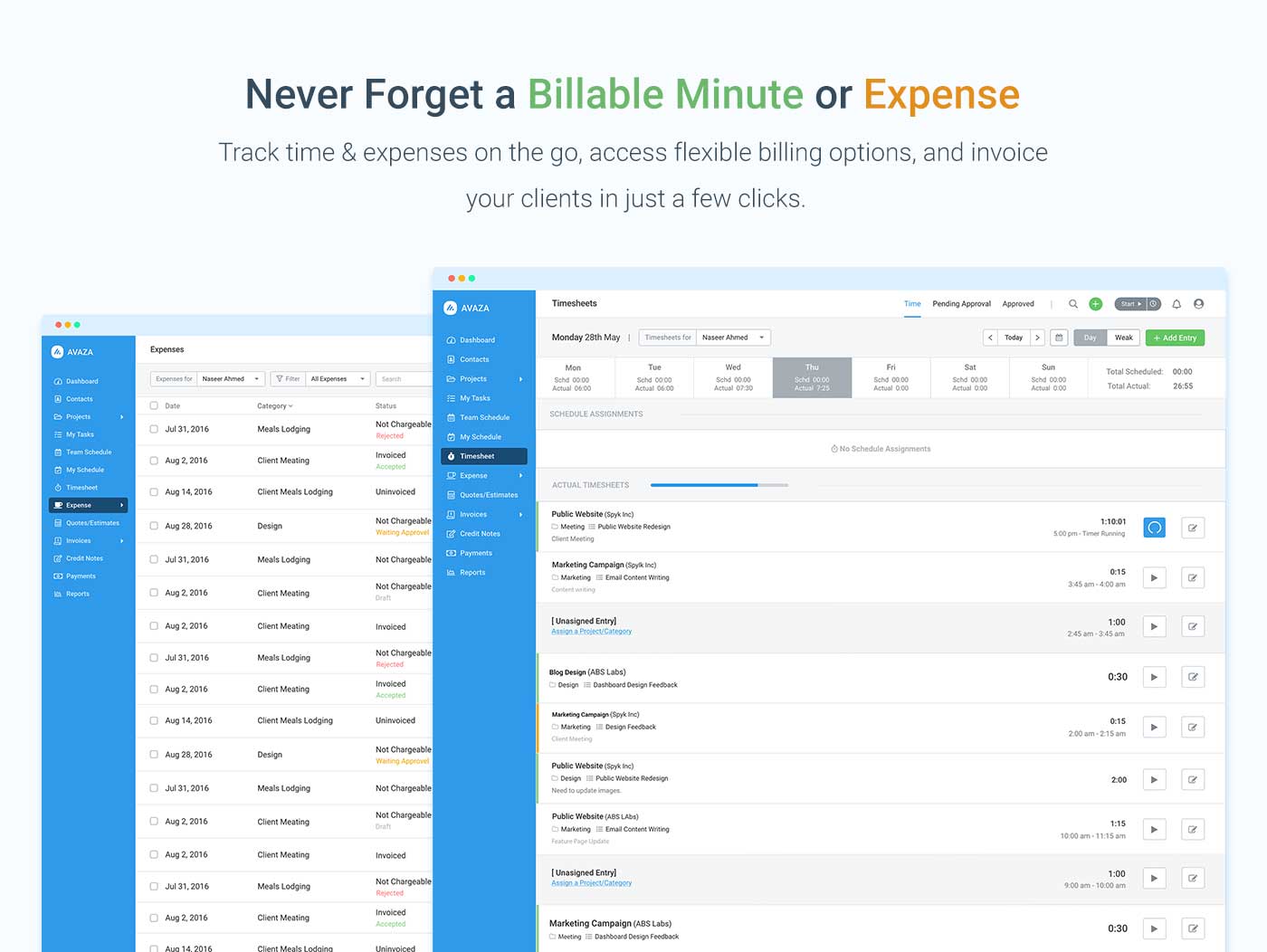
Screenshot of avaza, appearing across platformsScreenshot of visual project resource scheduling for teamsScreenshot of time and expense trackingScreenshot of team chatScreenshot of time trackingScreenshot of the expense management interface

Lightning Tools Social Squared Discussion Board Screenshots

Screenshot of MODERN, RESPONSIVE SHAREPOINT DISCUSSION BOARD
Discussion Forums can be created for a variety of different reasons. This example is a Forum Group for the Microsoft 365 technologies such as Teams, Planner, and SharePoint. Forums are then created within the Forum Groups for more specific discussions. Under the SharePoint Forum Group, there is a Forum for SharePoint On-Premises and SharePoint Online. Anyone looking to ask a question regarding SharePoint 2019 for example would be able to post their question under SharePoint On-Premises rather than SharePoint Online. This also allows subject matter experts to focus more on the questions that they can respond to and provide value.Screenshot of SHAREPOINT DISCUSS BOARD – TOPICS VIEW
When navigating into a forum, the topics and discussions that are taking place are shown. Any new topics that not yet read will be highlighted. It also displays whether topics have been answered, their average ratings, how many views and posts are within the topic, and also provides the ability to subscribe to the forum to be notified of new posts within it.Screenshot of READING DISCUSSIONS AND PROVIDING FEEDBACK
Social Squared offers a threaded discussion view with the ability to provide feedback to other users.

Posts can be rated, voted upon, or liked by users in order to give feedback to the user creating or responding to a post. Additionally, replies can be marked as answered or marked as featured, which gives readers of forums assurance that the response they are reading is validated to be the correct answer.

Users also receive feedback through the earning of badges. The more users post or mark posts as answered, the more points are rewarded. This makes it easy to spot subject matter experts.Screenshot of SUGGESTED TAGS
Social Squared provides a rich text editor for creating and replying to topics. The Rich Text toolbar provides functionality such as inserting images, YouTube videos, Stream Videos, Formatted Code Inserts, as well as font formatting.

While typing, suggestions on how to tag a post appear. Selecting an existing tag will provide consistency in the tags used making it easier for other users to discover the post.Screenshot of SOCIAL SQUARED TAG CLOUD VIEW
The Social Squared Tag Cloud view makes it easy to navigate to posts within a specific category even if they span multiple forums. The more a tag appears in different posts, the more prominent it will be in the tag cloud. Users can navigate to posts with the tag in one click.Screenshot of DISCUSSION BOARD WITHIN MICROSOFT TEAMS TAB
Social Squared is a Discussion Board App for Microsoft Teams Tab’s and Microsoft Teams Personal Apps. Social Squared provides information workers the ability to post questions within relevant forums, and receive answers from their team. The Discussion Board layout for posts makes it easier to find answers to questions that may have already been asked before. Through features such as “Mark as Answered”, “Forum Moderation”, “Post Rating”, “Post Likes”, “Post Voting”, users will be assured that the answers they are reading are validated.