ALVAO Service Desk vs. Spiceworks Cloud Help Desk

Overview
ProductRatingMost Used ByProduct SummaryStarting Price
ALVAO Service Desk
Score 6.4 out of 10
Mid-Size Companies (51-1,000 employees)
ALVAO Service Desk is a Microsoft-native ITSM platform that centralizes requests across IT, HR, and Facilities. Integrated with Outlook and Teams, it allows employees to create, track, and resolve tickets directly in familiar tools. AI and Copilot features automate repetitive tasks, provide smart suggestions, and power a Teams-based virtual agent for 24/7 self-service. With transparent dashboards, SLA-driven prioritization, Power platform integration, no-code automatization and Power BI…
$36
per month (billed annually) per agent (minimum 3)
Spiceworks Cloud Help Desk
Score 7.0 out of 10
N/A
Spiceworks offers a set of free tools for IT network management and help desk support ticketing. The inventory management system essentially provides comprehensive device information for asset management.
$0
Pricing
ALVAO Service DeskSpiceworks Cloud Help Desk
Editions & Modules
Start
$36
per month (billed annually) per agent (minimum 3)
Standard
$54
per month (billed annually) per agent (minimum 3)
Professional
$63
per month (billed annually) per agent (minimum 3)
Enterprise
$84
per month (billed annually) per agent (minimum 3)
Core Plan
$0
Premium
$6
per month per user
Offerings
Pricing Offerings
ALVAO Service DeskSpiceworks Cloud Help Desk
Free Trial
YesNo
Free/Freemium Version
NoYes
Premium Consulting/Integration Services
NoNo
Entry-level Setup FeeOptionalNo setup fee
Additional Details
More Pricing Information
Community Pulse
ALVAO Service DeskSpiceworks Cloud Help Desk
Features
ALVAO Service DeskSpiceworks Cloud Help Desk
Incident and problem management
Comparison of Incident and problem management features of Product A and Product B
ALVAO Service Desk
5.5
Ratings
39% below category average
Spiceworks Cloud Help Desk
8.5
Ratings
6% above category average
Organize and prioritize service tickets6.40 Ratings8.00 Ratings
Expert directory7.30 Ratings8.00 Ratings
Self-service tools5.50 Ratings00 Ratings
Subscription-based notifications2.70 Ratings9.00 Ratings
ITSM collaboration and documentation5.50 Ratings6.00 Ratings
ITSM reports and dashboards5.50 Ratings00 Ratings
Ticket creation and submission00 Ratings10.00 Ratings
Ticket response00 Ratings10.00 Ratings
Change management
Comparison of Change management features of Product A and Product B
ALVAO Service Desk
5.5
Ratings
42% below category average
Spiceworks Cloud Help Desk
-
Ratings
Change requests repository5.50 Ratings00 Ratings
Self Help Community
Comparison of Self Help Community features of Product A and Product B
ALVAO Service Desk
-
Ratings
Spiceworks Cloud Help Desk
7.0
Ratings
11% below category average
External knowledge base00 Ratings7.00 Ratings
Internal knowledge base00 Ratings7.00 Ratings
Multi-Channel Help
Comparison of Multi-Channel Help features of Product A and Product B
ALVAO Service Desk
-
Ratings
Spiceworks Cloud Help Desk
8.9
Ratings
13% above category average
Customer portal00 Ratings8.90 Ratings
IVR00 Ratings6.90 Ratings
Social integration00 Ratings8.90 Ratings
Email support00 Ratings10.00 Ratings
Help Desk CRM integration00 Ratings9.90 Ratings
User Ratings
ALVAO Service DeskSpiceworks Cloud Help Desk
Likelihood to Recommend
6.4
(0 ratings)
10.0
(0 ratings)
Likelihood to Renew
-
(0 ratings)
10.0
(0 ratings)
Usability
6.4
(0 ratings)
9.0
(0 ratings)
Availability
-
(0 ratings)
10.0
(0 ratings)
Performance
-
(0 ratings)
8.0
(0 ratings)
Support Rating
-
(0 ratings)
8.7
(0 ratings)
Implementation Rating
-
(0 ratings)
10.0
(0 ratings)
Product Scalability
-
(0 ratings)
10.0
(0 ratings)
User Testimonials
ALVAO Service DeskSpiceworks Cloud Help Desk
Likelihood to Recommend
Great for IT department, where service desk is good single point of contact, but can be also used for other departmnets to track their requests. We also use it for development tracking.
Read full review
Spiceworks Help Desk from the user end is very simple. Once you submit your technology needs, I automatically receive an email stating that my ticket was received and is being processed. It's also helpful to have the VNC feature so that my IT department can automatically VNC into my computer if it's a quick fix. At times Spiceworks Help Desk can be tricky because as someone who's not in a Tech role at my company, it can be hard to describe what I need assistance with writing.
Read full review
Pros
  • Users can easily ask for help
  • Clear overview about current tickets
  • Reporting
Read full review
  • It helps to multitask, even on the go with the mobile App.
  • We can customize to meet your needs with automated responses, notifications, and templates.
  • Detailed reports allow managers to keep track [of] and analyze data.
  • Allows for a database to store notes helpful for future tickets.
Read full review
Cons
No answers on this topic
  • I have always wanted a way to redirect a support request into another IS bin, such as a development task.
  • It's possible to extract the data from the Spiceworks database, but it would be helpful if the process to do so were easier.
  • Improved ability to customize the system generated emails to improve the formatting and company branding.
Read full review
Likelihood to Renew
No answers on this topic
There is no contract to renew, since it's free. Spiceworks has helped me so much that I couldn't imagine trying to replace it with a different product. I'd have a hard time finding a single product that does everything that Spiceworks does, let alone one that does it as well as Spiceworks and for free
Read full review
Usability
No answers on this topic
1. Its free. 2. Its easy to install. 3. You can have it up and running in under 1-hour. 4. You get dashboards that are easy to read so you know the state of your network. 5. You can create your own reports and not just the ones already installed. 6. Excellent tool for network administrators and security practitioners. 7. Did I mention that its free?
Read full review
Reliability and Availability
No answers on this topic
We use it both locally on our own server so up time is decided by us and we also use the hosted help desk. We have never had an outage of that.
Read full review
Support Rating
No answers on this topic
Spiceworks has been working out of the box, and some of the basic customizations have been successful with just our internal staff handling. We don't have any other issues with the tool. It provides us with the inventory information we want in a quick and concise report in a variety of formats for our team.
Read full review
Implementation Rating
No answers on this topic
If you can spin up a VM to run it on, you'll thank yourself later. If you have remote sites, set up a local server (or dedicated computer) at each site and set them up as remote collectors for the main site. You'll save time and bandwidth
Read full review
Alternatives Considered
It was management desicion, I cant say
Read full review
EGroupware UI is clunky and hard to use, Jira is great but the pricing is expensive in comparison with spice works that has a free version and you can test it out properly before buying and make a correct decision based on your business plan and company objectives with the right software.
Read full review
Return on Investment
No answers on this topic
  • Positive - Allow organizations to implement structured Help Desk procedures.
  • Positive - IT can begin to quantify their tickets and uncover needs within the organization.
  • Positive - IT can develop a solid roadmap with [the] management of future needs, equipment refresh schedules, etc.
  • Positive - IT can pinpoint employees who may need extra training or updated equipment based on historical ticketing data.
Read full review
ScreenShots

ALVAO Service Desk Screenshots

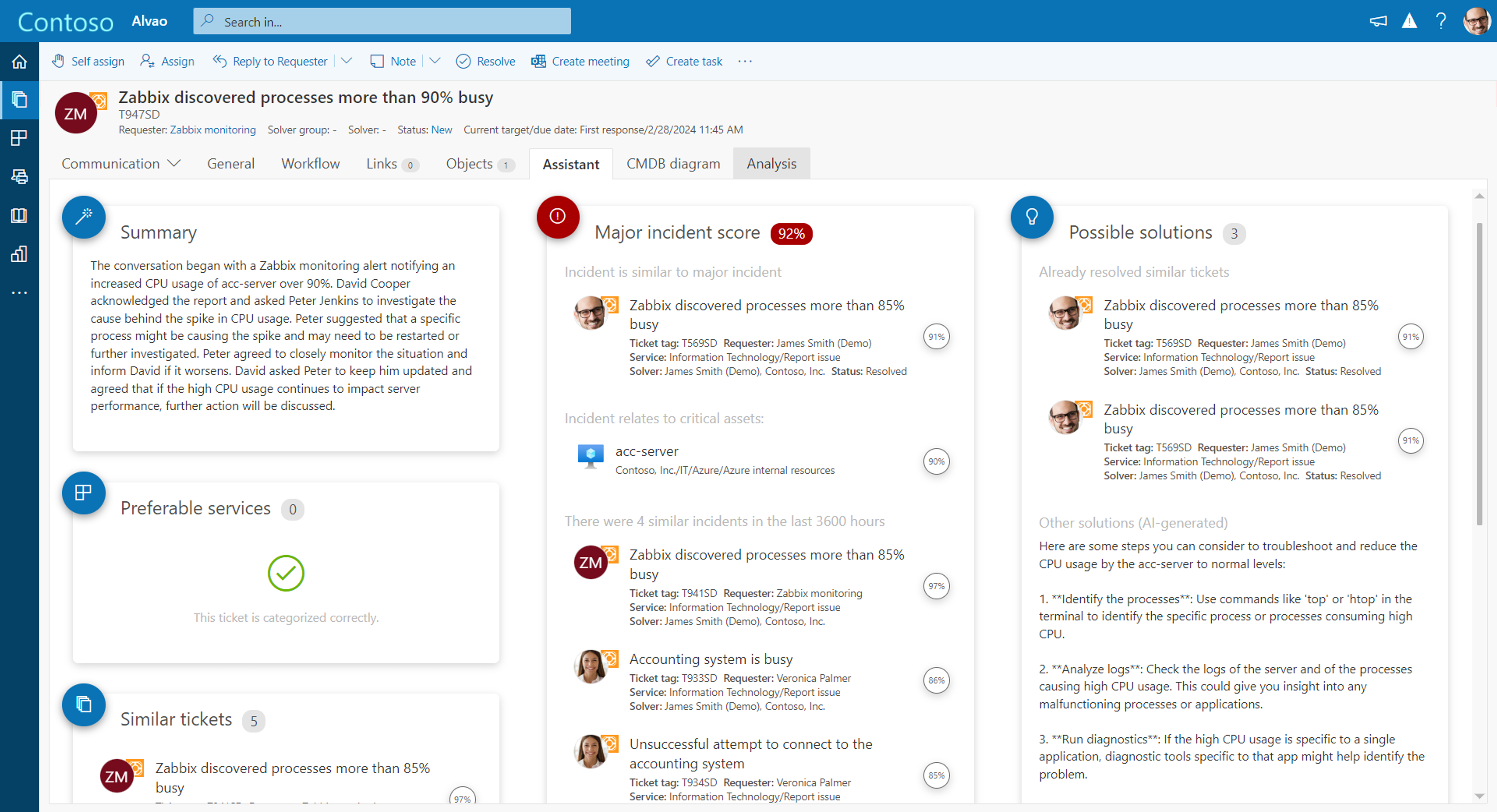
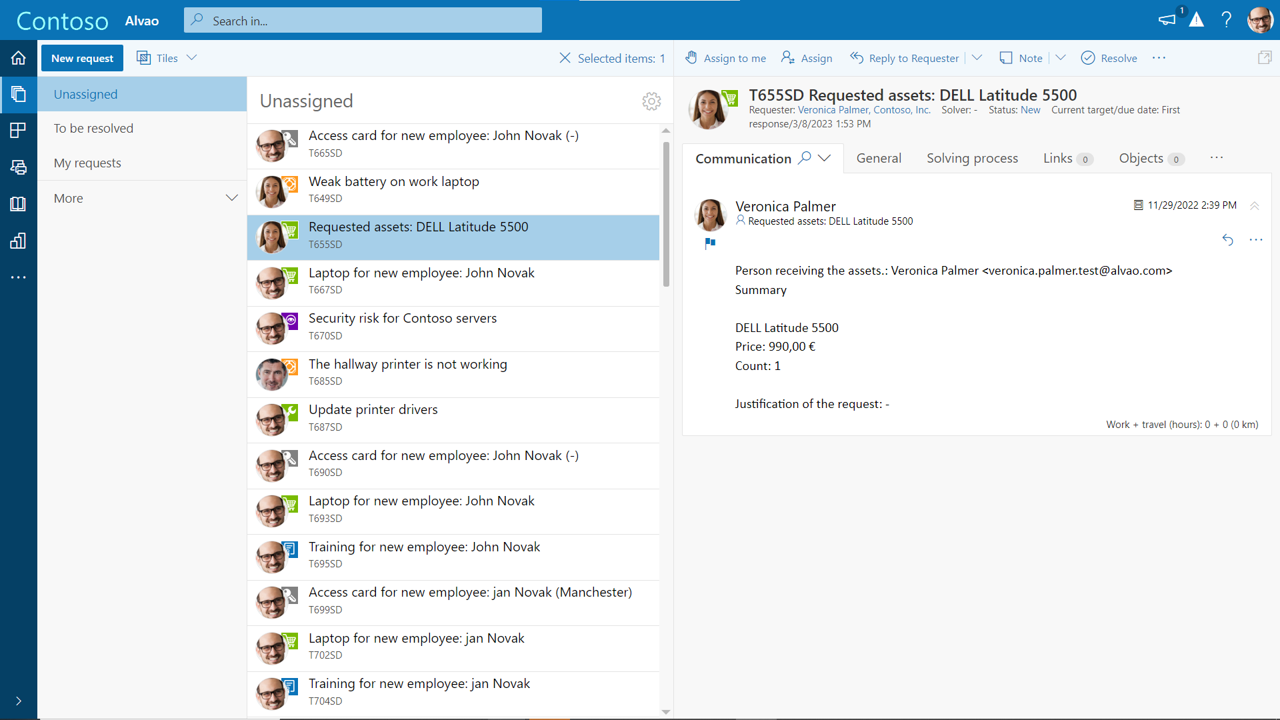
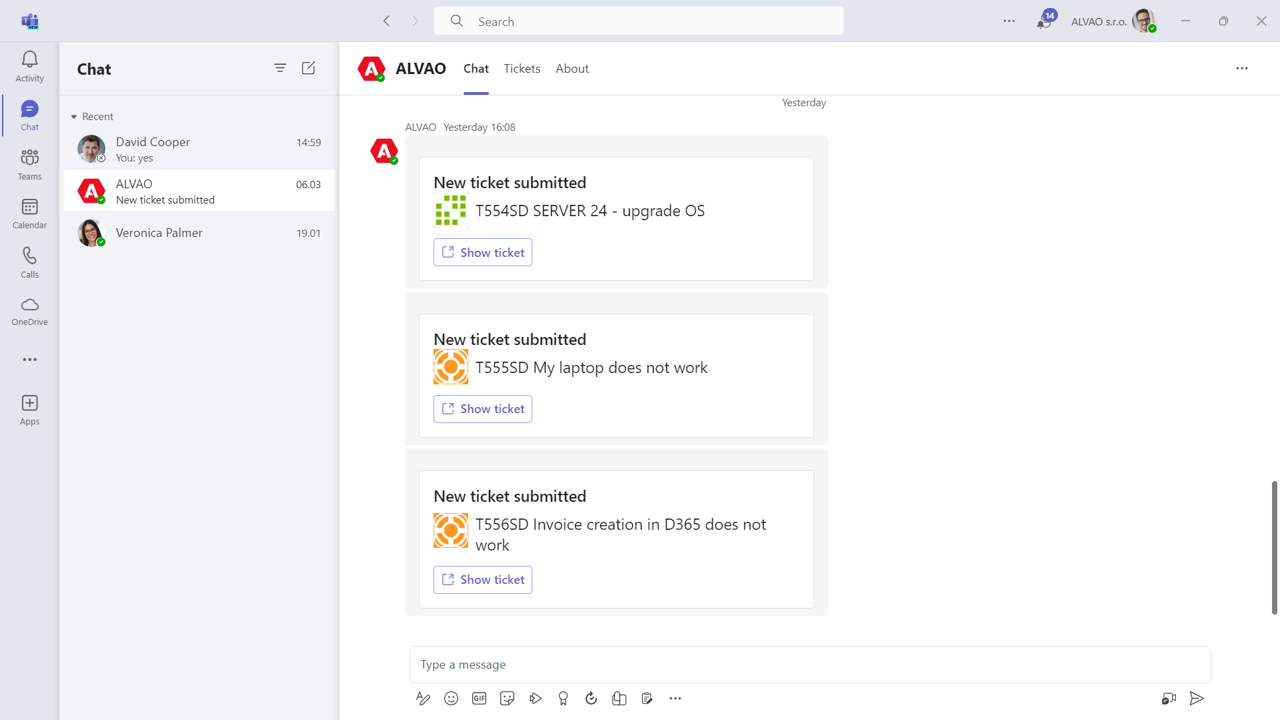
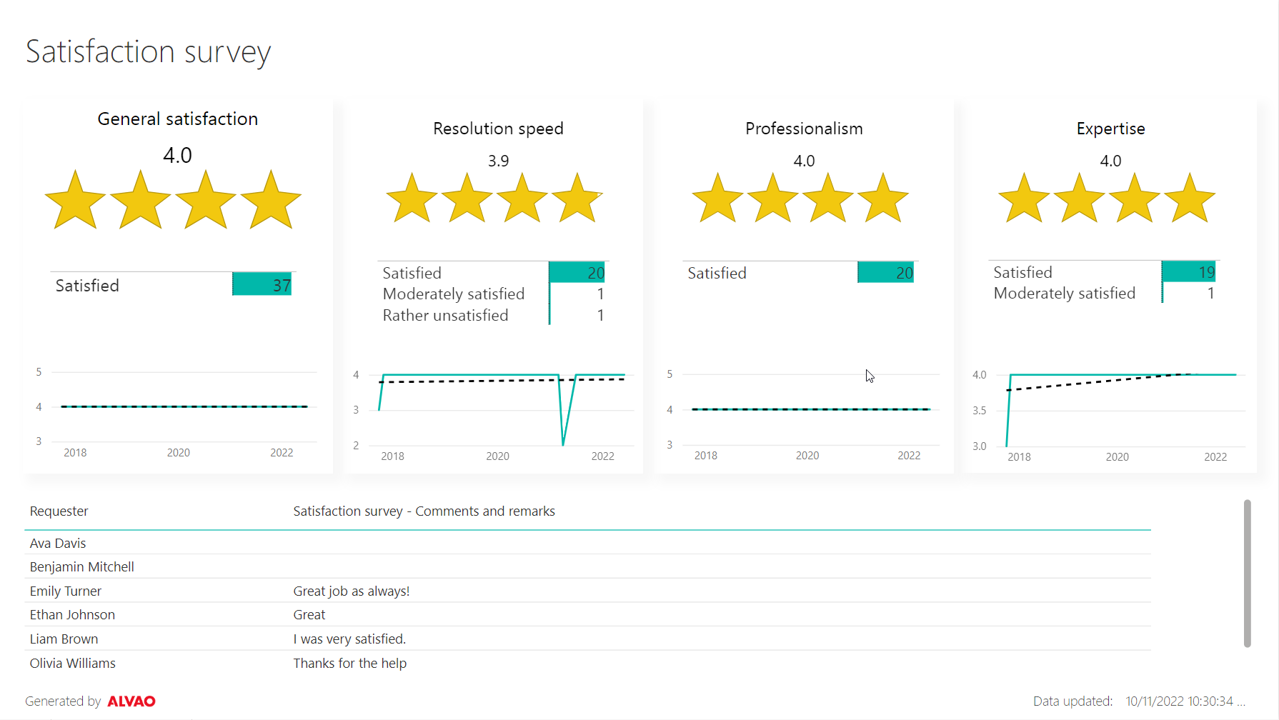
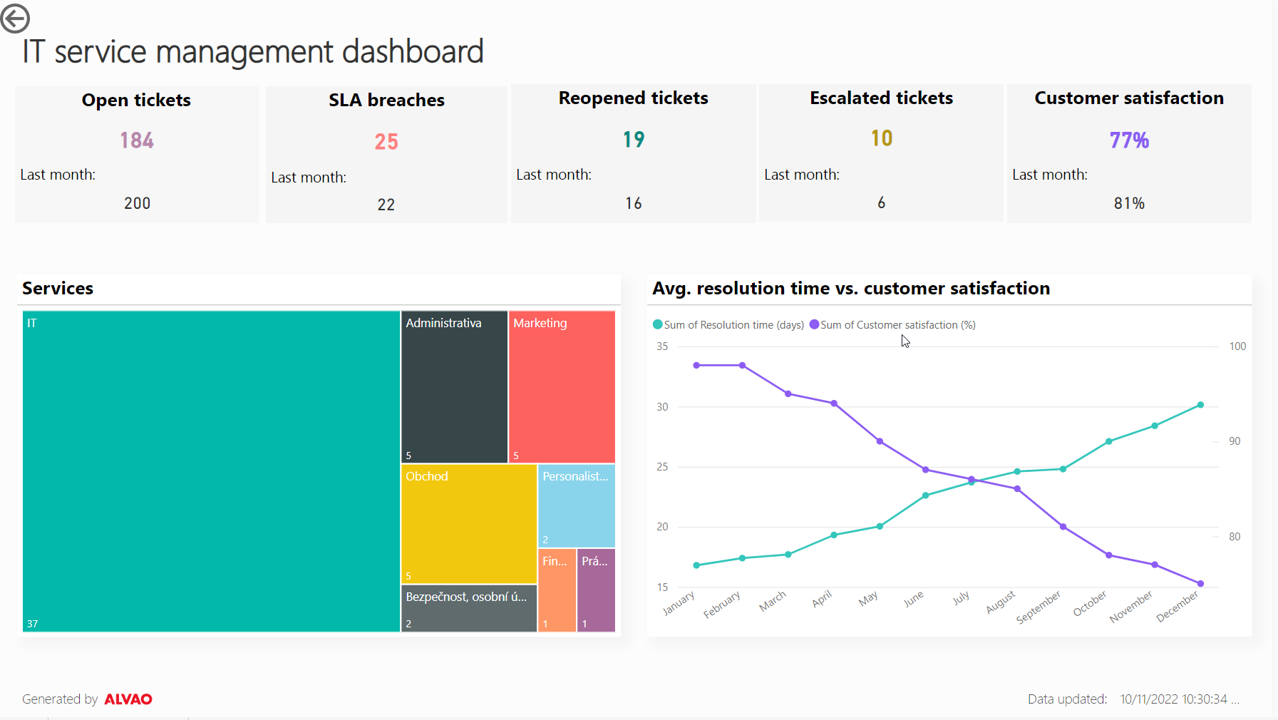
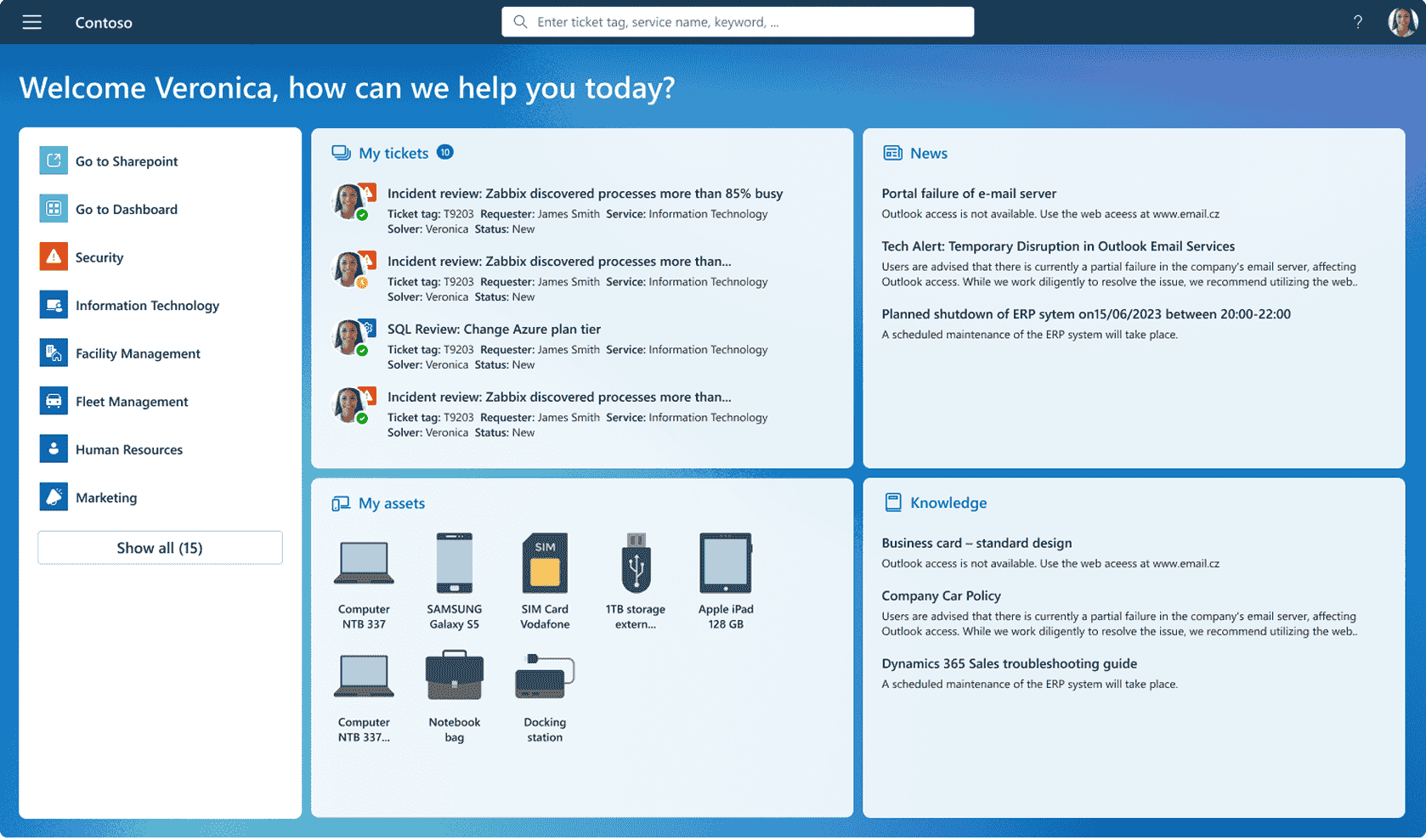
Screenshot of ALVAO AI Assistant powered by Azure OpenAI, which streamlines the solution to any incident or request.Screenshot of where users can filter tickets by status, service or anything else.Screenshot of the interface for ALVAO Teams Assistant, which is available 24/7.Screenshot of measurement of user feedback.Screenshot of key metrics monitoring, to drive informed business decisions.Screenshot of the self-service portal