ALVAO Service Desk vs. ManageEngine ServiceDesk Plus

Overview
ProductRatingMost Used ByProduct SummaryStarting Price
ALVAO Service Desk
Score 6.4 out of 10
Mid-Size Companies (51-1,000 employees)
ALVAO Service Desk is a Microsoft-native ITSM platform that centralizes requests across IT, HR, and Facilities. Integrated with Outlook and Teams, it allows employees to create, track, and resolve tickets directly in familiar tools. AI and Copilot features automate repetitive tasks, provide smart suggestions, and power a Teams-based virtual agent for 24/7 self-service. With transparent dashboards, SLA-driven prioritization, Power platform integration, no-code automatization and Power BI…
$36
per month (billed annually) per agent (minimum 3)
ManageEngine ServiceDesk Plus
Score 9.2 out of 10
N/A
ServiceDesk Plus is free help desk software from ManageEngine, a division of Zoho Corporation.
$10
Starting Price Per Month
Pricing
ALVAO Service DeskManageEngine ServiceDesk Plus
Editions & Modules
Start
$36
per month (billed annually) per agent (minimum 3)
Standard
$54
per month (billed annually) per agent (minimum 3)
Professional
$63
per month (billed annually) per agent (minimum 3)
Enterprise
$84
per month (billed annually) per agent (minimum 3)
Standard
$10.00
Starting Price Per Month
Professional
$21.00
Starting Price Per Month
Enterprise
$50.00
Starting Price Per Month
Offerings
Pricing Offerings
ALVAO Service DeskManageEngine ServiceDesk Plus
Free Trial
YesYes
Free/Freemium Version
NoYes
Premium Consulting/Integration Services
NoNo
Entry-level Setup FeeOptionalNo setup fee
Additional Details
More Pricing Information
Community Pulse
ALVAO Service DeskManageEngine ServiceDesk Plus
Features
ALVAO Service DeskManageEngine ServiceDesk Plus
Incident and problem management
Comparison of Incident and problem management features of Product A and Product B
ALVAO Service Desk
5.5
Ratings
39% below category average
ManageEngine ServiceDesk Plus
7.1
Ratings
13% below category average
Organize and prioritize service tickets6.40 Ratings8.00 Ratings
Expert directory7.30 Ratings5.00 Ratings
Self-service tools5.50 Ratings8.00 Ratings
Subscription-based notifications2.70 Ratings6.00 Ratings
ITSM collaboration and documentation5.50 Ratings10.00 Ratings
ITSM reports and dashboards5.50 Ratings8.00 Ratings
Service restoration00 Ratings5.00 Ratings
Change management
Comparison of Change management features of Product A and Product B
ALVAO Service Desk
5.5
Ratings
42% below category average
ManageEngine ServiceDesk Plus
8.0
Ratings
5% below category average
Change requests repository5.50 Ratings7.00 Ratings
Change calendar00 Ratings8.00 Ratings
Service-level management00 Ratings9.00 Ratings
ITSM asset management
Comparison of ITSM asset management features of Product A and Product B
ALVAO Service Desk
-
Ratings
ManageEngine ServiceDesk Plus
7.7
Ratings
6% below category average
Configuration mangement00 Ratings9.00 Ratings
Asset management dashboard00 Ratings8.00 Ratings
Policy and contract enforcement00 Ratings6.00 Ratings
User Ratings
ALVAO Service DeskManageEngine ServiceDesk Plus
Likelihood to Recommend
6.4
(0 ratings)
9.0
(0 ratings)
Likelihood to Renew
-
(0 ratings)
6.0
(0 ratings)
Usability
6.4
(0 ratings)
7.0
(0 ratings)
Support Rating
-
(0 ratings)
9.0
(0 ratings)
User Testimonials
ALVAO Service DeskManageEngine ServiceDesk Plus
Likelihood to Recommend
Great for IT department, where service desk is good single point of contact, but can be also used for other departmnets to track their requests. We also use it for development tracking.
Read full review
The cost for what you get is very good.
The amount of additional functionality is great too - we originally went in expecting to use it for just a helpdesk but eventually it evolved into change management and asset tracking.
We also started using the invoicing addon which helped massively and allowed us to track items from point of purchase to decommission.
Read full review
Pros
  • Users can easily ask for help
  • Clear overview about current tickets
  • Reporting
Read full review
  • It's very simple to submit and handle ticket for both user and Engineer.
  • Set some customize template for intent replay or job done reply.
  • SLA management is the good option to maintain workflow.
  • There is solution option where user can resolve their common issues.
Read full review
Cons
No answers on this topic
  • When trying to select the top row ticket, you have to be careful not to select all tickets. Happened to us twice and we assigned all open tickets to one technician. Took a few minutes to correct.
  • Site is sometimes a bit sluggish to respond. Don't know if that is an issue with our network infrastructure or the program itself, though.
  • When users send emails to the help desk, we sometimes experience delays until the tickets appear on the site for the technicians.
Read full review
Likelihood to Renew
No answers on this topic
we are looking at other tools like Zendesk which may replace ServiceDesk. We are currently evaluating both tools to see which one would serve our needs better
Read full review
Usability
No answers on this topic
It is still very cumbersome, lots of data entry on the back end to build how we want it but it is still not completely user friendly. Many functions still dont work and contacting someone for help isnt always easy or we get told solutions for issues we have just arent built yet.
Read full review
Support Rating
No answers on this topic
Our network administrator usually gets a good response when contacting ManageEngine ServiceDesk Plus customer service. They are quick to respond and so far have been able to eliminate most of our issues. We have been through several upgrades of the software over the years and have no issues to report in regards to customer service.
Read full review
Alternatives Considered
It was management desicion, I cant say
Read full review
No contest. Remedyforce required a full time investment to understand the use of cryptically named variables, so all changes needed to be made by a specially trained administrator. Remedy had terrible problem handing capability. ServiceDesk Plus is a polar opposite - most customization is done using plain English and simple screens.
Read full review
Return on Investment
No answers on this topic
  • It has provided better visibility to upper management in terms of the scale of the workload of the IT department
  • It has allowed licensed software to be tracked more efficiently, allowing redundant license to be reclaimed, rather than additional ones being purchased
  • It has fulfilled the requirements for multiple audits, including Microsoft audits, as it allows the assets and their software to be tracked
Read full review
ScreenShots

ALVAO Service Desk Screenshots

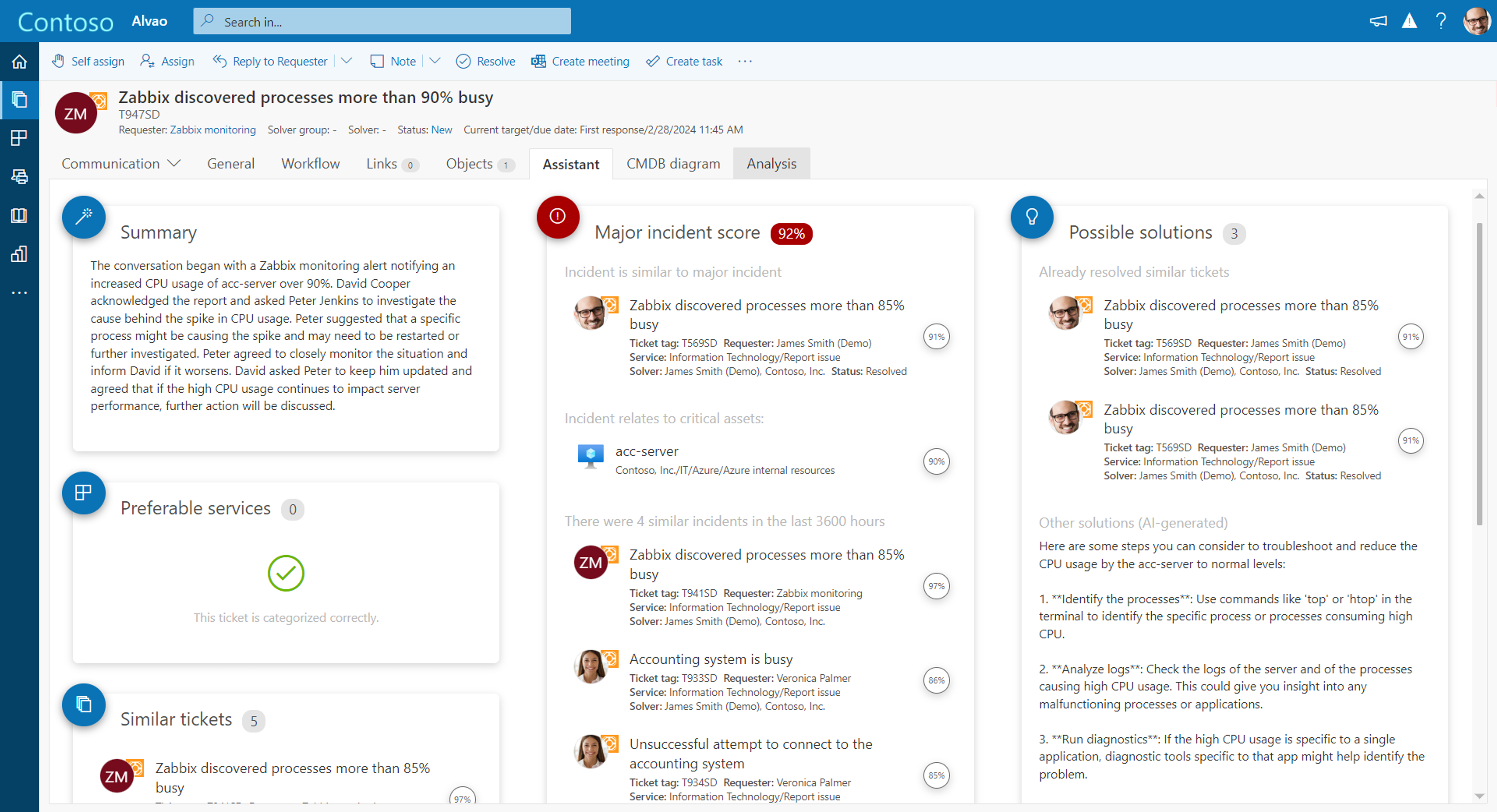
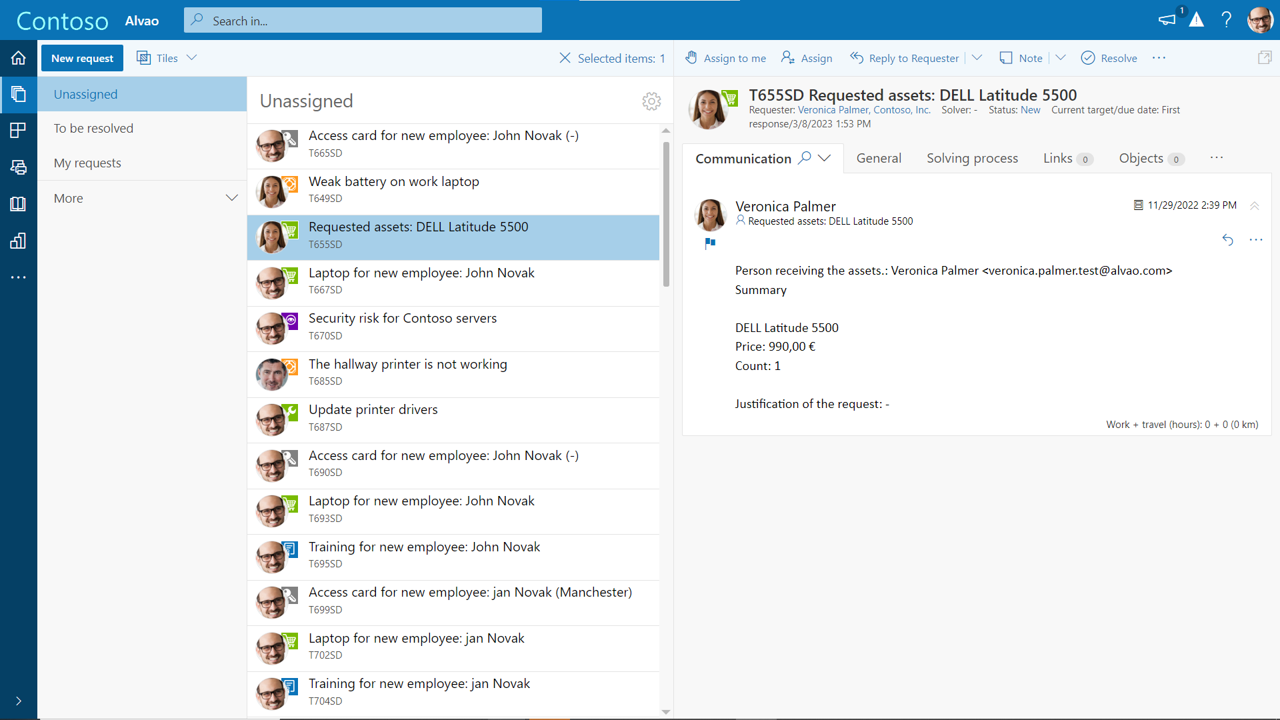
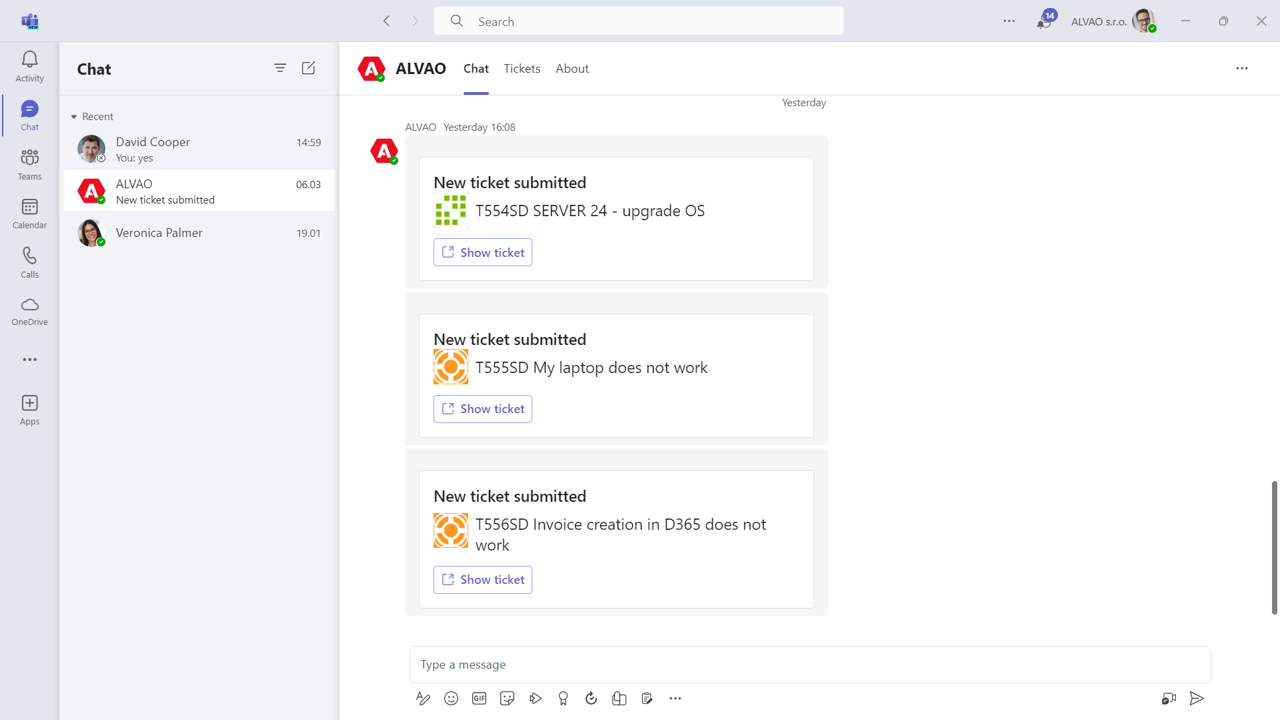
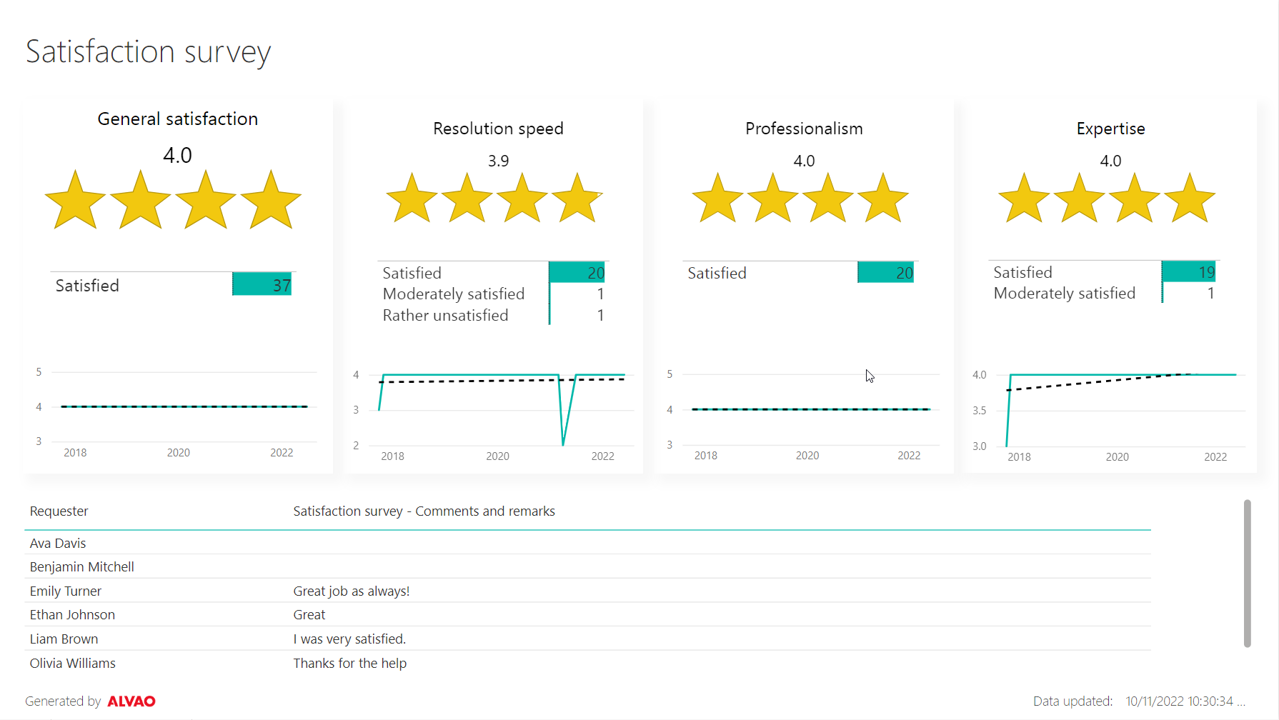
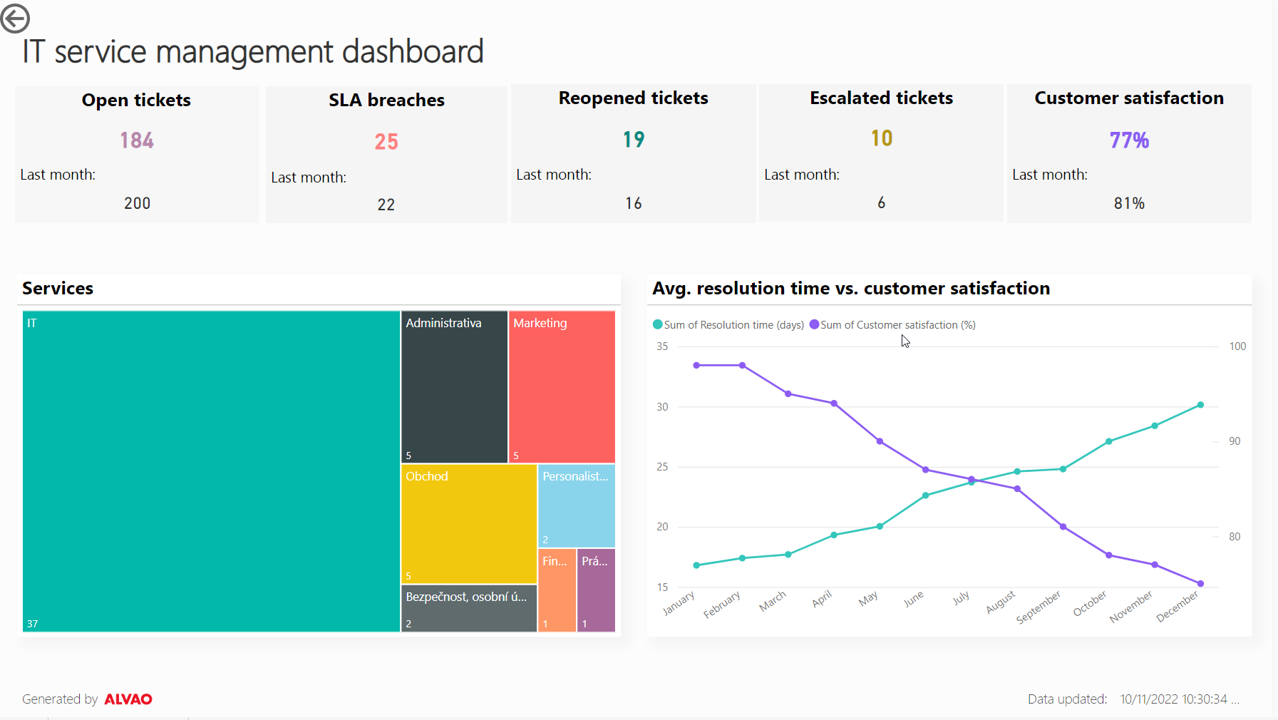
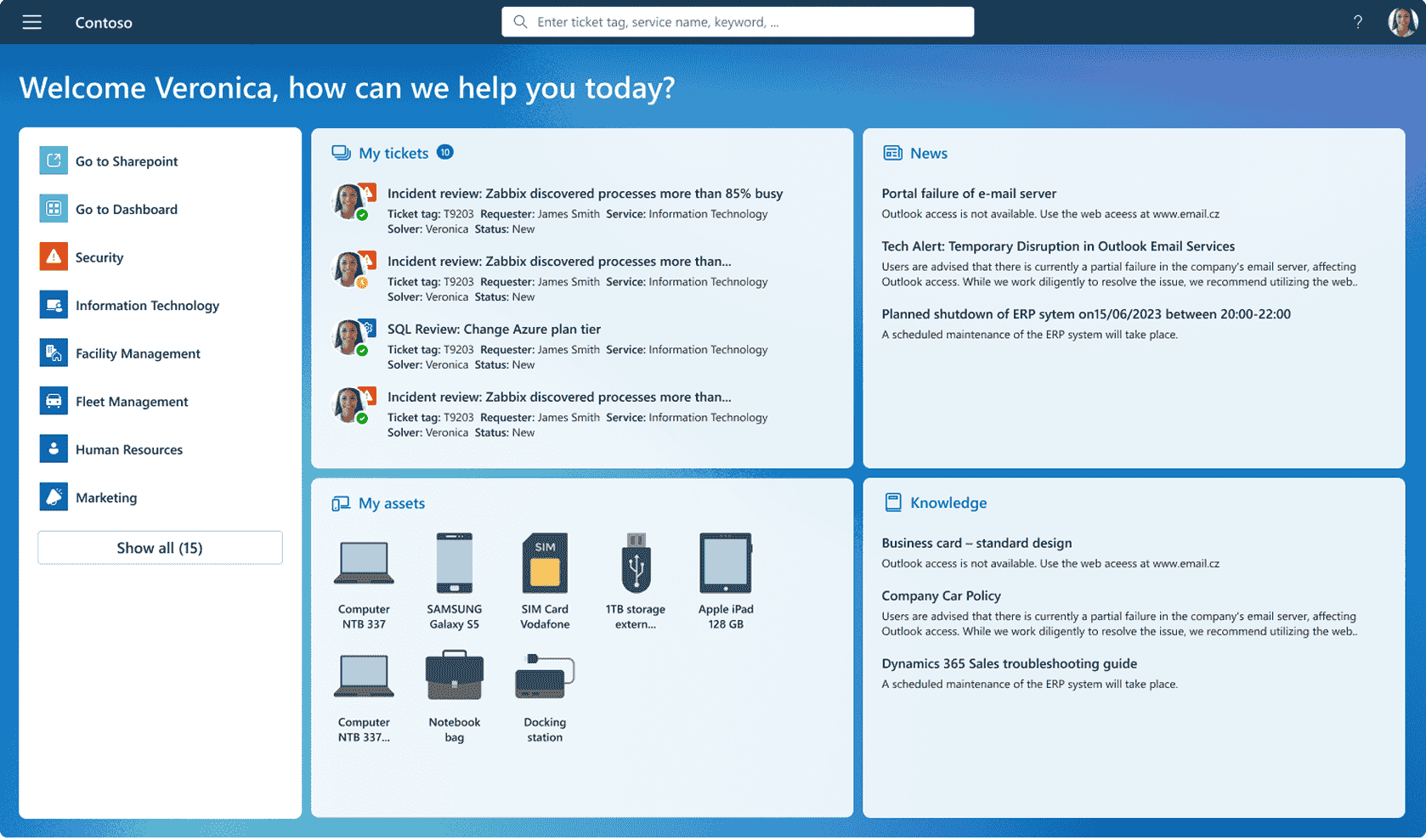
Screenshot of ALVAO AI Assistant powered by Azure OpenAI, which streamlines the solution to any incident or request.Screenshot of where users can filter tickets by status, service or anything else.Screenshot of the interface for ALVAO Teams Assistant, which is available 24/7.Screenshot of measurement of user feedback.Screenshot of key metrics monitoring, to drive informed business decisions.Screenshot of the self-service portal