Aikido Security vs. Automox

Overview
ProductRatingMost Used ByProduct SummaryStarting Price
Aikido Security
Score 8.1 out of 10
Mid-Size Companies (51-1,000 employees)
Aikido's security platform supports developers and security teams alike with full security visibility, insights, and automatic vulnerability fixes. Aikido helps security teams with: - False-positive reduction - AI Autotriage & AI Autofix - Deep integration into the dev workflow (from IDEs and task managers to CI/CD gating) - Automated Compliance Aikido's covers the entire Software Development Lifecycle (SDLC), including: static application security testing…
$350
per month up to 10 users
Automox
Score 9.1 out of 10
N/A
Automox is an endpoint management solution used to keep desktops, laptops, and servers updated and ready for users anywhere in the world. Using automation, IT can fix critical vulnerabilities and boost user productivity.N/A
Pricing
Aikido SecurityAutomox
Editions & Modules
Basic
$350
per month up to 10 users
Pro
$700
per month up to 10 users
Scale
Custom Pricing
No answers on this topic
Offerings
Pricing Offerings
Aikido SecurityAutomox
Free Trial
YesYes
Free/Freemium Version
YesNo
Premium Consulting/Integration Services
NoNo
Entry-level Setup FeeNo setup feeNo setup fee
Additional DetailsDiscount available for annual pricing. Additional seats / users can be added to each service tier.Automox can patch macOS, Windows, and Linux endpoints with PatchOS, an offering at $1 per endpoint/ month with an annual commitment. The Automate Essentials or Automate Enterprise packages are for scaling IT automation, endpoint configuration, and software updates. Modules are available with Automox Assist, a one-on-one remote endpoint control and assistance for helpdesk technicians.
More Pricing Information
Features
Aikido SecurityAutomox
Threat Intelligence
Comparison of Threat Intelligence features of Product A and Product B
Aikido Security
6.9
Ratings
14% below category average
Automox
-
Ratings
Threat Recognition7.30 Ratings00 Ratings
Vulnerability Classification6.40 Ratings00 Ratings
Automated Alerts and Reporting7.30 Ratings00 Ratings
Threat Analysis6.40 Ratings00 Ratings
Automated Threat Identification7.30 Ratings00 Ratings
Vulnerability Management Tools
Comparison of Vulnerability Management Tools features of Product A and Product B
Aikido Security
7.7
Ratings
5% below category average
Automox
-
Ratings
Web Scanning7.30 Ratings00 Ratings
Vulnerability Intelligence8.20 Ratings00 Ratings
Best Alternatives
Aikido SecurityAutomox
Small Businesses
Action1
Action1
Score 9.5 out of 10
Avast CloudCare
Avast CloudCare
Score 10.0 out of 10
Medium-sized Companies
Action1
Action1
Score 9.5 out of 10
KACE Systems Management Appliance
Score 10.0 out of 10
Enterprises
CrowdStrike Falcon
CrowdStrike Falcon
Score 9.1 out of 10
KACE Systems Management Appliance
Score 10.0 out of 10
All AlternativesView all alternativesView all alternatives
User Ratings
Aikido SecurityAutomox
Likelihood to Recommend
8.2
(0 ratings)
8.9
(0 ratings)
Likelihood to Renew
-
(0 ratings)
8.1
(0 ratings)
Usability
8.2
(0 ratings)
9.0
(0 ratings)
Availability
-
(0 ratings)
5.5
(0 ratings)
Performance
-
(0 ratings)
1.0
(0 ratings)
Support Rating
-
(0 ratings)
9.2
(0 ratings)
Implementation Rating
-
(0 ratings)
9.1
(0 ratings)
Product Scalability
-
(0 ratings)
6.4
(0 ratings)
User Testimonials
Aikido SecurityAutomox
Likelihood to Recommend
Well suited for codebase scanning, getting a comprehensive report, and Compliance Assurance.
Read full review
Automox is well-suited for managing workstations but lacks flexibility for server environments.
It excels in scenarios where systems may not regularly connect to the corporate network but have internet access, ensuring devices can still check in and receive timely patches. This provides organizations with confidence in maintaining patch compliance across remote endpoints.
However, effective use of Automox requires staff who are proficient in PowerShell scripting. The platform has limited native support for third-party applications, often requiring custom worklets to manage software updates. It performs best in environments that primarily rely on widely used, off-the-shelf software.
Read full review
Pros
No answers on this topic
  • Shows applications installed on a specific asset
  • Able to push policies and updates remotely , creating policies is easy.
  • Keep track of compliant devices and when is the last time they have connected to the servers
  • All the great information provided within one single device
Read full review
Cons
No answers on this topic
  • I was not aware that the starting default policies are inactive until I activate them. That would have been a nice pop up to see on first login.
  • I think the pricing for integrating 3rd party apps could be more competitive. The base tier is so affordable, the jump up is a bit high.
  • I'd like the option to remember my device and not have to use 2FA on every single login to the dashboard from the same device.
  • I looked, and cannot find, but would appreciate an iOS mobile app of the dashboard to monitor and adminstrate from my mobile device.
Read full review
Likelihood to Renew
No answers on this topic
This is a software that just works. Once configured its a set and forget kind of tool that keeps things up to date and alerts me if something is wrong. I was able to work through an expansion project to deploy an additional 500 devices in almost no time and create a robust self-patching environment.
Read full review
Usability
The UI is simple and effective
Read full review
It is super simple to set up and deploy, Maintaining it also easy as pie. It gives great detailed information daily on patches that succeed and ones that fail as well. with remote, patching, scanning, and monitoring all in one pane it has saved us money hand over fist with the tools we no longer need to have for our organization.
Read full review
Support Rating
No answers on this topic
1. Simplicity and Ease of Use 2. Cross-Platform Support 3. Powerful Automation with Worklets 4. Real-Time Visibility and Control 5. Fast and Reliable Cloud-Based Updates 6. Strong Security Focus
Read full review
Implementation Rating
No answers on this topic
Implementing Automox successfully starts with a clear strategy for organizing and grouping devices based on operating systems, environments, or business criticality. This ensures that patching and configuration policies can be applied with precision. A phased rollout approach is essential—beginning with a pilot group allows teams to test patching schedules, reboot behaviors, and custom Worklets before scaling across the organization. Leveraging Worklets from the start can significantly boost automation by enforcing security baselines and performing routine system tasks. Integration with existing SOC tools, such as SIEMs, enhances visibility and response time by correlating patch compliance with threat intelligence. Additionally, aligning patching schedules with operational downtimes minimizes disruptions, and consistent monitoring and reporting helps maintain compliance and prepare for audits. Overall, Automox offers a streamlined and effective solution, but its true value is unlocked through thoughtful planning, testing, and integration with existing IT and security workflows.
Read full review
Alternatives Considered
No answers on this topic
We felt that Automox provided us with the functionality our MSP offered, including OS and device patching, as well as remote control capabilities, but in a better and more manageable way. We also felt the usability of the tool gave us the ability to be effective in our way of working, as well as integrating with Rapid7 was a massive benefit for us.
Read full review
Return on Investment
No answers on this topic
  • Being a start up, we have pivoted our strategies a number of times. The pay as you go model has worked very well for us, and has prevented us from overprovisioning
  • The time saved pulling reports to provide to auditors has been well worth our small spend on the solution
  • We have no need to maintain a scanning tool or invest in hardware thanks to the SaaS nature of Automox
Read full review
ScreenShots

Aikido Security Screenshots

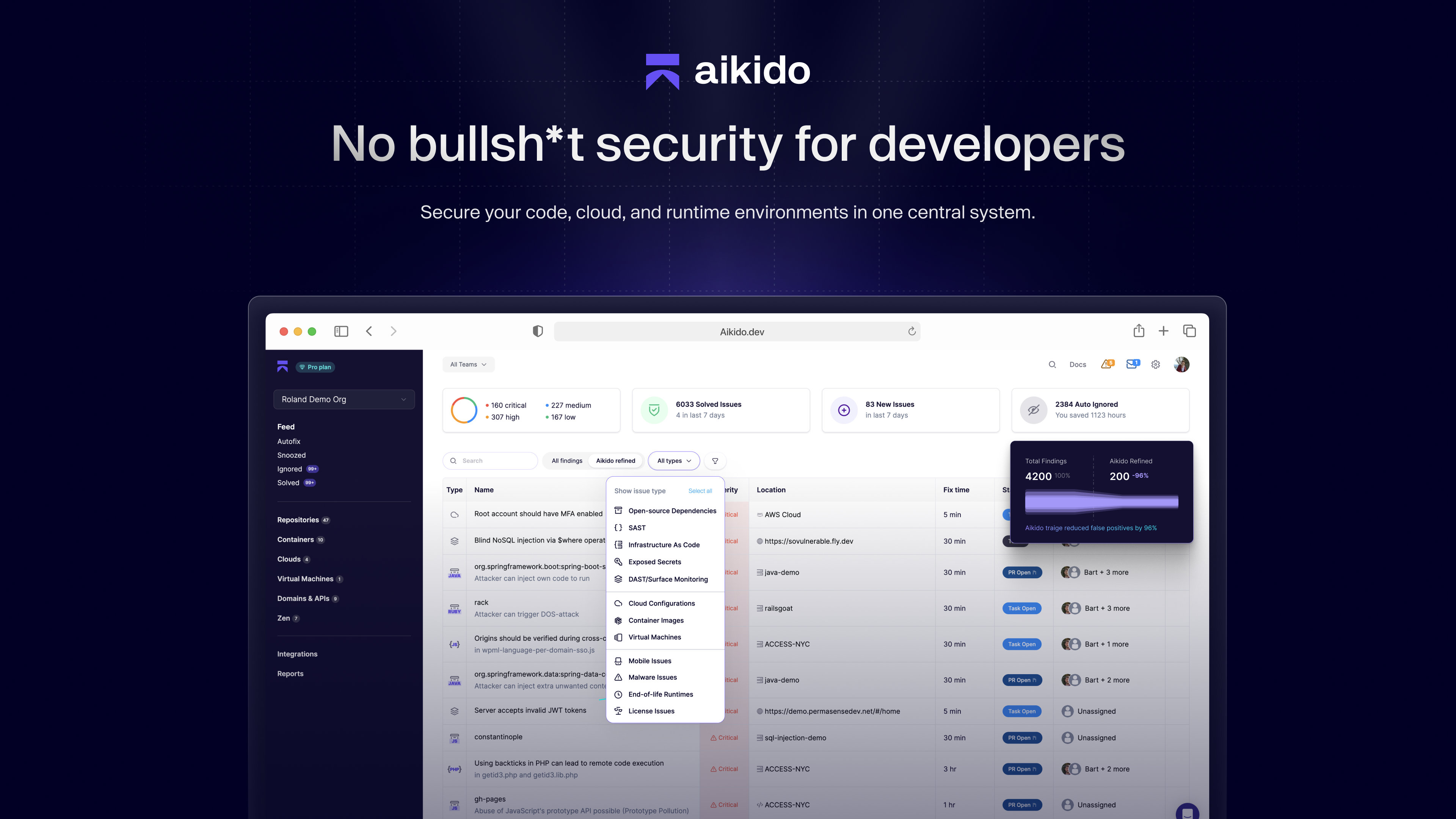
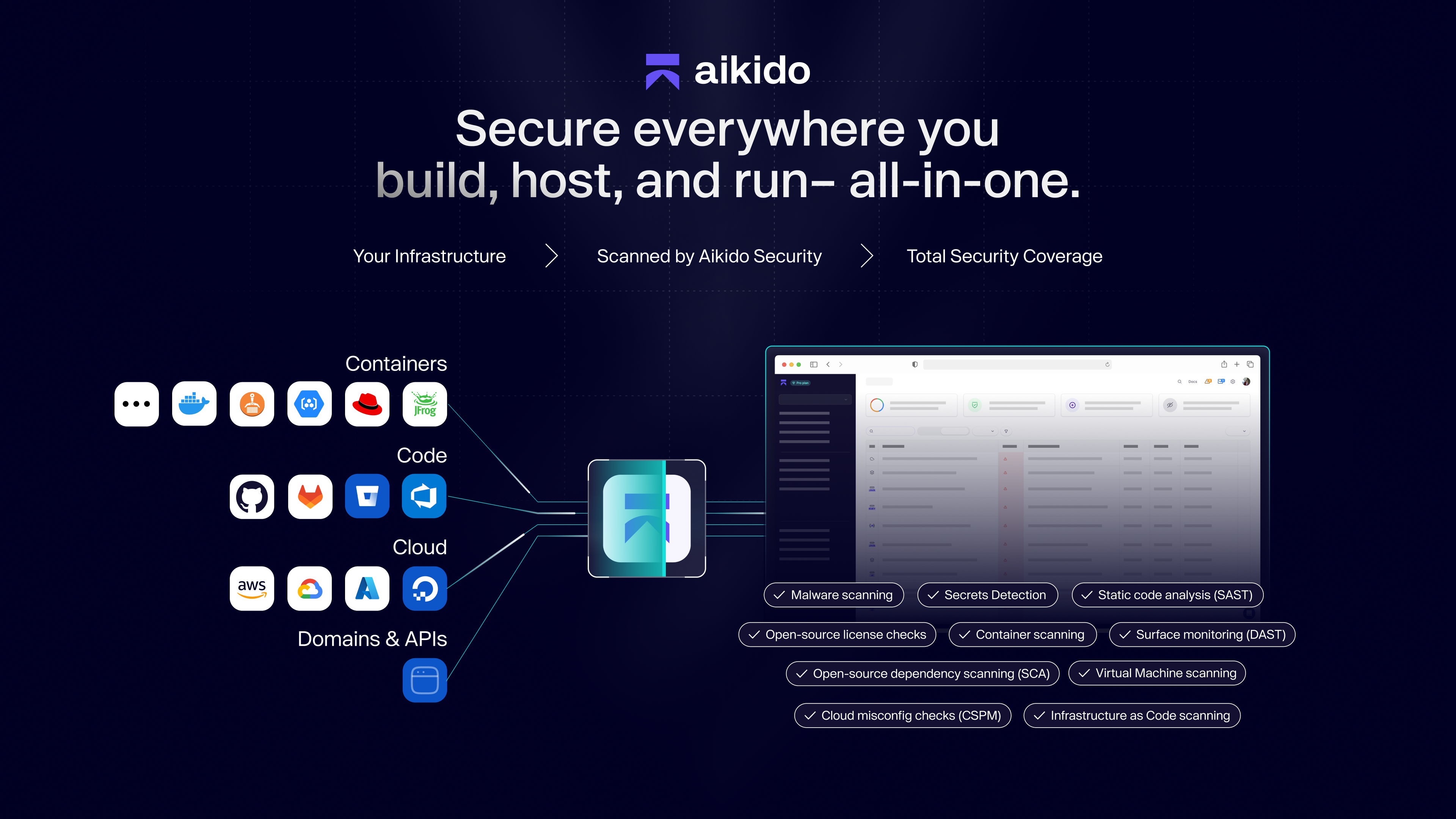
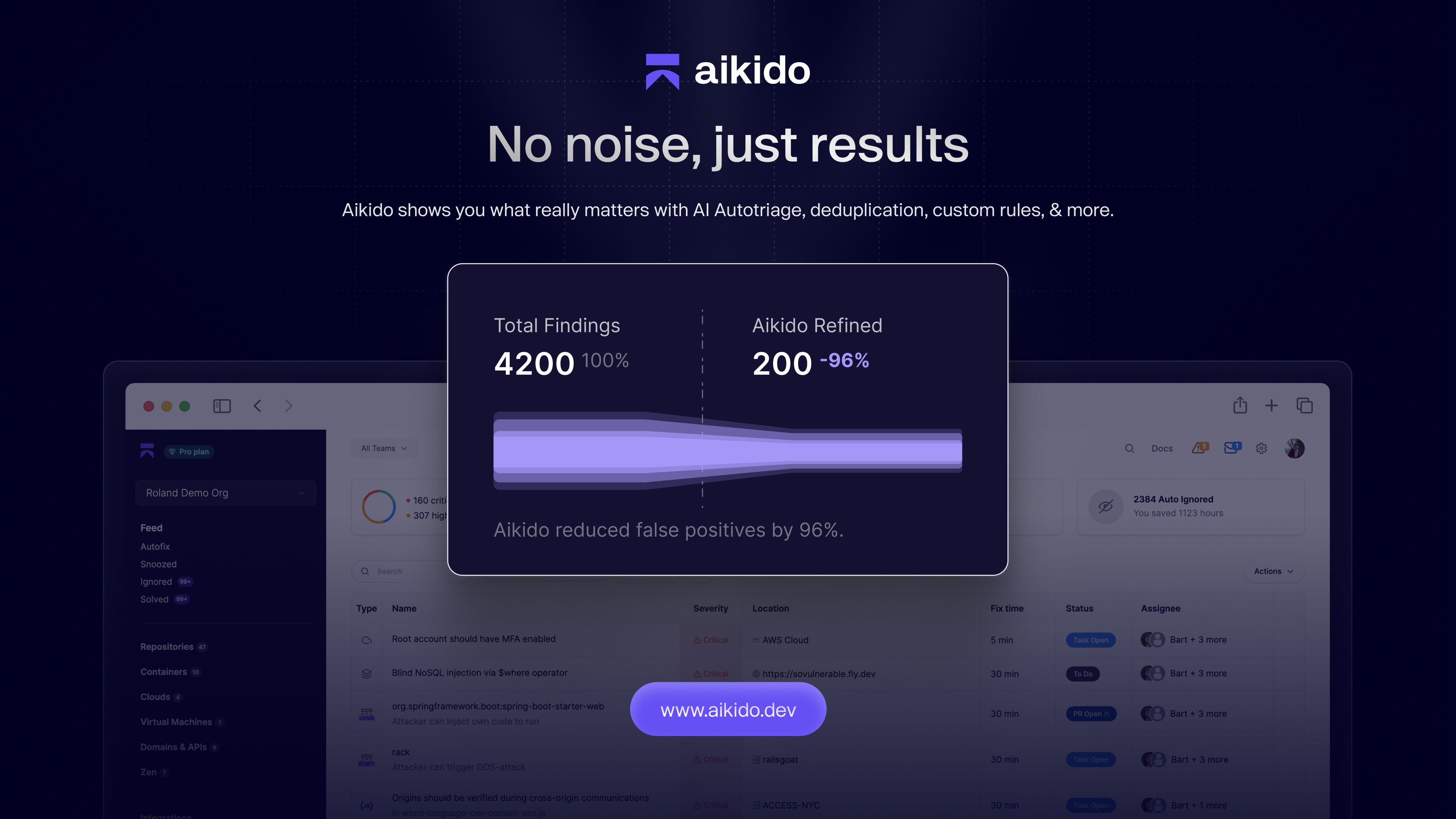
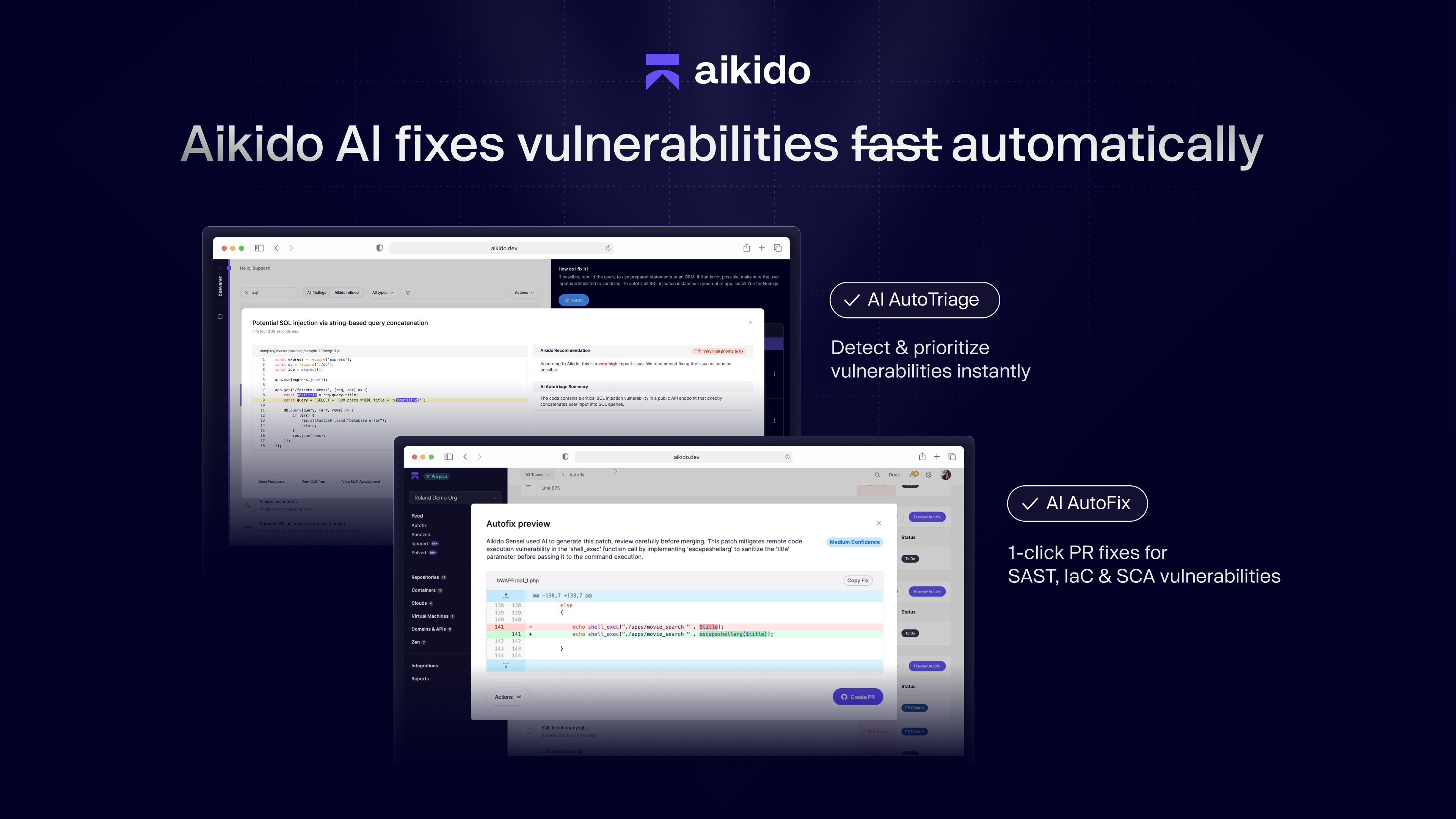
Screenshot of an example of no bullsh*t security for devs. Aikido Security can secure code, cloud, and runtime environments.Screenshot of an overview of how Aikido Security provides total security coverage across company infrastructure.Screenshot of where to find Aikido's Al Autotriage, deduplication, and custom rules.Screenshot of how Aikido Al fixes vulnerabilities automatically. Features like AI Autotriage and AI Autofix help prioritize and remediate vulnerabilities proactively.Screenshot of some of Aikido's available integrations.