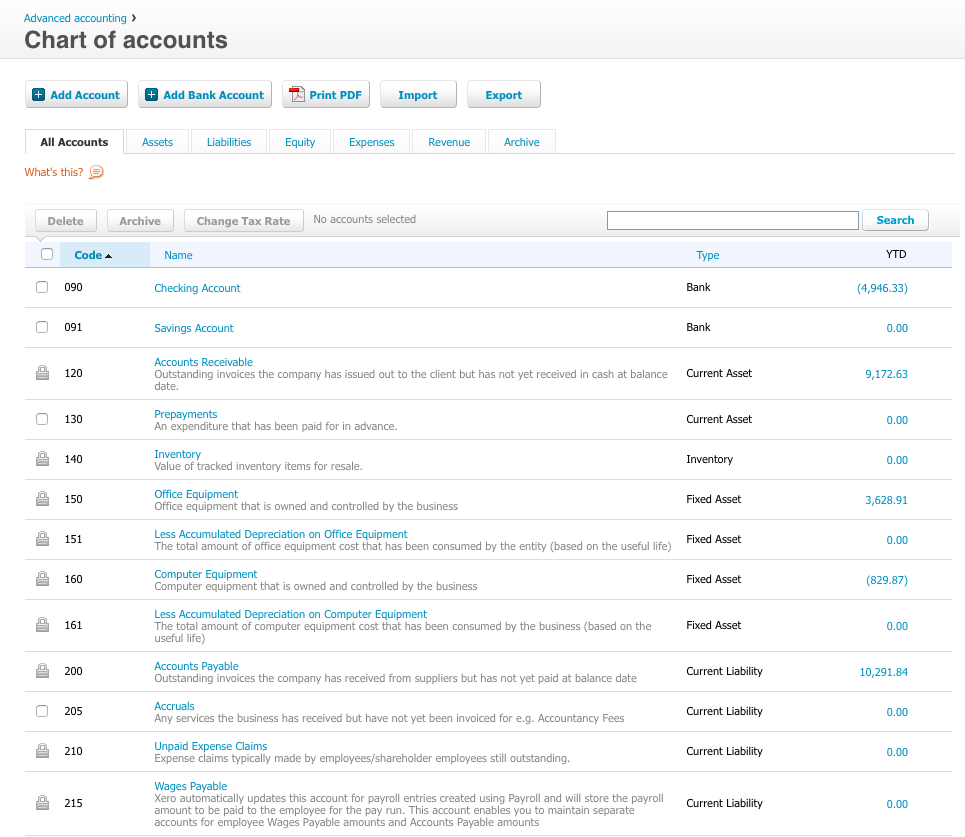
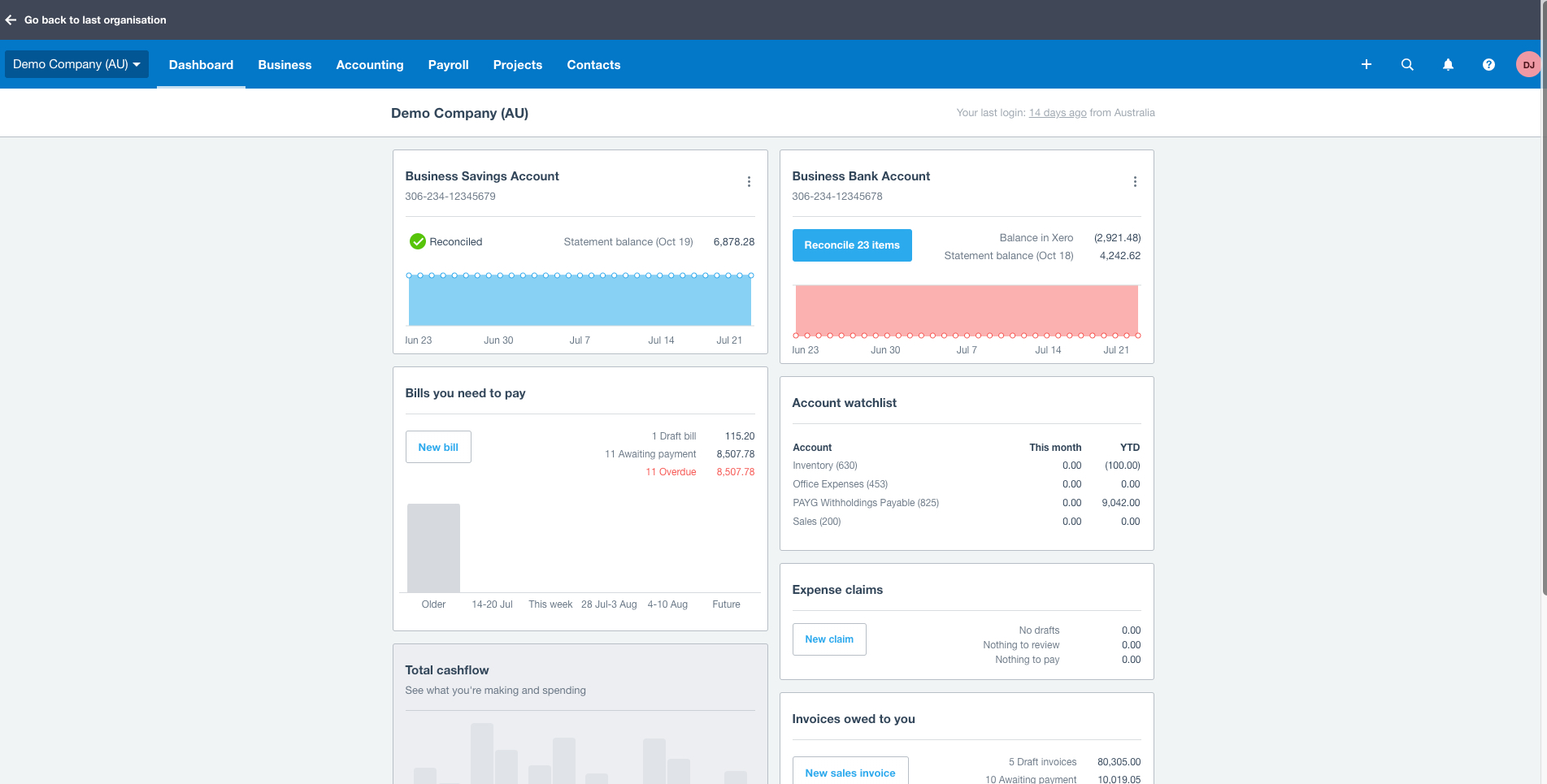

Xero is an online accounting software product for small businesses and personal finance. Its features beyond general ledger and double-bookkeeping include quotable invoicing, bank reconciliation, purchase order and expense management, and tax management. Third party apps can extend its features further.
A de minimis incentive was given to thank the reviewer for their time. The incentive was not used to bias or drive a particular response, nor was the incentive contingent on a positive endorsement. More Info
Advisor in Finance and Accounting at CFG (1-10 employees)
Use Cases and Deployment Scope
We use Xero as our accounting tool. We don't have any 1099 employees or contractors so our business is pretty straightforward. We just want to know what our margins are, what our revenue and expenses are so that we can keep track of our progress and then file for taxes at the end of year.
Director in Professional Services at BeyondPossible PTY LTD (1-10 employees)
Use Cases and Deployment Scope
It is our financial system of record, all transactions are done via Xero. All bank recons, VAT/PAYE reporting, budget management, annual reports etc. Invoicing, follow-ups etc.
Pros
Budgeting
Reconcilliation
Statutory Reports
Cons
Dashboard customization.
Balance Sheet and Income Statement View Customization.
Return on Investment
Esase of reconciliation saves me time.
Balance sheet and Income statement oversight, saves time.
Negative - removed the payroll functionality as part of the offering, now I have to spend more with a third party vendor for a basic payroll.
Manager in Finance and Accounting (11-50 employees)
Use Cases and Deployment Scope
We use Xero as our accounting software for A/P, A/R, Bank accounts, etc. We also use it for financial reporting and helping us to keep on top of where our business is financially. Xero continues to add products, such as payroll, to help our business run efficiently. It has helped us have an in time view of our financials and with the new syft it is even better.
Pros
Accounts Payable
Financial Report - Being able to create our own reports
Good customer support
Excellent support of small to mid size businesses
Financial dashboard for up to the minute picture of company
Bills available to streamline a/p process
Cons
Accounts Receivable - there is no capability of adding finance charges on late invoices. This is a HUGE problem.
Reports - it is great to be able to create your own reports but it is a little difficult to figure out how to use it.
Checking - Our credit union business side is not able to download to Xero. This is a burden in keeping on top of finances throughout the month.
Return on Investment
It has saved considerable time in entering data for A/P and A/R
It has given us the opportunity to customize reports that can be shared with our employees - keeping them informed of the health of the organization
A de minimis incentive was given to thank the reviewer for their time. The incentive was not used to bias or drive a particular response, nor was the incentive contingent on a positive endorsement. TR verified that a representative sample of customers was invited. More Info
Verified User
Manager in Finance and Accounting (11-50 employees)
Use Cases and Deployment Scope
Full service accounting and bookkeeping software. It's used for end-to-end bookkeeping, accounting, reporting, invoicing, payroll and HR related management. Allows staff to manage their own leave and payslips. Heavy customisation of reporting is very useful for our specific business cases.
Pros
Bookkeeping
Accounting
Payroll
Financial Reporting
User experience
Mobile app
Cons
Invoice customisation
Budgets
Consolidated reporting across entities
Return on Investment
Automated recurring processes
Excellent audit trail for improved compliance
Improved financial oversight
Automated payroll
Self-service for employees
Usability
Alternatives Considered
QuickBooks Online and Microsoft Excel
Other Software Used
monday.com, Insightly, Microsoft 365, Annature, LastPass for Business, OneNote, Bonjoro, Canva, Squarespace, DocuSign
A de minimis incentive was given to thank the reviewer for their time. The incentive was not used to bias or drive a particular response, nor was the incentive contingent on a positive endorsement. More Info
Verified User
Administrative Assistant in Finance and Accounting (1001-5000 employees)
Use Cases and Deployment Scope
Xero is mainly used for accounting purposes. It helps in the seamless management of the accounts and also helps in payroll, accounts receivable and accounts payable accounting also. Xero is very user friendly and the interface always helps in navigating through the records easliy. The Reporting is also very good which helps in extracting the numbers as and when needed
Pros
Book Keeping
AP management
AR management
Forex currency recording
Cons
Budgeting and Forecasting
Versatility in Reporting
Dimensions set up
Customized reporting
Return on Investment
financials reports generation
Time saved by setting automation of few tasks
Tax filings support
Inventory module not fully supported
Multi Currency Consolidation is tougher
Usability
Alternatives Considered
Sage Intacct
Other Software Used
Sage Intacct, BILL, Justworks, QuickBooks Online
Xero Alternatives
Products similar to Xero that may also meet your needs.
