TrustRadius: an HG Insights company

Webtrends Optimize

Score9.7 out of 10

28 Reviews and Ratings

What is Webtrends Optimize?

Webtrends Optimize is a web optimization platform and is offered by the company of the same name. The product competes most often with Adobe Test and Target, Maxymiser, SiteSpect, and Optimizely.

Media

Reporting dashboard - default view
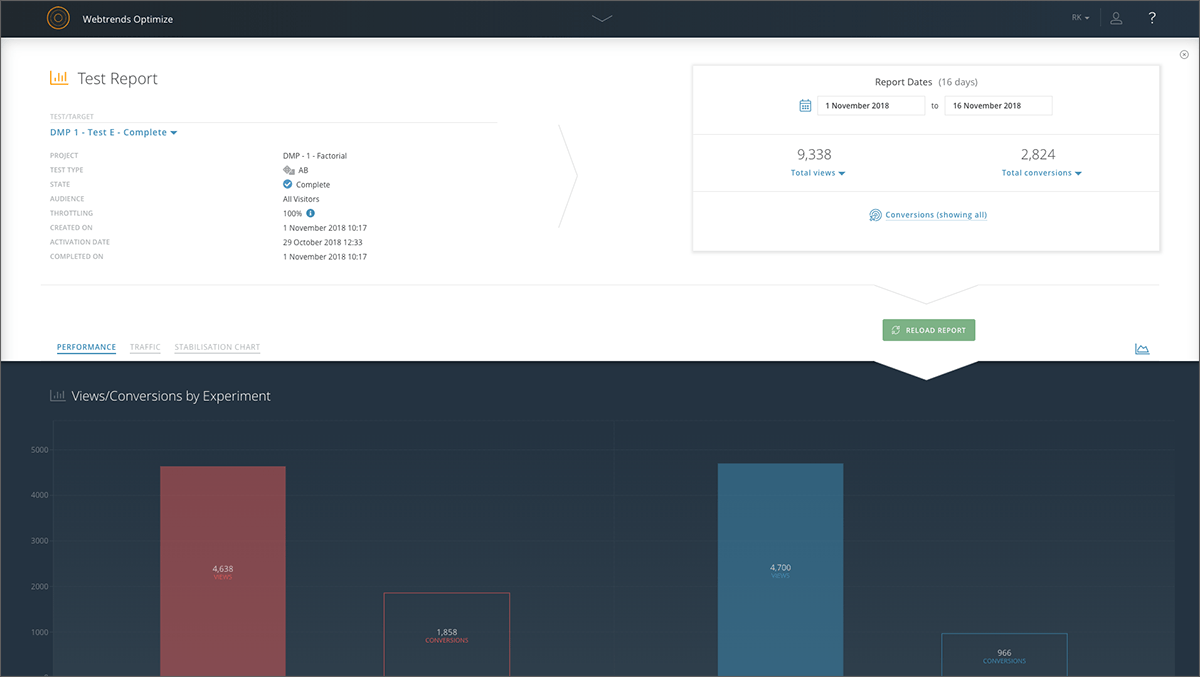
Specific experiment report - top level overview
Drag & drop segmentation module
Point & click WYSIWYG Visual Editor
Reporting dashboard - specific test or target overview
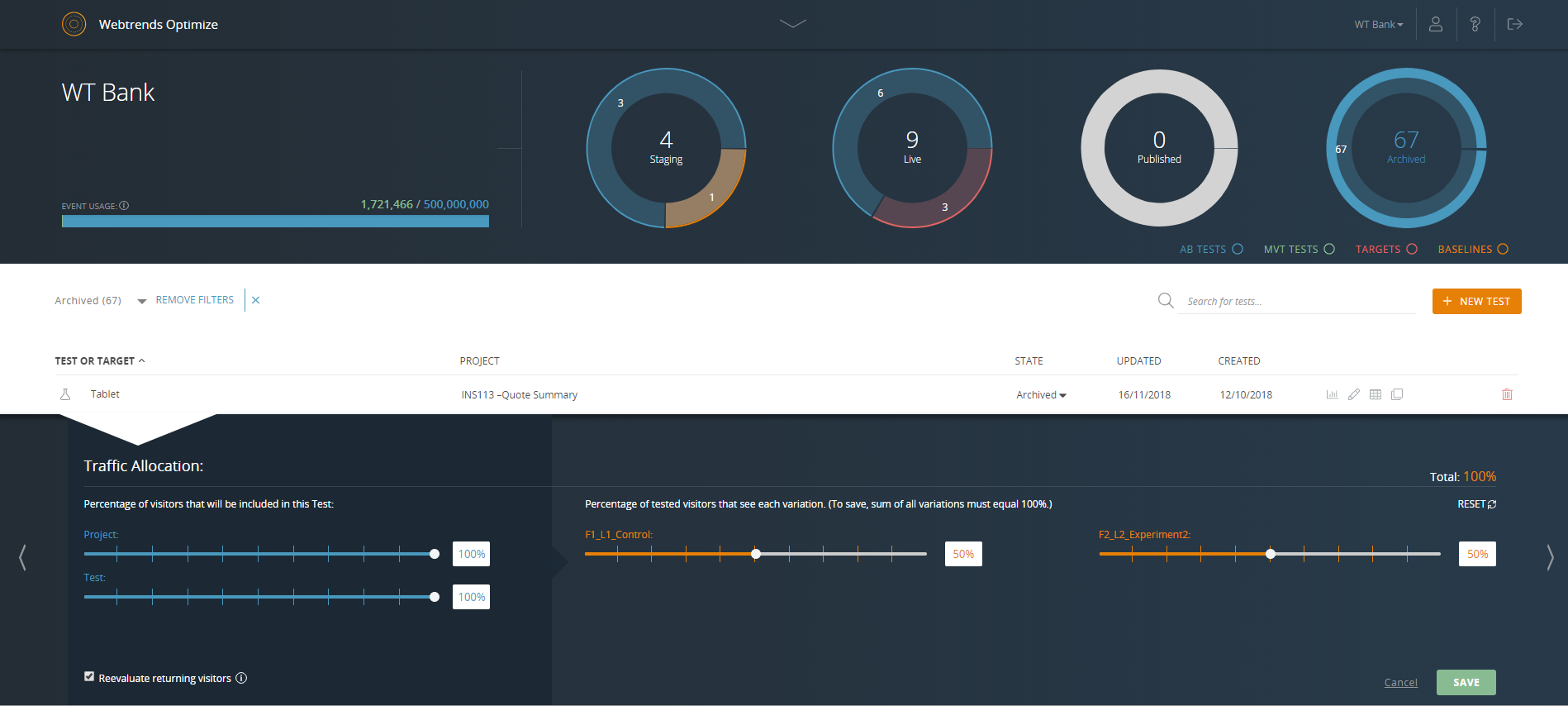
Reporting dashboard - specific test or target throttle settings
All experiments report - top level significance view
Specific experiment report - stabilisation chart
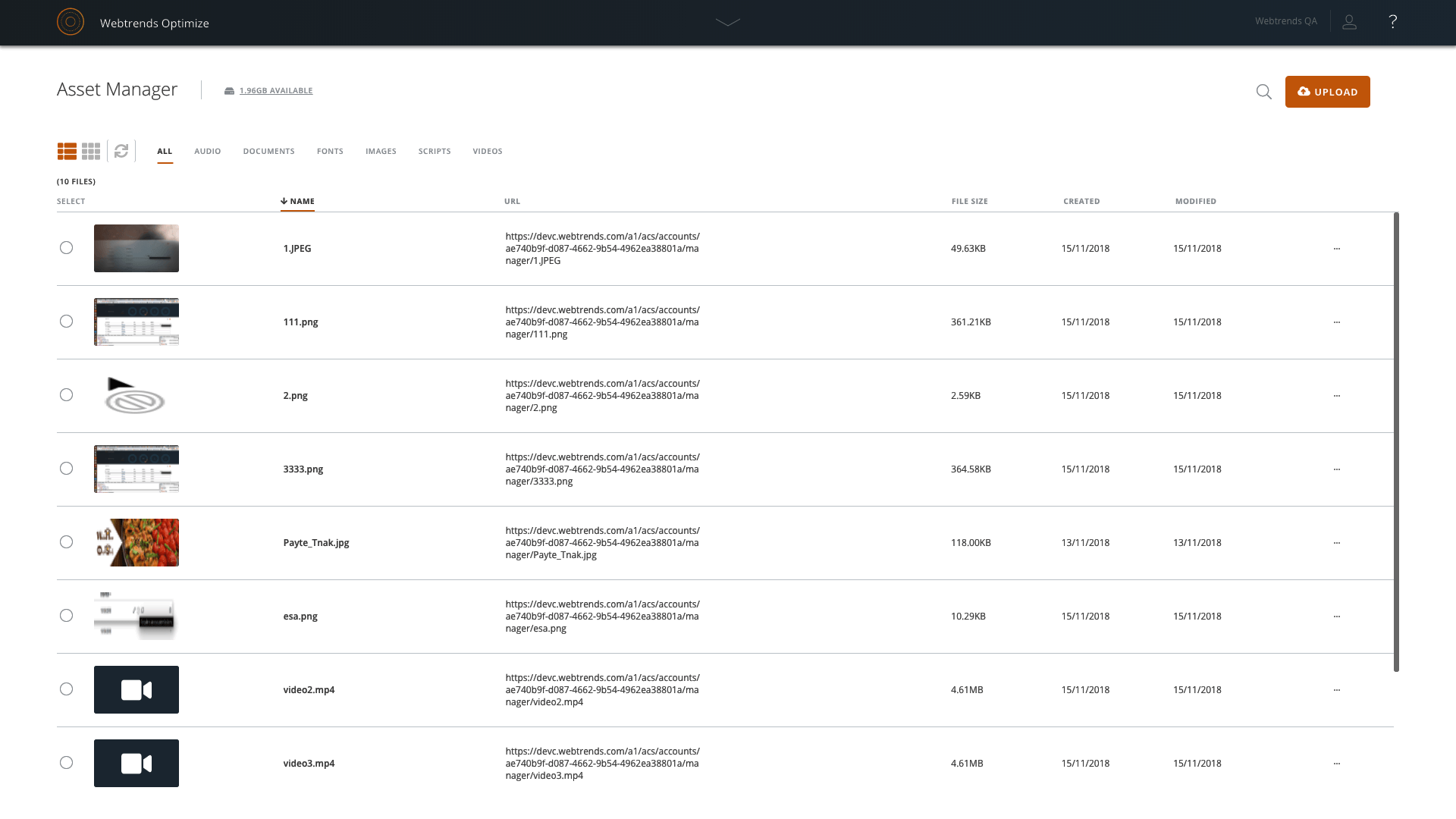
Asset Manager - overview
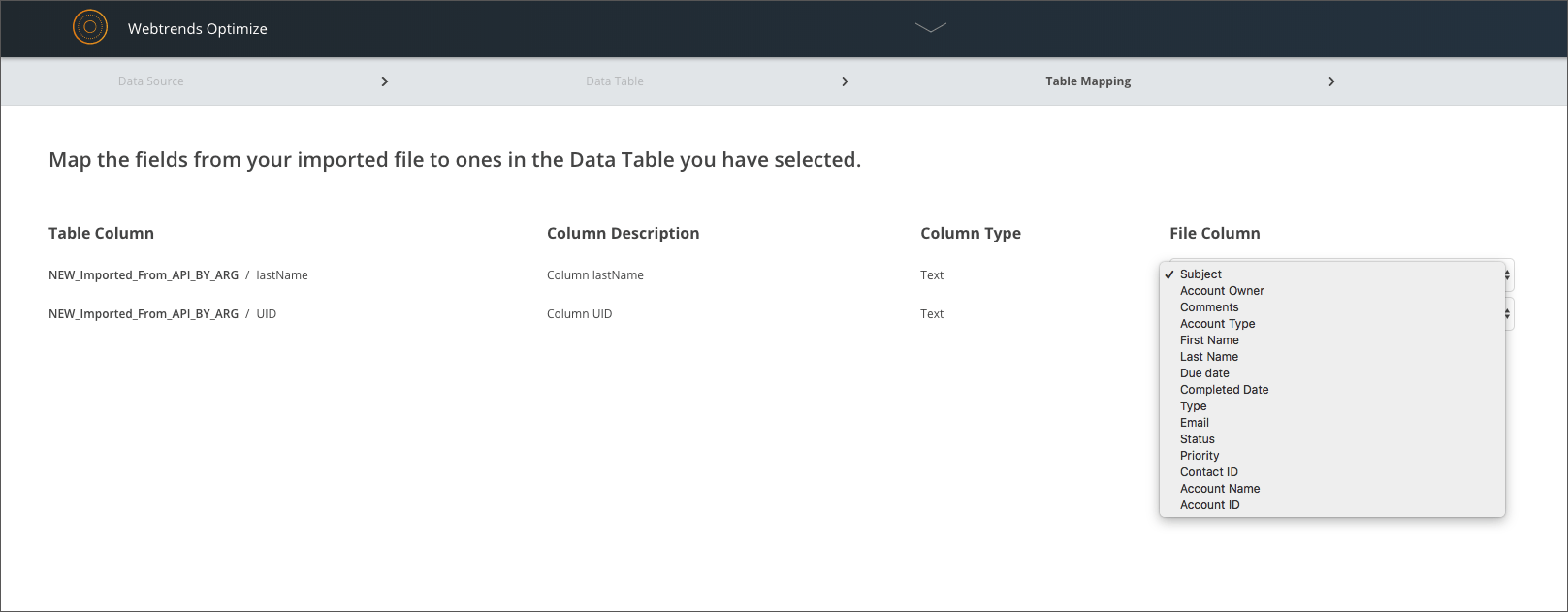
Data import process - table mapping
Specific experiment report - traffic and conversions chart

1 / 11

Top Performing Features

  • a/b experiment testing

    Create and test variations of a website, changing site elements such as headlines, CTAs, images, page design and layout, technical SEO changes, and new feature additions and collect statistical results of each variation’s conversion rates or other metrics.

    Category average: 8.6

  • Client-side tests

    Ability to run client-side tests (e.g. A/B, A/B/n, multivariate, and funnel tests) to test out UI changes.

    Category average: 6.8

  • Standard visitor segmentation

    Ability to segment, or target audiences based on criteria you set (e.g. URL, cookies, IP address, custom javascript, traffic source, device, browser, language, ad campaign, geo-targeting, time of day) and enable tests to run for specific visitor segments.

    Category average: 7.8

Areas for Improvement

  • Traffic allocation control

    Ability to set what percentage of website traffic receives specific test variants in order to roll out code only to a subset of site visitors.

    Category average: 8.4

  • Scroll maps

    Scroll maps display how far down the page users scroll.

    Category average: 8.5

  • Form fill analysis

    Enables users to view visitor interaction with forms and identify which parts of the form visitors fill out first and which fields lead to increased visitor drop-off.

    Category average: 8.2

Unparalleled Customer Service

Pros

  • The Webtrends team are excellent at taking the time to understand and learn about our distinct business needs, and recommend suggestions in response.
  • The Webtrends platform has undergone several changes over the time I was using it. This illustrates the constant thrive to improve their service to users, something I greatly appreciated.
  • Webtrends Optimize enables the whole process to be simple with its handy instructional guides that can inform clients about using the service.

Cons

  • Webtrends could improve their service by further improving the user interface, so it becomes even easier for clients to use.

Return on Investment

  • Webtrends has positively impacted our business with increased conversions and website traffic.

Webtrends Review

Pros

  • Helping shape our optimisation roadmap. If you've been working on a website for a long time sometimes you can't see the wood for the trees. Webtrends provides us with a fresh set of eyes and opinions, as well as a wealth of industry-wide E-commerce and UX knowledge.
  • They are excellent at hitting deadlines and providing accurate lead times. The account management team are really superb.

Cons

  • So far I haven't encountered any problems.

Return on Investment

  • Webtrends have had a positive impact on the bottom line, delivering an ROI within the first 9 months.

Alternatives Considered

Qubit and Maxymiser

Other Software Used

SEMRush, Google Analytics, MySQL

Using Webtrends in an International site environment

Pros

  • Account management is key, and has been great for us. Our account manager is responsive, with plenty of input into our ideas and overall process.
  • Access to the test results and reports is great as it helps to quickly get an idea of how the test is performing.
  • Test plans are detailed and robust, covering a number of areas we'd previously not thought of, and giving us a clear overview / history of each and every test.

Cons

  • We'd have liked to have a better idea of how the analysis is done, and how certain criteria / factors are calculated. As we're not all experienced in testing and/or BI we don't always fully understand why one metric indicates a certain result and others don't.
  • We've used the simplified, self-serve tool before, but found that it doesn't have the functionality we'd like to be able to set up the type of tests we're after.

Return on Investment

  • So far we haven't seen an ROI that we can accurately measure due to only running a couple of tests that haven't resulted in direct, site wide changes. However, we have learnt a lot about how to set up the right processes and documentation.

Excellent consultancy, suitable for complex tests and in-depth analysis of test results

Pros

  • Excellent consultancy - the consultant that works on our account understands our objectives and comes with great ideas. He keeps us focused on our goals and helps us to get the learnings from the particular business question we are testing quickly. At the same time, he is always up for a challenge and we manage to build very complicated tests really quickly.
  • The tool has the option to collect custom variables. This helps us to assess the results from a particular test in great detail and make informed decisions based on test results.
  • Easy integration with any analytics tool which allows more in-depth analysis of test results.
  • Easy implementation - it is just a copy and paste of the code. Takes seconds if you are using a tag container.
  • Regular, detailed reporting for each test.
  • Regular update on progress, and review meetings which allows us to address quickly any issues.

Cons

  • The UI of the tool is not intuitive. However, the consultant assists with training and detailed step-by-step instructions how something works.
  • Export of custom variables collected with a test could be improved - currently, data processing and preparation of the exported data could be time-consuming.
  • Not a very flexible pricing model - upgrading the service on a temporary basis cannot be easily done.

Return on Investment

  • We see great results from applying the learnings we got from running test with Webtrends Optimize