TrustRadius: an HG Insights company

UiPath Task Capture

Score8 out of 10

12 Reviews and Ratings

What is UiPath Task Capture?

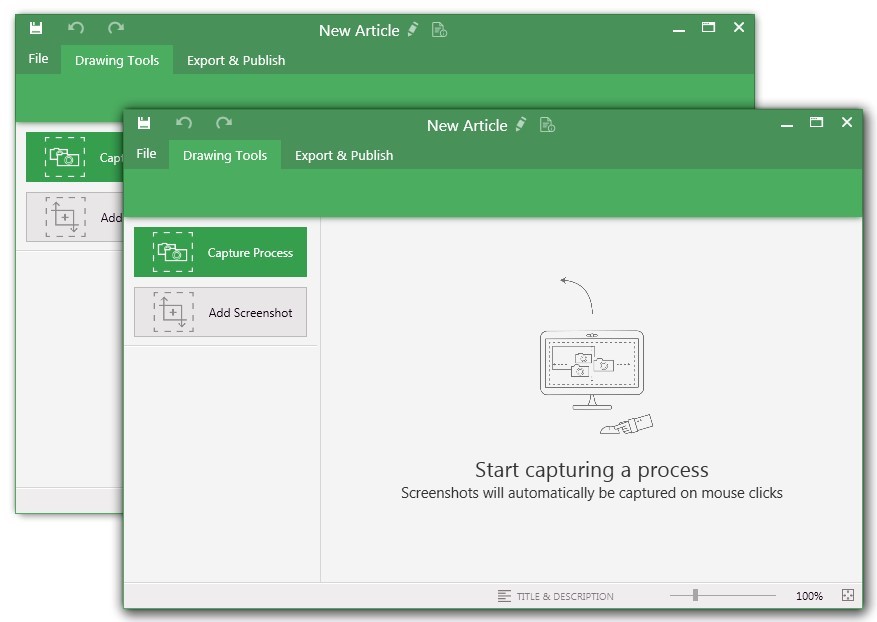
UiPath Task Capture (formerly StepShot, acquired October 2019) is a tool designed for quick and easy step-by-step documentation. During a recording mode, the software creates a separate screenshot on every click, groups them into a manual with automatically added metadata. Users can annotate captured images and structure documents in the way they want them to look.

Categories & Use Cases

Media

You may record the needed area of take a separate screenshot
Open menu (1) to be able to save this document to another location, share or publish it somewhere on your computer or remote service.
To create your documentation, use recording buttons (2) (discussed in "Recording" article later). All recorded steps and single screenshots are displayed in the outline panel (3). To group steps into sections, right click on empty space inside the outline panel and click on "Add section" option.
Annotate the selected step image (5) with drawings (7). Then update step title and description (6) to tell the user what he/she needs to do.
Create manuals that contain guides
Exporting options. Choose the template (1) and set export settings such as quality and image size (2). Then export the document (3) to a specific location. 
Export settings are the same for all export formats.

1 / 4

UiPath Task Capture Product review

Use Cases and Deployment Scope

UiPath Task Capture is used to capture screenshots and generate PDD. It helps to capture process in keystoke level along with step description. After capturing we can generate PDD and code skeleton. It auto generates process map and various types of format to export. In my organization we use to design PDD as it saves a lot of time for BA.

Pros

  • Auto generates process map
  • PDD generation along with steps
  • Generates XAML file for UiPath Studio and StudioX

Cons

  • Capturing meaningful screenshots
  • Providing better description for the steps
  • While generating XAML file selectors can be enhanced

Return on Investment

  • Saved 50 % time on documentation
  • Well defined steps
  • Helped RPA developer with skeleton of code, 10% amount of work reduced

Other Software Used

UiPath Process Mining, UiPath Automation Platform, UiPath Document Understanding

UiPath Task Capture at a glance

Pros

  • Documenting the Process
  • Create Diagram
  • Process Workflow

Cons

  • It will be good if it is available in web instead of installing on the local device
  • Some little changes can be done in the interface to be updated as per trend in market
  • Can make the login procedure simple so that it will be good for the new users

Most Important Features

  • Documenting the Process
  • Capture Process
  • Process Workflow

Return on Investment

  • Increase efficiency
  • Reduces time
  • Cost savings

Alternatives Considered

UiPath Document Understanding, UiPath Enterprise RPA Platform and UiPath Process Mining (formerly ProcessGold)

Other Software Used

UiPath Document Understanding, UiPath Enterprise RPA Platform, UiPath Process Mining (formerly ProcessGold)

StepShot-Easily Capture ALL Your Processes and Document Them

Pros

  • Easily capture process as you're going through it
  • Easily edit the captured process
  • Add new steps/slides into the process as needed after it's captured

Return on Investment

  • Save time when onboarding new team members.
  • Reduced questions asked by providing reference documents to go along with the video.

Other Software Used

LiveWebinar, monday.com, Slack

Save time, delight your clients, personalize your services, create a library of documentation...

Pros

  • Track sequential steps with screenshots
  • Create a document that you can easily annotate and give directions.
  • Quick and friendly customer service.

Cons

  • More control over the formatting of how the text and images end up in the final export.

Return on Investment

  • This has saved us MANY HOURS in either walking clients through processes in person or having to create a one-off guide through taking screenshots and creating our own documents with the screenshots hand placed.
  • Client satisfaction is high when they receive these guides. It is documentation that they can refer to at anytime that is personalized to their use or individual needs.

Great locally installed product for documentation (Organizational Sustainability!) Best for technical documentation

Pros

  • StepShot allows you to mark up your screenshots or captures in so many ways that you truly can "draw" out potentially confusing steps for your intended audience.
  • StepShot does a really good job of screen recording. Some software I have trialed ends up missing clicks or grabs the wrong area, but StepShot is very accurate, to the point that I often remove clicked screens due to redundancy.
  • The various output options for StepShot guides is instrumental to the way we function with this product. For some departments and materials we would need to create a PDF, others we might want the recipients to be able to provide feedback to us on, so the Word document is used. For others, we are able to send links to the newly developed material. Having this flexibility saves us time since we don't have to manipulate the output on our own.

Cons

  • The login area for StepShot is confusing and relatively disconnected. You must know your "Account Name" in addition to the log in, which is atypical for software and creates some confusion for new users.
  • The installation of the software on local PCs is an additional step that would be nice to not have to make. This requires us getting Admin authority for any computers we want to access this software. There are many screen recording technologies that do not require a local installation. However the version we use does.
  • The User interface of StepShot is a little dated. While this doesn't impair our usage of the product, a dated appearance gives users the impression that the company isn't keeping up with tech trends and instills a slight sense of uncertainty in regards to how relevant this software is in comparison to its competition.

Return on Investment

  • StepShot has saved us SO much time in regards to training others on process. In the time we have been using the product, we have saved hundreds of hours in training and re-training.
  • StepShot helps us to enforce an environment of documentation and sustainability. By making it so easy to document a process, more people are able to contribute to this imperative initiative.

Alternatives Considered

iSpring Suite

Other Software Used

Lucidchart, InVision, Join.me, Everhour, Zapier, Infinite Campus, Qualtrics