TrustRadius: an HG Insights company

ThoughtSpot

Score8.2 out of 10

202 Reviews and Ratings

What is ThoughtSpot?

ThoughtSpot is an Agentic Analytics Platform for enterprises where users ask data questions using natural language and get answers with AI. Code-first for data teams and code-free for business users, ThoughtSpot can handle large, complex cloud data at scale.

Media

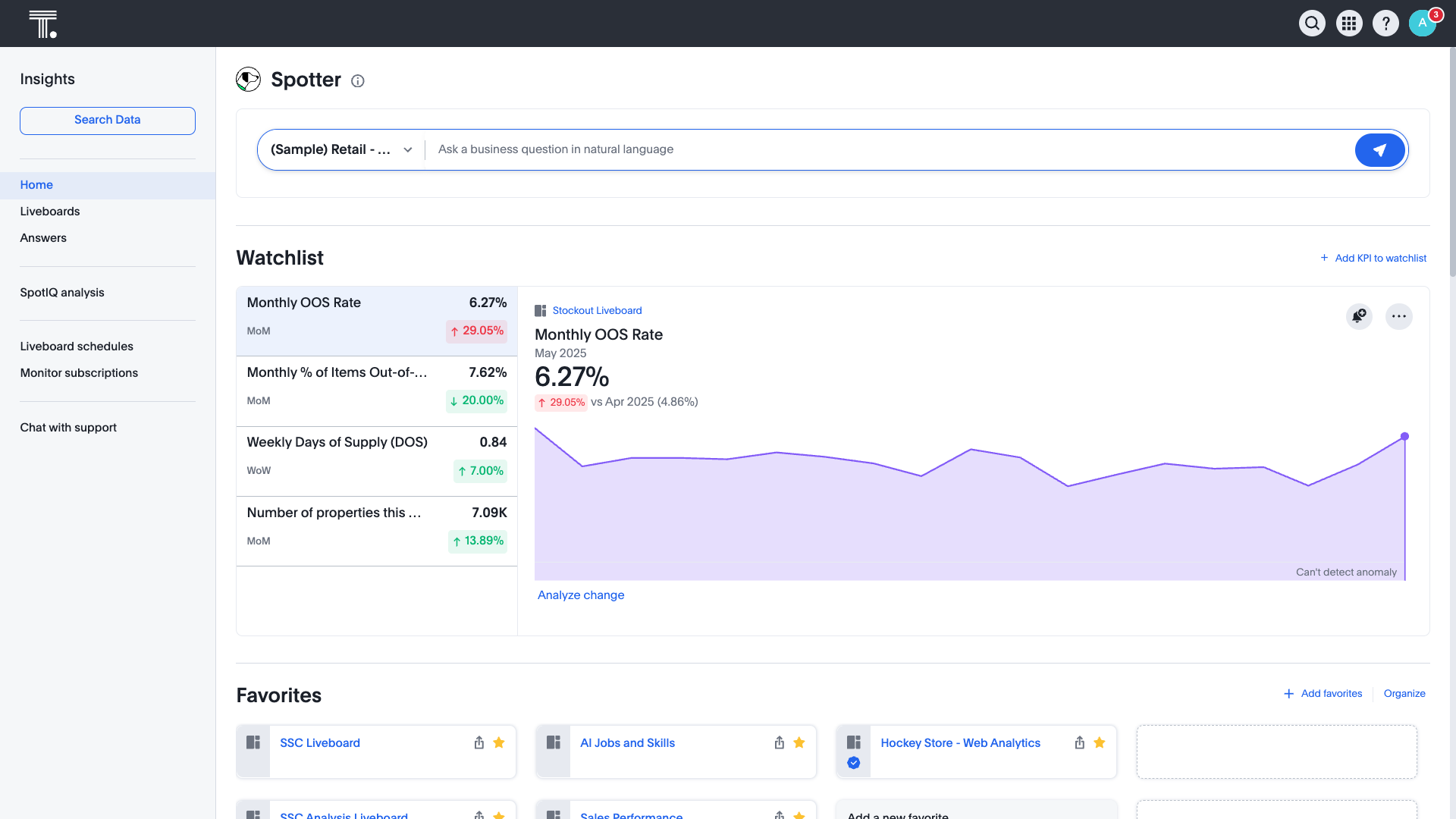
the ThoughtSpot home screen
SpotIQ, which offers AI-driven insights
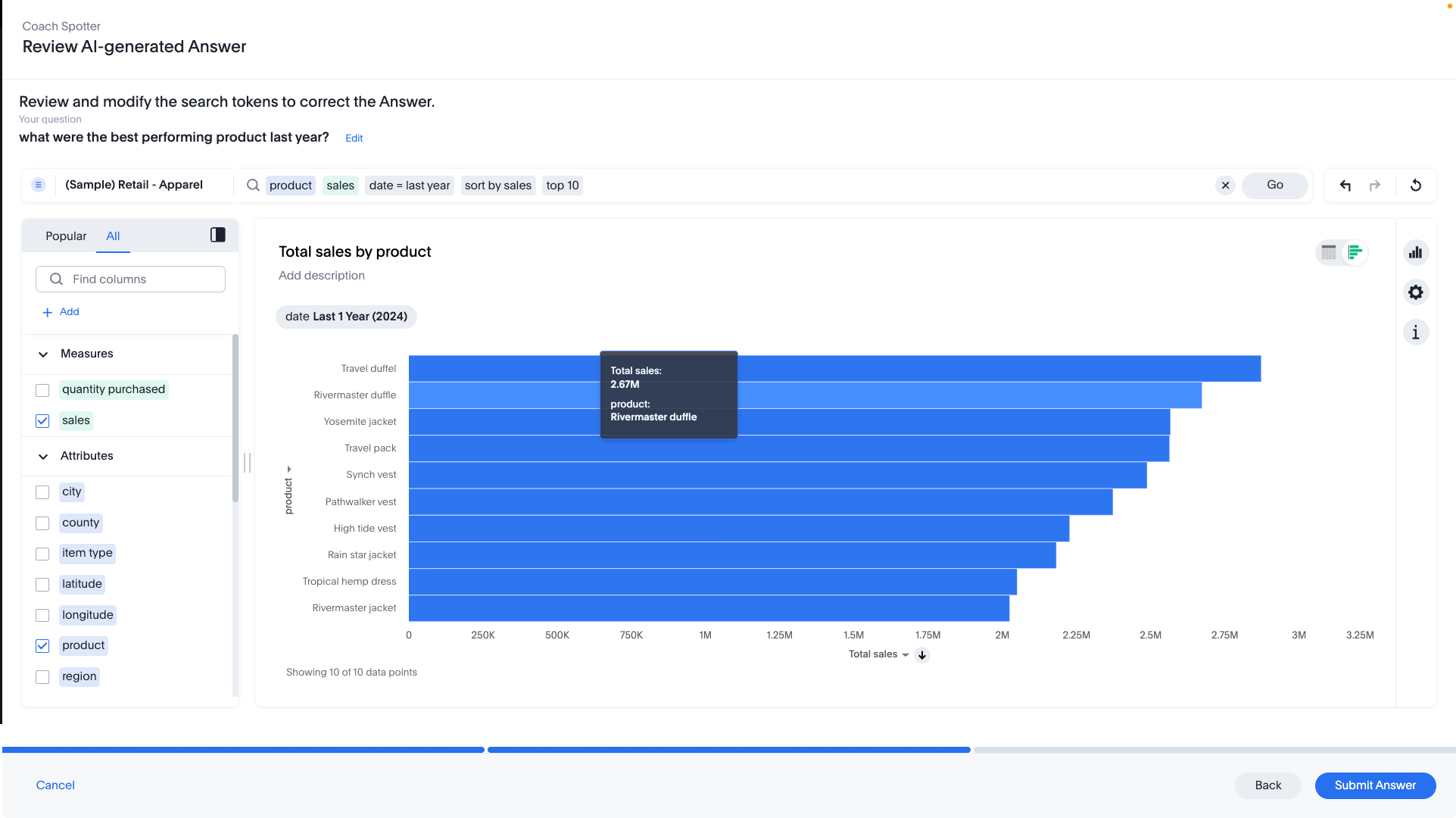
the Spotter AI agent that surfaces insights through natural language queries
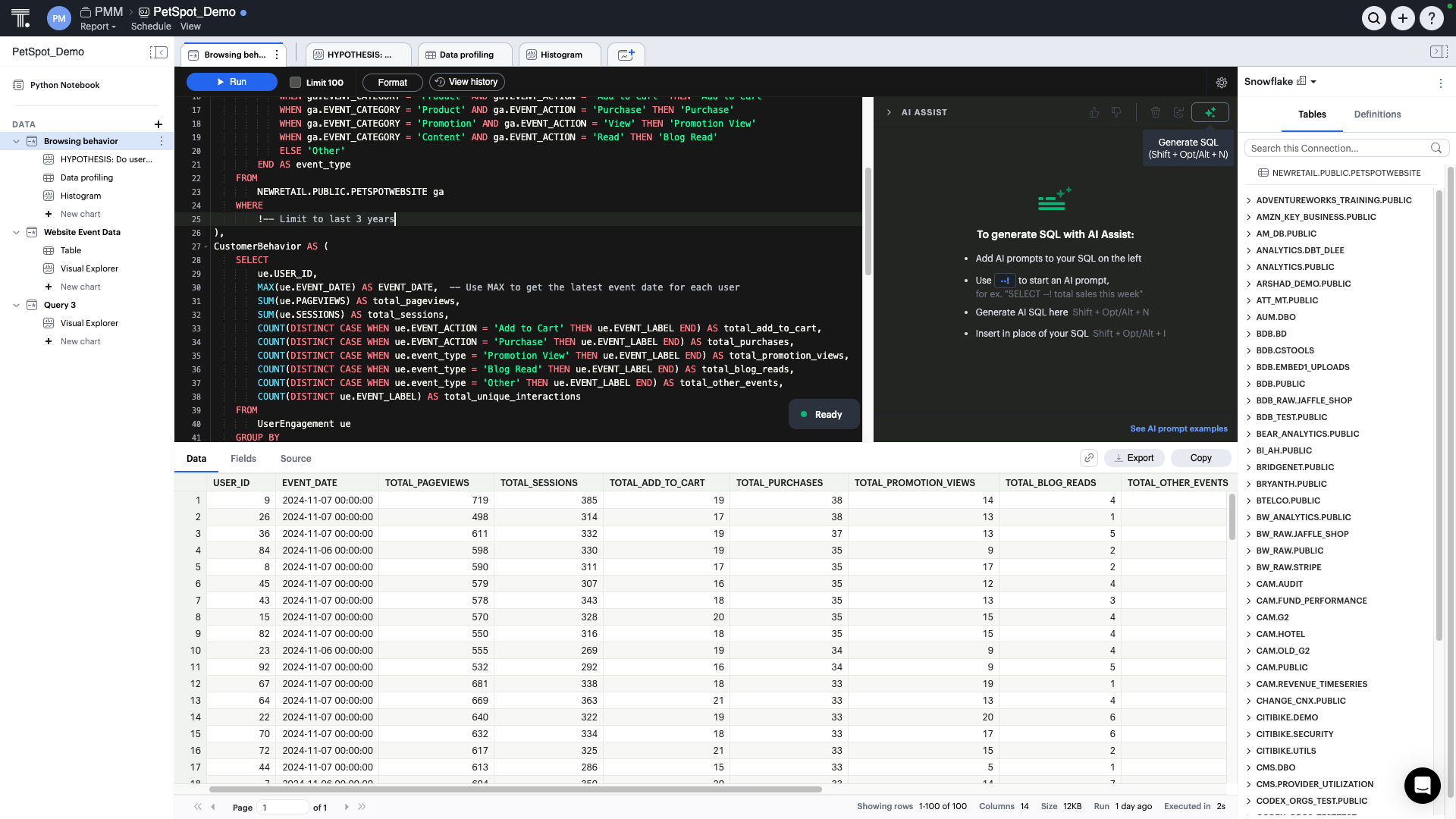
AI Assist producing SQL in real time
SpotIQ, which offers AI-driven insights
the integration with dbt models and metrics
AI-guided suggestion, to modify existing answers, ask the next question, and uncover deeper insights

1 / 7

Top Performing Features

  • Publish to PDF

    Category average: 8.5

  • Report Delivery Scheduling

    Report Delivery Schedule is the ability to have reports delivered to a destination at a specific data and time.

    Category average: 8.4

  • Customizable dashboards

    Customizable dashboards are dashboards providing the builder some degree of control over the look and feel and display options.

    Category average: 8.5

Areas for Improvement

  • REST API

    REST is an architecture style for designing networked applications

    Category average: 8.1

  • Integration with R or other statistical packages

    Integration with the open-source R predictive modeling environment.

    Category average: 7.9

  • Javascript API

    A Javascript API is a type of API

    Category average: 8.3

Great for Live Connections

Use Cases and Deployment Scope

We use ThoughtSpot for reporting, to generate insights, ask questions, and to deliver dashboards/reporting to our business teams

Pros

  • Live Connection
  • Natural Language
  • Performance

Cons

  • Setting up data connections
  • More intuitive interface
  • Stronger community

Return on Investment

  • Sped up time to insight
  • Faster to decision making
  • better performance
  • Cost savings
  • Time savings

Usability

Alternatives Considered

Tableau Desktop and Microsoft Power BI

Other Software Used

Tableau Desktop, Tableau Server, Microsoft Power BI

An amazing way to democratize access to your data

Use Cases and Deployment Scope

We're using ThoughtSpot as our main BI and self-service analytics tool as well as experimenting with reports embedding

Pros

  • Empower and enable self-service analytics
  • ease of use
  • customer-centric sales approach and post sales support

Cons

  • robustness of visualizations and customization options
  • Missing central semantic layer
  • Not enough capabilities around managing global data models and metrics definitions
  • More robust AI assisted data model management

Return on Investment

  • Reduction in time to insight from weeks to minutes
  • 80% monthly active users

Usability

Alternatives Considered

Tableau Cloud, Microsoft Power BI, Preset and Looker

Fast and user freindly analytics for smarter business decisions

Use Cases and Deployment Scope

We have a client who has a lot of entities, assets, and loans, so there is a lot of data to be managed. ThoughtSpot gives all the analysis for it in bar graphs and charts. It helps our team to quickly analyze large datasets without needing complex SQL queries. It is easy to get insights of it. We use ThoughtSpot across different departments dashboards,ad-hoc analysis and providing a monthly view of all the transactions to the client.

Pros

  • It allow users to type simple search queries and instantly get charts,tables, or insights without any technical skills.
  • dashboards update in real time and make it easy to drill down in detail by just clicking on data points.
  • SpotiQ feature automatically finds trends,anomalies and key drivers in the data that may be missed.

Cons

  • While search is great for simple questions but handling complex calcultions and joins can be hard and requires backend work.
  • Dashboards and searches can be very slow when working with large databases.
  • Visualization and dashboard customisation are limited as comared with different BI tools.

Return on Investment

  • Faster decisoin making - Business teams doesnt need to wait for the reports from data team ,they can get answers instantly.
  • Higher productivity - Analysts spend less time on creating manual reports and more time on insights.it reduces 2 weeks of manual work.
  • Better business outcomes - with quick and easy access to KPIs and trends teams acan act faster on sales , revenue and operations data.

Usability

Other Software Used

Tableau Desktop, Jira Work Management

Easy to use dashboards

Use Cases and Deployment Scope

We use it to build dashboards to track various metrics for our campaigns like CTR, campaign name and other engagement metrics.

Pros

  • It helps track combined data
  • It looks into details of what campaigns are performing well
  • It helps segregate into days of week for the campaign that's performing well

Cons

  • If it could be integrated with Braze to track tests
  • Using Braze tests and directly getting results in ThoughtSpot

Return on Investment

  • ThoughtSpot has provided a seamless way to provide data
  • It has helped us in making data-driven decisions

Usability

Other Software Used

Braze, Amazon Web Services

ThoughtSpot - The most brilliant AI solution in the market

Use Cases and Deployment Scope

we use ThoughtSpot as our main dashboard and analytical tool. The main business problem was that most of our analyst team is non-technical but have great expertise in domain knowledge. There was also constrained of the data engineering team and – boarding team not understanding the domain and providing dashboard and analysis Which were time consuming, resource, heavy and not very useful to the analyst team. Hence, we built a use case across operational efficiency, resource management, as well as the use of technology technology to get insights, especially the AI, analytical part of ThoughtSpot. This allows non-technical analyst as well as the account managers to directly create stories and insights which are useful to the client in a quick and easy way.

Pros

  • Dashboarding for non-tech people
  • Easy Search of data
  • Ease of getting insights
  • AI driven Analytics
  • Easy to build charts

Cons

  • UI
  • Integration with Microsoft products

Return on Investment

  • Reducing of client churn
  • Decrease in workload of the team

Usability

Other Software Used

Matillion, Google BigQuery, Snowflake