TrustRadius: an HG Insights company

The List

Score7.4 out of 10

7 Reviews and Ratings

What is The List?

The List is a sales intelligence software solution offered by List Partners.

Categories & Use Cases

Media

1 / 2

Top Performing Features

  • Company information

    Information about companies/accounts is available and high quality.

    Category average: 8.2

  • Salesforce integration

    Integrates with the Salesforce.com CRM platform.

    Category average: 8

  • Advanced search

    Users can search for prospects using advanced search logic and multiple criteria, across multiple platforms/databases.

    Category average: 8.2

Areas for Improvement

  • Tags

    Organizational structure allows users to tag certain records in order to create groups, flag materials that need additional attention, etc.

    Category average: 7.7

  • List quality

    Lists generated by the tool are typically high quality.

    Category average: 7.3

  • Lead qualification process

    Helps sales reps focus on the most promising leads (likely to convert) by ranking leads according to various rules and criteria. SI tools may take a semi-automatic, automatic, or self-scoring approach.

    Category average: 7.2

The List delivers on its promise and I recommend it

Pros

  • Identify key contacts
  • Identify agency partners
  • Identify media investment levels
  • Understand roles and titles
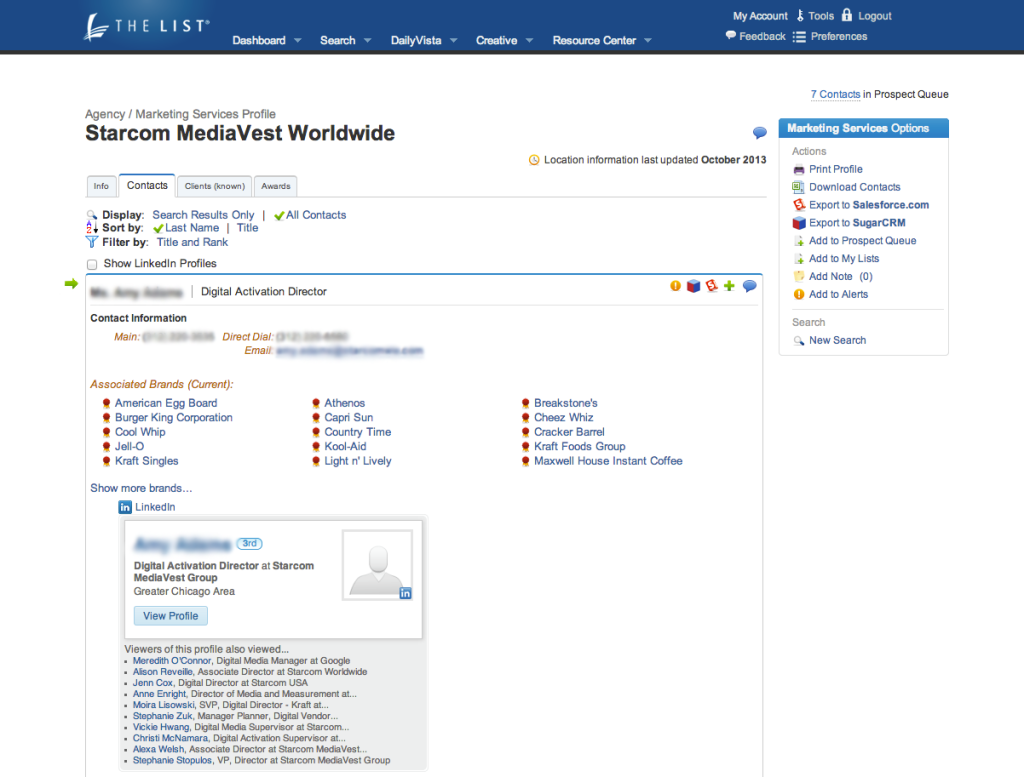
  • Connect with LinkedIn to gather further info on the contact

Cons

  • Update more often, sometimes, but not often contact's titles or roles may be out of date

Return on Investment

  • The leads have led to sales. It has proven a positive ROI.

Other Software Used

LinkedIn Sales Navigator

The List - a sponsorship salesman's dream

Pros

  • The list provides specific emails, phone numbers, and titles for individual contacts. This is a major help in the corporate sales world as finding the right contact is everything.
  • The List provides an awesome search function that allows for advanced searching of industries, brands, and contacts. The search function is perfect for boiling down exactly who or what I'm looking for, and also helps to generate new sales ideas.
  • The List does a very cool job of providing cool examples of creative and ad spots used in current campaigns. This is an excellent tool for brainstorming and creating proposals. This function is also fully searchable and easy to look through.

Cons

  • The more the merrier! The bigger and more extensive The List's database of companies and contacts can be, the better. One in every 10 or so companies I look up isn't included.
  • A constant focus on keeping the database up to date. I have experienced, on a number of occasions, getting bounce-back emails from contacts no longer with a company. However having the LinkedIn tie to contacts does sometimes help keep things current.
  • Even more fields to the search component. It would be interesting if you could pull a list of contacts by title or position across multiple companies, or pull certain brands based on pre-determined criteria.

Return on Investment

  • The List has had a major positive impact on my prospecting process. Using the List I can realistically identify correct prospects at target brands, effectively being sales conversations, and convert prospects into clients.
  • The List has a major impact on my efficiency as a sales executive. If not for The List I'd be spending several additional hours a day scouring Google and other search sites for prospect information, and often times wouldn't find what I was looking for.
  • Using The List's creative section has improved my brainstorming and proposal creation process as well. I always turn to that section for inspiration.

Other Software Used

Microsoft Dynamics CRM

My List Experience

Pros

  • Contact information
  • Industry news

Cons

  • Sometimes missing contact information but it is hard to be perfect there

Return on Investment

  • Fast lead identification
  • Great lead qualification
  • Actionable info

The List Review from a multitasking user

Pros

  • The list is organized and easy to search - user friendly
  • The list provides up to date contact information
  • Provides relevant email leads

Cons

  • It would be nice if it were easier to get permission from contacts to be contacted
  • It would also be nice if contacts on the list had an opt in preference

Return on Investment

  • Definitely initial introductions to contacts
  • Accurate marketing data
  • Great resources help our team understand the list and how to use it

Other Software Used

MailChimp