
TrustRadius: an HG Insights company

SpiraTest

Score8 out of 10

11 Reviews and Ratings

What is SpiraTest?

SpiraTest allows customers to manage their software testing and quality assurance activities. It provides requirements management, test management and bug-tracking functionality with integrated reporting.

Media

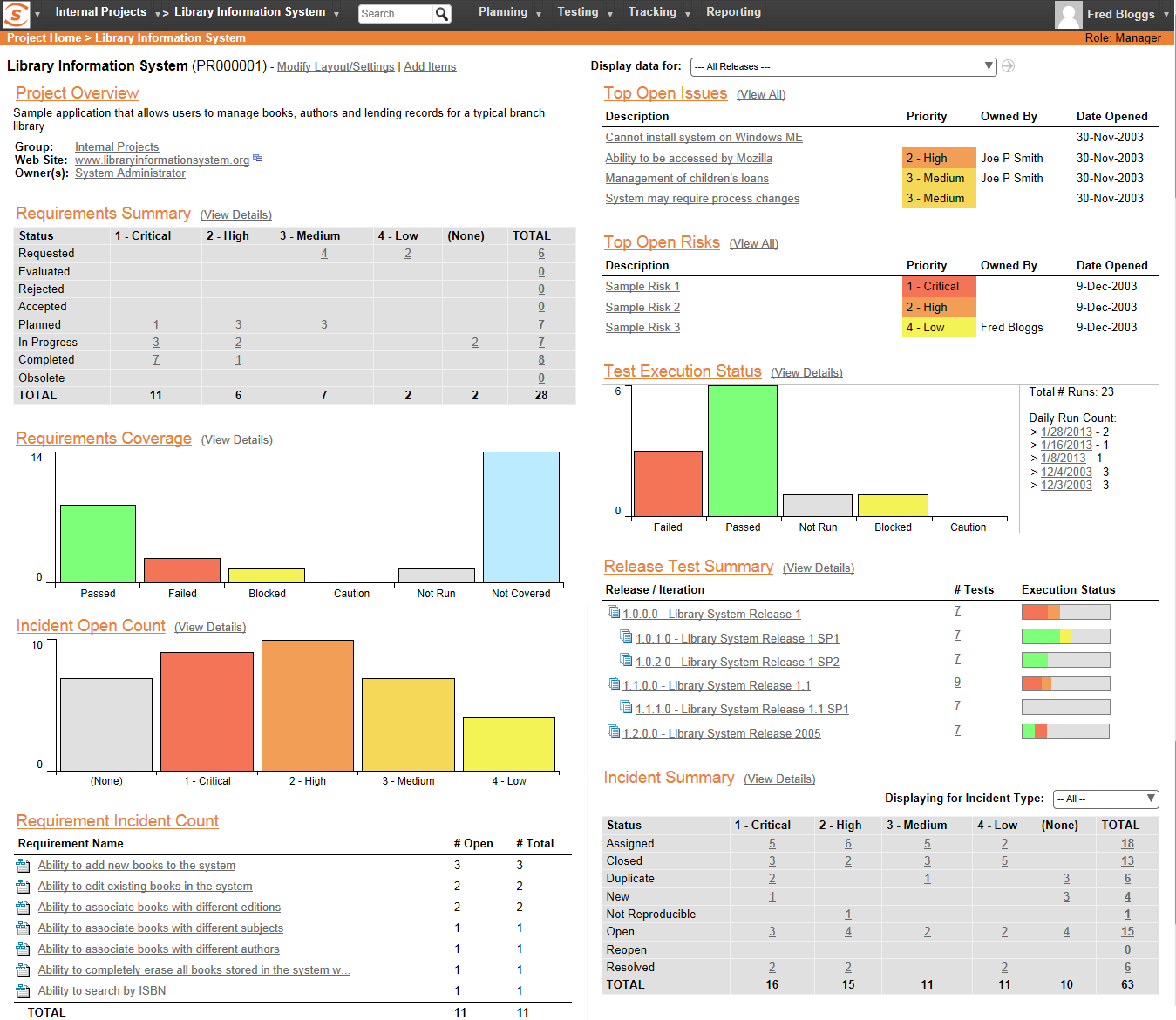
real-time dashboards.
an example of the customizable reporting.
requirements management.
test management.

1 / 4

Top Performing Features

  • Centralized test management

    Ability to manages both manual and automated tests from a centralized location

    Category average: 8.6

  • Defect management

    Ability to automatically log defects and link them to failed tests, and report defect resolution progress

    Category average: 8

  • Map tests to user stories

    Provide visibility into user story test coverage

    Category average: 8

Areas for Improvement

  • Manage test hosts and schedules

    Ease of setup of automated tests and test schedules

    Category average: 7.6

  • Test execution reporting

    Comprehensive reporting on which tests have been run and pass/fail

    Category average: 8.1

SpiraTest - very good/solid product

Use Cases and Deployment Scope

We use SpiraPlan (which includes the SpiraTest function) to manage requirements, test cases, incidents, and releases for our medical device products. We use it for all current products, both hardware, and software. We migrated to the SpiraPlan platform from Jazz and at this point, it allows us to accomplish all that Jazz allowed us to do.

Pros

  • Easily link and associate artifacts
  • Webforms/web UI is intuitive
  • Lots of flexibility with filtering and sorting
  • Search function (across all products) is very useful

Cons

  • Custom report generation needs to be easier. It has a steep learning curve.
  • It should be easier to copy and paste items in artifacts - particularly collections of test steps.
  • It is difficult (impossible?) to share artifacts among different SpiraPlan 'products'
  • SpiraPlan does not have a workflow structure that allows for multiple approvers of artifacts. This feature should be added.

Most Important Features

  • requirements management
  • test case management
  • software source control

Return on Investment

  • Most of SpiraPlan is easy and intuitive to use so employees have been quickly productive
  • Artifact linking saves tracking time and is very easy for anyone to do
  • custom test creation will still take a LOT of time

Alternatives Considered

IBM Rational DOORS and IBM Rational DOORS Next Generation

Other Software Used

Visual Studio IDE, SOLIDWORKS, AutoCAD

SpiraTest - fail

Pros

  • A clean view of test case steps, expected results and the ability to record a result for each step quickly on one page per test set. This really helps testers work through executing manual test cases.
  • Hierarchical structure of releases and builds, requirements, and test cases.
  • Can quickly build test sets and/or test runs per build/release.
  • Simple identification of each test case, requirement, test run, build, release, etc.

Cons

  • While there are some nice, live reports, test results per build/release is an obvious omission. The canned reports that can be configured are mostly text based. Some graphs included in those would be a nice addition.
  • Recording a Fail for a test step does not facilitate recording a defect. Defects must be manually reported separately. It would be nice if some standard fields were offered when a failure was recorded (e.g. summary, actual result, expected result, description) were recorded with system-known data such as the test steps (steps to reproduce), release, tester's name, etc. and turned into a defect to be recorded in Spira, or sent to an integrated 3rd party defect tracker (Jira, Mantis, TFS, etc.).
  • While the import (from Excel) tools are nice and work efficiently (2 way sync of data, hierarchy easy to implement, tests can be linked to requirements before import/export), there are some default fields I would like to have seen included in there so I could import the 1500+ test cases with less post import/export data manipulation required in Spira across the imported data

Return on Investment

  • Early days for me. This is still being determined.
  • Better reports would improve this.

Other Software Used

Team Foundation Server, JIRA Software

SpiraTest is the best solution for test management

Pros

  • Working on requirements as a team.
  • Distribution of testing sets among QA team members.

Cons

  • One lacks convenient ways of reports customization.
  • The SpiraTest to JIRA integration leaves much to be desired. We use a cloud version of SpiraTest and Linux machine hosted JIRA version. To configure the integration we need a server on Windows.

Return on Investment

  • It's hard to say.

SpiraTest - Can be better!

Pros

  • It is easy to manage requirements.
  • Users and roles are easily managed.
  • Cloning is really helpful to stack all the similar test cases.

Cons

  • Dashboard can be made a little easier to read.
  • Reporting is also not that great.
  • Includes a little learning curve.

Return on Investment

  • SpiraTest can be improved in terms of its dashboard and reporting. This will be really helpful for the management as well.

SpiraTest

Pros

  • Easily manages testing requirements.
  • Easily manage users and roles.
  • Great out of the box reporting for test cases and bugs.

Cons

  • Training can be difficult to find at times.
  • Basic reporting can become very verbose unless you set lots of filters and parameters.
  • The ability to customize some of the verbiage in the application would help bridge the gap between translating what SpiraTest's testing terminology is and the company culture uses for testing terminology.

Return on Investment

  • SpiraTest helps IT manage end users' expectations with new software and functionality.
