TrustRadius: an HG Insights company

Planday

Score9 out of 10

5 Reviews and Ratings

What is Planday?

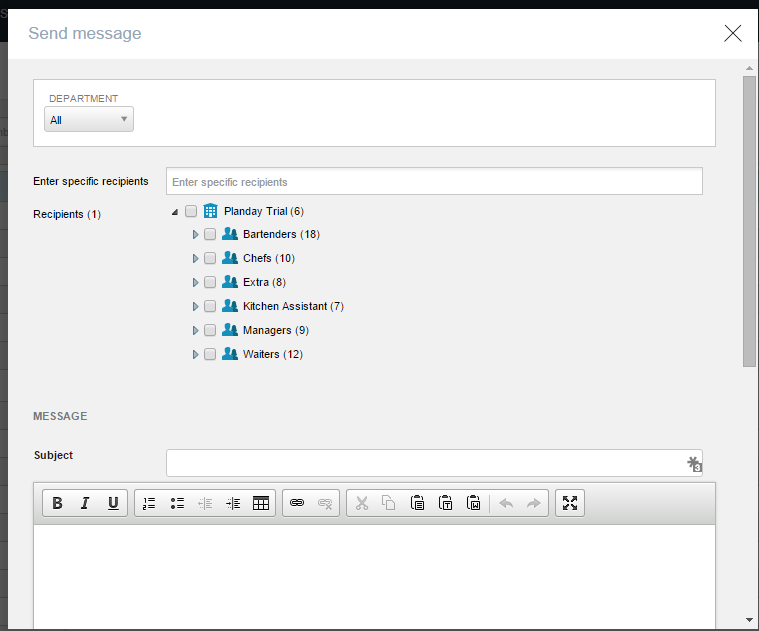
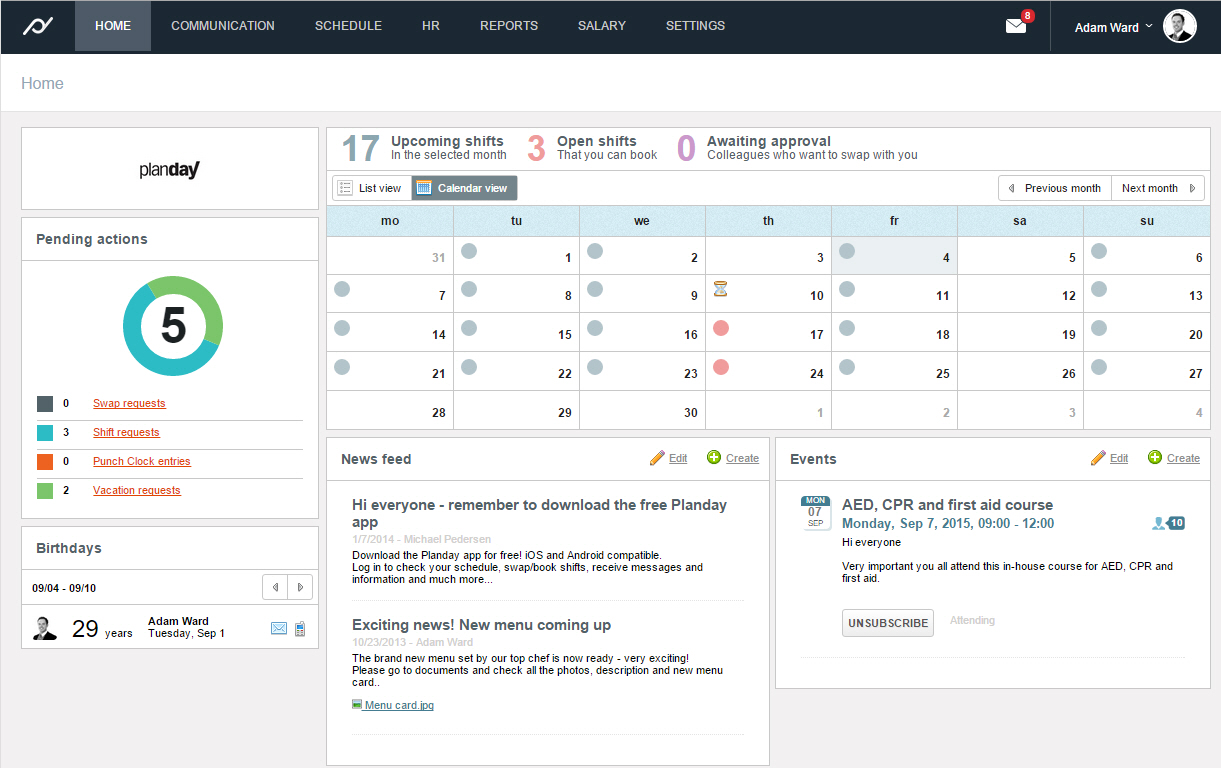
Planday is online and mobile employee scheduling software designed to help shift-based businesses plan and communicate shifts, manage absences and leave, simplify hour registration, and streamline their payroll processes. Planday also facilitates simple team communication across the organization via SMS, emails and app notifications while storing employee information and contact details in one single place.

Categories & Use Cases

Media

1 / 6

Kickstart Your Productivity and Team Time Management with Planday!

Use Cases and Deployment Scope

Planday is a great tool for employee time tracking & scheduling! It really helped me streamline the scheduling process and manage time off requests and availability of my my team. The time clock feature is straightforward and easy to navigate. Employees can clock in via their phones and view their schedule on the go, which helps with confusion and missed shifts! Overall a great product for small business owners to keep their team coordinated, timely and informed!

Pros

  • Team Scheduling
  • Team Communication
  • Employee Time Keeping

Cons

  • Ability to assign tasks to employees and/or shifts.
  • Direct messaging between management and team members - not just the group chat.

Most Important Features

  • Team Communication
  • Scheduling
  • Time Keeping

Return on Investment

  • Decreased my weekly scheduling time down to 20 minutes
  • Made payroll processing so much easier as I was able to export timesheets in a few seconds.
  • Increased overall team communication - saving me the time from individual conversations

Alternatives Considered

Deputy, TimeClock Plus and QuickBooks Time (formerly TSheets)

Other Software Used

Deputy, TimeClock Plus, Hubstaff

Planday - Manage Shifts The Easy Way!!!

Pros

  • Provides an overview of staffing levels for each team, and the department as a whole.
  • The UI makes it very easy to get a snapshot view of the staffing levels for set time period.
  • Managing absences and arranging for shift swaps are also efficiently handled using Planday.

Cons

  • Has a rigid structure, so there is only one way to do any particular task.

Return on Investment

  • So much easier to manage than an Excel spreadsheet!
  • The relatively low cost is completely outweighed by the time saved using Planday

Other Software Used

Google Drive, Microsoft Office 365, Guru.com, Slack, Skype for Business, Desk.com, TeamViewer, Workday Business Process Framework, LogMeIn Pro

Planday review

Pros

  • Employee profiling - easy to tailor to your requirements, set up and use
  • Schedule writing & reporting - templates are flexible, fairly simple to write & user friendly (in terms of managers & staff)
  • Communication function - easy to use, efficient

Cons

  • Holiday functionality - currently under review, new system launching early 2017 which will improve accuracy, calculate balances and deliver a more user friendly experience
  • Payroll reporting - data is not all relevant, could be more flexible
  • Schedule - could be more flexible to show employees consistently working across the group on one schedule

Return on Investment

  • Employee profiles - 99% of employee profiles are up to date with right work info/ID/contracts & personal details, compared to previous 50% (estimated)
  • Wages - consistently reviewed through Planday and updated to reflect sales, busy & non busy periods
  • Schedules - more efficient scheduling & accurate hours logged and therefore, translated to pay - consistent and efficient monitoring by head office/ops team and managers at site level, through clock in and out system.