TrustRadius: an HG Insights company

Onehub

Score8 out of 10

8 Reviews and Ratings

What is Onehub?

Onehub is a secure file storage and sharing service built for businesses of any size. Users can maintain existing folder and file structure with secure online document sharing and collaboration, and remain hyper-organized while able to access files from anywhere.

Bank-level encryption as well as its granular, role-based permission structure means users can control who has access to content and share critical business files with confidence. Onehub’s security features include role-based permissions, audit trails, session timeouts, and two-factor authentication, enabling businesses to keep content easily protected.

Onehub offers a suite of robust business tools such as virtual data rooms, client portals, Google Docs integration, automatic watermarking, branded workspaces, and custom agreements to enhance and expand file sharing.

Onehub Workspace can be customized to give content sharing a more professional, polished look, with its own Client Portal. Logo and brand colors can be stored and files shared online with customers. Onehub’s white-labeled client portal provides private Workspaces for each client.

Onehub’s virtual data rooms let users organize sensitive business information and securely share files online with anonymity. Get deals done faster with essential data room features including stealth collaboration, NDAs, document watermarking, automatic indexing, and full audit trails of all activity.

Media

Onehub Workspace home
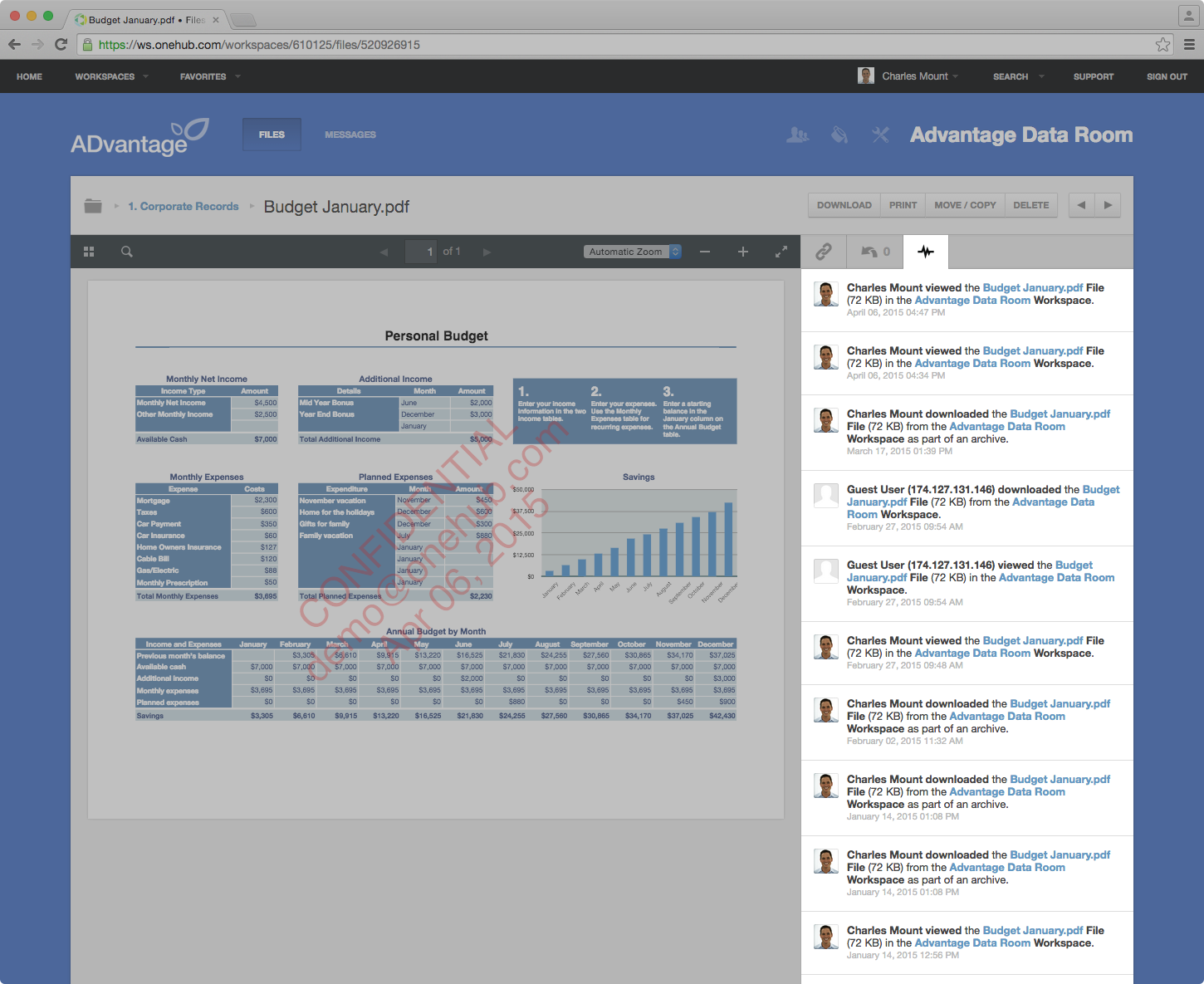
Data Room Activity
Custom Branded Workspace
Mobile Access
User Permission Controls

1 / 5

Top Performing Features

  • Reliability

    Cloud storage platform is secure, all features are consistently available, and the platform maintains file integrity.

    Category average: 8.3

  • File organization

    The ability to choose where files will be stored, and manage individual users' storage; includes control over file organization structure.

    Category average: 8.3

  • Performance

    Platform runs at a good speed on all browsers; files load and sync quickly.

    Category average: 7.7

Areas for Improvement

  • User and role management

    Administrators can manage users and user groups by role, in terms of setting permissions for things like file access, sharing, and editing permissions.

    Category average: 8.2

  • File search

    A search function that allows users to easily find files, and in some cases even search within multiple files.

    Category average: 7.8

  • Versioning

    Users can access the most up-to-date version of a document, track changes, and revert to older versions if needed.

    Category average: 8

We love Onehub

Use Cases and Deployment Scope

We are a global company with global partners and customers - being able to share documents in a controlled fashion widely is main use. We find the tool easy to use, easy to set up security, and less invasive than other tools. Fewer conflicts with various operating and customer/partner environments.

Pros

  • Document Storage
  • Document Security
  • Plays well with multiple user environments
  • Works globally

Cons

  • Document search features
  • Archiving when documents are replaced
  • Language support

Return on Investment

  • Most cost effective tool when you have 60 or so authors but 1000’s of consumers of documents, videos, and audio files

Usability

OneHub Straight to the Point

Use Cases and Deployment Scope

One hub allows my company to track the attended trainings of another company. We host trainings for companies and they want to know who attended. They could want to know right away or 6 months from now. Having one hub allows us to store attendee information and easily share it with our client companies.

Pros

  • Document storage
  • Information Sharing
  • Interface

Cons

  • Design
  • Sharing Portal

Most Important Features

  • Data sharing
  • Data Storage
  • Easy interface

Return on Investment

  • Assuring clients of record keeping
  • Client interest

Alternatives Considered

ClickUp, Zendesk Explore and Accelo

Other Software Used

Zendesk Explore, Accelo, ClickUp

Clients can rest easy with bank secure data transfer.

Pros

  • Bank level security.
  • Responsive customer service team.
  • Ease of use.
  • Clients love it.

Cons

  • Customizable home screen for no additional charge.
  • Better rates.

Return on Investment

  • Clients feel safe and secure transmitting sensitive data.
  • Easy to use and invite users.

Alternatives Considered

Dropbox

Other Software Used

Dropbox, Microsoft Teams, Evernote, Zoom Video Webinar, Adobe Acrobat DC, Wealthbox CRM, Constant Contact, Microsoft 365 (formerly Office 365)

Limited Features but good Security

Pros

  • Able to customize the pages where you keep files and documents, helping to keep organized.
  • Uploading files is an easy process.
  • Has reliable security for keeping documents safe. Uses a 2-factor authentication process.

Cons

  • Some movements of files and folders can be clunky.
  • Would like a feature like DocuSign for signing confidential documents (unless I just haven't found that feature yet).

Most Important Features

  • Security. The 2-factor authentication is a huge positive.
  • Ability to Collaborate with externals.
  • Easy uploading of documents is a plus.

Return on Investment

  • Increased efficiency when dealing with externals and document review.
  • Provides peace of mind that documents are secure in the Cloud and that department wont leak sensitive information.

Alternatives Considered

OneNote and Evernote

Other Software Used

OneNote, Evernote, Dropbox