TrustRadius: an HG Insights company

Logi Report

Score9 out of 10

11 Reviews and Ratings

What is Logi Report?

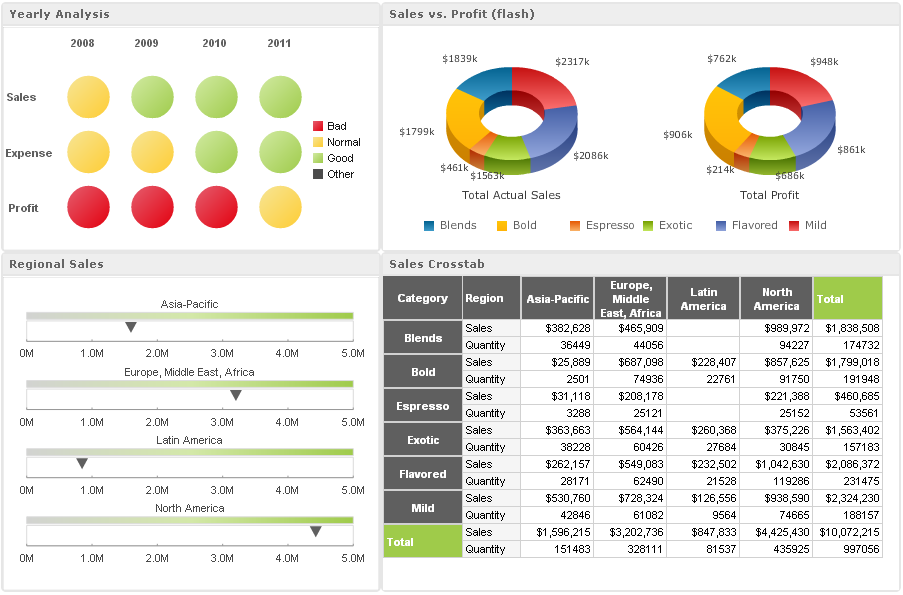
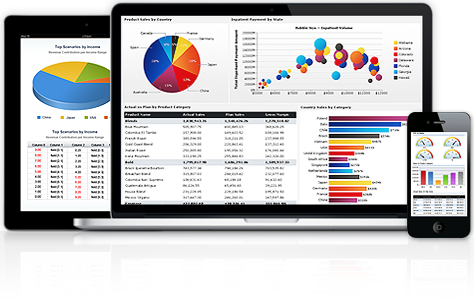
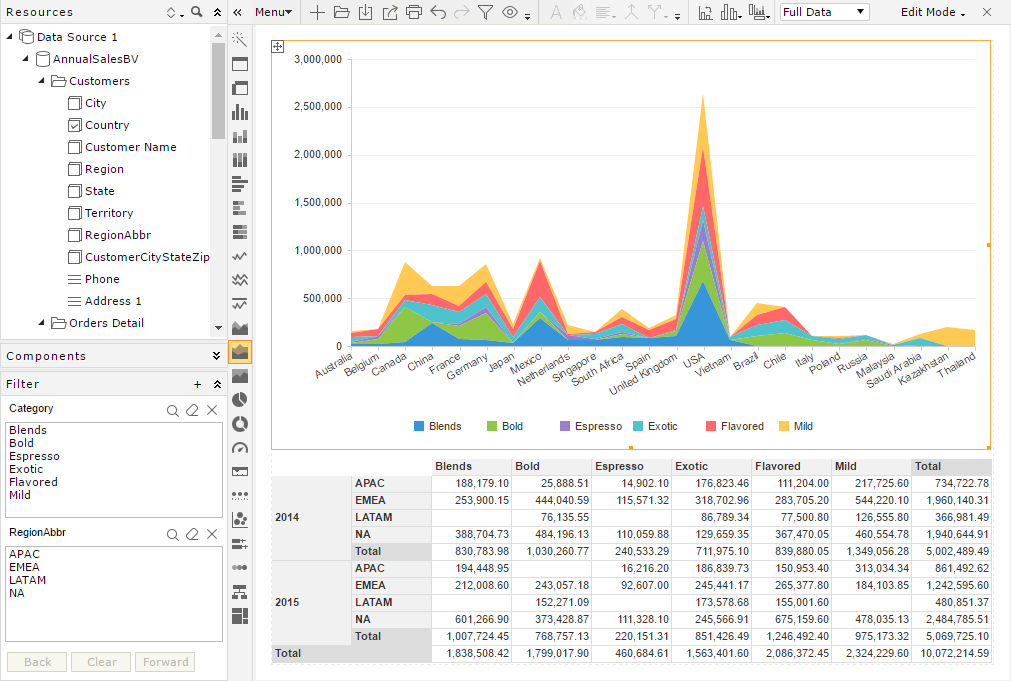
Logi Report (formerly JReport) is an embedded reporting platform provides developers and users with advanced pixel perfect, operational reporting capabilities for any data source. According to the vendor, JReport delivers insights for hundreds of thousands of users at over 10,000 installations worldwide. The vendor's goal is to empower ISVs and enterprise companies to embed the most sophisticated reports and dashboards into web applications.

JReport developer Jinfonet Software was acquired and is now supported by Logi Analytics (February 2019).

Media

1 / 6

Top Performing Features

  • REST API

    REST is an architecture style for designing networked applications

    Category average: 7.4

  • Multi-User Support (named login)

    Named model access means that users have access based on name and password.

    Category average: 8.1

  • Role-Based Security Model

    Role-based access means that access to data is determined by job or position in the corporation.

    Category average: 7.8

Areas for Improvement

  • Pixel Perfect reports

    Pixel Perfect reports are highly-formatted reports with graphics and ability to preview the report before printing.

    Category average: 7.7

  • Single Sign-On (SSO)

    Allows users to use one set of login credentials to access multiple applications

    Category average: 7.5

  • Predictive Analytics

    Predictive Analytics is the ability to build forecasting models based on existing data sets.

    Category average: 6.8

Powerful, Integrated embedded BI reporting capabilities

Pros

  • Ability to connect to a wide variety of data sources.
  • Ability to seamlessly integrate our solution's security with theirs for a unified presence to the end user.
  • Consistent, easy to use interface.

Cons

  • We’d like to see more details in the release notes. Not always clear whether our feature requests made it into a specific release.
  • Would like better visibility into product road-maps.
  • New releases that provide improvements on some report types, may not always be applied to all report types.

Alternatives Considered

iDashboards Enterprise Suite and Microsoft BI

Great looking reports that are easy to create and share!

Pros

  • I was looking for an embeddable BI solution and JReport is the best of the breed in this area. Head and shoulders over the competition! Their intuitive drag and drop interface allows us to create great looking reports in minutes. JReport architecture is scalable and allows us to serve thousands of users worldwide.
  • Equally impressive was their responsiveness in implementing features required in the life sciences industry.

Cons

  • Initially, the product lacked some features but their support team reacted quickly to meet our needs.
  • The JReport desktop designer looks a bit dated, however, the Web GUI looks very modern.

Great reporting software! Great support! Don't second guess JReport.

Pros

  • Report Automation
  • Integration
  • Distribution
  • ADHOC

Cons

  • Too many choices for reports

Other Software Used

Infor BI, Infor Talent Management, Infor Learning Management, Infor HCM

Easy Report Creation from Many Data Sources

Pros

  • Easy to use to create reports (intuitive design).
  • Reports can be scheduled.
  • Reusable report components to create other reports.

Cons

  • Difficult to easily search/locate reports in Logi Report server/admin console.

Most Important Features

  • Scheduling of running reports
  • Creating reports/data files to import into other applications.
  • Ease of use
  • Quick generation of reports.

Return on Investment

  • Handy dashboard
  • Create reports in various formats
  • Would like to see a longer listing of reports per screen on the scheduler in JReport Server/Admin Console as we have a lot of reports we run.

Alternatives Considered

Microsoft BI (MSBI)

Other Software Used

Globalscape Enhanced File Transfer (EFT), Fiserv Director

Versatile Reporting Platform

Pros

  • Creates powerful reports and charts
  • Highly customizable and can fit multiple needs
  • Distributed Architecture offers higher reliability and avoids single point of failure

Cons

  • Designing UI for a new report can be time consuming
  • Building an entirely new report requires a fully trained resource with knowledge of using the Designer tool
  • Upgrades can be complex

Alternatives Considered

SAP Crystal