TrustRadius: an HG Insights company

Laserfiche

Score8.1 out of 10

97 Reviews and Ratings

What is Laserfiche?

Laserfiche has two main editions: Rio and Avante: Laserfiche Rio is designed to meet the needs of large organizations that have more than 100 users. It combines content management functionality with business process management (BPM), security and auditing, unlimited servers and a thin-client interface. Add-ons include records management functionality, public Web portals and production-level document capture and processing. Laserfiche Avante is an ECM suite for small to medium organizations with fewer than 100 users. It combines content management with workflow tools that automate business processes. Built on the Microsoft platform, Laserfiche Avante allows users to drag and drop e-mails from Outlook® into Laserfiche.

Media

Laserfiche Records Management
Change of Major/Minor Request created with Laserfiche Forms
Student Information Sheet created with Laserfiche Forms
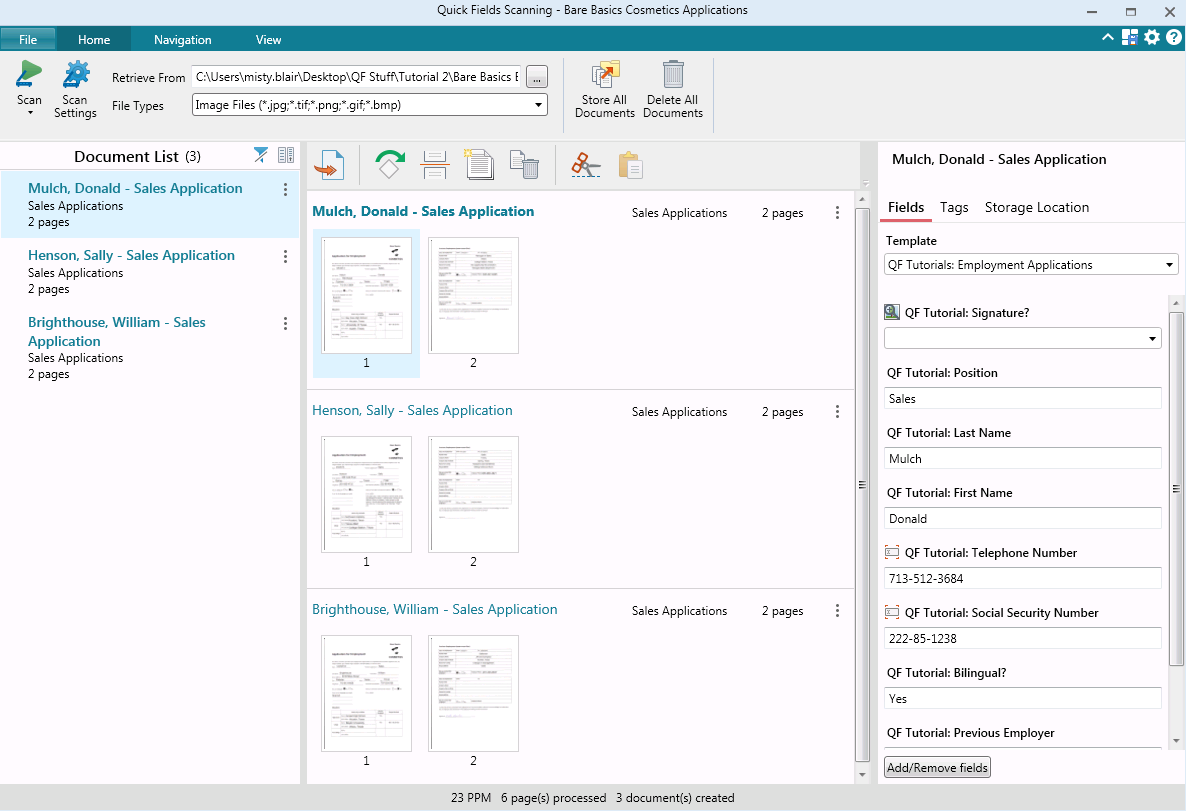
Laserfiche Quick Fields Scanning
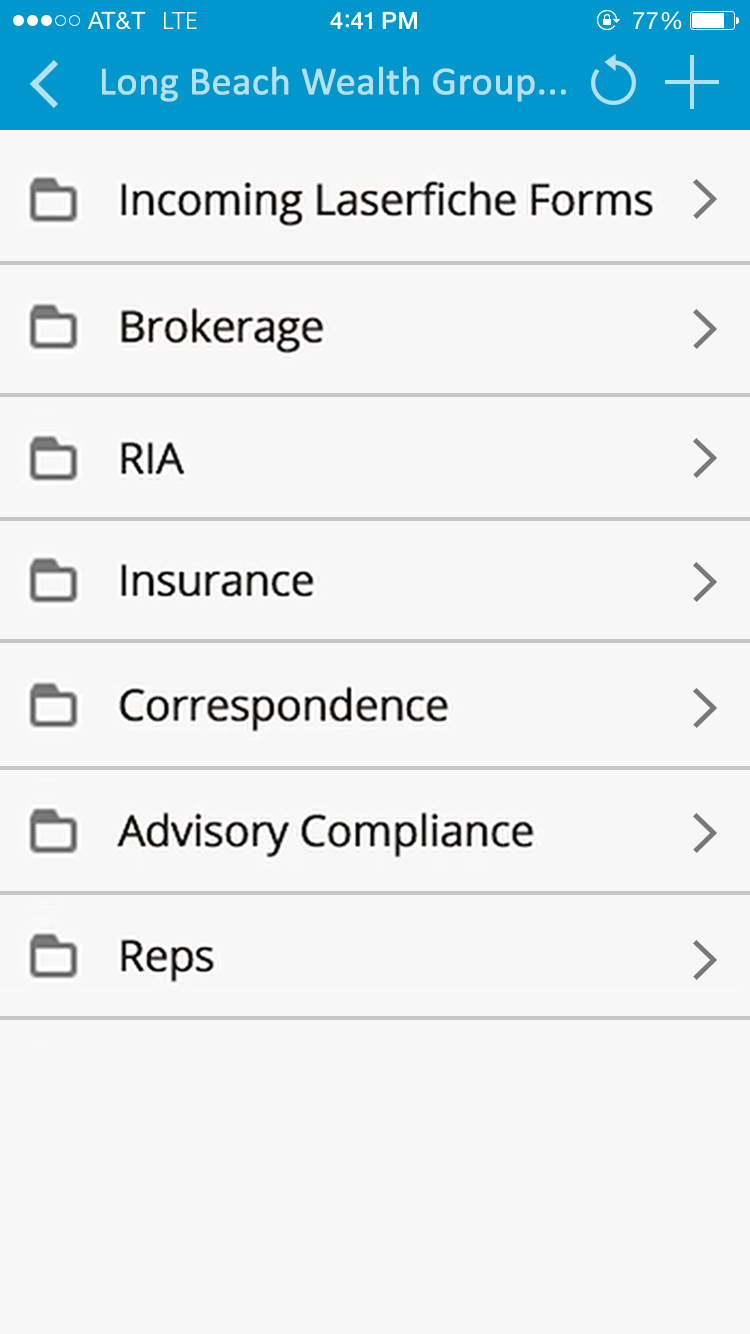
Laserfiche Mobile Repository
The Laserfiche home screen is an intuitive starting point where users can access their open tasks, starred documents, forms and more.
Creating and automating forms is a breeze with our easy-to-use software.
Access a centralized repository from any web browser using the Laserfiche web client.
With Laserfiche, you can easily access business process metrics to identify bottlenecks and assess process health.

1 / 10

Top Performing Features

  • Content capture & imaging

    The system supports the digitization of content.

    Category average: 8.5

  • Records management

    Secure, policy-controlled and compliant storage, retrieval and production of records, transactional or otherwise.

    Category average: 7.9

  • Security, risk management & information governance

    Security controls with rules, policies, and permissions defining and delimiting access to content and records. This is a core feature, and a necessity for enterprises.

    Category average: 8.2

Areas for Improvement

  • Enterprise content collaboration

    ECM support file and content sharing within the enterprise, or integrate with preferred collaboration software or modules. May also be referred to as social intranet.

    Category average: 7.9

  • Mobile support

    Repository access from mobile devices

    Category average: 6.5

  • Integration

    Integration with 3rd-party systems like ERP, SCM, or CRM

    Category average: 8.1

Laserfiche in Public Education

Use Cases and Deployment Scope

Laserfiche is used to sign, review and process official forms and documents. This is used for employment contracts, student service forms and other official documents for legal purposes. Laserfiche is also used for official forms by HR for different types of PTO, Leave and additional resources. All forms are signed with digital signatures and assurances.

Pros

  • Ease of use
  • Efficiency
  • Accessibility
  • Organization
  • Records keeping
  • Tasks and processes

Cons

  • More options for organization on menu tab
  • Updated user interface without losing ease of use factor

Return on Investment

  • Help with organization
  • Ease of use for forms, documents and contracts
  • Efficiency for tasks
  • No real learning curve for usage

Usability

Alternatives Considered

Skyward Student Management System

Other Software Used

Skyward ERP, Skyward Student Management System, Minga, Adobe Illustrator CC, Google Classroom

Laserfiche "Made Better" using the latest version!

Use Cases and Deployment Scope

The latest version of LF is a lot stable and dependable. Bug fixes have been applied and there are no known new bugs or issues. Performance and system response time were also improved.

Pros

  • Licensing
  • Forms and Workflows
  • Logins

Cons

  • SSO / Logins
  • Forms
  • Workflows
  • Archiving

Return on Investment

  • Licensing structure is very expensive
  • Overall Support and Maintenance fee - expensive

Usability

Alternatives Considered

DOCUBASE and 11:11 Solutions for AWS

Great for routine reports and public outreach

Use Cases and Deployment Scope

As a municipal law enforcement organization, we have found Laserfiche very useful both internally and in support of our outreach efforts with the public. Internally, we have developed forms that streamline repetitive reporting tasks while reducing the number of manual user inputs that are required. The forms are flexible to meet our needs, and we have developed a process that utilizes prefilling the most common and preferred responses on some forms so that users only have to make changes to the form where something out of the ordinary has occurred. When those responses are populated, the form can be set to open another dialog box to allow the user to elaborate on what happened. Once a form is complete, the submit button sends a PDF image to the selected addresses. Simple and reliable. For our public users, we are able to post the link to a Laserfiche form which allows the citizen to submit information or queries simply without having to print a form, scan, or mail a form in multiple steps. The simple interface greatly increases the instances of form submission. Overall, we are very happy and continuing to find new ways to leverage the product.

Pros

  • Automates routine reports that do not need to be entered into our formal reporting system.
  • Allows for anonymous submission of complaints or tips from the public.
  • Creates a neatly and efficiently organized record of an incident through the use of checkboxes and short answers instead of a long narrative.

Cons

  • Would like Laserfiche to be able to send forms to an internal share drive folders on our network.
  • Would like the report output to be in a format that can be amended without requiring additional software.
  • Would like submitters to be able to add their email address to the routing of a form prior to submitting.

Most Important Features

  • Flexibility in the design of the forms.
  • Ability to send to multiple email addresses with the click of one submit button
  • Ease of use for the members submitting the form to create a clear and accurate record.

Return on Investment

  • Has allowed us to move some legacy paper reporting to an automated process to create direct digital records without the need to scan or manually input data.
  • Has greatly improved compliance by making it easier for users to complete the reports.
  • Has reduced the amount of time users spend on creating and submitting reports.
  • Has eliminated lost or misrouted reports.

Alternatives Considered

Microsoft Office 2016 (discontinued)

Other Software Used

Adobe Acrobat Reader DC, Microsoft 365 (formerly Office 365)

It seems Laserfiche is the best of the market in its segment

Use Cases and Deployment Scope

Document management service is the leading one that we benefit from using Laserfiche. Besides, it provides amazing analytics that enhances our transformation to the digital world as digital transformation is our company policy for the next 5 years. it enabled the centralized document management system that prevents the waste of time, ineffective effort direction to things could be solved with process automation.

Pros

  • Document management.
  • Process Automation.
  • Integrations.

Cons

  • UI could be challenging sometimes.
  • Tutorials are not free.
  • Sometimes crashes while using.
  • Pricing policy.

Most Important Features

  • Digital storage.
  • Organizing the documents effectively.
  • Reporting.

Return on Investment

  • It hugely contributed to our digital transformation process.
  • Cut in cost as it provides the modern perspective in the document managements.
  • Via reports, the software shed light on our way to effectively manage.

Alternatives Considered

DocuWare

Other Software Used

Oracle FLEXCUBE, Cisco 5500 Series Network Convergence System (NCS 5500), Wrike

Best Product used till date, Keep doing the BEST!!

Use Cases and Deployment Scope

Laserfiche provides capabilities ranging from records management to document routing, electronic forms, and

digital signatures. It is a powerful solution that enables my entire enterprise. Its intuitive user interface allows my users to quickly adopt and use the software, speeding

acceptance and minimizing the IT support, as nowadays nobody wants IT to support, as they are very expensive.

Pros

  • Helps in vendor and contract management.
  • Helps in records management.
  • Streamlines travel and expense management.

Cons

  • They can work more on the integration part, they can surely allow users to integrate with many other applications as well.
  • They can reduce the overall cost of ownership
  • They can try and work better towards providing new releases faster to users.

Most Important Features

  • Correspondence management is very helpful.
  • Helps in invoice processing.
  • Also great help in Human Resources onboarding.

Return on Investment

  • It has all positive effects, has improved the Onboarding process for the HR department.
  • The built in security is very good for us as users.
  • Fully customizable, read-only public Web portals, with unlimited public.
  • Portal licensing.