TrustRadius: an HG Insights company

InVision

Score5.8 out of 10

215 Reviews and Ratings

What is InVision?

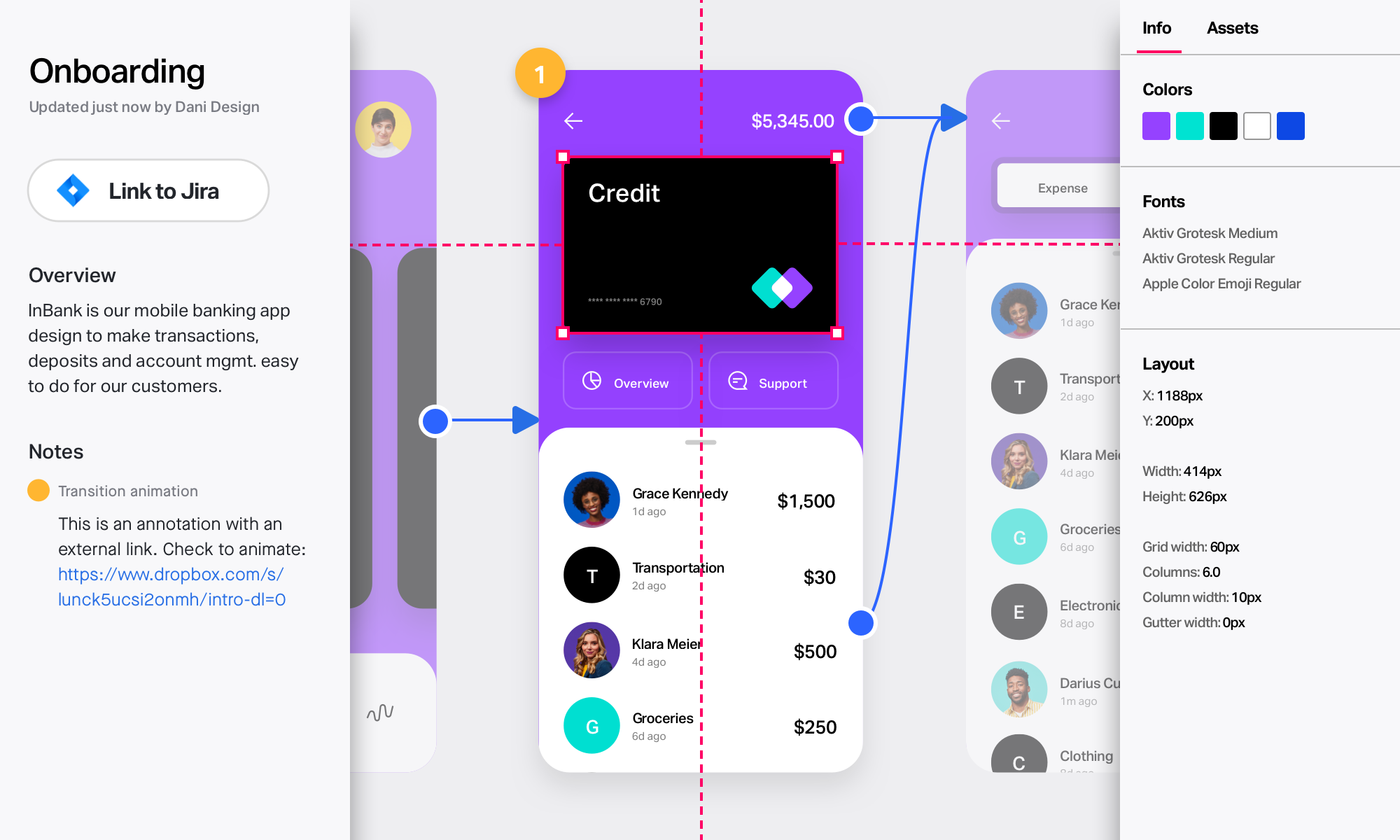
InVision is a collaborative design and prototyping platform with features such as freehand drafting mode and interactive mockups, collaboration, idea management, user testing, and integration with Slack and other collaboration tools. According to the vendor, 1 million designers are using the free version.

Media

Take designs from ideas to development in one unified platform
Collaborate in real time on an endless digital whiteboard. Start fast with a blank canvas or pre-built templates.
Create rich, interactive prototypes. Import from Sketch, then gather feedback from any device.
Involve your developers early and often. Collect input and provide detailed specs to keep builds on track.

1 / 4

InVision: A Great Tool for PMs to Share Designs with Teams and Customers

Use Cases and Deployment Scope

We use InVision as a solution for UX artifacts, including journey maps, mockups, and interactive wireframes. Specifically, our UX designers take the lead with designs and share these designs with relevant stakeholders. We review designs among UX and Product folks as well as embed InVision artifacts into user stories. Often, after concepts are validated internally, we share InVision assets directly with customers for their review. Our work spans various enterprise apps in the business.

Pros

  • Features to enable clickable prototypes
  • Organization of wireframes to map out user flows
  • Easily shareable assets

Cons

  • For non-primary users, navigation can be difficult.
  • Embedding of assets into other software is a challenge.
  • When clicking through a flow, it would be nice to easily navigate to other screens without backtracking to the main menu.

Return on Investment

  • Clearer product vision
  • Reduction in time spent communicating requirements to developers
  • More engaged customers
  • More clarity to customers

Alternatives Considered

Miro

Other Software Used

Miro, Slack

Great for sharing and collaborating across teams

Use Cases and Deployment Scope

ALLOWS US TO VIEW CLICKACBLE WEBSITE DESIGN MOCKUPS

Pros

  • clickable designs
  • interactive designs
  • mockups

Cons

  • better design kit
  • easier to use downlod for offline use

Return on Investment

  • saves time

Alternatives Considered

Figma

Other Software Used

Adobe InDesign

Great for DSM and simple prototyping

Use Cases and Deployment Scope

We used InVision for prototypes in user testing, wireframing concepts, DSM, collaboration, and design handoff. It helps address usability issues, makes inspecting design files easy for engineering, and has a well-organized DSM that can be auto-updated through Sketch. Freehand makes collaborating/brainstorming remotely easy and files can be shared with a public link.

Pros

  • Craft plugin to Sketch allows for streamlined updates from design files.
  • Easy to share prototypes.
  • Design system manager

Cons

  • Limited prototyping functionality.
  • Cannot turn off swipe to next screen on prototype (has messed up user tests).
  • Have to design in separate software (Figma, Sketch).

Return on Investment

  • Time saving creating simple prototypes.
  • Improved consistency with design system management.

Alternatives Considered

Sketch, Figma and Axure RP

Other Software Used

Figma

Great for design collaboration, inventory and sharing of assets

Pros

  • Simple and intuitive interface, very easy to use and share.
  • Great for collaboration with multiple users and stakeholders.
  • A very professional and manageable way to house multiple assets, across clients and projects.

Cons

  • Housing video files doesn't allow for easy preview or playing.
  • Navigating around a large freehand board can be cumbersome and difficult to find your way to specific areas of interest without some nuancing.

Most Important Features

  • Team sharing/collaboration.
  • Real time view and editing.
  • Ability to house final files.
  • Separate boards can be used for different clients, different projects with ease.

Return on Investment

  • For the price it is well worth it. It improves collaboration and efficiency which can be easily attributed to cost savings or improved margins.
  • It also adds an element of professionalism and sophistication to the process and presentation of the work, which in turns aids in brand favorability.

Alternatives Considered

Adobe XD

Other Software Used

Brand24

InVision--Collaborative Prototyping Staple

Pros

  • Prototyping
  • Sharing feedback internally
  • Collaboration for remote teams
  • Client presentations

Cons

  • The product is a bit disjointed, whereas competitor products have a more all-in-one feel
  • More difficult UI than other tools
  • Sharing settings and toolbar are not always intuitive

Most Important Features

  • Commenting and collaboration for internal team members
  • Ease of sharing and permissions settings for client review and feedback
  • Low learning curve for clients to use

Return on Investment

  • InVision has been a necessity to collaborate with outside designers and clients
  • It's widely used and one of the core design tools in the industry
  • Essential tool for remote team collaboration

Alternatives Considered

Figma, Sketch, Adobe PhotoShop, Adobe XD and Whimsical

Other Software Used

Whimsical, Google Analytics 360 (formerly Google Analytics Premium), Google Tag Manager, Figma, Basecamp, Notion, Buffer