TrustRadius: an HG Insights company

Hubstaff

Score9.3 out of 10

69 Reviews and Ratings

What is Hubstaff?

Hubstaff is a workforce analytics software tailored to boost productivity in remote, hybrid, and in-house teams while fostering a positive employee experience. Integrating with over 30 apps, Hubstaff's key features include time tracking, screenshots, activity tracking, URL and app monitoring, workforce analytics, automatic payroll and invoicing, scheduling, GPS and location monitoring, and timesheets. Hubstaff is compatible with Mac, Windows, Linux, Chrome, iOS, and Android.


Hubstaff improves operational efficiencies by:


  • Boosting productivity: Increases productivity through PTO process automation.
  • Strategic resource allocation: Saves the work of HR personnel to enhance efficiency.
  • Zero downtime: Ensures continuous and smooth operations with zero downtime.
  • Payroll and HR processes: Streamlined payroll and HR processes, reducing administrative overhead and ensuring accuracy.
  • Task optimization: Achieves cost savings by eliminating wasted tasks and optimizing resource utilization.
  • Reduction in hiring costs: Reduces hiring costs by mitigating risks associated with poor hires.
  • Employee retention: Empowers top performers with data for faster promotions and higher retention rates.


Media

Screenshot of the time tracking interface, with screenshots
Screenshot of the remote work dashboard
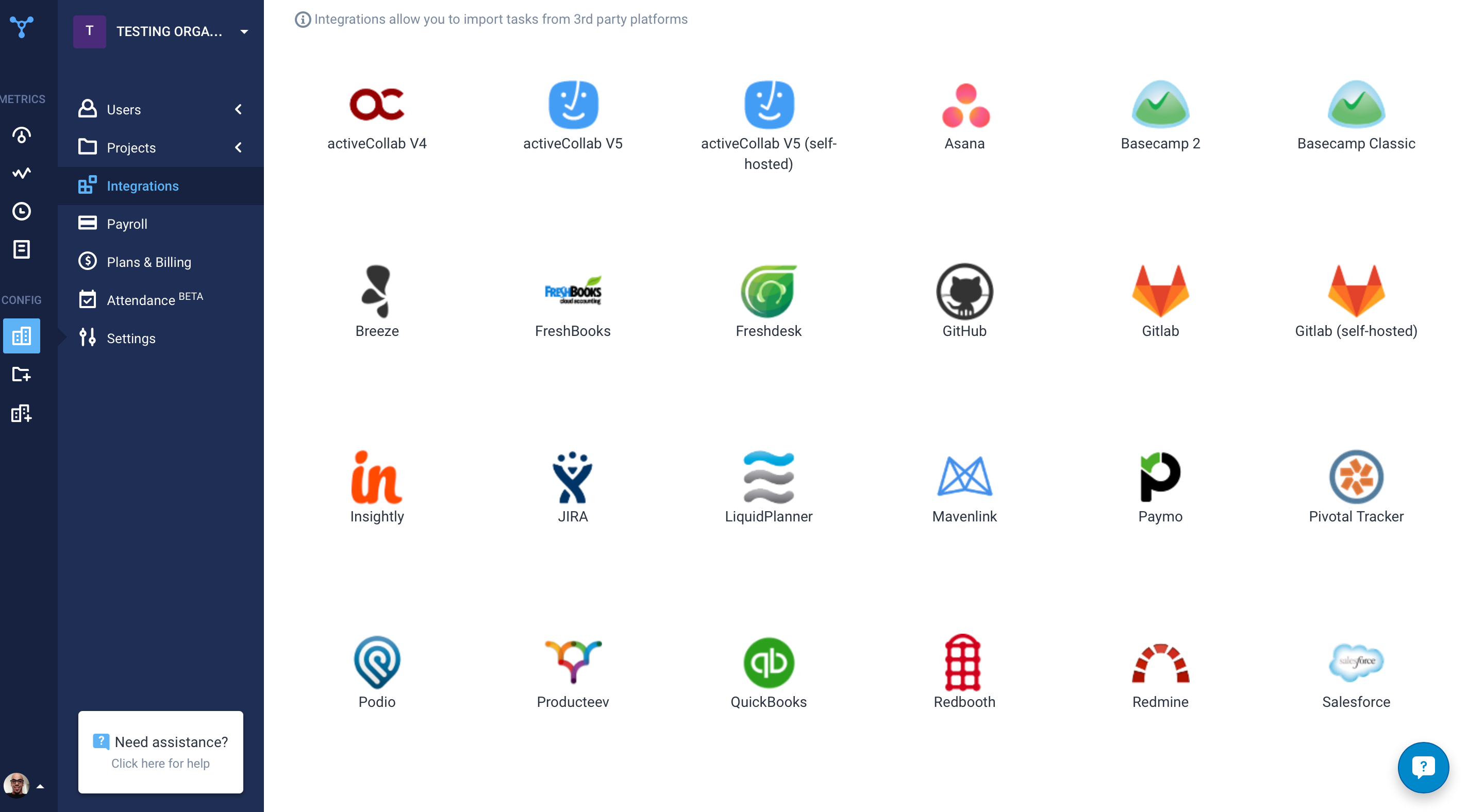
Screenshot of Hubstaff's 30 project management integrations

1 / 3

Screenshot of the time tracking interface, with screenshots

User friendly time tracker for remote paid-per-hour employees.

Use Cases and Deployment Scope

In our organization we use Hubstaff to track the staff's working time. We all work remotely and this is the way the organization found to pay for the staff's work and also make sure everyone is actually working during their shift.

Pros

  • keep count of the staff's working hours
  • take screenshots of the staff's screen
  • create report of the working hours separating by projects

Cons

  • Sometimes there's a slight delay when someone stops recording the monitor, causing it to take a screenshot of something not work related just because it took a screenshot not exactly when the user hit the stop timer button.
  • It has the ability to send a report at the end of the week, it would be usefull if it also sent you a total per project, to avoid going inside the site to just check for that in case you need to make an invoice.

Return on Investment

  • Not sure about this question. Maybe I'm not the best suited person to answer.

Usability

Other Software Used

SuperSaaS, Teachable, Wufoo

Hubstaff is a perfect add on for improvements and a smart investment for organisation.

Use Cases and Deployment Scope

Hubstaff is using by the technical department and QA department and Jr. level Marketing team. Hubstaff is solving our time management and team activity tracking problem. It helps us the most through the whole pandemic with work from home. Now we are making more informed decisions about employee performance and project total time allocation. Even we can share this with clients also in case of outsourcing the team for transparency.

Pros

  • Time tracking
  • Task time calculation
  • Activity screenshot
  • Reporting

Cons

  • That Hubstaff discontinued with Basecamp was problematic.
  • Sometimes it shows wrong activity count of team.
  • Sometimes there's a difference between time calculated in admin panel and in employee panel.
  • Should give discounts.

Most Important Features

  • Time tracking
  • Activity screenshots
  • Reporting

Return on Investment

  • Initially team conflict happened with senior team members while installing.
  • Ease of performance justification.
  • Productivity increased.
  • Almost 10% to 15% time input increase so around 10% revenue increased.

Usability

Alternatives Considered

Time Doctor and WorkComposer

Other Software Used

Basecamp, Pipedrive, Miro, Atlassian Jira

Polished and powerful

Use Cases and Deployment Scope

We track the activity levels and time spent on various features and activities across all our work, including client work and internal projects, so we can measure effort spent against the resources we have budgeted. As a fully remote team, this is very helpful for keeping team members accountable, however even without being remote it would be a critical business tool for us in terms of measuring and reviewing our budgeted resources.

Pros

  • Lots of flexibility to enable or disable specific settings
  • Screenshots can be disabled to respect team members' privacy
  • Powerful and user-friendly reporting tools
  • Excellent overall design and UX

Cons

  • Nothing springs to mind - it's fully fit for purpose

Return on Investment

  • Makes our reporting and resource budgeting highly data-driven
  • Enables us to easily monitor activity for remote team members who work flexible hours and shift patterns

Usability

Alternatives Considered

Clockify

Other Software Used

Miro, Slack, Basecamp, Calendly, Typeform

Complete platform to manage time and project effectively

Pros

  • It has all the features that need to have while managing the project like screen capturing, sending invoices, create and view reports, pay and quick insights.
  • It also gives me the reports of my team effectiveness.
  • It tracks all the project progress along with team effectiveness and productivity at the workplace, gives me all the insights into team performance, and also helps me to track team productivity easily.
  • Another great feature that Hubstaff has which is its integration module.

Cons

  • I am having a problem with its customer support. [I feel it is] one of the worst customer service I have gone through for the longest time. They did not even know about their own platform, response time is late and there is no such name of help from their side what so ever which makes it a very difficult platform to use.
  • [I believe it] needs a lot of upgrades in customer support system.

Most Important Features

  • Time tracking.
  • Integration is easy and reliable with other tools.
  • Customization of dashboard options.

Return on Investment

  • Quick and robust functionality always attracts me to explore more into the system to actually use it on full potential.
  • Interface of platform is great.
  • Support needs improvement.

Alternatives Considered

Toggl

Other Software Used

monday.com, BlackLine

Great place for monitoring needs

Pros

  • Its interface is also quite easy to handle and is designed in a user friendly way.
  • Overall, I feel that Hubstaff is a very useful invention that has the ability to attract and fascinate users.
  • Hubstaff offers a customizable and easily tailored according to your requirements user interface where with the help of just one click you can start or even stop tracking your daily project activities.

Cons

  • Firstly, corrections in Hubstaff can be a little tricky to do at first and interactions with Windows 10 are also not the best. Moreover, I have noticed that the notifications for switching a tracking status get sent out twice instead of once.
  • Also, I believe that there should be an option for live chatting. Other than that, I sometimes feel difficulty in integrating a serious issue I think that needs to be fixed. Also sometimes dragging and dropping features is also a little difficult.

Most Important Features

  • Hubstaff offers desktop as well as browser compatibility which is a great thing because it will be helpful for different types of users.
  • Also, the simple and very clear dashboard is a great aspect of Hubstaff.
  • Plus the training videos are great for beginners and it is a great initiative taken by Hubstaff.

Return on Investment

  • Hubstaff has so many features that can be explored in different ways.
  • Here with Hubstaff if any employee tracks their time wrongly then it can always be amended in a way it suits your project needs quite easily.
  • Another great advantage is that Hubstaff tracks the overall progress of the entire project in a very detailed manner and provides insights for all the remaining work.

Alternatives Considered

Toggl

Other Software Used

Apollo, Orum, Cloze