
TrustRadius: an HG Insights company

Everhour

Score8.5 out of 10

73 Reviews and Ratings

What is Everhour?

Everhour is a time tracker equipped with project & team management features.

Everhour integrates with project management apps so users can track time on tasks right from its interface: Asana, Basecamp, Trello, Jira, ClickUp, Basecamp, Notion, Todoist, GitHub, GitLab, etc.

Its time tracking features provide options for timekeeping and time management. It helps to facilitate a team's time tracking experience by adding reminders, auto stop timers, start and stop timers, and time estimates, and save time by not having to switch between tabs.

Everhour allows users to:
  • See who’s tracking time, who’s overworked, and who can handle more.
  • Keep track of project budgets, schedule threshold alerts, and use forward resource planning.
  • Build any kind of reports and send professional-looking invoices.

Categories & Use Cases

Media

Keep track of projects, set budgets and alerts, split billable and non-billable hours
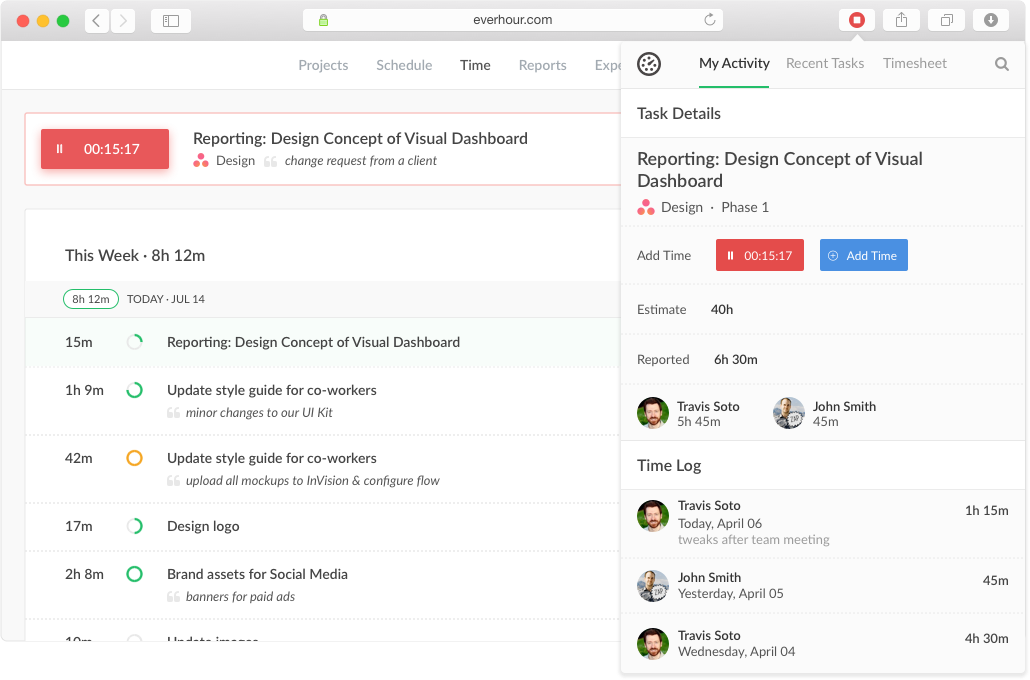
Track time from the website, from a browser toolbar and inside project management tools
Create tasks, track time, and update progress in one place.
Track staff related expenses and invoice billable expenses to clients with integrated invoicing
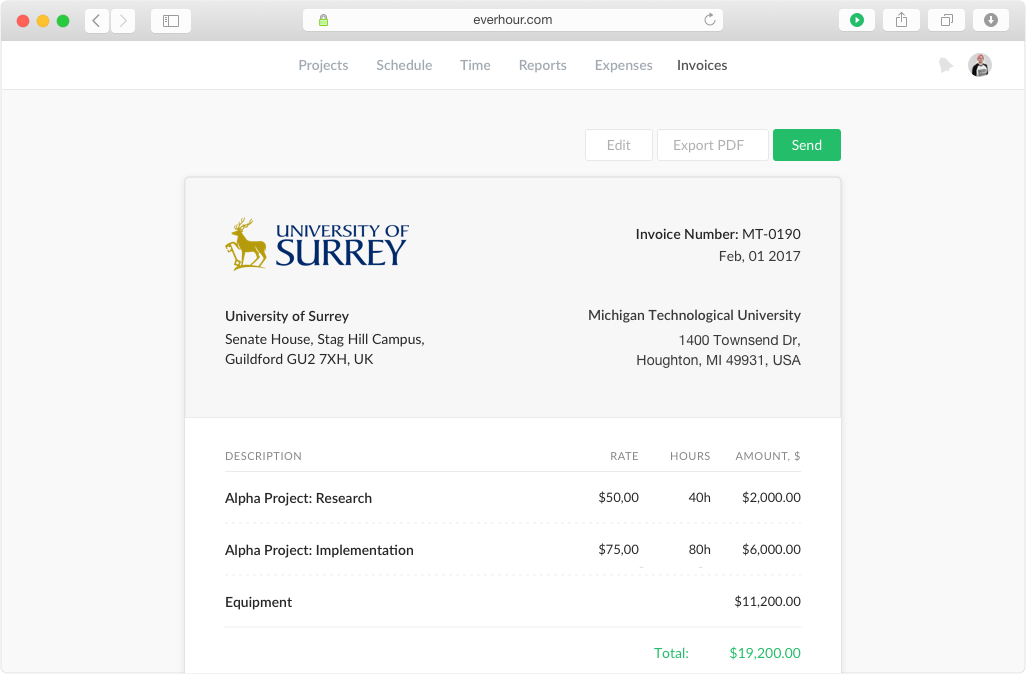
Create invoices from the logged work just in a few clicks. Watch the reported time and the accurate time invoiced.

1 / 5

Everhour Simplified Our Time Tracking Operations.

Use Cases and Deployment Scope

We used Everhour to manage contractors within our organization. By moving all our contractors into one platform, we were able to have consistent visibility on projects without needing to jump between tools. Also, the integrations were very helpful as we used Asana to actually manage the tasks. Overall, the system saved me a lot of time and gave a single pane of glass for managing our contractor spend.

Pros

  • Integrations
  • UI/Easy of Use
  • Reporting
  • Estimations

Cons

  • Cost. Other competitors have a flat cost for the system rather than per seat.
  • Windows App. There is a screenshot tool, but I suspect macOS is better supported.
  • Lack of advanced analytics, such as productivity trends, burnout, or capacity planning insights.

Return on Investment

  • Captured previously unbilled hours through better time tracking discipline.
  • Reduced administrative time spent on manual timesheets.
  • Better ability to spot scope creep.

Usability

Alternatives Considered

Toggl Track and Atlassian Jira

Other Software Used

Asana, Slack, Linear App

Great tool

Use Cases and Deployment Scope

We use Everhour to track all time our teams spend on client engagements. With this data we're able to write up more accurate scopes of work, determine complexities of specific projects, identify areas of improvement, and provide a better understanding between our sales teams and operations teams. Manny folks have begun tracking all of their time which has improved their time management.

Pros

  • Integrations with Monday. Com
  • Reporting
  • Clear and understandable user interface

Cons

  • Moving/correcting time
  • Finding specific timers from the browser extension
  • More data available in browser extension

Return on Investment

  • Our client teams utilization has improved
  • Scopes are more realistic

Usability

Alternatives Considered

monday.com

Perfect to keep track of your time

Pros

  • Ease of use.
  • Creating detailed reports, by client for example.
  • Gives us a overview of what is being done at a given time.
  • Interface looks great.

Cons

  • The way client > project > board > card is organized could be improved.
  • What info it shows to non admin users could be personalized.
  • Improving the mobile app would make this system perfect.

Return on Investment

  • Organization.
  • Keeping track of what's going on.
  • Help understand if our estimates are accurate.

Other Software Used

Asana

Everhour: Look no further for time-tracking with Asana

Pros

  • Integration with Asana.
  • URL links for quick access to reporting.
  • Works with lots of different software.

Cons

  • Tight integration can mean that the tool doesn't work when the integrated software changes
  • No mobile app.

Return on Investment

  • Way to measure the true costs of projects/efforts.

Alternatives Considered

Toggl

Everhour is an especially great tool when you need a single point of time tracking for teams using 2 or more management tools, such as Jira and Asana.

Pros

  • Timesheets.
  • Integrate different task tools in one place.

Cons

  • The mobile app is very limited.
  • It's costing a little bit to be fixed to some models.

Return on Investment

  • We're more aware of how we are expending our time.
  • Best time allocation.

Other Software Used

Asana, Jira Software, Slack