TrustRadius: an HG Insights company

Elecard StreamEye Studio

Score9.1 out of 10

1 Reviews and Ratings

What is Elecard StreamEye Studio?

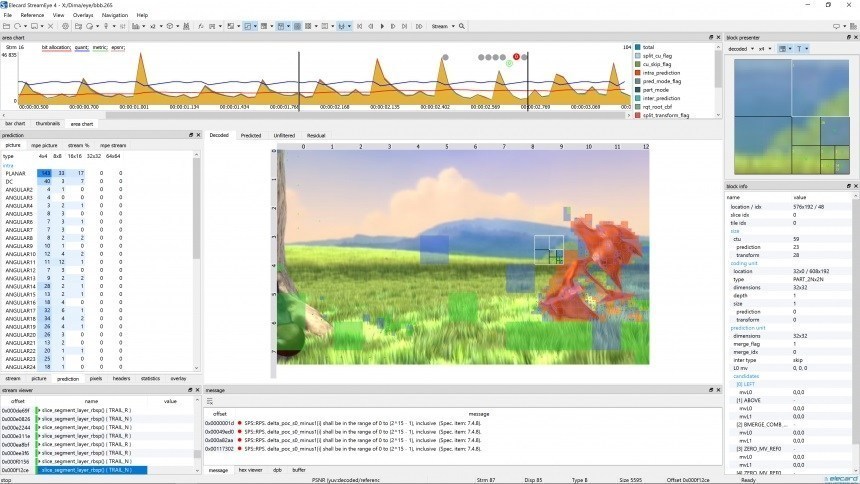
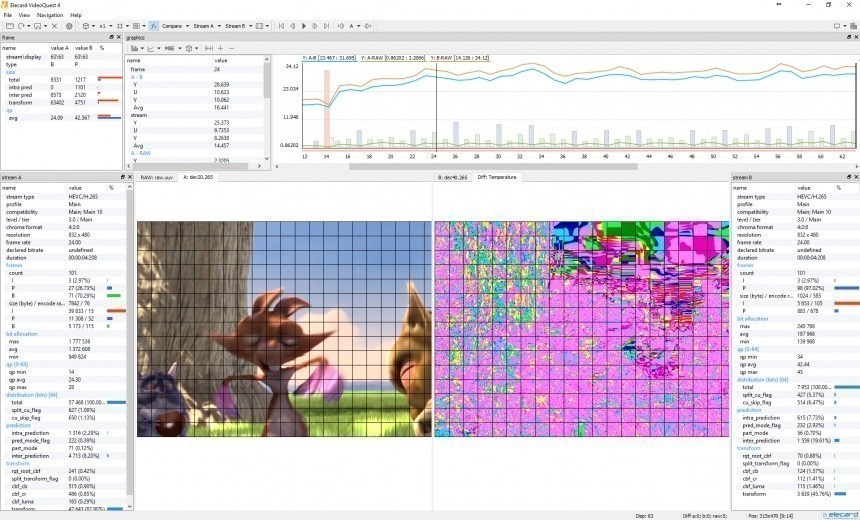
Elecard StreamEye - a software tool for professionals in the video compression field. It enables in-depth bitstream analysis to macroblock level, codec parameters inspection. MPEG-1, MPEG-2, AVC/H.264, HEVC/H.265, AV1, VP9, VVC (preview version). Finding an issue in the elementary stream that may cause errors at the decoder. Analyze bitrate and buffer deviations. Check the stream versus compliance standard. Calculate overall stream quality with a help of different objective and subjective metrics. Check and navigate through stream syntax. SteamEye is used for video compression optimization and debugging, as well as defining the best encoder or encoder settings for any task, restoring corrupted frames of a stream to some extent or identifying a stream portion that was encoded in a different way/be another encoder. The given product is the core of Elecard StreamEye Studio, which is a set of applications comprising: Elecard StreamEye application, Stream Analyzer, Video Quality Estimator (QuEst), YUV viewer and Quality Gates.

Categories & Use Cases

Media

Screenshot of area chart
Screenshot of navigation
Screenshot of Quantizer
Screenshot of Stream Analyzer
Screenshot of QuEst video comparison
Screenshot of QuEst difference
Screenshot of YUV viewer main window

1 / 7

Screenshot of area chart

Top Performing Features

  • Real-Time Data Analysis

    Ability to analyze data in motion

    Category average: 8.5

  • Visualization Dashboards

    Easy-to-understand pictorial illustration of data with graphs charts and dashboards

    Category average: 8.9

  • Low Latency

    How many milli-seconds or seconds it takes to ingest, analyze and respond to an incoming event or data-point

    Category average: 8.4

Areas for Improvement

Elecard Streameye Studio stream analysis tool

Use Cases and Deployment Scope

Elecard Streameye helps us in analyz[ing] H264 stream to the macroblock as well as frame level helping us identify and debug various issues pertaining to bit rate control, skipped/missing MBs, etc.

Pros

  • Bit Rate analysis specifically when Iframes are taking more bits and starving frames of bits.

Cons

  • No issues found so far

Most Important Features

  • But rate distribution
  • Skipped frames

Return on Investment

  • Its been helpful for our debugging