
TrustRadius: an HG Insights company

Dovetail

Score8.4 out of 10

41 Reviews and Ratings

What is Dovetail?

Dovetail, headquartered in Sydney, aims to enable the world to create better products and services through deep customer understanding. Dovetail states they empower 45,000+ people, from agencies to universities to Fortune 100 companies, to make sense of their customer research in one collaborative research platform.

Media

Screenshot of the Contacts interface, used to find, schedule, and incentivize research participants.
Screenshot of a visualization of customer feedback, used to identify patterns before they become problems. Using LLM and ML techniques, Channels continuously classifies and tracks themes in large data sets like support tickets, app reviews, and feedback.
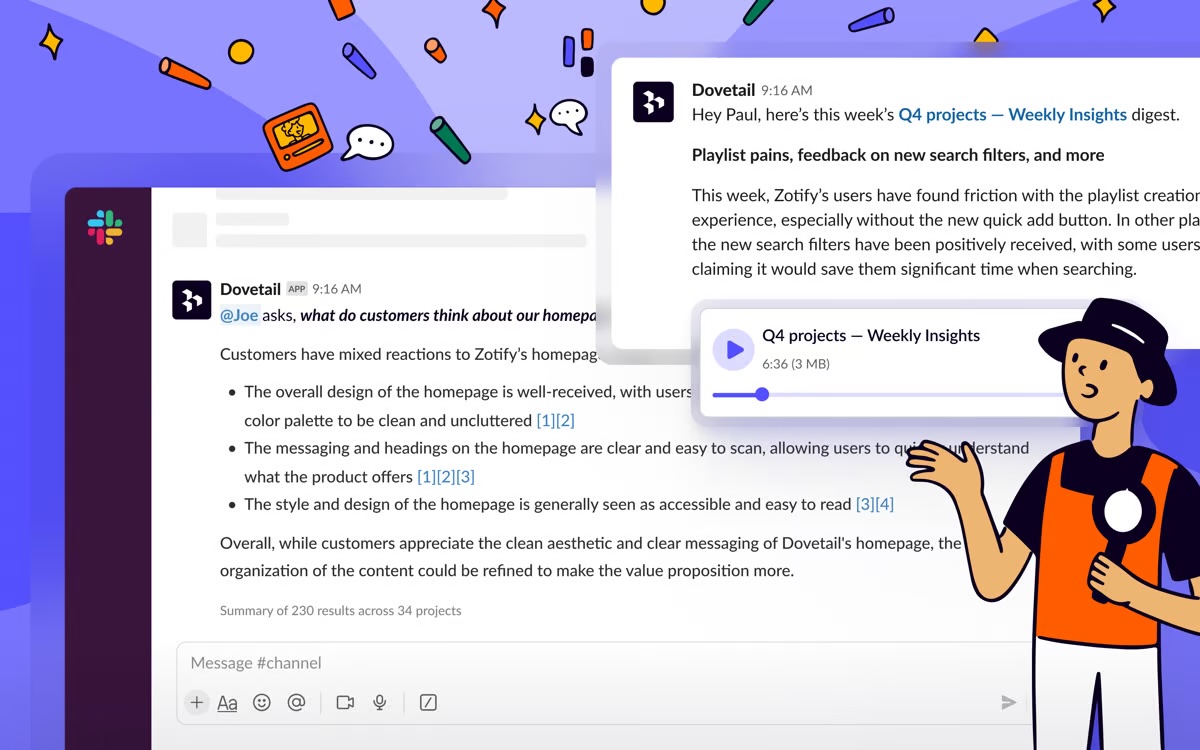
Screenshot of an example of a conversational insight, available in Slack. Here, users can quickly ask questions to access automatic podcast-style updates for all related data across Dovetail in Slack and Microsoft Teams.
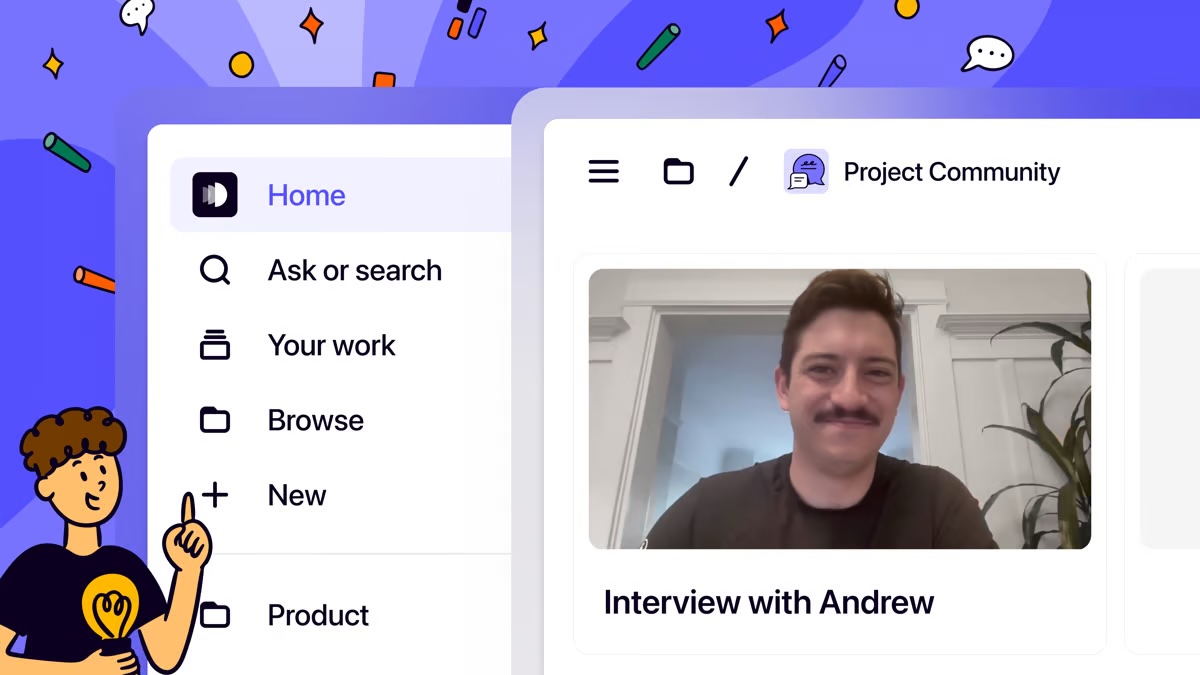
Screenshot of the navigation and project interface, designed to makes it easy for everyone to get started and find what they need in Dovetail.

1 / 4

Screenshot of the Contacts interface, used to find, schedule, and incentivize research participants.

My FAV Research Repository.

Use Cases and Deployment Scope

We use Dovetail more than ever now to share valuable user research insights and organize our user research along with market research in one central place. I love the transcripts and often find them more accurate than other tools I've used. The ability to highlight, tag, quickly create demo reels, and share each of them so easily has greatly improved my team's workflow. I love being able to add comments on videos and tag teammates and stakeholders who would be interested in the insight, especially for relevant projects. We operate in a fast-paced environment, so tools like this are essential not only to speed up our workflow but also to maintain order. Without them, we would lose track of important data, making it less convenient for the team to access and we'd be much less efficient and doing research analysis reports.

Pros

  • Sharing insights with stakeholders.
  • One centralized space for all our research.
  • Transcripts for research sessions.
  • Tagging of highlights.
  • Demo reels based off custom filters.
  • dashboard views for interviews and user sentiments with quotes attached

Cons

  • When creating documents the formatting feature could be easier.
  • More custom formatting options especially in showing the demo reels.
  • Ability to share out PDFs of analysis reports.

Return on Investment

  • This improves efficiency for our team
  • It reduces effort and overwhelm of hunting for research and improves collaboration with stakeholders
  • This helps us be more productive and avoid losing valuable data due to poor organization

Usability

Alternatives Considered

Google Workspace, UserTesting and Basecamp

Other Software Used

UserTesting, Maze, Google Workspace

Powerful research repository that makes insights discoverable and actionable.

Use Cases and Deployment Scope

As a UX Research Program Manager supporting a small team in a large tech company, I’ve found Dovetail to be an indispensable tool for housing our research repository. It has transformed the way we organize, store, and share insights. One standout feature is the ability for stakeholders to ask questions and interact with research documents using AI. They no longer need to comb through lengthy studies to get the insights they need. Dovetail has increased the visibility of UX research across our org. Product managers, designers, and other stakeholders can now quickly self-serve insights, which reduces bottlenecks for researchers and speeds up decision-making. It has become our single source of truth for customer insights.

Pros

  • The tagging, linking, and repository features make it simple to maintain a living library of knowledge, ensuring past work is never lost.
  • Dovetail enables our researchers and non-research partners to engage more directly with findings, fostering a stronger culture of evidence-based decision-making.
  • Dovetail makes it simple to track engagement metrics with research insights proving overall ROI.

Cons

  • Increased metrics tracking for individual projects/folders.
  • Use case sharing across different companies...how are others utilizing Dovetail that maybe we haven't even considered yet...maybe in a newsletter.
  • Research Newsletter development feature, direct from/within Dovetail, would be amazing. What my team primarily does now is link reports into an email or email builder tool. It would be amazing if maybe AI could whip that up for me in the Dovetail platform..

Return on Investment

  • Time savings due to self-serve capabilities.
  • Accelerates evidence-based decision making.
  • Cost savings from preventing redundant research studies.

Usability

Other Software Used

dscout, Knit, Asana, Alida CXM

Great Repository tool for Research Teams

Use Cases and Deployment Scope

I use Dovetail as our primary repository for our research artifacts, which include recorded video and written documents. Dovetail addresses our need to access a large library of research insights across several products in my organization. Dovetail also addresses the need for researchers to have a central place of storage for unstructured data such as video files from interviews, and easy transcription of these files.

Pros

  • Auto-transcription of videos in an easy and fast way
  • Smart search functionality to make it easy to find what you are looking for
  • Ability to create folders and organize our materials in an intuitive way for our stakeholders to find what they need

Cons

  • Although I think the smart search features which were launched within the last year or so are great, I would like to see more genAI-driven features. For example, auto-summarization of documents uploaded would be great.
  • I think DT could make it a little easier for researchers to know how to categorize their files. When I want to create a 'space' for a new project I choose 'Project' but others on my team choose other categories, so there is no consistency in how we understand the same thing.
  • DT needs to make their tagging process easier to do. It takes my researchers a long time to set up tagging across all files. I think this is something where genAI can help.

Return on Investment

  • Improved productivity due to ease and speed of creating and maintaining repository
  • Ease of access for stakeholders, which address our objective to make research from our team accessible to our organization

Usability

Other Software Used

Displayr

A game changer in the research process but it still freezes

Use Cases and Deployment Scope

We use Dovetail to both analyze and parse through our user testing results and also as a research repository. We have to handwrite our notes and so we transcribe the items, then tag them by topic (we create for our team), group them by type (usually starting with the AI then manually updating and refining), then create insights. The insights AI feature is an ok start but doesn't work as well on our data set because of the handwritten notes. We use that as reference but then make our own. The AI ones are usually too general. We do things like Task completion rate and likert scales outside of Dovetail (in Excel) and create the final report in word. There is not enough functionality in Dovetail for either of those use cases and when working with a teammate it tends to freeze.

Pros

  • Tagging with a teammate. This is great for general topics and tracking trends for later analyze. We usually cross tag by sentiment + topic from our testing session. Creates a system that can be used by multiple people.
  • User repository. For each interview we create a new user or cross reference if existing. This helps us keep track of who we have talked to across sessions and helpful if we want to see the change in responses for various features as we move through the app development process.
  • Having all the tag options in the insights. I like having the columns where we can mark it by progress, type, user working on it, status, etc.

Cons

  • The filters on the insights don't stay. I will set something to sort by A-Z and then it resets when I leave the page. This wouldn't be an issue if I didn't have to reset the page so much. Dovetail will freeze and make me refresh.
  • The highlights pages freezes when 2 people try to work on it and there is a medium amount of tags.
  • It would be nice to have an option to see not only if a tag was added to the current highlight board but if its been added to a board at all. We usually do a page per topic and sometimes there is cross reference so we manually have to double check sometimes.
  • I don't love the new layout for hiding the filters bar especially on the data page. I had a template that filtered by "planning docs" vs" interview docs" and at first glance looked like I lost the interview ones. The old layout was better.

Return on Investment

  • Having a centralized research space is a game changer. Makes it so much easier to hand over research if working with new people and have system in place (using the templates). Saves so much time. We don't have hard numbers on the hours saved but we are much more efficient using Dovetail than without.
  • The tagging system in general is amazing and allows for consistency in topic marking. This was non-existent for our team before Dovetail and now we can do much more granule reports with exact # of times something was said with accuracy.

Usability

Other Software Used

Figma

Dovetail use in a large company.

Use Cases and Deployment Scope

We use it for 2 main reasons: - First, gathering our rights in the same place, with a big company, we always struggle to have it stored in one place. With numerous teams conducting qualitative and quantitative research, we utilize it extensively as researchers to analyze our interviews or surveys. The AI features really help, specifically the Chatbot to discuss with our data. We primarily use it within the design team, but hope to expand its use among our stakeholders.

Pros

  • A chatbot to discuss the interview data works really well if you do it interview by interview.
  • AI Insights to get a quick view of what you learn from your research.
  • Find insights among a large sample of data.

Cons

  • We should have a trust indicator for our insights, as it is difficult to quickly determine when they are trustworthy or not.
  • Chatbot analysis within different data, I mostly use it with a small sample and replicate the process instead of using the chatbot for more global analysis.
  • Insight creation, the format is not always really engaging, and you can't really create a presentation from it. It does not align with some stakeholder expectations and requires us to redo the work.

Return on Investment

  • We've seen significant improvement in user-centered design within the company. As a result, we had to add seats because 80% of our designers now directly use Dovetail to analyze interviews and user tests.
  • Reduced the number of repositories we use; 3 teams now gather their report in Dovetail instead of having 3 different repositories.
  • Increase productivity for us as researchers, reducing our analysis time by 50%, and allowing us to quickly share first facts when we start research.

Usability

Alternatives Considered

EnjoyHQ

Other Software Used

Microsoft Teams, Lookback