TrustRadius: an HG Insights company

Crownpeak Digital Accessibility and Quality

Score8.1 out of 10

31 Reviews and Ratings

What is Crownpeak Digital Accessibility and Quality?

Crownpeak Digital Accessibility and Quality is a digital governance and web content management and monitoring solution designed to support excellent customer experience across all digital touchpoints, supporting web accessibility needs, error catching, SEO best practices, brand compliance, and analytics with benchmarking. Crownpeak Digital Accessibility and Quality can be integrated into an existing CMS.

Media

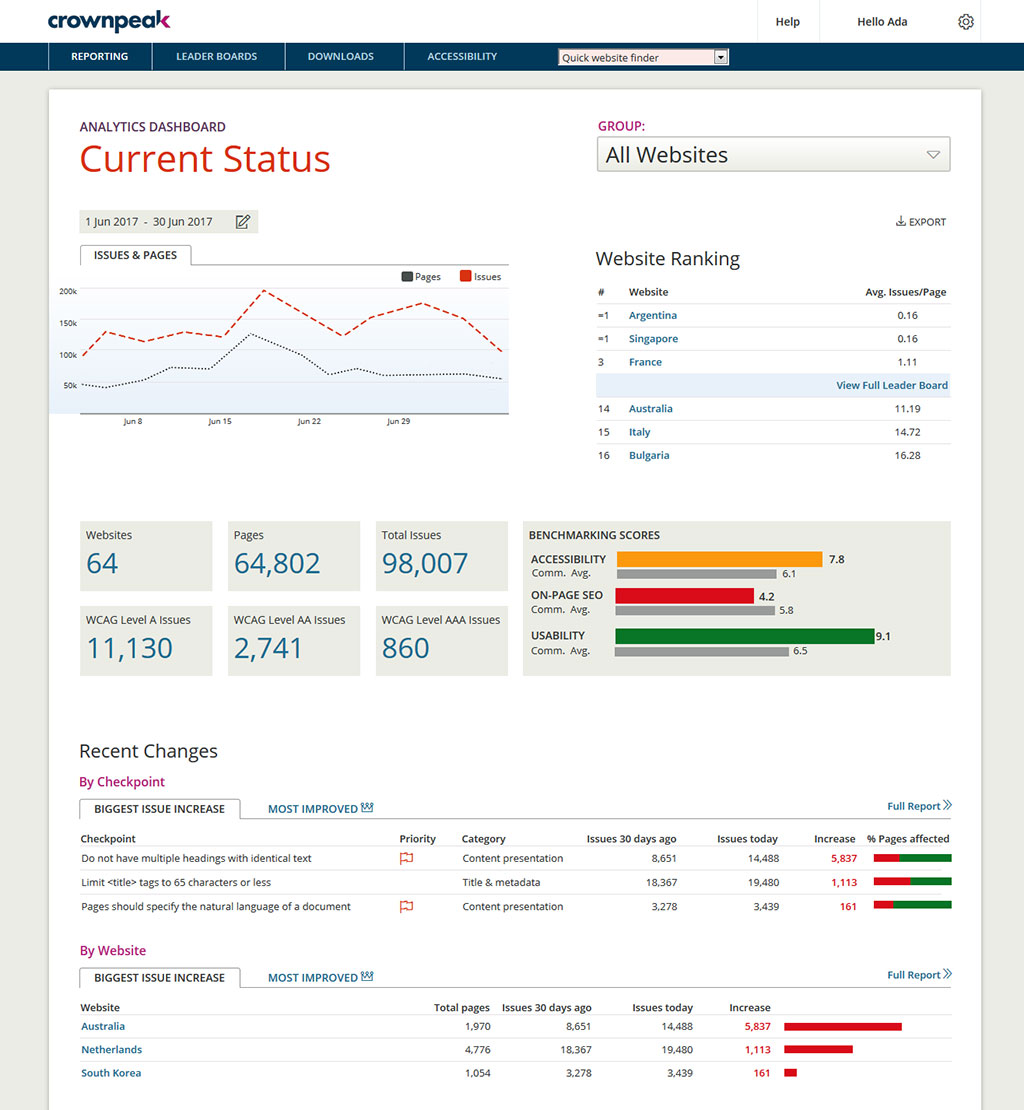
DQM banishes the silos and brings it all together in one powerful but simple to use dashboard, providing visibility and control across all your global digital properties.
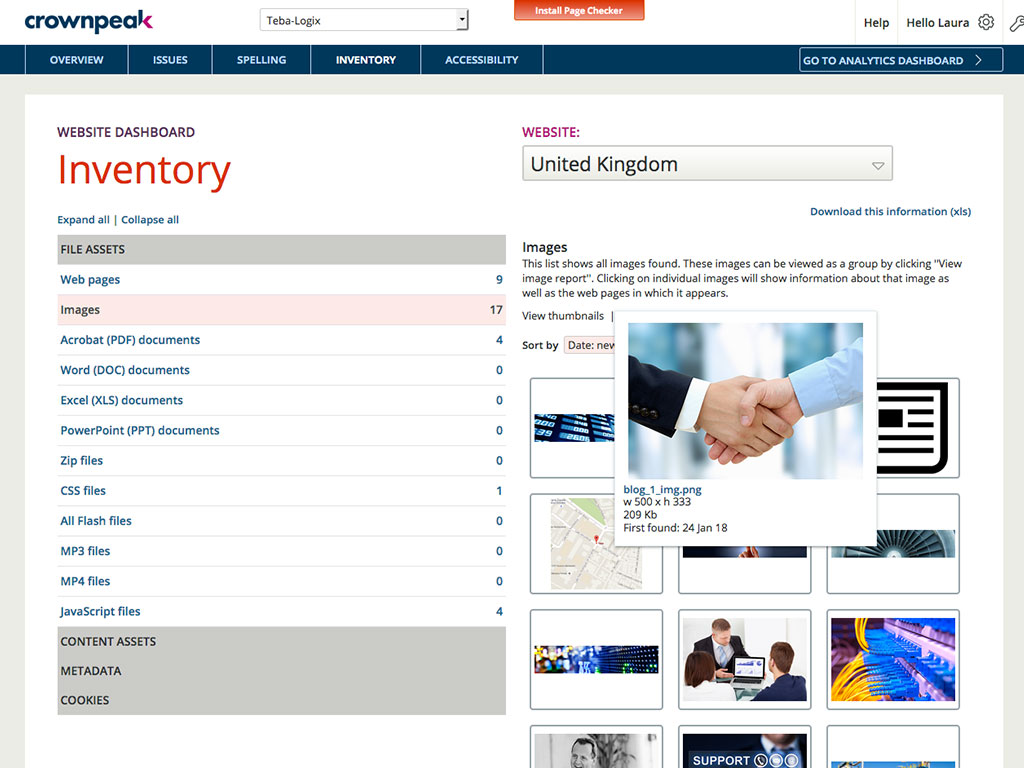
Do you know what's actually out there on your sites? Take control with a global view of your digital assets.
Web accessibility is legally mandated in many countries. We make it easy to ensure compliance and expand audience by adhering to industry best-practice standards for accessible web design.
Powerful reports and diagnostic tools provide deep insight across your global web properties, so you can drive improvement, manage risk and react quickly.

1 / 4

Top Performing Features

  • Automatic or Scheduled Scanning

    In addition to on-demand scanning, the product can scan sites or assets at regular intervals.

    Category average: 9.1

  • Accessibility Scanning and Assessment

    The product scans and detects accessibility issues against guidelines and standards such as WCAG, and makes appropriate recommendations for fixing them.

    Category average: 6.7

  • Automatic Fixes

    The product automatically resolves accessibility issues with a minimum of manual effort.

    Category average: 6.4

Areas for Improvement

  • JavaScript scanning

    The product can audit JavaScript code for accessibility.

    Category average: 6.4

  • Integrations and Interoperability

    The product integrates with content management and development tools either directly or through an API. Integrated features might include reporting and pre-publication accessibility checking.

    Category average: 6.4

  • Color/Contrast Analysis

    The product detects low-contrast or colorblind-unfriendly color schemes and recommends alternative colors.

    Category average: 6.2

Jumpstart Technical SEO Efforts with Crownpeak Digital Accessibility and Quality

Use Cases and Deployment Scope

When we wanted to accelerate technical SEO to improve our page rankings, we needed a place to start. Crownpeak Digital Accessibility and Quality's set of checkpoints is that starting place. From there, it started a conversation of what was relevant and what wasn't, then we could configure the checkpoints to align to our business. Beyond that starting place, we grew into automated testing after gathering enough data to know where our blind spots were.

Pros

  • Preconfigured checkpoints to gather a baseline.
  • Reporting at regular intervals to identify pain points.
  • Mapping to WCAGG standard to understand how to resolve errors.
  • Ability to add customized checkpoints to align with messaging changes
  • Aggregating images in a visual repository to scan for relevancy.

Cons

  • Extended reporting capabilities over longer amounts of time.
  • First indexed dates to determine age of error as a basis for prioritization.
  • Integration with ticket management system.

Return on Investment

  • Page rankings improved, though this was one of many tactics aimed at improving that measure.
  • Ability to add in fixes into existing change management processes by provided structured error reporting.
  • Dashboards relevant to different teams so errors could be prioritized differently.

Usability

Other Software Used

Jira Software, Atlassian Confluence, EazyBI Cloud

A great intuitive tool that helps me in solving issues

Use Cases and Deployment Scope

Dqm consists out of a couple of different aspects, first of all you have the dashboard, this is used by the gate keepers of quality, Digital Services and the content owners of several different markets and businesses. Using this dashboards we keep track of large scale issues, template or component issues but alo hunt down the priority issues. The other tool is the cms plugin, this is used by all authors to make sure no isseus go live, and because some issues cannot be indicated by that plugin we also onboarded the Dqm live page checker. This tool can be used on the live page to check all checkpoints that are in the dashboard. We've been using the dashboards for more than a year and using the benchmarks we see great improvement on the website and apart from that over 30 checkpoints were added to make sure all aspects on quality were included. Some minor aspects (which the crownpeak team is developing) is reporting both on plugin usage as well as a daily management setup in the dashboard and the new checkpoints do not give any weight to the benchmarking scores, though they should.

Pros

  • The tickets, every single day I'm amazed by the ticketing tool and people that work on them, unfortunately I'm no longer being asked to grade tickets because every single one of them would be 10/10
  • The tooling itself is very intuitive, I myself am addicted to the scorings, its an amazing motivator!
  • The possibility to together with the Dqm team work on new checkpoint is so much fun!

Cons

  • The providing of info on improvements can be improved, there's a lot of information on the forum but a biweekly newsletter for tool owners like myself would be nice
  • Additional checkpoints could be suggested, its very onesided when it comes to new checkpoint creation
  • New checkpoints should be able to give weight on the benchmarking scores, insights on how the weight in the bemchmarking scores would be nice
  • I'm worried about the new ui and how it will affect the daily operations

Return on Investment

  • It improved seo A lot! Pages that shouldn't be indexed are cleaned up and seo specifics have been automated and fixed as much as possible
  • Accessibility, creating awareness throughout the organization for digital exclusion is great and really gives the team a fulfilled feeling at the end of the day
  • Usability, checkpoints that indicate broken user journeys (broken links, broken videos, broken forms) have been solved for 90% in one year
  • The escalations that happened after the go-live of issues on new pages have gone down significantly

Usability

Alternatives Considered

Siteimprove

Excellent customer service, good features, flexibility and accessibility.

Use Cases and Deployment Scope

It is an exceptional work tool, it has allowed us to create unique experiences, create an accessible and optimal workflow, it is one of the best solutions for large and small teams because it helps improve collaborations, marketing and maximizes quality in the content created and experiences with customers, Crownpeak is a tool through which we can obtain greater performance.

Pros

  • It provides incredible functions to manage all the documents, content, and workflow of our organization.
  • It allows you to create reports of all the content created and carry out an analysis of it.
  • It is a great tool for remote collaboration with our entire work team.
  • It gives us customizable templates for our content and multi-channel marketing.

Cons

  • customer service is wonderful and is always attentive to the needs that we may need.
  • It really has not presented any disadvantage and this is something extremely important for our organization.

Return on Investment

  • Has created a positive impact on our business, making a return on all of our content.
  • Through Crownpeak we can manage all the content of our websites and create unique experiences with all clients.
  • Its price is accessible and it provides us with digital quality, always counting on the best in artificial intelligence technology.
  • Thanks to tag management we can maximize productivity and generate more customer traffic on our website.

Alternatives Considered

Yext

Other Software Used

Uppler - B2B marketplace, Magnolia

Usability

Happy with Crownpeak DQM

Use Cases and Deployment Scope

Our organization and several of our clients use Crownpeak DQM to help ensure accessibility compliance, improve SEO, and ensure branding standards.

Pros

  • Automated WCAG Testing
  • Automated SEO issue finding
  • Continued assurance after content and template updates.

Cons

  • Make it easier to accept misspellings as correct

Return on Investment

  • Better SEO and a more accessible site equate to more visitors and sales
  • Paper trail for WCAG auditing

Usability

Digital quality management on a global scale

Pros

  • Oversight of multiple websites in a single platform
  • Easy management of quality checkpoints
  • Simple and easy-to-use interface

Cons

  • Scans are weekly, so it can take seven days for the platform to reflect fixed issues
  • Unable to pause or hide checkpoints while global issues are being resolved

Return on Investment

  • Crownpeak Digital Quality Management (DQM) helps us to ensure our website visitors have a positive experience
  • As a marketer, I am better able to reach my objectives around usability, accessibility, and SEO using Crownpeak Digital Quality Management (DQM).

Usability

Other Software Used

Optimizely Digital Experience Platform (formerly Episerver DXP), Moz, Google Analytics