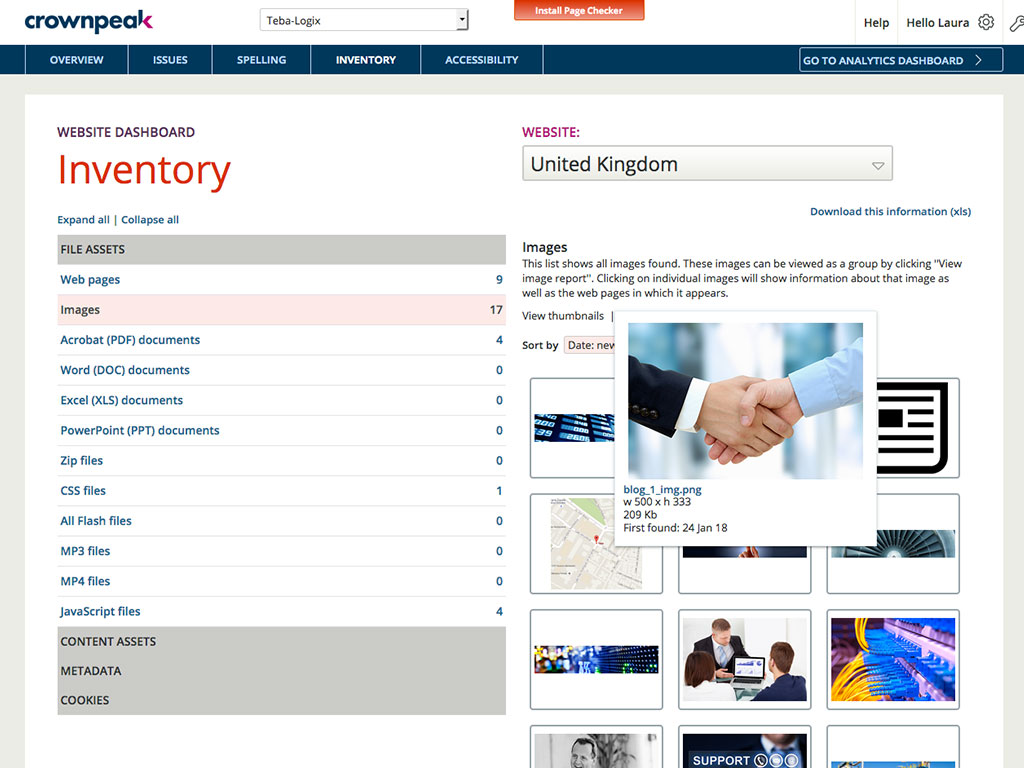
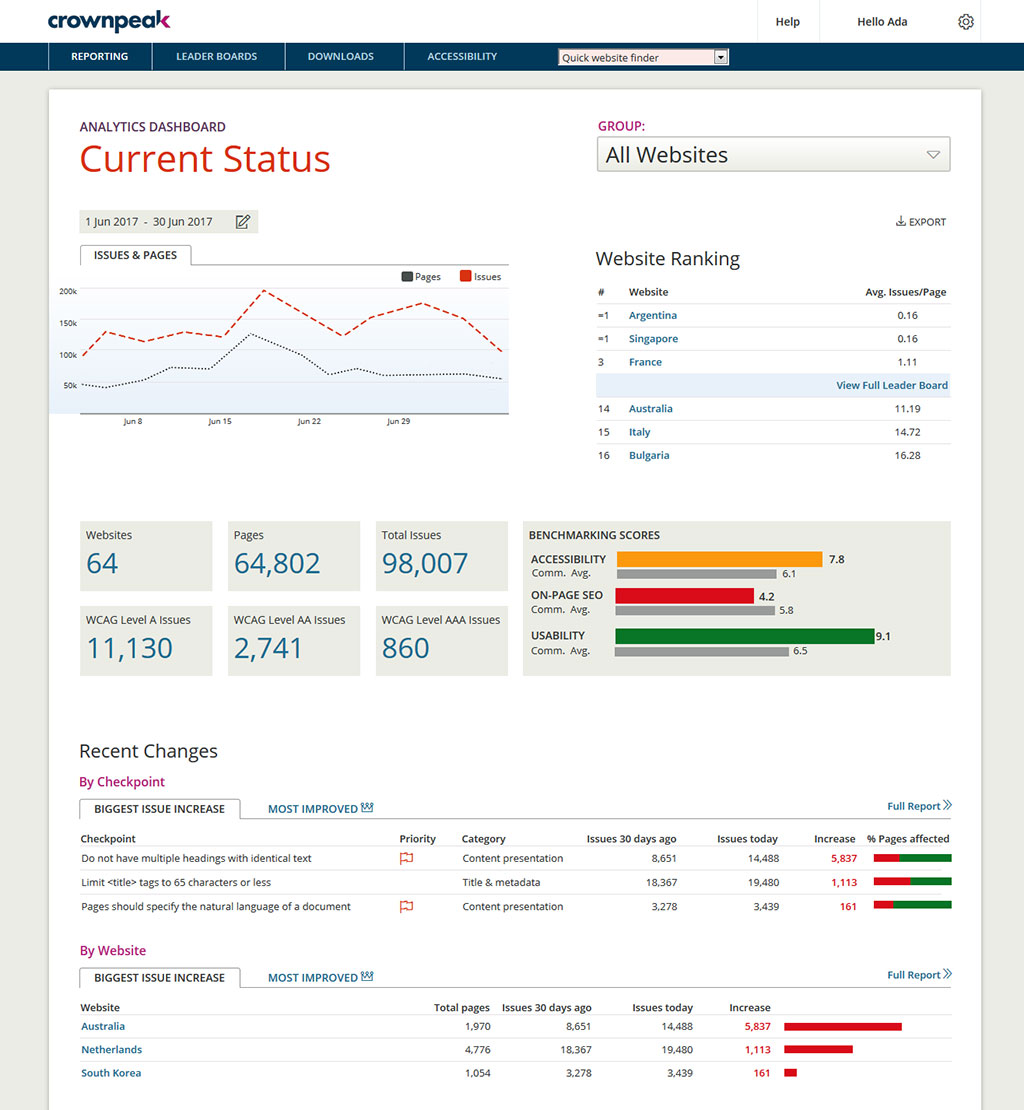
Crownpeak Digital Accessibility and Quality is a digital governance and web content management and monitoring solution designed to support excellent customer experience across all digital touchpoints, supporting web accessibility needs, error catching, SEO best practices, brand compliance, and analytics with benchmarking. Crownpeak Digital Accessibility and Quality can be integrated into an existing CMS.
N/A
Siteimprove
Score10 out of 10
N/A
The Siteimprove platform offers tools used to create digital experiences optimized for quality, accessibility, analytics, and SEO. Sitemprove offers content insights and recommendations in a prioritized list to improve the impact of changes. It is available through three solution packages (Inclusivity, Content Experience, and Marketing Performance).
N/A
Pricing
Crownpeak Digital Accessibility and Quality
Siteimprove
Editions & Modules
No answers on this topic
No answers on this topic
Offerings
Pricing Offerings
Crownpeak Digital Accessibility and Quality
Siteimprove
Free Trial
Yes
Yes
Free/Freemium Version
No
No
Premium Consulting/Integration Services
No
No
Entry-level Setup Fee
No setup fee
No setup fee
Additional Details
—
—
More Pricing Information
Community Pulse
Crownpeak Digital Accessibility and Quality
Siteimprove
Considered Both Products
Crownpeak
Verified User
Chose Crownpeak Digital Accessibility and Quality
We find Crownpeak DQM to be more user-friendly and offers a broader range of functions than Siteimprove. The interface offers better granularity and the real-time tracking of issues provides a great deal of insight.
A de minimis incentive was given to thank the reviewer for their time. The incentive was not used to bias or drive a particular response, nor was the incentive contingent on a positive endorsement. TR verified that a representative sample of customers was invited. More Info
Subject Matter Expert (SME) at Philips (Health, Wellness and Fitness, 10,001+ employees)
Chose Crownpeak Digital Accessibility and Quality
We did a demo between two companies and everything one lacked Crownpeak could provide, better pricing, better help, friendlier customer service, better tooling, allowing more customization, etc.
A de minimis incentive was given to thank the reviewer for their time. The incentive was not used to bias or drive a particular response, nor was the incentive contingent on a positive endorsement. TR verified that a representative sample of customers was invited. More Info
Verified User
Chose Crownpeak Digital Accessibility and Quality
Having worked on hundreds of accessibility projects across many types and sizes of organizations, my recommendation is that Crownpeak DQM is the most effective automated accessibility testing tool for achieving the end goals of:
A de minimis incentive was given to thank the reviewer for their time. The incentive was not used to bias or drive a particular response, nor was the incentive contingent on a positive endorsement. More Info
Digital Content Manager in Marketing at Atlanta Group (Financial Services, 501-1000 employees)
Chose Crownpeak Digital Accessibility and Quality
Better all-around alternative. Crownpeak Digital Quality Management (DQM) focuses on a wider range of issues and we found each element to be competitive or superior.
A de minimis incentive was given to thank the reviewer for their time. The incentive was not used to bias or drive a particular response, nor was the incentive contingent on a positive endorsement. TR verified that a representative sample of customers was invited. More Info
If you have a fully customized cms and have people working on the site with html and css knowledge this is the best tool ever, all specifics can be checked. Using ab tests and optimization services we identify best practices of the website and everywhere the best practices aren't implemented we find using the custom checkpoints. Aspects that cannot be automated via a quick IT solution is turned into a checkpoint and that's great!
A de minimis incentive was given to thank the reviewer for their time. The incentive was not used to bias or drive a particular response, nor was the incentive contingent on a positive endorsement. TR verified that a representative sample of customers was invited. More Info
Siteimprove works well for managing the health and performance of your customer-facing sites in terms of performance, digital experience, and accessibility. It also helps to define policies to proactively avoid experience breaks or issues for customers before they occur. It can improve by providing more options to configure policies for large sites with thousands of pages.
A de minimis incentive was given to thank the reviewer for their time. The incentive was not used to bias or drive a particular response, nor was the incentive contingent on a positive endorsement. More Info
A de minimis incentive was given to thank the reviewer for their time. The incentive was not used to bias or drive a particular response, nor was the incentive contingent on a positive endorsement. More Info
User-friendly customisable dashboards, easy to make a dashboard from a template, or create your own, and add in whichever 'widgets' are relevant for what you are looking at
Flagging words to review, allowing users to check and confirm if the word is 'accepted' or is a misspelling
A de minimis incentive was given to thank the reviewer for their time. The incentive was not used to bias or drive a particular response, nor was the incentive contingent on a positive endorsement. More Info
It would be helpful if the Issues page under Website showed the WCAG level for each issue (A, AA, AAA). You currently have to look up the guideline to find the level.
There is no indicator that a page is currently being scanned. During a website scan, some of the reports are blank or missing information. Having a notification on the main page showing which websites are being scanned would be helpful.
Some ADA compliance items are left off, such as keyboard navigation, tabbing, etc.
It doesn't view the websites on mobile devices or if using a screen reader. Some pages or formatting changes depending on resolution. The DQM, from what I have seen, doesn't account for that.
A de minimis incentive was given to thank the reviewer for their time. The incentive was not used to bias or drive a particular response, nor was the incentive contingent on a positive endorsement. More Info
I don't like that there are different navigation paths to go from point A to point B. When I want to navigate to a specific place, I have more than one way to get there, which means I have to make a decision about how I want to there and I'd rather the designer make that design based on what would be most efficient for me.
A de minimis incentive was given to thank the reviewer for their time. The incentive was not used to bias or drive a particular response, nor was the incentive contingent on a positive endorsement. TR verified that a representative sample of customers was invited. More Info
I had a small learning curve in order to become fluent with the platform as it doesn't work like the other automated accessibility tools that I've used. However, once I was up to speed, I like it better than any of the other tools and find the data more useful, digestible, and relevant.
A de minimis incentive was given to thank the reviewer for their time. The incentive was not used to bias or drive a particular response, nor was the incentive contingent on a positive endorsement. More Info
Tool has undergone numerous changes, both to function and UX/CX. Makes it less than user friendly at times. But on the other hand, that does indicate a willingness to improve the product in a continual manner - which they've done nearly year after year - but it's always a case of who moved my cheese with each new iteration.
DQM support teams are responsive and knowledgeable, and will spend time working directly with client and agency teams to ensure the best outcomes are achieved. I can't fault the level of input and engagement from Crownpeak support teams across the board.
I've used support often and it has been responsive, thorough and considerate of our needs. I can get a tech right away, they understand the issue, and work with us to resolve it. Often the problem is with the site we are trying to scan, sometimes it is with their product. I appreciate that they go beyond support into continually helping us implement SiteImprove in more places with 3rd party integration.
A de minimis incentive was given to thank the reviewer for their time. The incentive was not used to bias or drive a particular response, nor was the incentive contingent on a positive endorsement. More Info
One of the most similar solutions to Crownpeak is the Yext tool because it has a good set of functions that can be managed from content to customer experiences, it is fascinating to be able to track all user interactions through users, in the same way as in Crownpeak that allows all users to create digital experiences.
We have used or tested other tools that get installed on a computer or that are hosted online, but none of them offer the features that come with Siteimprove. TotalValidator Pro will check your site for accessibility issues, but it is a manual check and there is no historical reporting. I can;t remember the names of the other online solutions, but even if they offered similar features as Siteimprove, they were all very expensive .
A de minimis incentive was given to thank the reviewer for their time. The incentive was not used to bias or drive a particular response, nor was the incentive contingent on a positive endorsement. More Info
When driving Customer Care, it was great to be able to add the Autofix tool to the web estate - a quick-win that really drives the accessibility agenda.
Building reports off the back of DQM gives senior stakeholders an understanding of the importance of usability and accessibility.
The gamification of league tables highlights to stakeholders the areas that need focus and budget in order to improve.
A de minimis incentive was given to thank the reviewer for their time. The incentive was not used to bias or drive a particular response, nor was the incentive contingent on a positive endorsement. TR verified that a representative sample of customers was invited. More Info
A de minimis incentive was given to thank the reviewer for their time. The incentive was not used to bias or drive a particular response, nor was the incentive contingent on a positive endorsement. More Info