TrustRadius: an HG Insights company

8x8 Contact Center

Score7.5 out of 10

332 Reviews and Ratings

Learn More

Contact about 8x8 Contact Center

Please fill out the form below to get in touch.

8x8 Inc.

Connect with 8x8 Inc.

What are you interested in?

Already have an account?

You hereby consent to have TrustRadius share the information supplied on this form with 8x8 Inc. so that 8x8 Inc. and TrustRadius may contact you in regard to the information requested.

What is 8x8 Contact Center?

8x8 Contact Center is a cloud-based platform that unifies customer interactions across voice, chat, email, video, SMS, and social. It offers intelligent self-service automation, real-time analytics, and CRM integrations. With omnichannel engagement, agents deliver consistent, personalized service from one interface.

Media

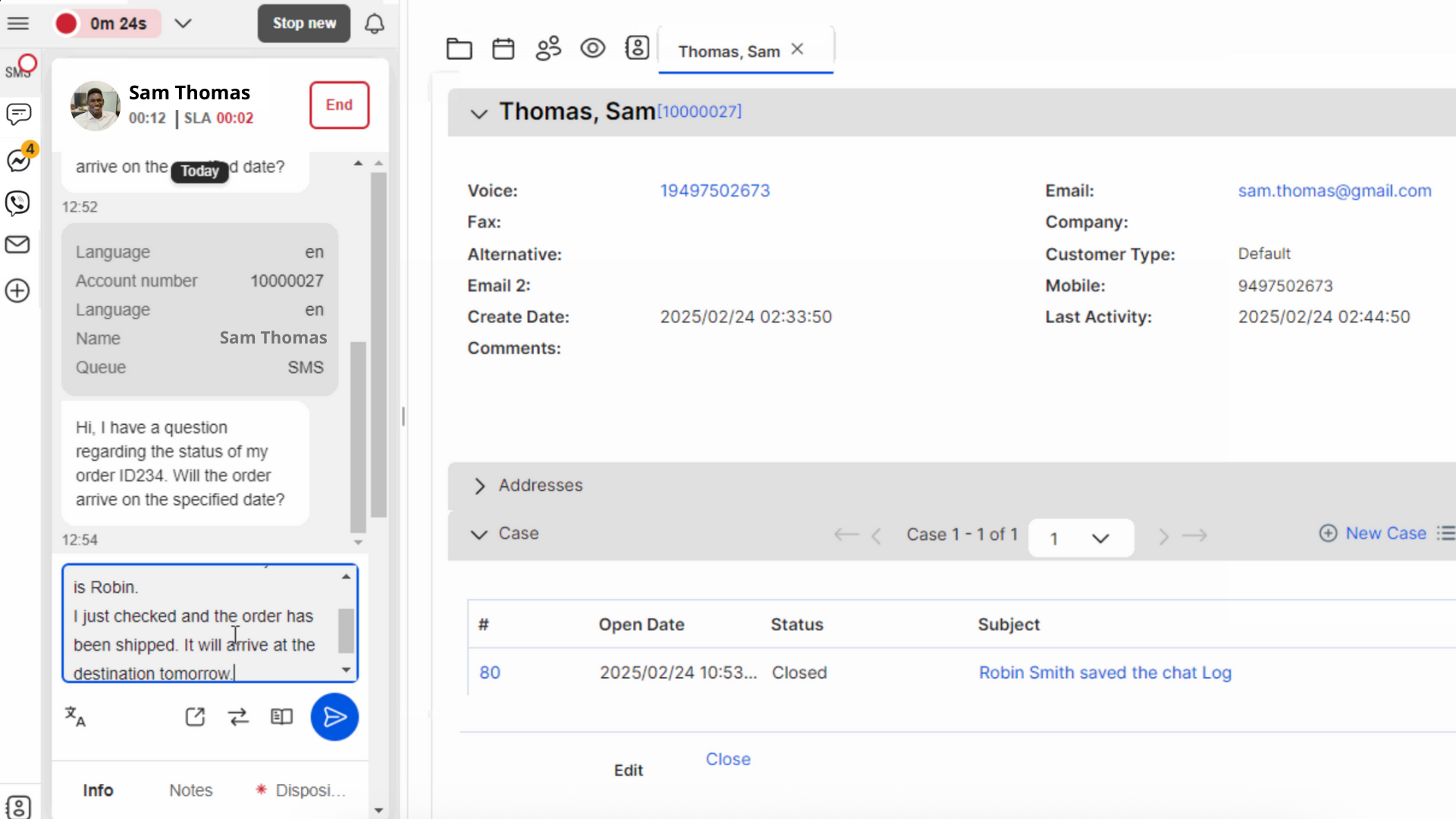
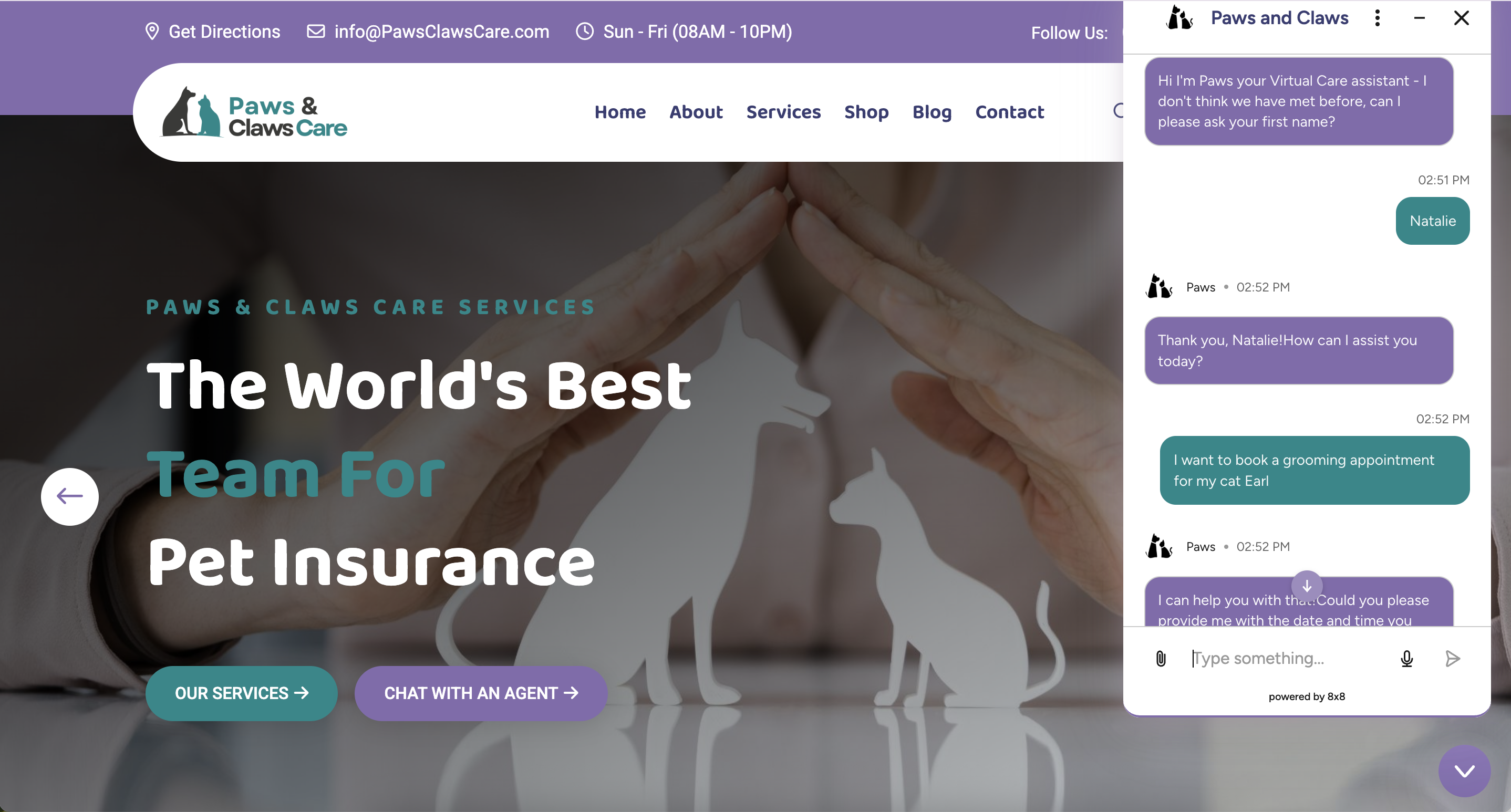
inbound SMS with contact center agent response in 8x8 Agent Workspace. Agents are able to see incoming interactions and respond with consistently across channels like voice, SMS, RCS, webchat, email, Facebook Messenger, WhatsApp, one-way video, Viber, and social media channels via our Meltwater integration.
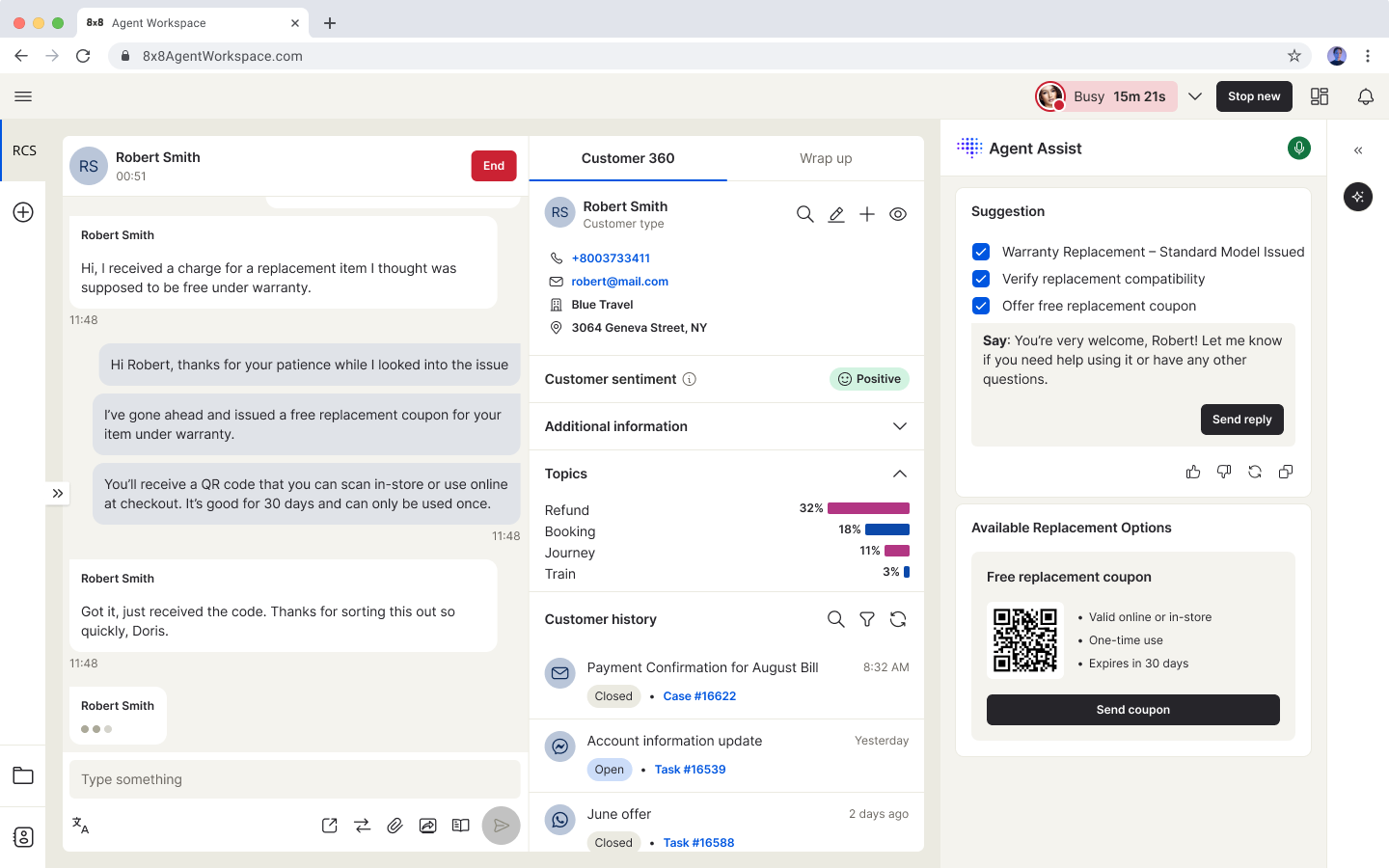
real-time suggestions via 8x8 Smart Assist and full customer history and overall sentiment in 8x8 Agent Workspace.
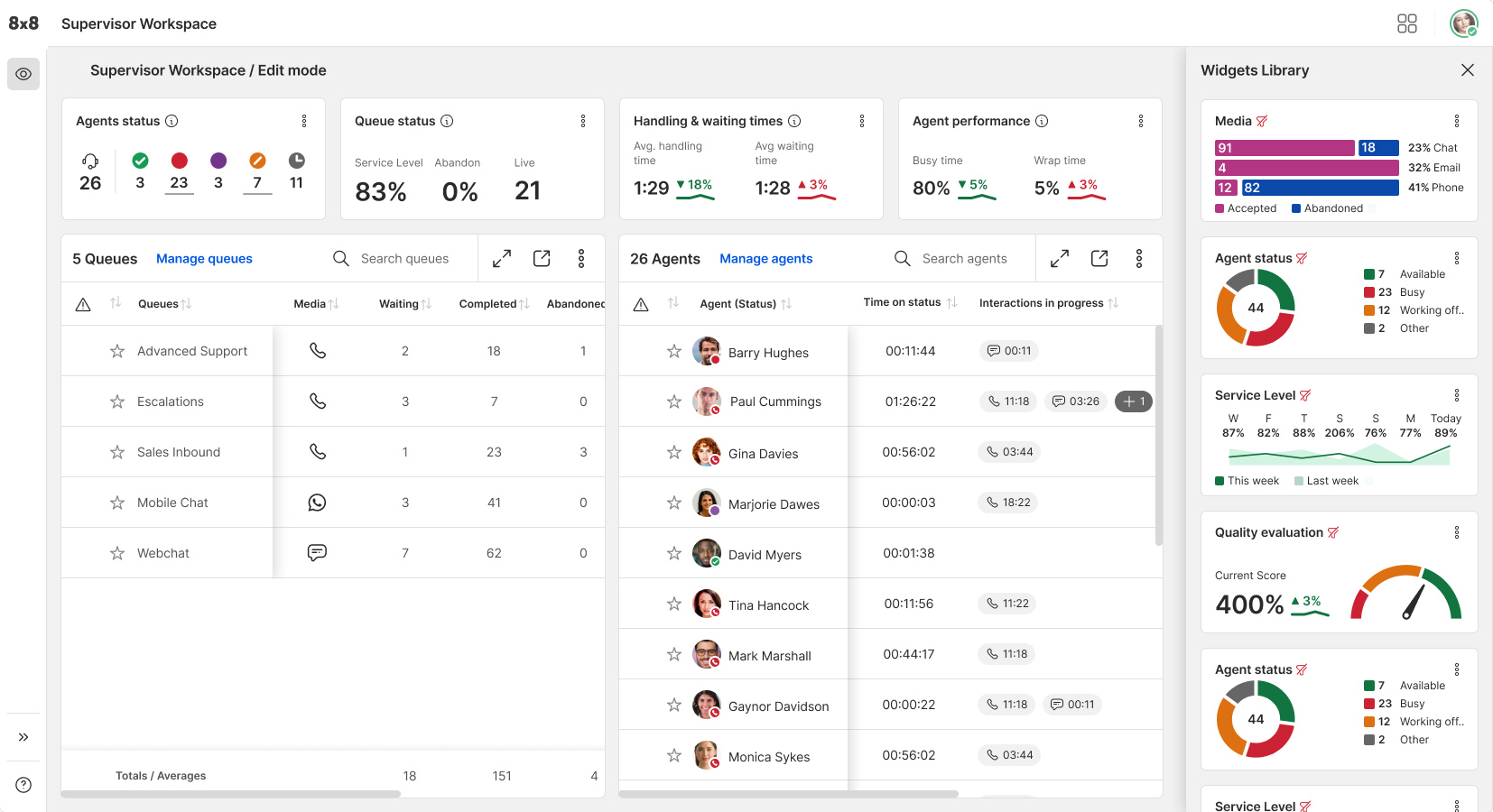
the completely customizable 8x8 Supervisor Workspace for real-time and historical reporting plus features to make quick changes on the fly. Available on desktop and mobile.
8x8 Analytics for Contact Center, which provides out-of-the-box reports, dashboards, and visualizations like the Interaction Journey visual that shows the complete customer journey across channels.
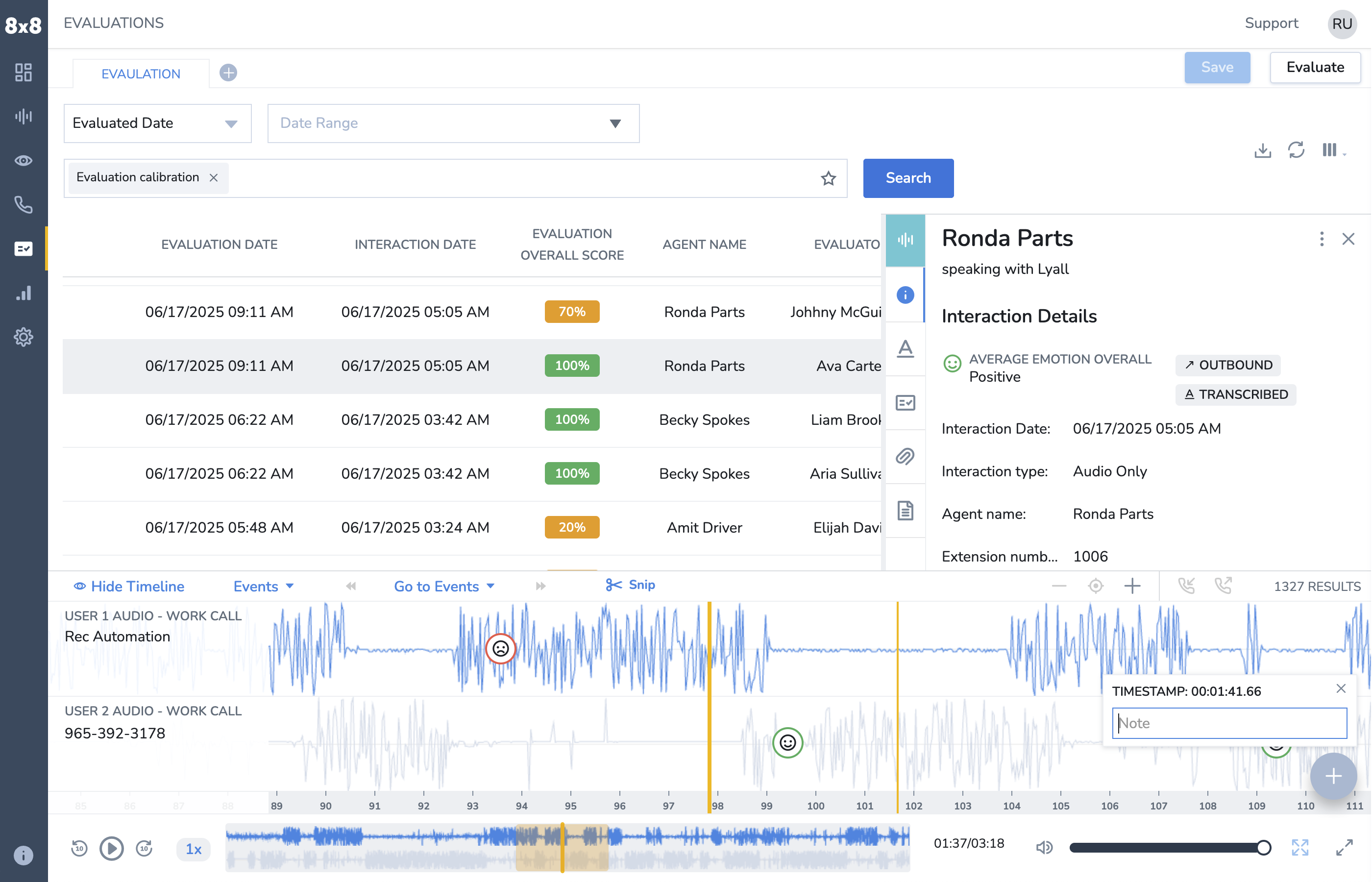
8x8 Quality Management, used to drill into specific interactions, playback, and leave comments with timestamps.
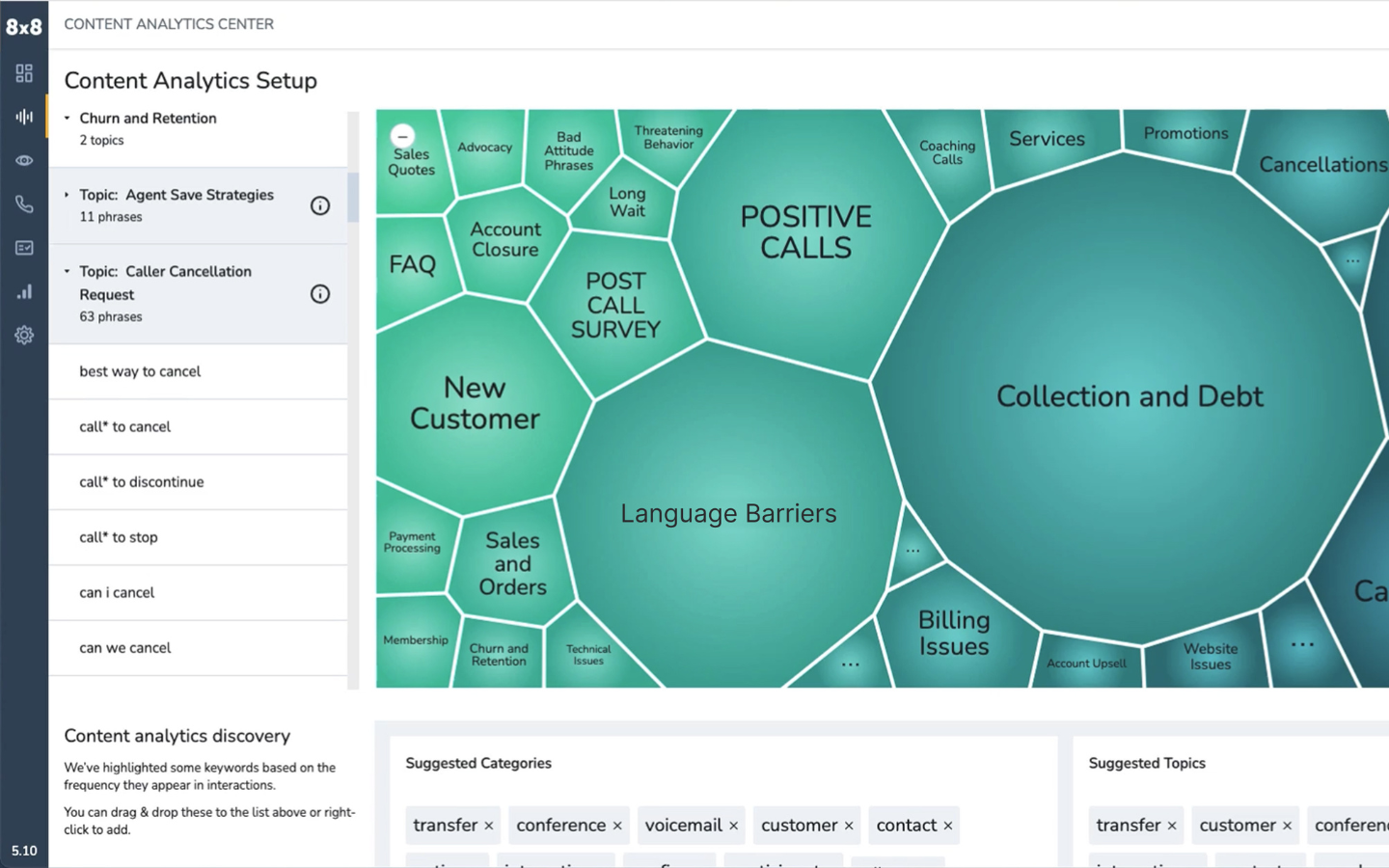
8x8 Voice/Text/Sentiment Analytics, used to create Topics to track common phrases and keywords within customer interactions happening in the contact center.
Meltwater Social Listening for 8x8 Contact Center, which enables customers to filter by keyword or sentiment, route, and reply directly within 8x8 Agent Workspace to social media DMs or comments across X, YouTube, Instagram, and LinkedIn.
8x8 Intelligent Customer Assistant for Voice and Digital, an AI-powered virtual agent that provides a logical response to concerns using ICA Knowledge AI to transform static knowledge sources into dynamic conversation.
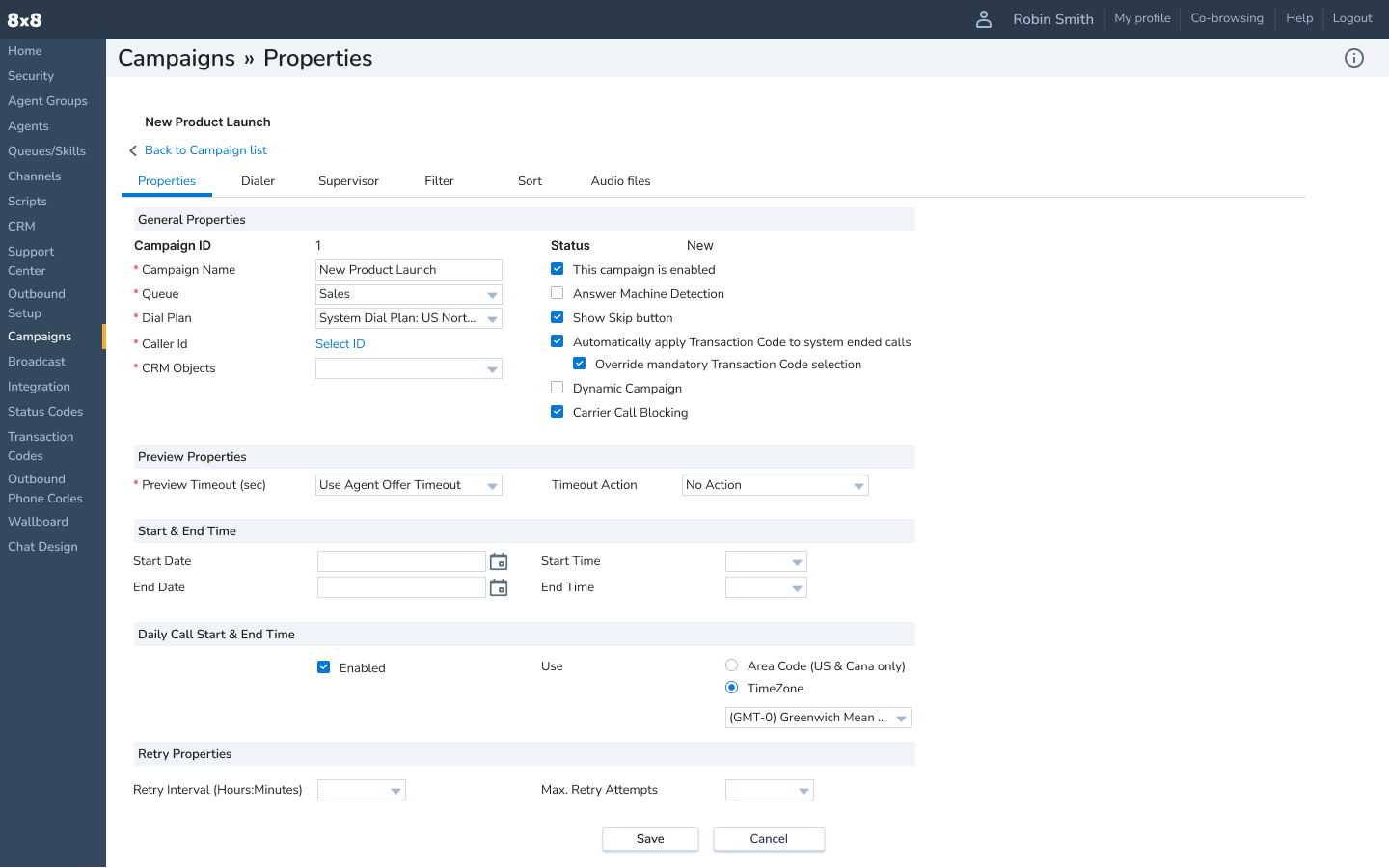
8x8 Auto Dialer, which helps CX teams run smarter outbound campaigns by automating call optimization with predictive, progressive, or preview dialing modes to boost agent efficiency and connect rates. It integrates with CRMs like Salesforce, filters out voicemails with patented Answering Machine Detection, ensures compliance with tools like Carrier Call Blocking and TPS/CTPS filters, and delivers calls directly in the 8x8 Agent Workspace for streamlined workflows.
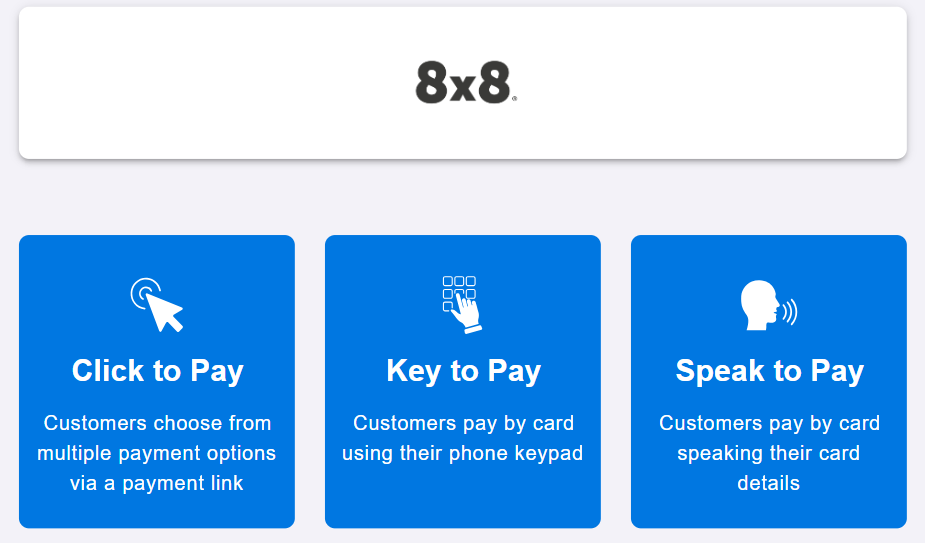
some of customers' multiple options to make a payment with 8x8 Secure Pay, without their sensitive credit card data from entering the contact center.
8x8 Conversation Intelligence, which uses AI to capture, transcribe, and analyze every customer interaction, automatically generating summaries, QA scores, and predictive sentiment insights. It empowers leaders with real-time coaching, customizable insights, and dashboards to improve performance, compliance, and customer satisfaction.

1 / 11

Top Performing Features

  • Customer interaction analytics

    The process of taking unstructured interaction data across channels (audio, video, email, text etc..) and formatting it so that it can be searched and categorized based on interaction patterns.

    Category average: 8.6

  • Inbound call routing

    Connecting inbound callers to agents based on wait time, call priority, or whether any specific skills or knowledge is required to handle the call.

    Category average: 8.7

  • Recording

    Record conversations to improve service quality by evaluating agent-customer interactions.

    Category average: 9

Areas for Improvement

  • Outbound response

    Allows agents to make outgoing responses via different communication channels (e.g. phone, SMS/text, live chat, messaging apps etc..).

    Category average: 8.2

  • Historical reporting

    Ability to analyze long-term call patterns and trends such as peak call times and downtimes.

    Category average: 8.5

  • Multichannel integration

    Ability to collect, store, and share customer data across communication channels such as voice (phone), email, fax, SMS/text, video, web chat, and social media

    Category average: 8.3

Helpful addition to our work.

Use Cases and Deployment Scope

I use 8x8 Work for all outgoing and incoming calls and text messages, both within and outside my organization. Many of my organization's internal meetings are also held via 8x8 Work meeting spaces. I typically use the 8x8 Work desktop and mobile apps hundreds of times a day, every day, as it is the quickest and easiest way to communicate within my organization.

Pros

  • Recording meetings.
  • Sending SMS and MMS messages to clients outside the organization.
  • Setting up group chats within the organization.

Cons

  • The meeting features are easy to use but not necessarily intuitive to find.
  • Switching calls between devices can be confusing depending on your wireless/data usage.
  • Remembering to change my outgoing caller ID.

Return on Investment

  • Communication within the organization is very easy and efficient.
  • Having a handy method of communication for clients who can only text has made my life much easier.
  • I can handle multiple intakes at once using both calling and texting capabilities.

Usability

Alternatives Considered

Skype (discontinued) and ZOOM Signature

Other Software Used

Mozilla Firefox, Emburse Chrome River, monday CRM

8 x 8 - Highly recommend It is a great office communication tool.

Use Cases and Deployment Scope

We use the contact center to stay connected, whether we are all in the same office, I'm in court, or one or more of us are working remotely. Third parties calling us have no idea of our exact location at the time, and this allows us to operate as a well-oiled machine.

Pros

  • Allow each member to know the status of another member at any given time.
  • Make it easy to connect to another team member.
  • Make it easy to transfer calls to another team member or have third parties connect directly to me.

Cons

  • I have an issue with calls that ring only once when transferred to me, then go straight to voicemail. This happens sporadically.
  • When calls come into my office and I am not in, and they forward to my cell, there is no distinction shown as to whether the call is an office call or just a straight cell phone call. Some sort of indicator the call is an 8 x 8 call would be nice.
  • Synchronization with third-party applications would be wonderful. I use 8 am MyCase for case management, where we store our contact information. If I want to dial a number using 8 x 8, I have to manually input the number.

Return on Investment

  • The costs associated with the product have been pretty stable and are reasonable.
  • The need to have a paper fax machine has been eliminated.

Usability

Other Software Used

8am™ MyCase, Outlook4Gmail, Dragon

8x8

Use Cases and Deployment Scope

I needed help switching over the old owner of the account and setting up a new number and voicemail. This was to ensure that all of our potential clients could reach the correct person and we could have a voicemail set up for clarity and for them to leave their contact information. I also needed full access to our account as the new owner.

Pros

  • they always called back
  • they were very knowledgeable
  • they showed extreme patience

Cons

  • the process took several hours
  • they called back after regular business hours so I wasnt always available
  • The system didn't always work so they had to call back

Return on Investment

  • we've received many inquiries leading to business
  • we have missed out on calls/voicemails because we were logged out of the account
  • I have been able to call our potential clients straight from the site

Usability

All in One Cloud Suite

Use Cases and Deployment Scope

We use 8x8 Contact Center as our preferred mode of communciation for our contact centre. We have confidence in the ease of use and set-up. The main problem area was to make agents adapt to a portal which is easily understood to run daily call centre operations. 8x8 Contact Center agent screen is truly a game changer as agents find the tool agile and GUI friendly. The8x8 Contact Center agent screen is clean, niche, well articulated with relevant KPI's both visible in real time for both agents and the supervisors. The entire suite of applications that are inbuilt like speech anaylytics provides us with an indepth understanding of customer -agent interactions which really helped to take intelligent desicions at time.

Pros

  • Queue management
  • Easy to use GUI
  • Real time monitoring of agent activities
  • Wallboards are an excellent feature

Cons

  • Adhrence of agents
  • Hourly graphical representation of calls coming in the queue
  • Removal of old accounts from quality management

Return on Investment

  • Seamelessly handling over 8000/month customer interactions
  • Reduced dependency on traditional telephony
  • Easily integrates with other CRM applications

Usability

Alternatives Considered

SAS Customer Intelligence 360 and Genesys IVR

Other Software Used

8x8 Work, Microsoft 365, Microsoft Teams

8x8 review

Use Cases and Deployment Scope

For the phone systems and contact centre call flows. It allows if configured correctly a flowing call process for clients but if configured wrong can be somewhat painful to triage as it can be cumbersome we use it for all our phone systems recordings and it integrates with ms teams if configured correctly.

Pros

  • Call flow management
  • Recordings
  • User interaction

Cons

  • Cumbersome process to confgure
  • If not setup right can cause a real problem
  • Easier documentation would be good

Return on Investment

  • Has simply allowed us to use phones
  • Allowed proper integration with teams
  • Recording groups are difficult had to ask for feature to be created

Usability

Other Software Used

Microsoft Teams, Microsoft 365