TrustRadius: an HG Insights company

Bridge Learning Platform

Score7.5 out of 10

61 Reviews and Ratings

What is Bridge Learning Platform?

Bridge is an integrated talent management platform that combines learning management, performance management, career development, and engagement measurement into one platform. Bridge enables companies to develop their people with live, virtual, on-demand and experience based training, manager/employees 1:1s, and career development plans. Used by more than 1000 companies worldwide, Bridge helps companies achieve their strategic people development goals by facilitating connection, alignment, and growth across the entire organization.

Media

Bridge's Employee Home Page: See courses, programs, 1:1s, Goals, learning tasks, all in one place.
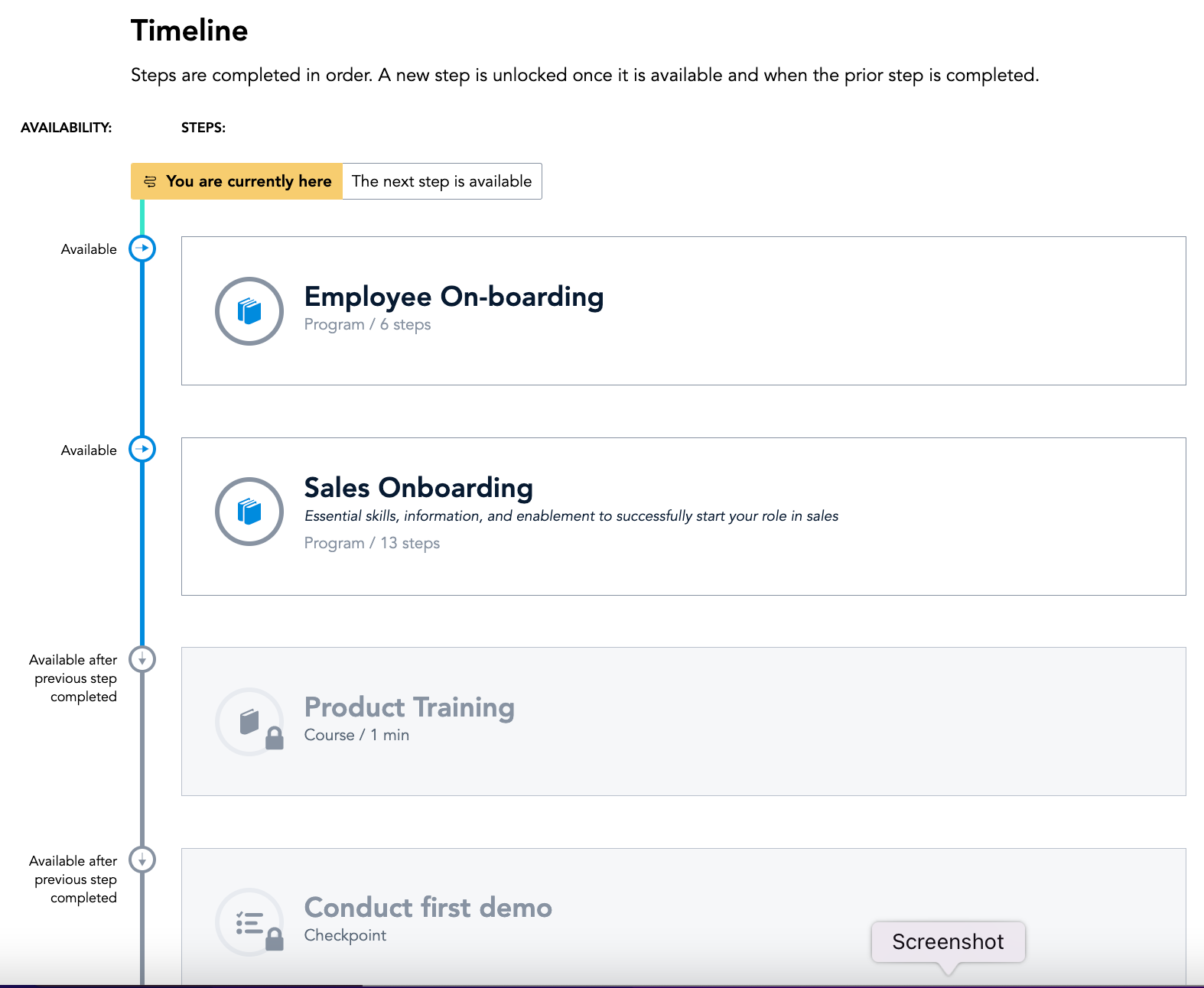
Bridge's Journeys: Journeys helps you build the courses you want and deliver an engaging training experience—every time
Bridge's Learning Page: Incredibly intuitive interface makes it easy to find, engage with, and complete assigned and optional learning
Bridge's Career Vision Page: Identify career vision, core drivers, and needed skills and then map a plan with courses and activities
Bridge's Analysis Overview: From custom reports, scheduled data delivery, to simply downloading the dashboard as a PDF, understanding your data is quick, easy and intuitive
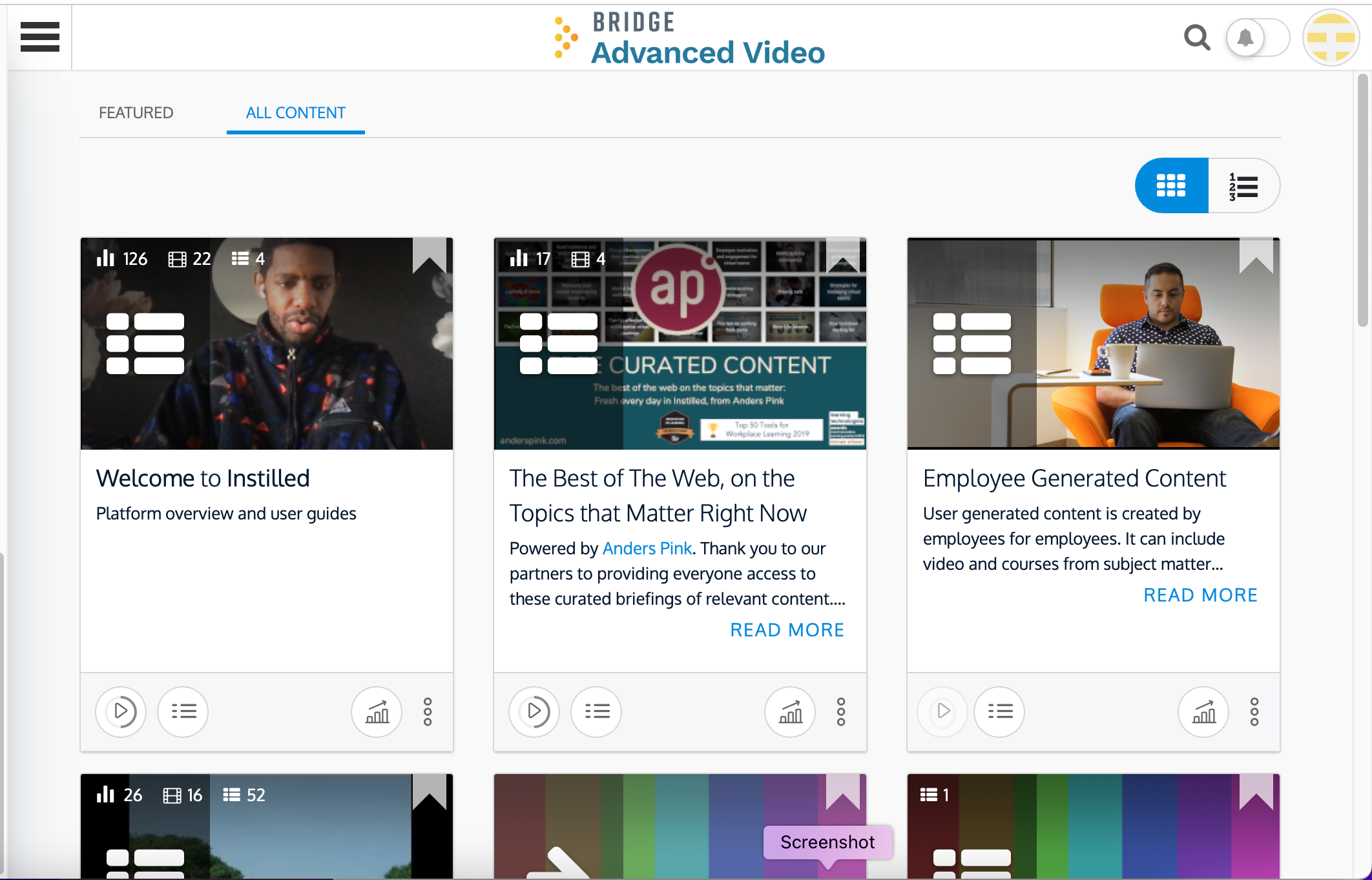
Bridge Advanced Video: Video based LXP that provides users with an enhanced video learning experience that is easy to use, quick to deploy and critical for retaining top talent and providing meaningful engagement with employees
Bridge's Development Plan: Help employees develop the skills they need for career development and growth

1 / 7

Top Performing Features

  • Progress tracking & certifications

    The system tracks individuals’ progress on courses, scores, transcripts, certificates, etc.

    Category average: 8.3

  • Assignments

    Users can assign courses/curricula to individuals or groups, with due dates.

    Category average: 7.6

  • Compliance management

    Users can identify potential risks and ensure that requirements are met and that certifications are up to date.

    Category average: 8.4

Areas for Improvement

  • Player/Portal

    Students or employees can engage with content and take courses using this interface, which may be called a player or portal.

    Category average: 7.8

  • Mobile friendly

    Students or employees can access content from mobile devices. Course authors can develop responsive learning content.

    Category average: 7.4

  • Social learning

    Includes features for collaboration and knowledge sharing among peers.

    Category average: 7

Bridge LMS = Proven Training Results

Use Cases and Deployment Scope

We leverage the Bridge Learning Platform for streamlined training administration, centralized learning resource management, compliance training, and professional development initiatives. The platform facilitates automated training assignment and offers a tiered access resource library. We are able to use canned or custom resources. Additionally, we utilize its reporting capabilities to track and analyze skill gaps within our workforce.

Pros

  • Automated Training Assignments
  • Reporting and Analytics
  • Customizable Learning Plans
  • Compliance Management

Cons

  • Mobile Compatiblity
  • User Interface
  • Built In Content Creation Tools

Return on Investment

  • Increased visibility for training utilization and compliance.
  • Automated processes for training assignment and notifications.
  • Sustainable within a fast paced environment.

Alternatives Considered

Canvas, Cornerstone OnDemand and Adobe Captivate

Bridge to Education

Pros

  • Video learning
  • Learning tracking and management
  • 1 on 1 meetings

Cons

  • Discoverability for assigned items
  • Incentives for utilization of the software
  • Total year to date course [hours] review

Return on Investment

  • The ability to see who has and hasn't taken certain courses can ensure our compliance and safety standard.
  • Education goals our company has set help to ensure our employees utilize the software.
  • Using this in tandem with HR software is a complete package for HR.

Alternatives Considered

Arcoro Hire (formerly BirdDogHR)

Other Software Used

QuickBooks Time (formerly TSheets), BambooHR, Google Ad Manager

Bridge: A Learning Solution for a Construction Company!

Pros

  • Bridge's customer service is second to no one. Any problem I have is immediately addressed. What you experience from their sales staff is only an example of what you will experience from their success manager. They present real-life solutions and better yet, if they do not have a solution, they will not make one up.
  • Ease of use. We are a construction company and many of our guys chose construction as a profession so that they did not have to use a computer. Technology has caught up with us and now we must use it. Our guys never used our previous LMS because it took too many clicks to get what you wanted. With Bridge, it is easy to maneuver around and find things. As an administrator, I love that it takes less time to add anything (sessions, live training, SCORM files) and you have to do it once. Saves me lots of time.
  • Elegant Design. Bridge is beautiful. People like well-designed sites and Bridge is absolutely clean and beautiful.
  • Follow through. When they say they are going to do something, they actually do it. What a concept. While we were buying Bridge, it did not do multiple session days. I questioned them about it and they assured me that it would be added in a few weeks. About a week after we committed to Bridge, that feature was added. They are about to follow through with their promise to improve their reporting (see con).

Cons

  • Reporting is horrible. Probably the worst I have ever seen. The transcript report is useless. It gives us a Bridge ID number and a session ID, so unless you run several reports and combine them, you will not know the name of the learners nor the name of the course. Here is a caveat, I have seen the preview of their reports and it looks to solve this problem. However, right now in June of 2018, I have to bring it up. Once the reporting is improved, this will go with one of their strengths I mentioned under Pros.
  • No certification feature. They do have a decent work around, but it's not exactly helpful when it comes to notifications of managers.
  • Permissions are a little difficult. For some functions, you have to give the a non-admin person way too much permissions to just allow them to take attendance.

Return on Investment

  • The impact has been extremely positive. Our learners are going into Bridge to look for training. They have NEVER done that before when we had another LMS. This is because of how beautifully designed Bridge is. We have a great learning environment here and now, we have an LMS that promotes the that environment.

Alternatives Considered

Cornerstone OnDemand

Great for New LMS Users

Pros

  • It is quick and easy to develop programs.
  • Easy for learners to utilize.
  • Easy for supervisors to manage.
  • We really like people being able to quickly register for live training.
  • Easily assign training to individuals and departments.

Cons

  • It would be helpful to have easier reporting features such as combining all aspects in one report - completed, still due and overdue - instead of separate reports..
  • Being able to assign permissions to individuals who may not be supervisors but responsible for training in their department.

Return on Investment

  • More effective in getting training completed than bringing people in from all over town for live sessions.

Alternatives Considered

Grovo and Cornerstone OnDemand

Other Software Used

ADP Workforce Now

Usability

Excited to use the new functionality that's being added to the Bridge Suite!

Pros

  • Checkpoints - needing to request approval and submit evidence. This is a strength because we have homework that our users need to complete daily and they can use checkpoints to submit the homework and then we can provide feedback. This allows us to keep everything in one system without them having to submit their homeworks somewhere else, like through email for example.
  • Programs - ability to combine courses and checkpoints within and adding headers to keep everything organized as a learner moves through it. This is great so that our users can access everything for training from one location without having to be enrolled in multiple programs, courses etc. The more simplified we can make things for our end-users, the better.
  • Quizzing - We like to follow up each video we have in a course with a quiz question just to test our users knowledge.

Cons

  • Sharing programs from one sub-account to another - missing functionality
  • Ability to upload videos using the native Bridge authoring tool at the highest quality. Currently only an option with ARC but ARC moves slowly in our China offices for those of us creating courses and our learners watching the videos.
  • Answering a quiz question with a picture/screen capture - missing functinality
  • Receiving an email notification when any comments are made to a video, even if it's a new comment. We have 100's of videos that need to be checked daily to see if our end-users have asked questions pertaining to that video.
  • Hitting "Request Approval" in a checkpoint, then having the option to add a comment, then having to hit "Request Approval" again. Very confusing for our end-users who think they are requesting approval after clicking it the first time.
  • More text editing options in the author tool. We would like to use Bridge to train our programmers/developers but since we don't have many options for editing text, it's hard to show software code/coding unless a screen shot is taken and uploaded.

Return on Investment

  • We didn't have any kind of LMS in place before Bridge so coming into it, Bridge has served the purpose. There are things that need to be improved but we'll keep submitting ideas!
