TrustRadius: an HG Insights company

Auvik

Score9.8 out of 10

157 Reviews and Ratings

What is Auvik?

Auvik Network Management is a vendor-agnostic cloud-based network monitoring and management solution providing automated network discovery. Auvik requires no service hardware or disruptive maintenance cycles and provides onboarding and training for new and existing users. Auvik delivers visibility and automation to reduce friction for IT teams and allow them to give end users the freedom to work wherever and however they like.


  • Proactive service delivery: by automating network discovery in a multi-tenant cloud environment, IIT teams can deliver maintenance and troubleshooting services more proactively, optimizing ticket response times, minimizing downtime, and eliminating common friction points in the end-user experience.
  • Compliance and security: By automating documentation, inventory, and configuration backups, Auvik helps IIT teams stay one step ahead with regard to compliance demands while providing the network visibility needed to properly enact security programs and policies. This helps the organization avoid the lost time and reputational damage that a security or compliance breach would bring about.
  • Strategic IT enablement: Auvik Network Management reduces the amount of time spent on "keeping the lights on" activities, preventing truck rolls and prolonged troubleshooting cycles.

Media

a display of the big network picture used to narrow down possible devices to investigate. Auvik pulls data from sources like CDP, LLDP, and forwarding tables to meticulously model the Layer 1 network diagram. Layers 2 and 3 are built from ARP tables, IP assignments, and VLAN associations to show what’s on the network, where it is, and how it’s connected.
Auvik’s automated inventory, which uses network protocols to detect and capture full details for every device on the network including make and model, serial number, IP address, and the physical switchport the device is connected to. If the device is known but not its location, Auvik can find the device and every other device it’s connected to.
lifecycle data, pulled from supported devices to show whether they’re on current or expired support contracts, whether there are more up-to-date software versions available, if devices are eligible to receive critical security updates, and if devices are still available for purchase.
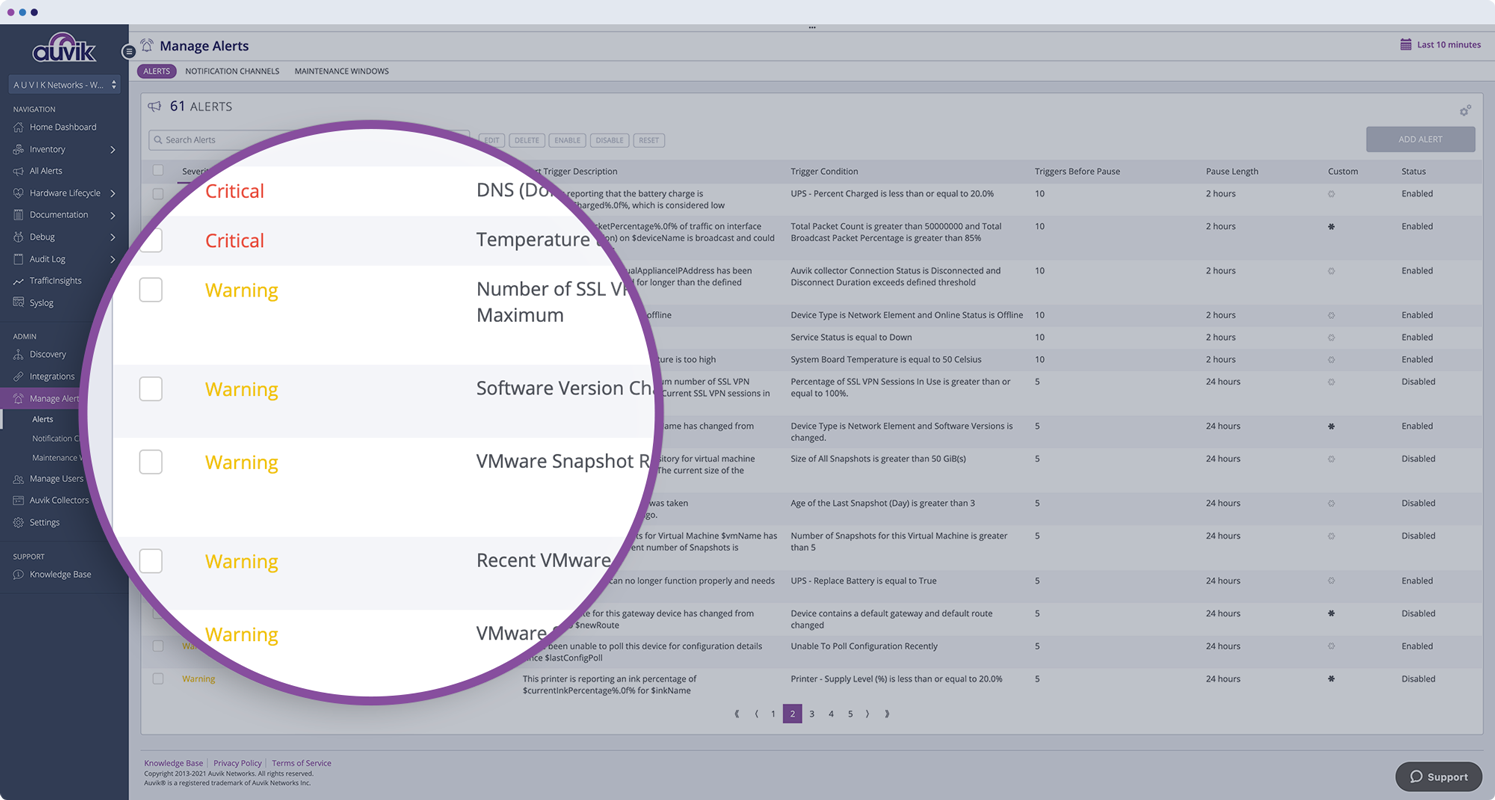
Auvik's over 50 pre-configured alerts tuned to industry best practices and ranging from informational to emergency. Its pre-configured alerts can be tweaked, added to, and the frequency of how often notifications are sent can be changed.
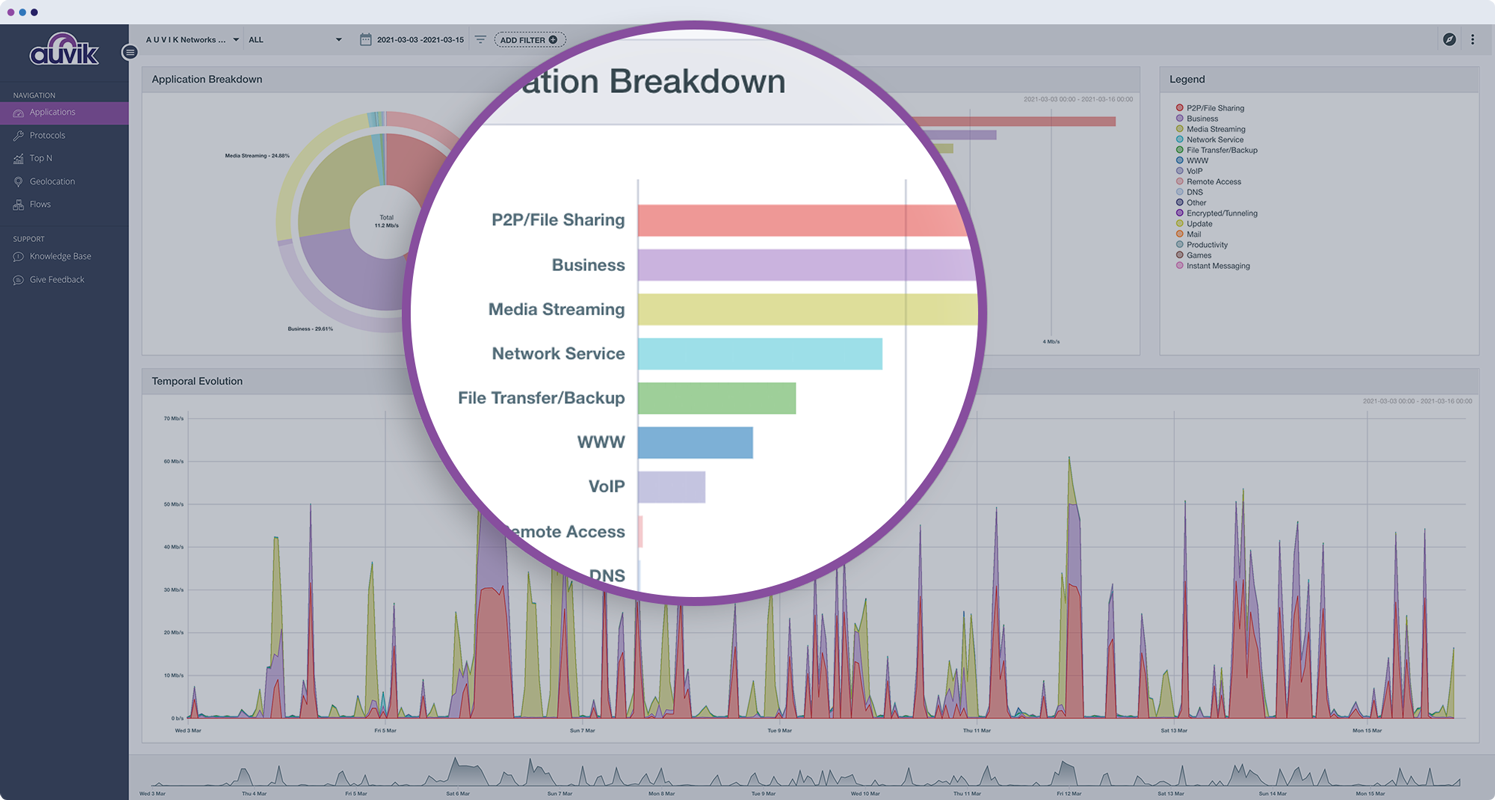
Auvik TrafficInsights, which leverages machine learning and traffic classification to show which applications—like Dropbox, Netflix, or Slack—or protocols are using up the bulk of the network’s bandwidth.
Auvik's centralized syslog for all network devices where they can be viewed directly from the device dashboard for more context, to more quickly troubleshoot network issues.
Auvik’s configuration restore button, which can be used to instantly bring things back to the way they were should a device fail. Alternatively, the config can be exported and applied it to a new device.
Auvik offers three remote management features to remotely connect to a device in Auvik’s inventory.

1 / 8

Top Performing Features

  • Automated network device discovery

    Automated network device discovery allows all devices in the environment to be found and tracked

    Category average: 8.3

  • Network monitoring

    Monitoring network device availability and performance indicators like bandwidth, packet loss, CPU, WAN links, etc.

    Category average: 9

  • Alerts

    Alerts warning of critical infrastructure component failure can be sent via email or SMS or other channel

    Category average: 9

Areas for Improvement

  • Wireless infrastructure monitoring

    Ability to monitor wireless access points, controllers, and connected clients

    Category average: 7.6

  • Packet capture analysis

    Interception of data packets provides performance-related information such as network and application response times, and traffic type analysis

    Category average: 7.3

  • Customizable reports

    Ability to schedule, generate, and deliver custom performance and availability reports

    Category average: 7.2

Certified CIO uses Auvik

Use Cases and Deployment Scope

First stop for any network issue, Auvik creates tickets directly to our PSA so we don't miss a thing. For noisy devices, the alerts are customizable. Using Remote Browser allows us to log into Firewall, Switches, and NAS devices right in our web browser which saves us from having to rely on taking control over a server or workstation onsite.

Pros

  • Alerting.
  • Reporting.
  • Remote Access.

Cons

  • RMM deployment.

Return on Investment

  • Less disruptions for our clients.
  • Less engineer time wasted trying to find simple stuff like IP addresses.

Other Software Used

ConnectWise Automate (formerly LabTech), ConnectWise Manage

Polar Bear "Auvik" Slays Issues Across Multiple Networks

Use Cases and Deployment Scope

We use Auvik in multiple ways across most of our clients - discovery, management, mitigation, configuration management, network trends, flow monitoring, alerting, and others. Deployment is quick and lightweight, which makes buy-in that much easier.

Auvik has been used to address many business cases and situations, including malware/crypto mitigation, emergency outage responses, validation of the network, and trending of network flows to create a baseline of the environment.

Pros

  • Discovering interconnectivity of network devices
  • Configuration management
  • Inventory
  • Troubleshooting

Cons

  • Mapping complex multiple-site interconnectivity could use improvement
  • Inability to turn off banner messages
  • Switch stack membership could use a better visual representation on the map

Return on Investment

  • Ease of troubleshooting
  • Communication of network situation and awareness to clients
  • Extreme amount of time saved when jumping between client environments and devices
  • Ease of sharing network knowledge internally

Alternatives Considered

SolarWinds Network Performance Monitor (NPM), SolarWinds Network Configuration Manager (NCM), PRTG Network Monitor, Cisco Meraki SD-WAN, Cisco Prime LAN Management Solution, Open Systems SASE+, Palo Alto Networks Prisma SD-WAN (CloudGenix) and Zabbix

Other Software Used

Fortinet FortiGate, Datto Autotask PSA, Cisco Meraki Wireless Access Point

Auvik gives you visibility and monitoring into your network and your clients with a single pane of glass.

Use Cases and Deployment Scope

As an MSP, Auvik helps us monitor, manage, and maintain our clients environments for issues that can be difficult to report on or have visibility into without custom configuration. We have many different vendors we use for network and servers so it gives us the ability to standardize our alerting and monitoring of these devices.

Pros

  • Monitoring and Custom Alerting
  • Integrations with other tools (ConnectWise, Liongard)
  • Automatic backups and ease of remote access to firewalls
  • SSO Authentication for easy user management

Cons

  • recommended training paths (has improved greatly, but would love for it to have clearer paths)
  • Best practice trainings or health check ins (Have done several and still question if we are using the product correctly)
  • Server information is extremely difficult to configure and have in inventory. Was excited for this feature, but it almost is more trouble than its worth so far.

Return on Investment

  • Smoother troubleshooting
  • Easier Access to remote devices
  • Backup configuration in event of hardware failure
  • Smoother troubleshooting in certain scenarios

Alternatives Considered

PRTG Network Monitor

Auvik FTW for MSPs!

Use Cases and Deployment Scope

We are a Managed IT Services Provider (MSP) providing fully managed IT services to small and medium-sized businesses. We utilize Auvik for proactive network monitoring, alerting, and issue remediation at all of our client sites. We also leverage Auvik's integrations with our Ticketing and Documentation systems to efficiently document and inventory customer network infrastructure and devices.

Pros

  • Network Monitoring and Alerting.
  • Integrates with common MSP tools (PSA, Documentation, Alerting, etc).
  • MSP-focused team and product.

Cons

  • Autotask PSA integration needs some work at the present moment.
  • It would be great if we could customize Device Types or better map Auvik's device types to Configuration Item Types in PSA.
  • Deeper integrations with the rest of the MSP toolset (an API integration with UniFi, for instance).

Return on Investment

  • Lower MTTR.
  • Higher efficiency of network troubleshooting.
  • Increased sales and margins (for our non-fully managed clients that purchase on an as-needed basis).
  • Less time spent on repetitive network management tasks.
  • More efficient and automated network device documentation.

Alternatives Considered

PRTG Network Monitor, NinjaOne, Datto RMM and Intermapper

Other Software Used

Datto Autotask PSA, IT Glue, Datto RMM

Aims to Please, Doesn't Disappoint!

Use Cases and Deployment Scope

Knowing the status of all network equipment in our network is crucial. Auvik has been instrumental in supplying me with this information. I immediately know when there is an issue or offline device which makes my response time so much faster. Auvik's network monitoring capabilities are precise and there was very little setup time involved. It scanned our network and populated my dashboard. I make the decision on what devices to manage and what network subnets to scan.

The next most important aspect of Auvik is the config backup of my network switches and controllers. The fact that it does a config backup on a device anytime it sees a config change is outstanding. Being able to view an archive of a backup to see possible unauthorized or unapproved changes is crucial.

The syslog capability has proven to be very helpful in certain circumstances as well. It has aided in determining timelines of certain network events and possible explanations to cause.

Overall, I'm extremely satisfied with the performance of Auvik and it's plethora of information.

Pros

  • Network Monitoring and Alert Notification
  • Configuration Backup of Switches and Controllers
  • Syslog

Cons

  • Page Refresh of the Web GUI. Page appears to be non-responsive when letting it sit for a while. Sometimes need to do a browser page refresh.
  • Mobile App would be very nice

Return on Investment

  • Greatly improved response time
  • Lower MTTR

Alternatives Considered

SolarWinds Security Event Manager (SEM), Darktrace and LogRhythm NextGen SIEM Platform

Other Software Used

Veeam ONE